A budget board with a real thermal tradeoff
At $149.99, the ASRock B860 Challenger WiFi makes a straightforward pitch: a full size Intel B860 motherboard with current connectivity and support for Core Ultra and Core Ultra Series 2 processors, including Arrow Lake and its refresh. The tradeoff is equally straightforward. It covers the essentials, but its USB ports top out at 5 Gbps and its power delivery runs hot under sustained load. The board’s performance was better than its modest voltage regulator setup suggested. In testing, it handled an Intel Core Ultra 270K Plus at stock settings without throttling and scored around average or better in most workloads, including gaming, office tasks, and creative work. The VRMs did heat up during a 30 minute stress test, though, so a case with good airflow makes sense, especially with a high end processor and long, heavily threaded workloads. For $149.99, the feature set is practical: Wi-Fi 7, 2.5 GbE, three M.2 sockets, four SATA ports, and eight rear USB ports. The limitations are easy to spot. The audio hardware is basic, the BIOS works but feels dated beside rival offerings, and no USB port exceeds 5 Gbps. Whether it belongs among the [best motherboards](https://www.tomshardware.com/best-picks/best-motherboards) depends on how much those compromises matter to your build. Here are the board’s specifications, followed by a closer look at its design and features.ASRock B860 Challenger WiFi specifications
| Specification | Details |
|---|---|
| Socket | LGA 1851 |
| Chipset | B860 |
| Form factor | ATX |
| Voltage regulator | 14 phase; 10 × 50A Dr.MOS MOSFETs for Vcore |
| Video output | 1 × HDMI 2.1 |
| USB ports | 1 × USB 3.2 Gen 1 Type-C (5 Gbps); 6 × USB 3.2 Gen 1 (5 Gbps); 2 × USB 2.0 (480 Mbps) |
| Network jack | 1 × 2.5 GbE |
| Audio jacks | Analog and SPDIF listed in specifications |
| Legacy ports and jacks | None |
| Other ports and jacks | None |
| PCIe x16 slots | 1 × PCIe 5.0 x16; 1 × PCIe 4.0 x4 |
| PCIe x8 and x4 slots | None |
| PCIe x1 slots | None |
| CrossFire/SLI | Not supported |
| Memory | 4 × DDR5 slots; up to DDR5-8666+ (overclocked); 256GB maximum |
| M.2 sockets | 1 × PCIe 5.0 x4 (128 Gbps), up to 80mm; 2 × PCIe 4.0 x4 (64 Gbps), up to 80mm |
| SATA ports | 4 × SATA 3, 6 Gbps |
| USB headers | 1 × USB 3.2 Gen 1 Type-C (5 Gbps); 1 × USB 3.2 Gen 1 (5 Gbps); 2 × USB 2.0 (480 Mbps) |
| Fan and pump headers | 7 × 4-pin; PWM and DC |
| RGB headers | 3 × 3-pin ARGB Gen2; 1 × 4-pin RGB |
| Diagnostics | Four-LED Post Status Checker for CPU, DRAM, VGA, and Boot |
| Internal buttons and switches | None |
| SATA controllers | None listed |
| Ethernet controller | Realtek RTL8125, 2.5 GbE |
| Wi-Fi and Bluetooth | Realtek 8922AE Wi-Fi 7, 160 MHz, 6 GHz; Bluetooth 5.4 |
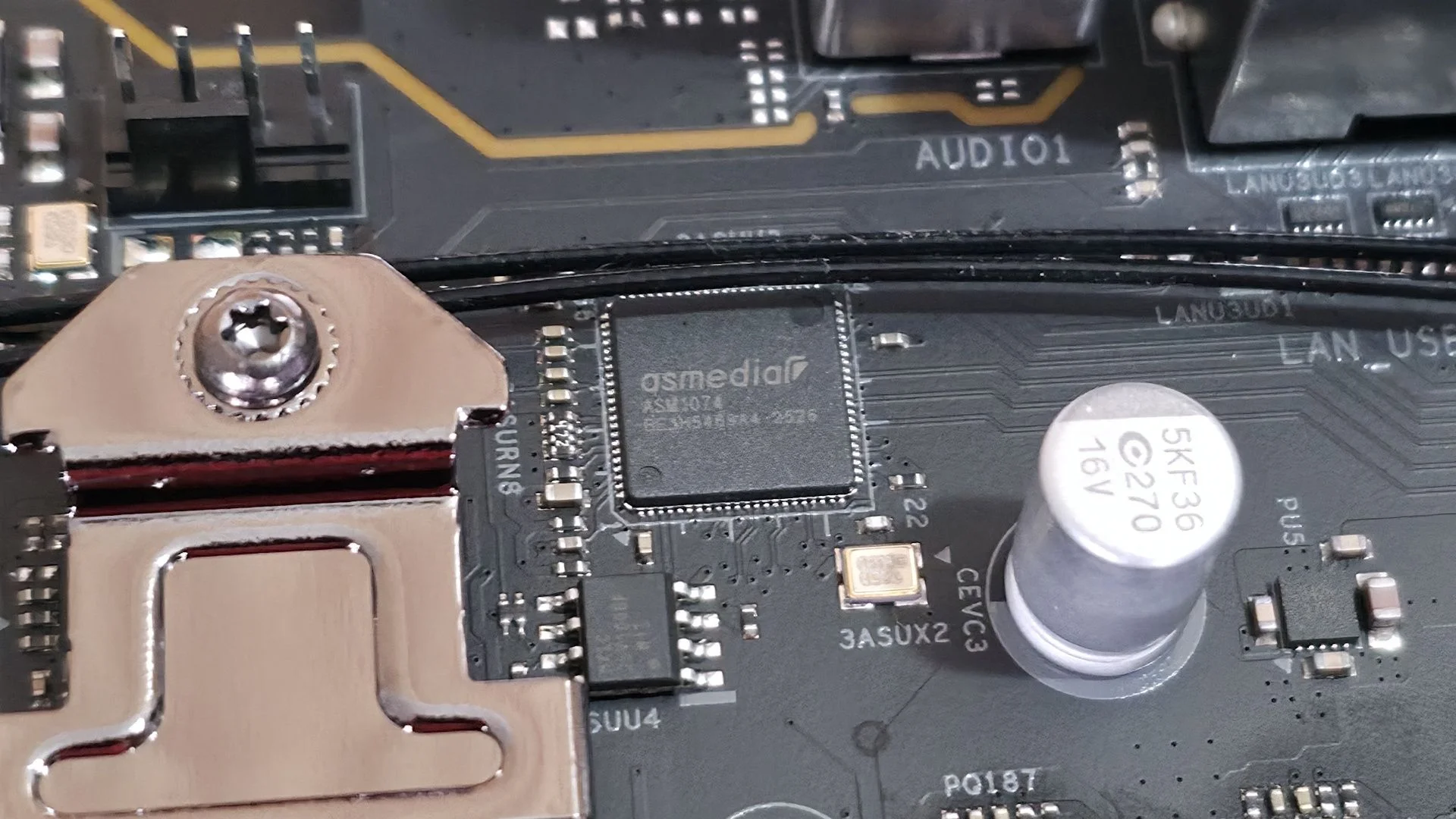
| USB controller | ASMedia ASM1074 |
| HD audio codec | Realtek ALC897 |
| DDL/DTS | Neither supported |
| Warranty | 3 years |
What’s in the box
ASRock supplies two SATA cables, an M.2 screw and mount, Wi-Fi antennas, stickers, and a quick installation guide. It’s a short accessory list, though that’s typical for an affordable mainstream board.Design and features
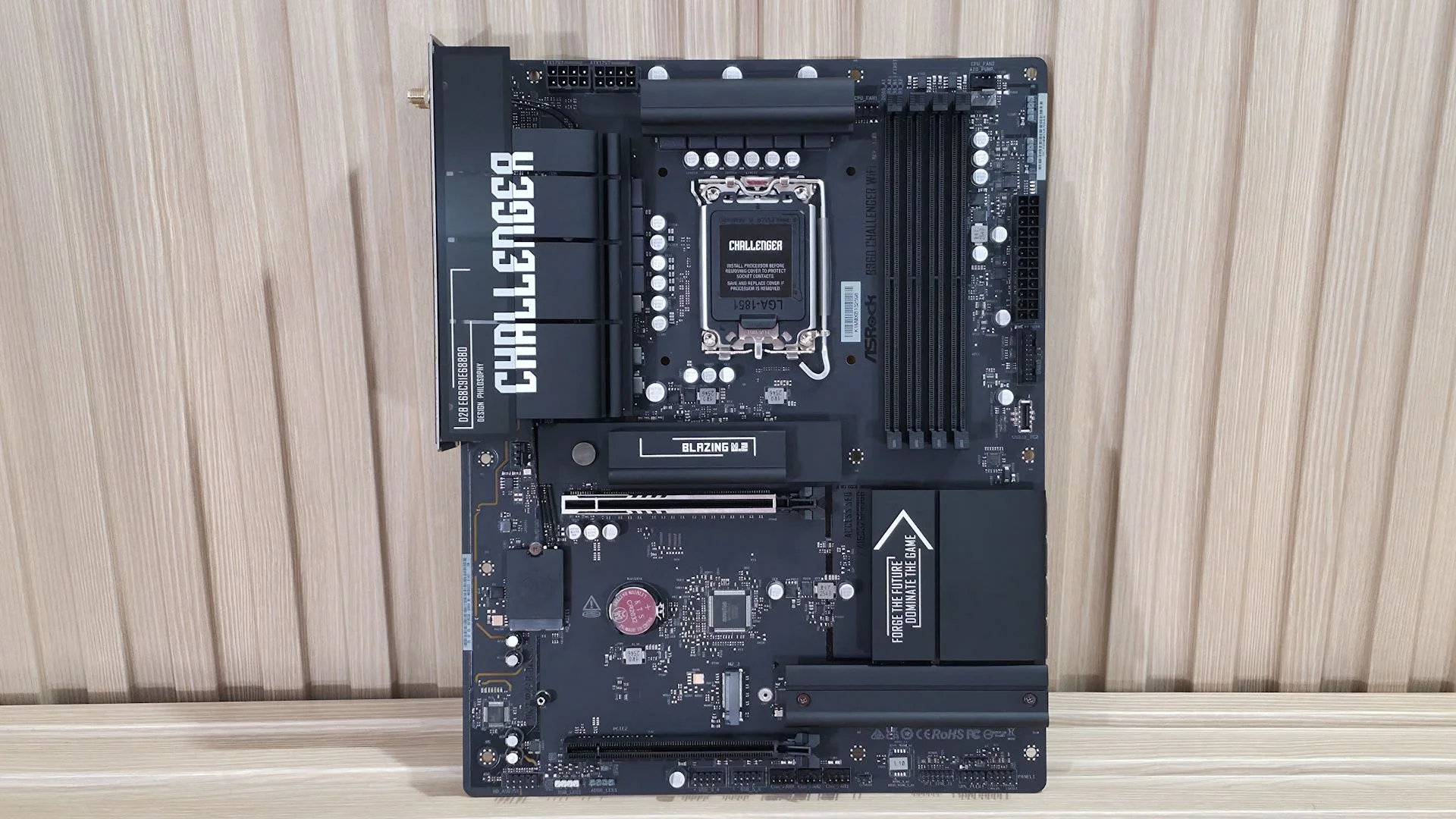
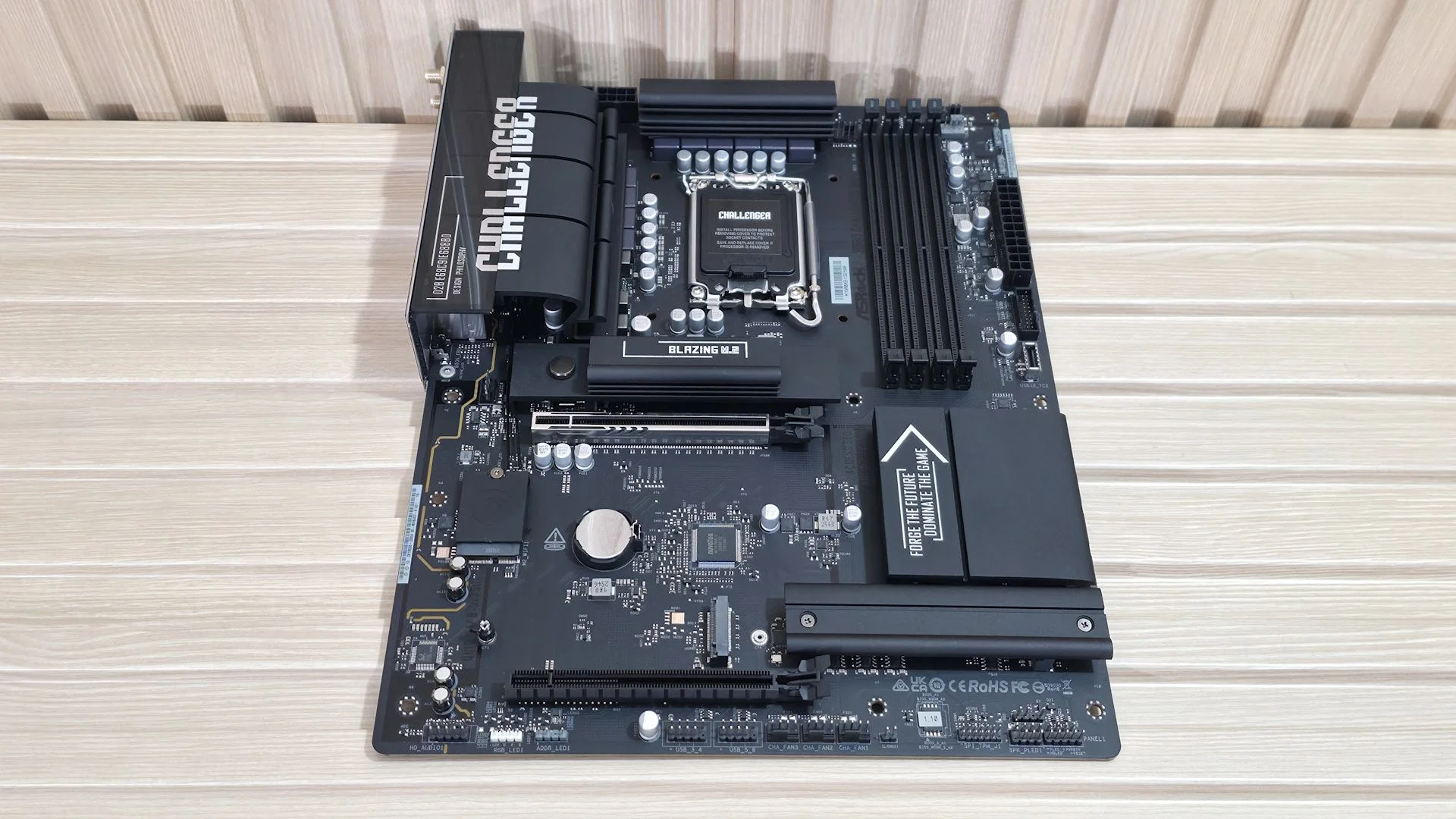
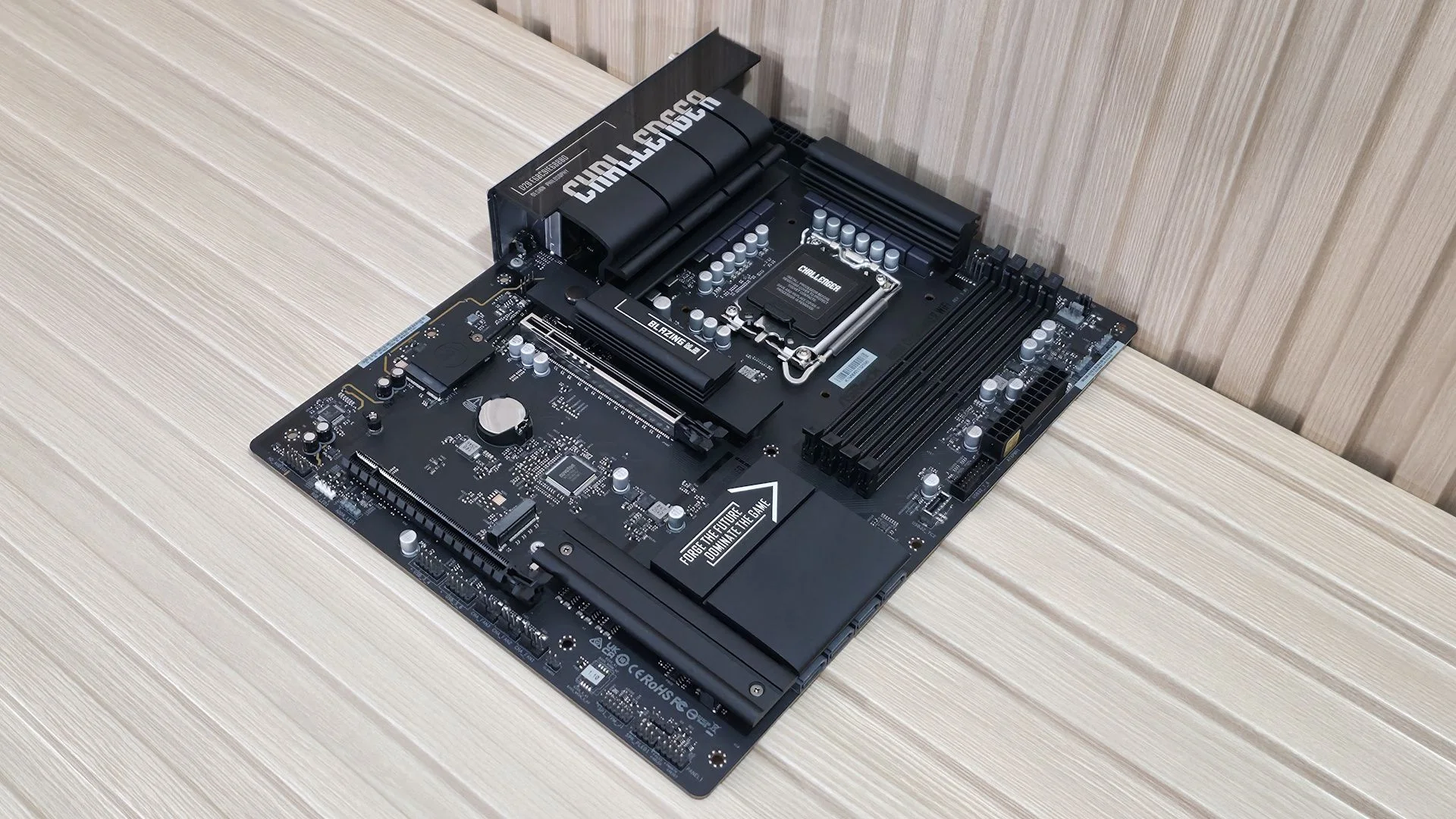
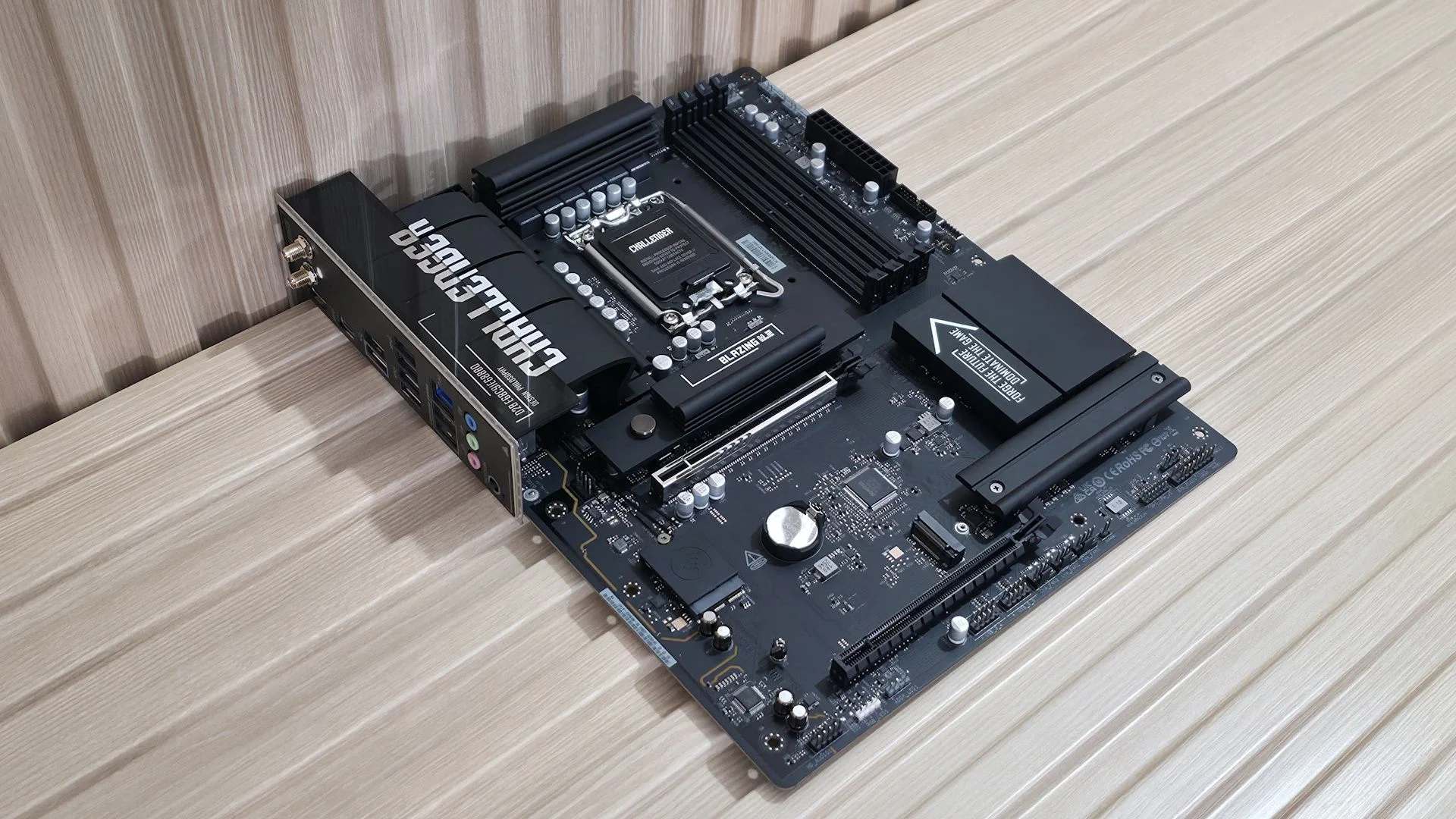
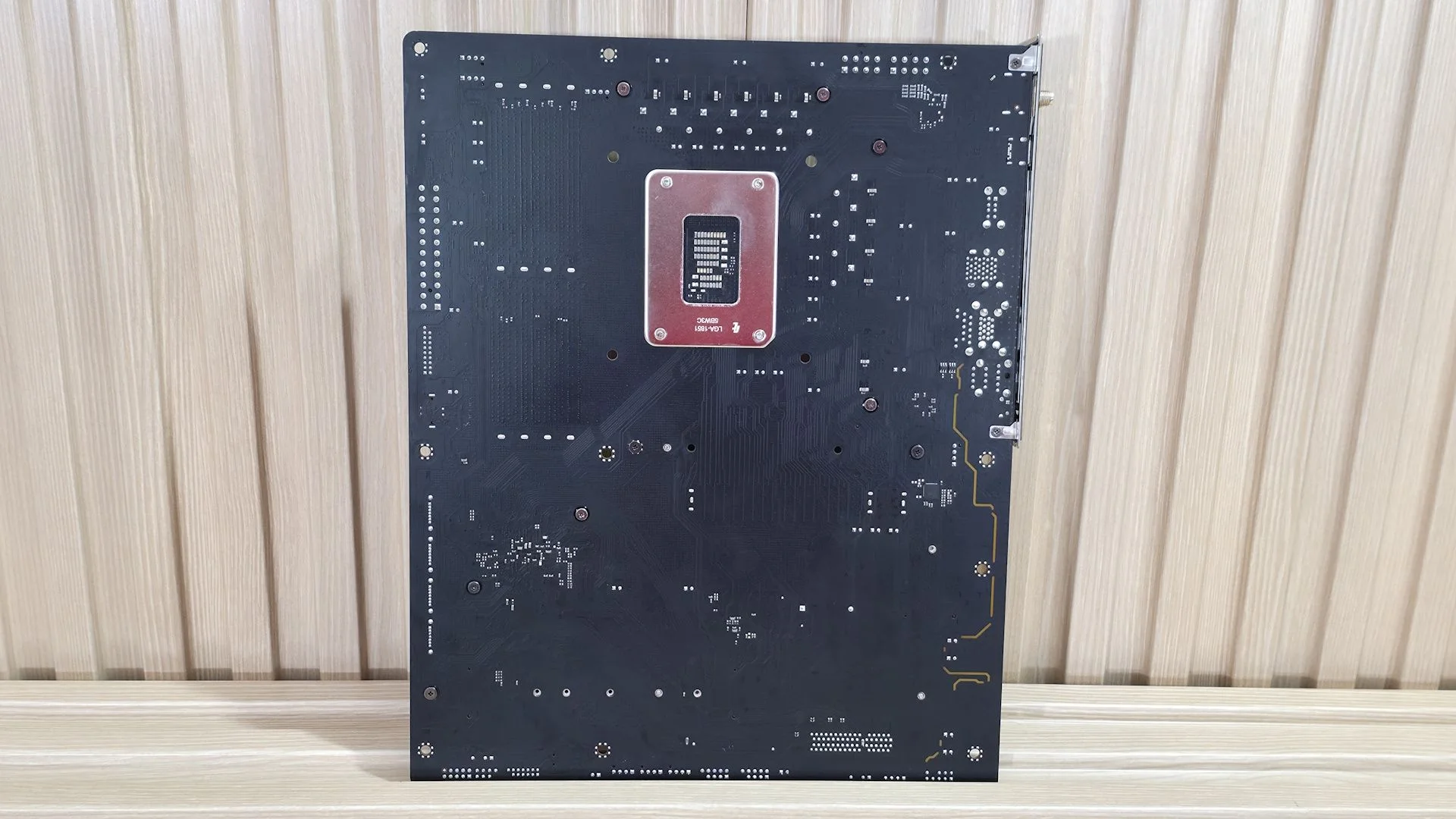
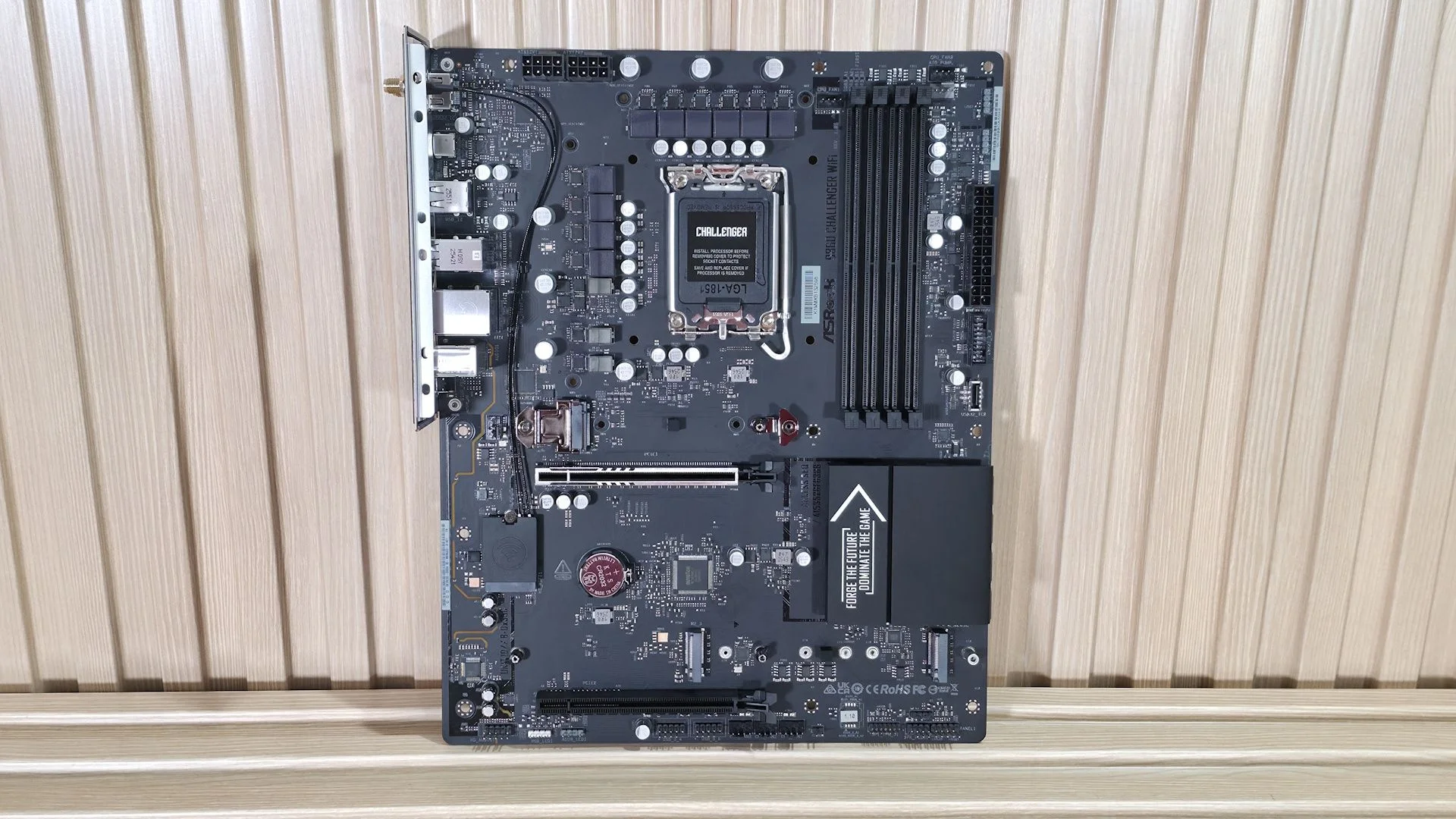
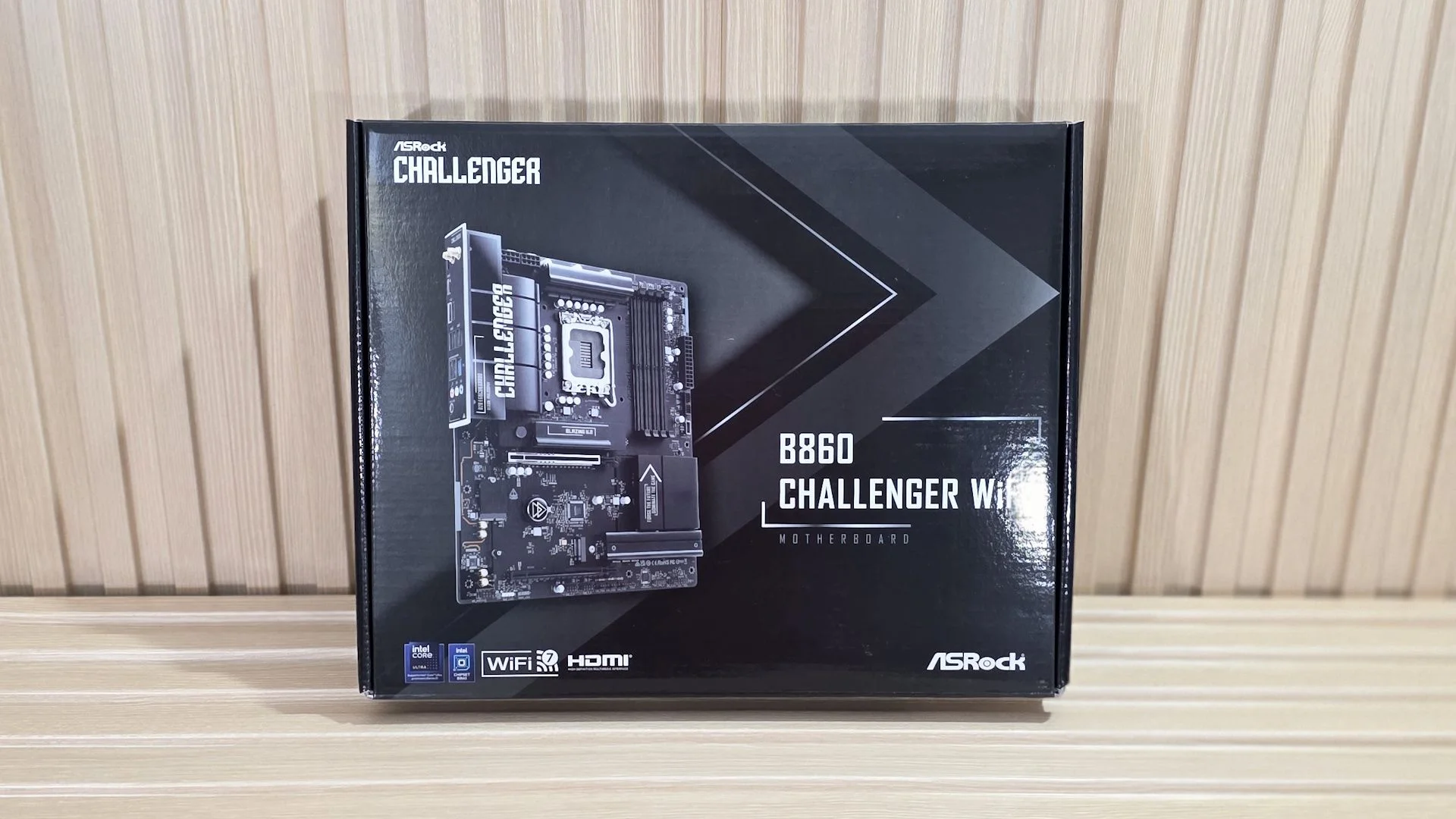
The Challenger’s matte-black PCB, black connectors, and black heatsinks give it a restrained look. A few silver branding details and capacitors break up the dark finish. There’s no built-in RGB lighting, but four headers let you add your own. Much of the PCB remains exposed, as you’d expect at this price, and the board should suit a dark themed build.
There’s no full length heatsink along the bottom, partly because of the M.2 socket layout. Two of the three M.2 drives do get heatsinks.
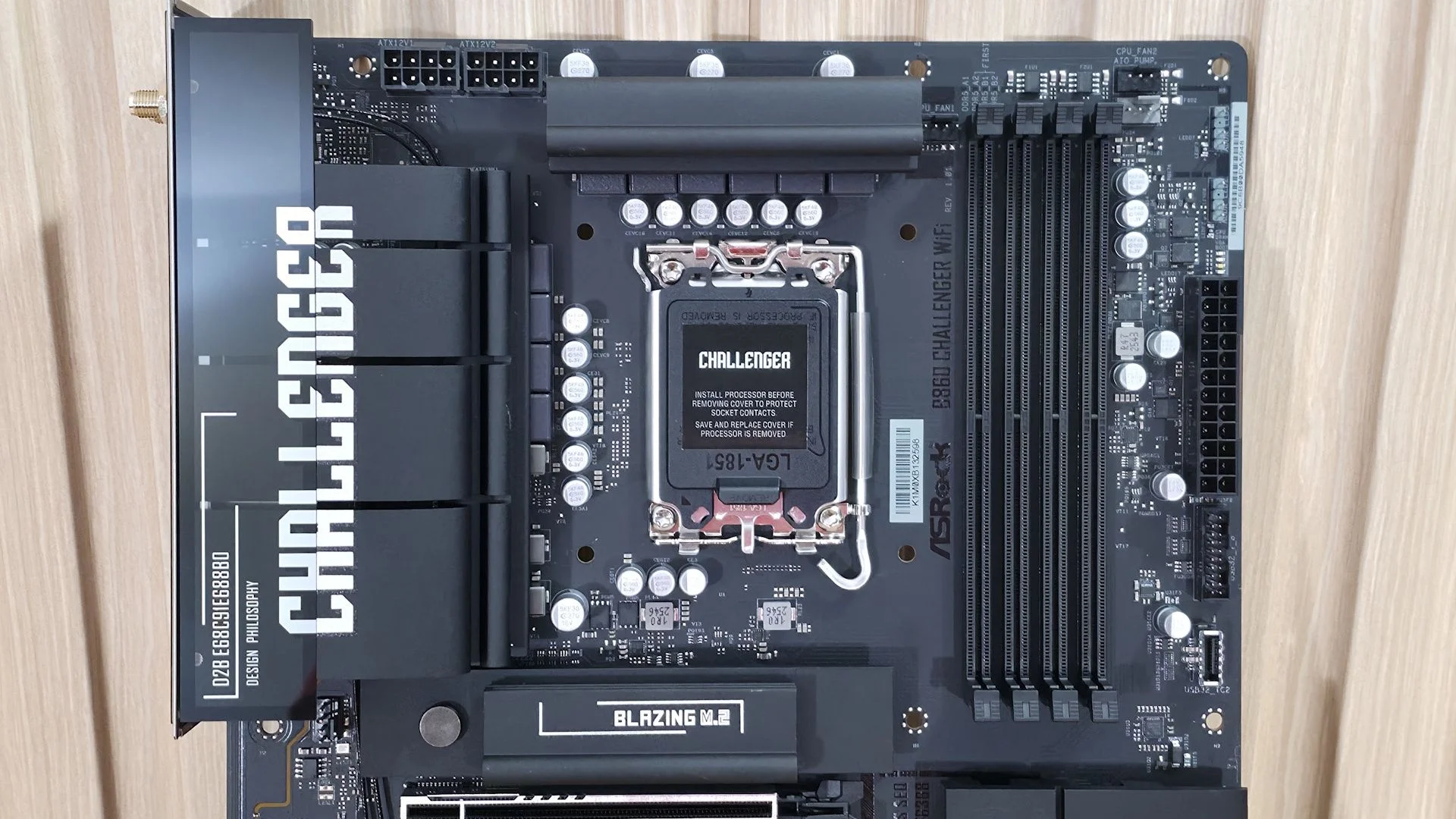
At the top left, two 8-pin EPS connectors supply power to the processor. A large VRM heatsink stretches toward the rear I/O and covers some board components; a second heatsink sits above the power stages. Both made good contact with the MOSFETs and inductors in our inspection.
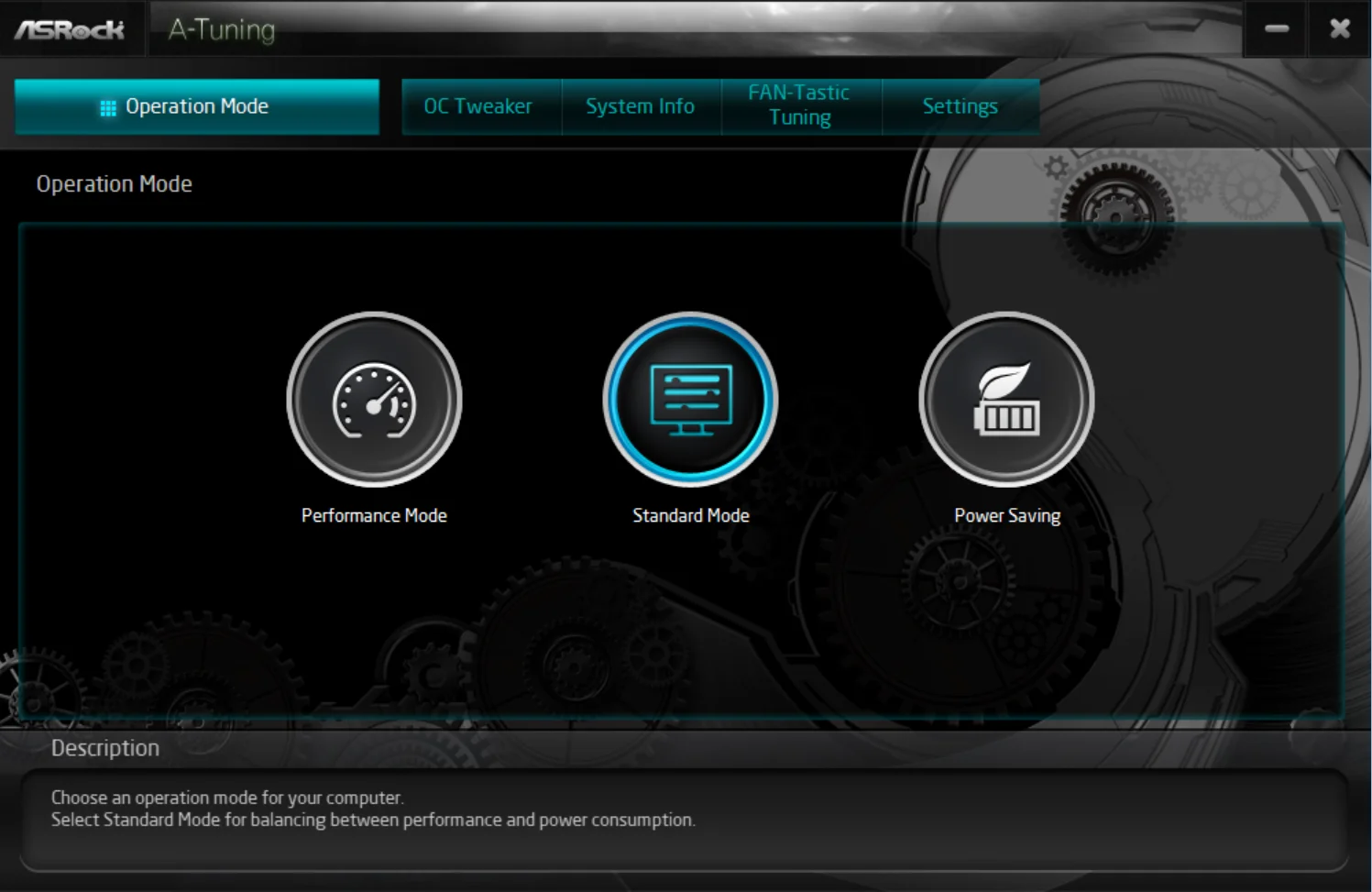
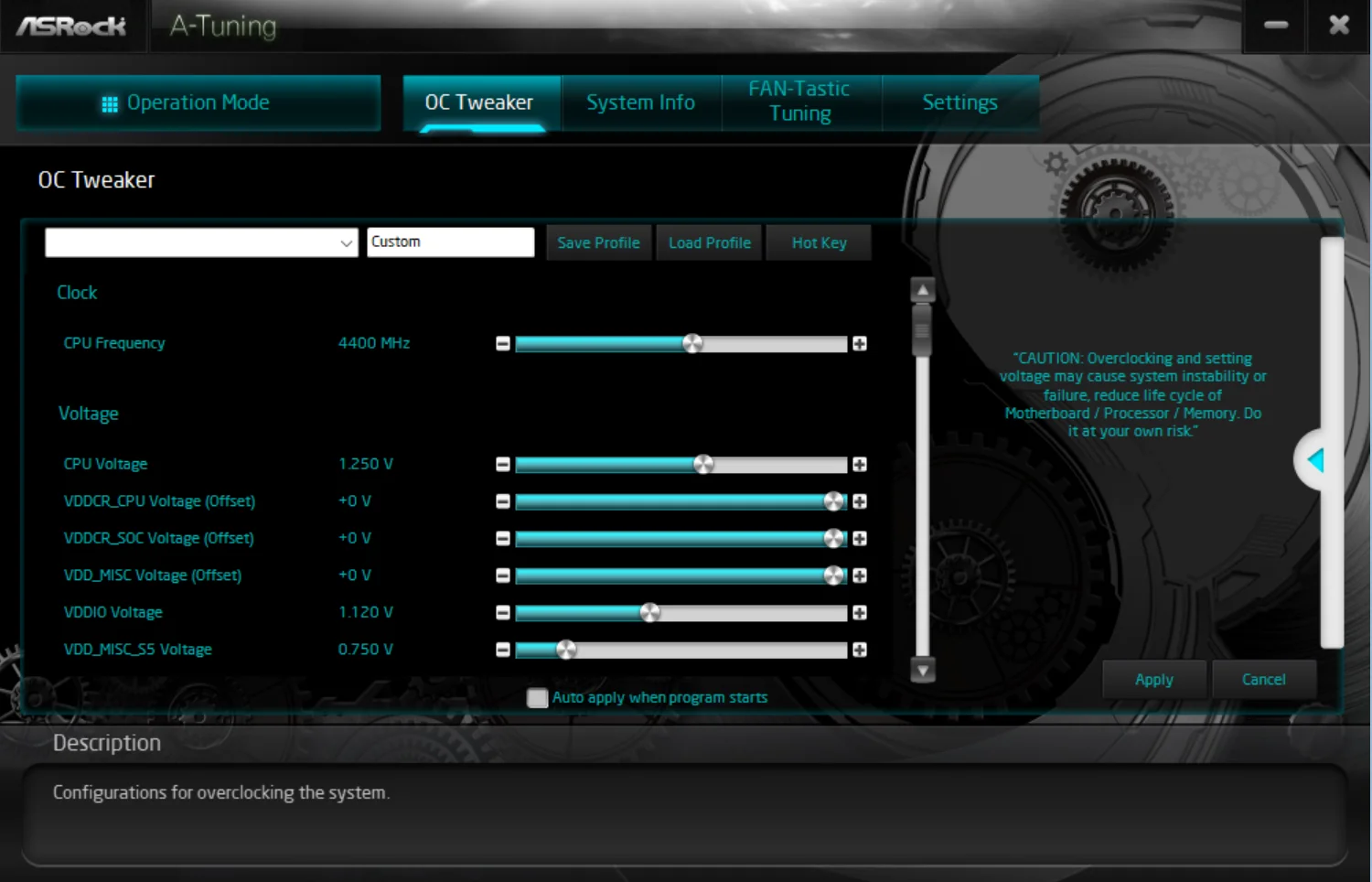
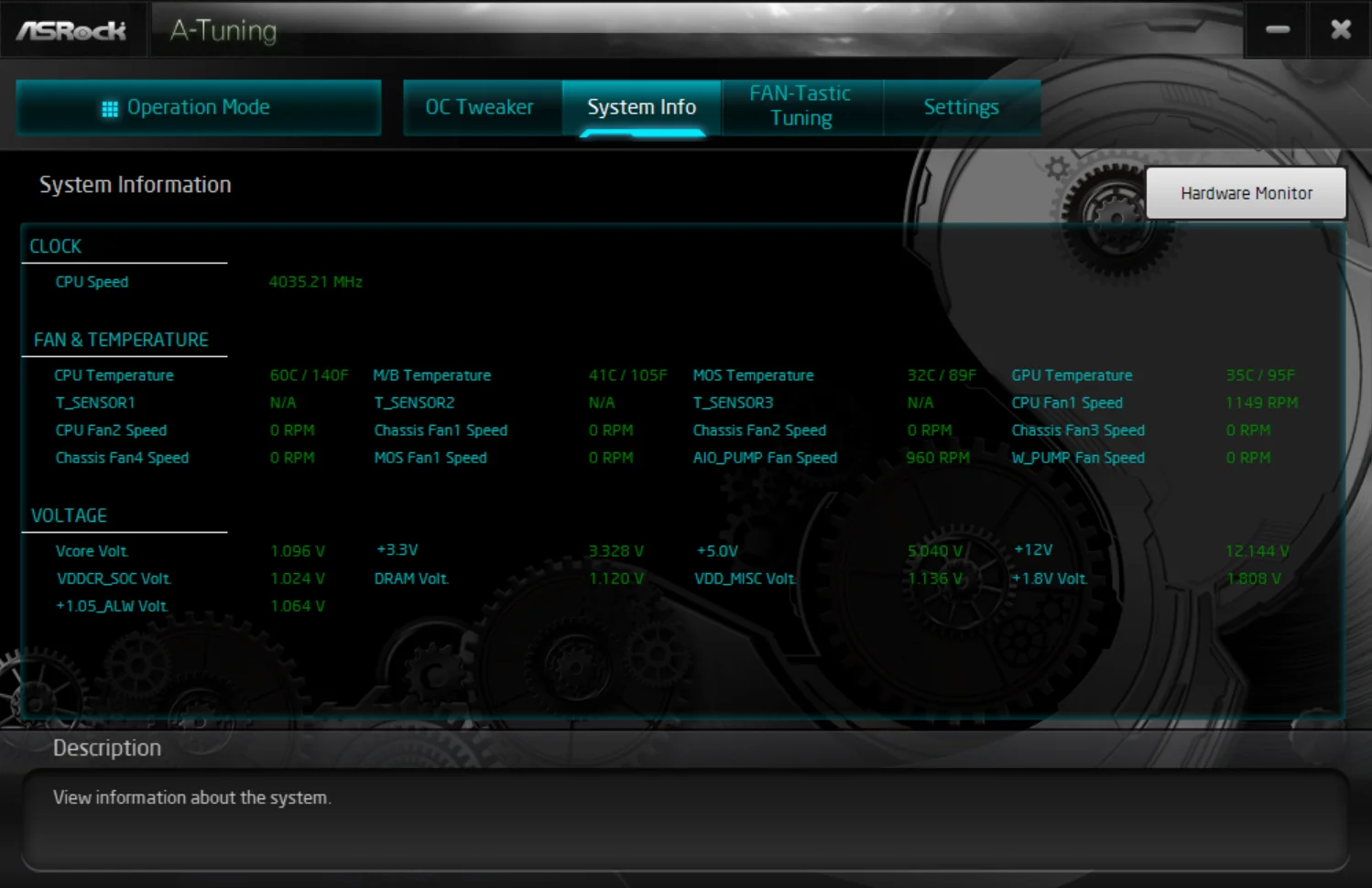
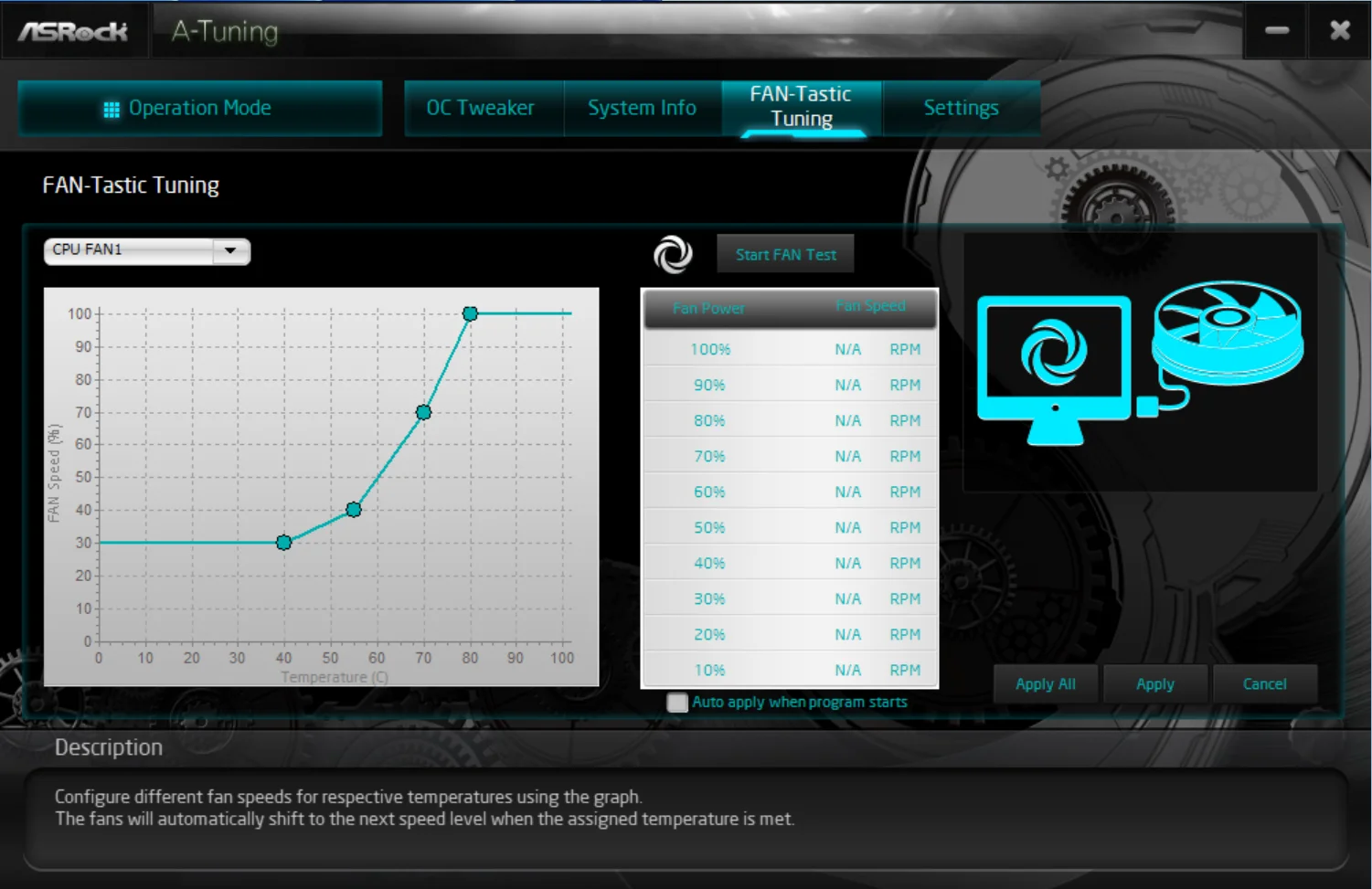
Four DIMM slots sit beside the CPU socket, with latches on both ends. ASRock rates the board for memory speeds up to DDR5-8666, more than enough for the platform. Seven four-pin fan headers support PWM and DC control. The CPU_FAN1 header is rated for 1A/12W, while the others support up to 3A/36W. You can manage them in the BIOS or ASRock’s A-Tuning app, which includes Fan-Tastic Tuning.
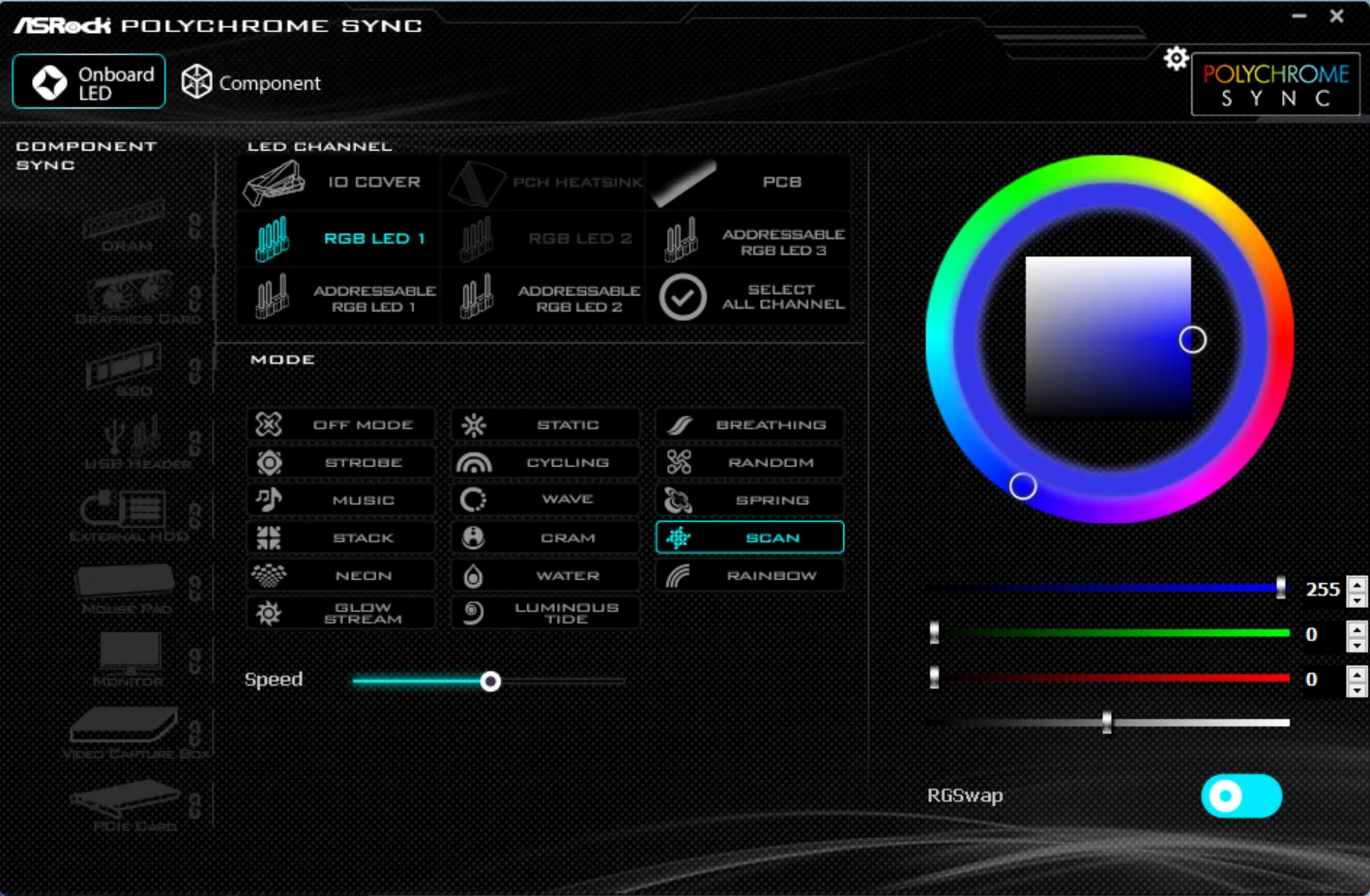
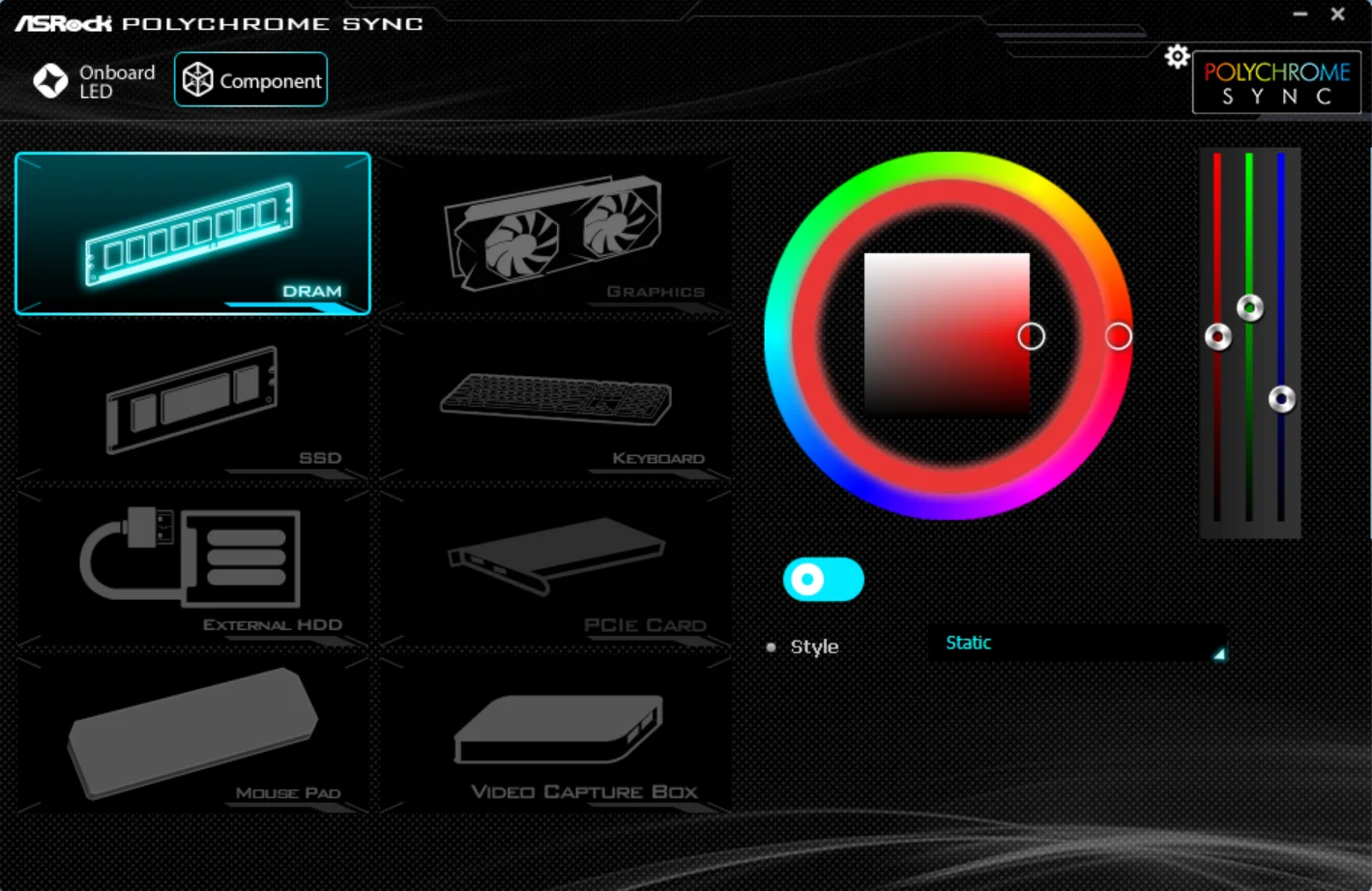
Two ARGB headers sit along the right edge, with another ARGB header and a four-pin RGB header along the bottom. ASRock’s Polychrome Sync software, available in the BIOS or as a standalone app, controls connected lighting. Nearby are the 24-pin power connector and front-panel USB headers: one USB 3.2 Gen 1 and one Type-C, both rated at 5 Gbps. That speed ceiling applies across the board. For a 2026 product, even a budget model, it’s a conspicuous limitation.
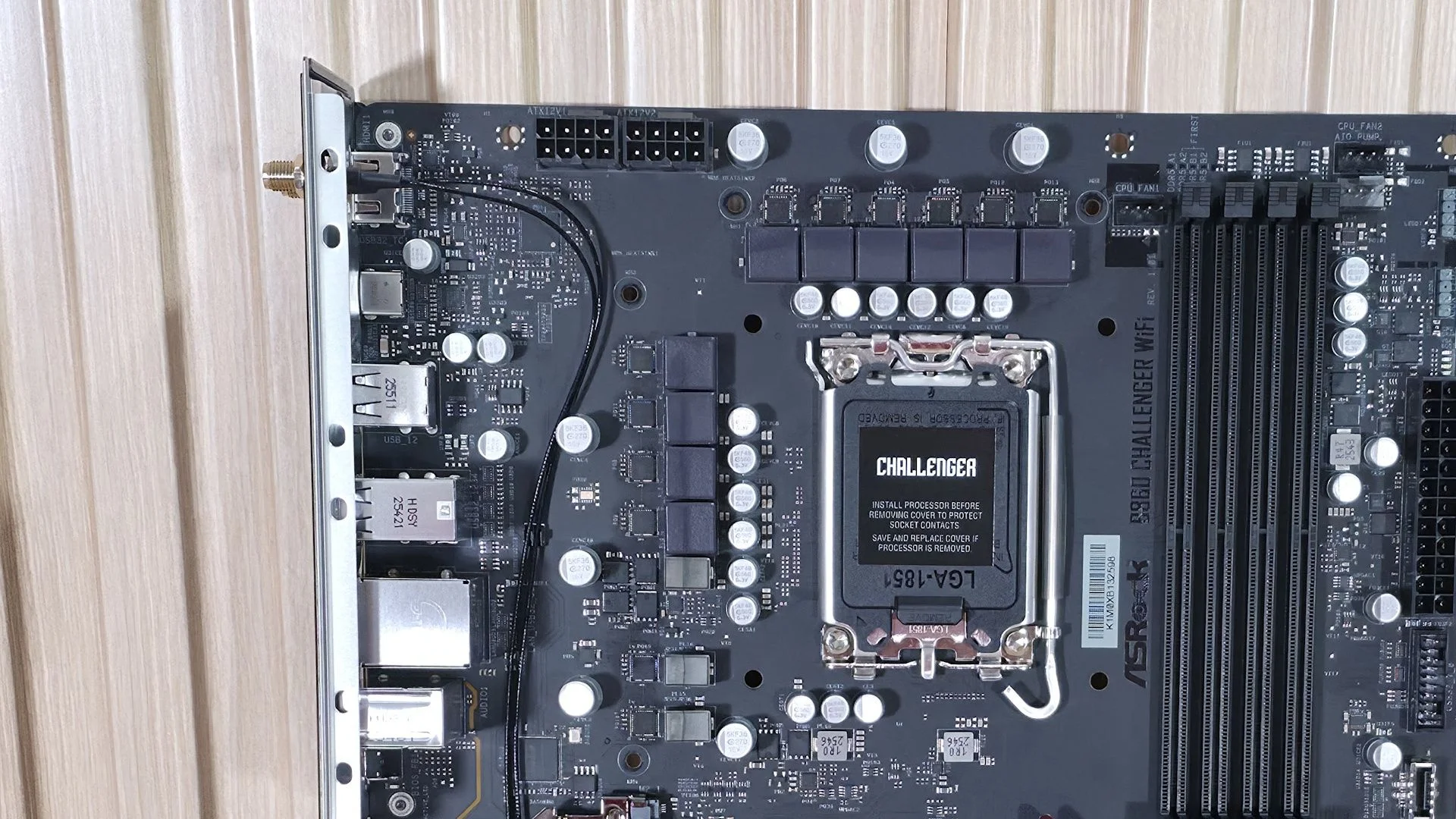
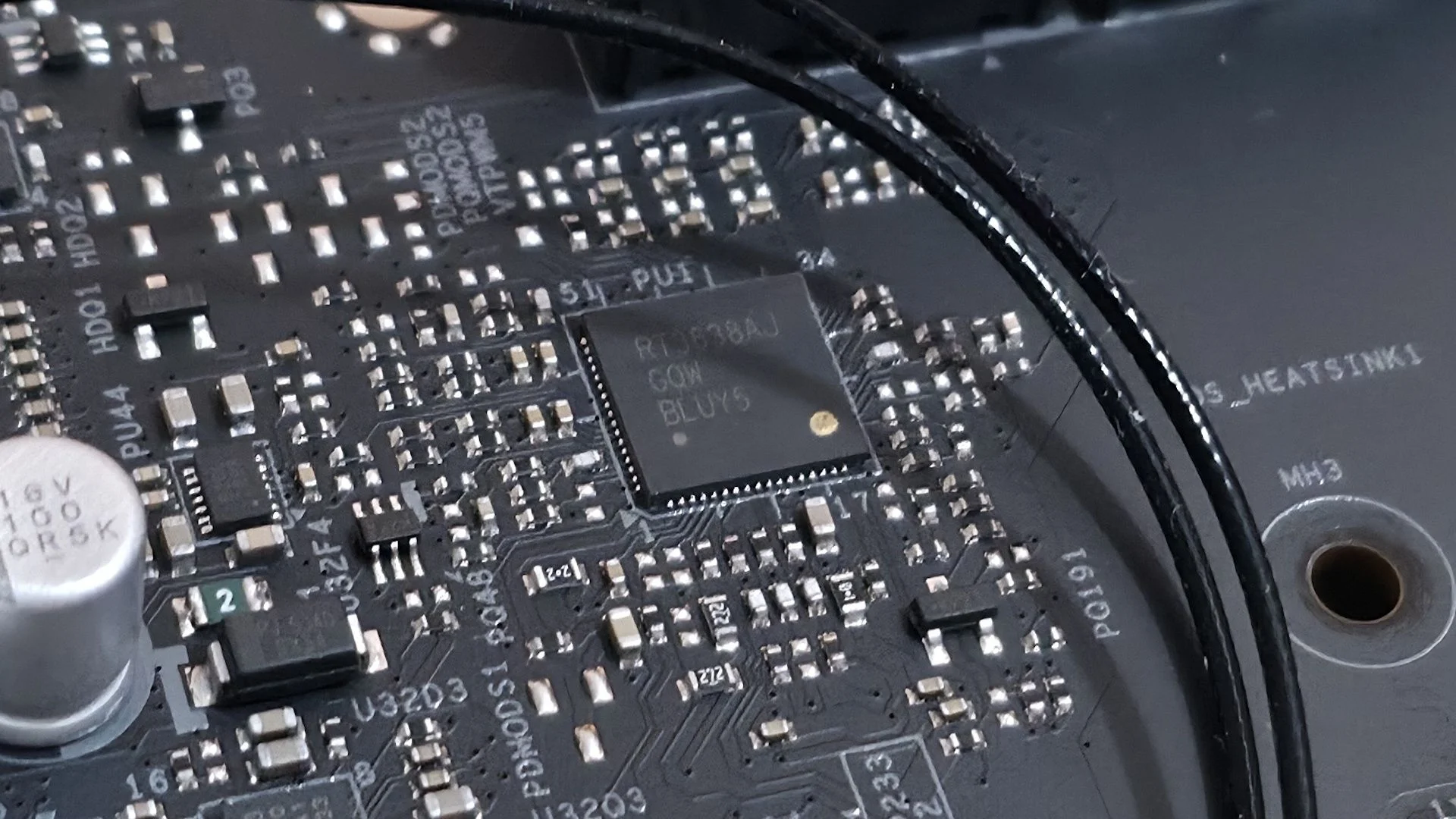
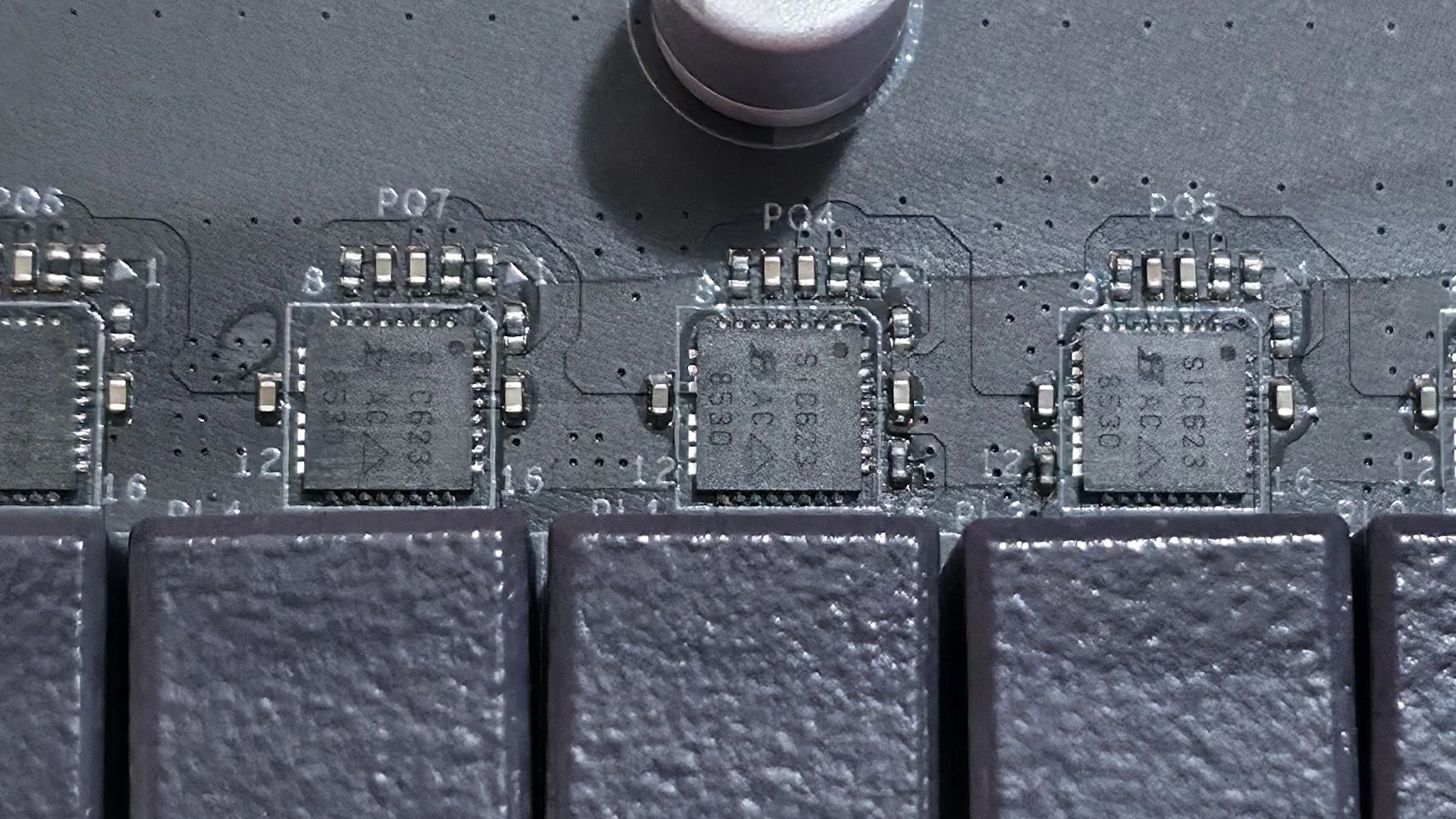
The concern with the power delivery is its components, not simply the phase count. The board has 14 phases, including 10 for Vcore, but those stages have limited capacity. Power passes from the EPS connectors to a Richtek RT3638AJ three-rail, eight-phase PWM controller, with the Vcore phases operating in a teamed configuration. Ten 50A Vishay SiC632 Dr.MOS stages provide 500A in total. That was enough to run our Core Ultra 270K Plus without throttling, but the VRMs got hot during a 30-minute stress test. Give them airflow.
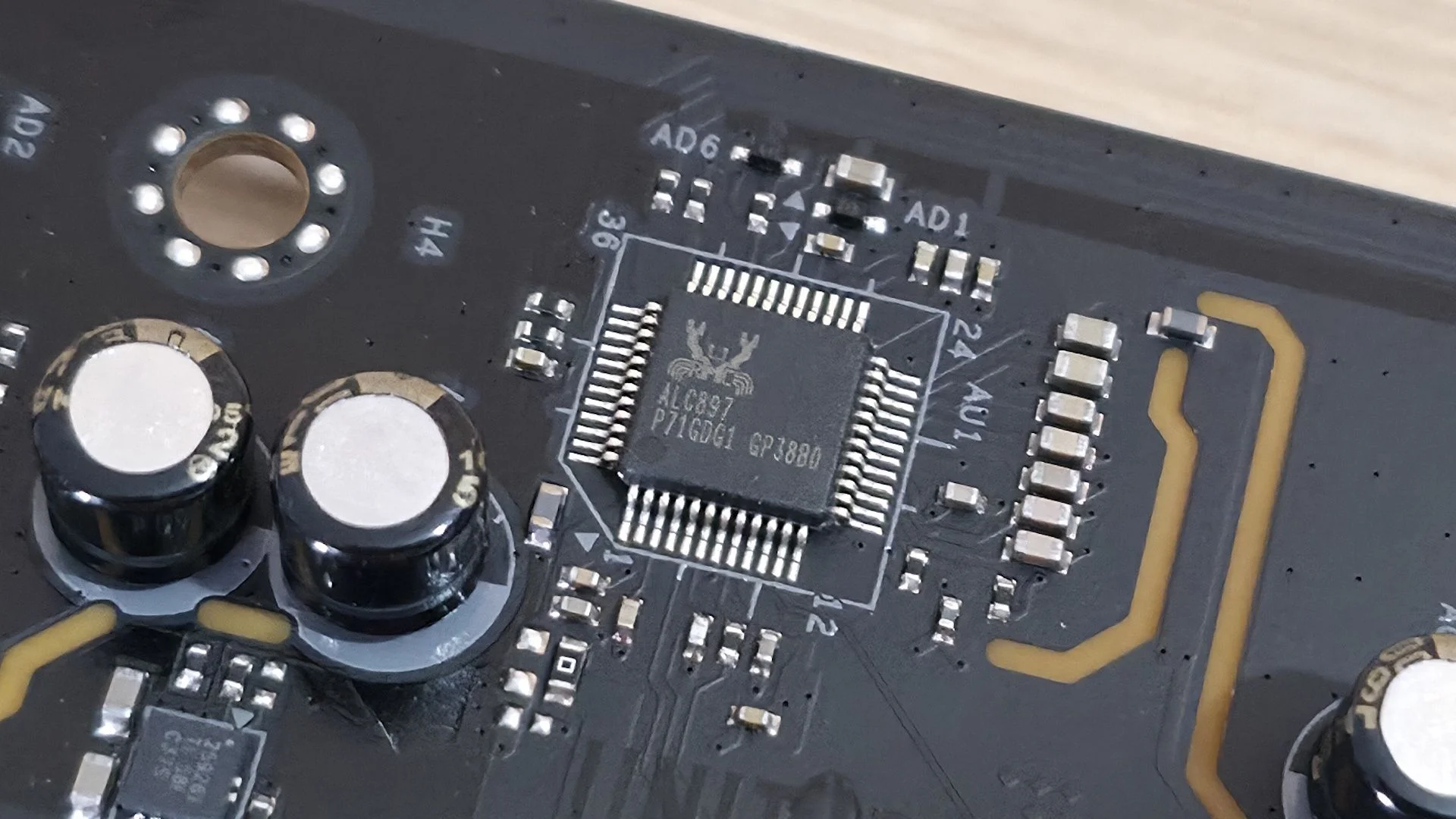
The lower section starts with a Realtek ALC897 audio codec and a pair of dedicated audio capacitors. It’s a basic implementation, but should satisfy most users.
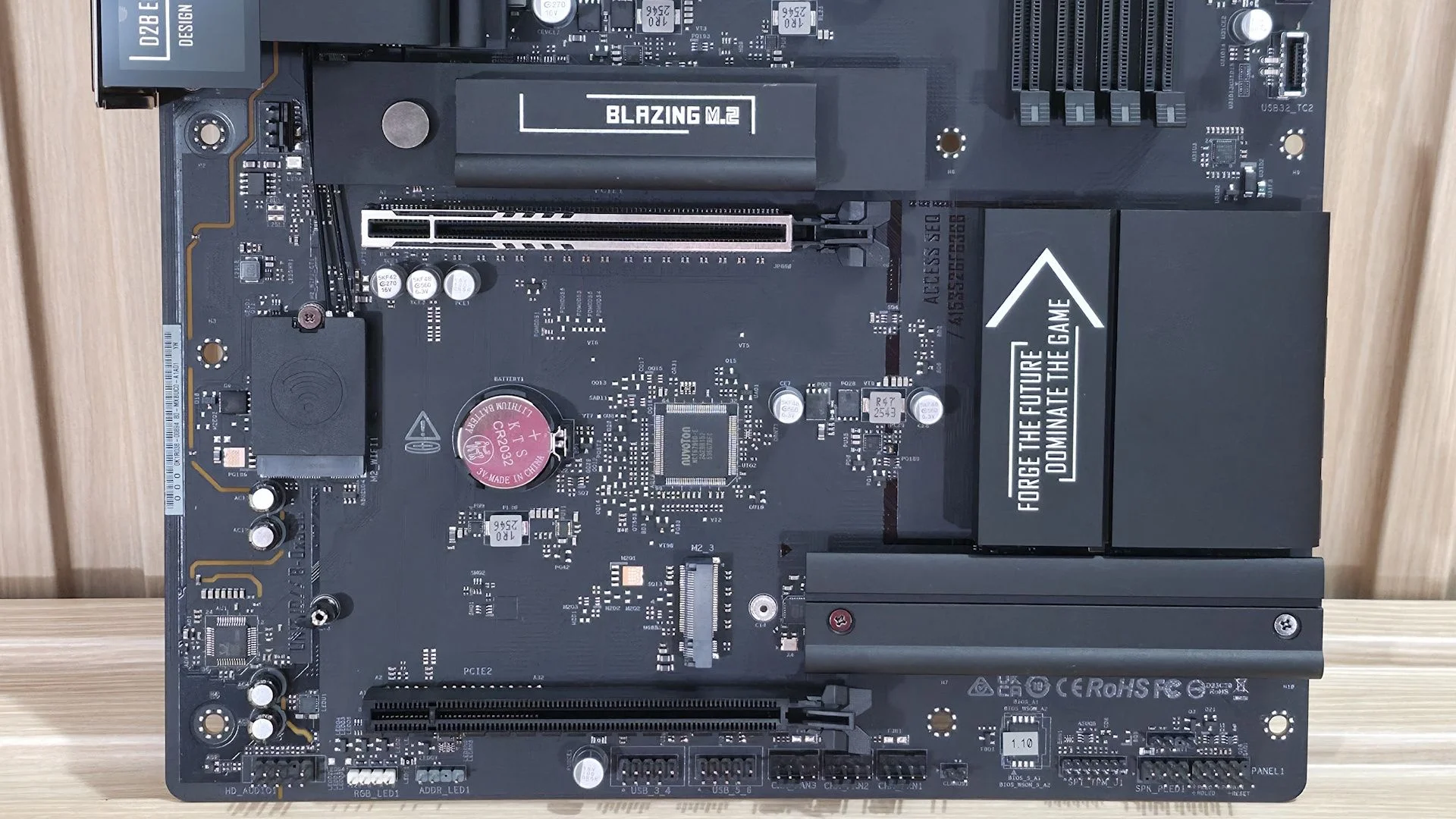
Two full length PCIe slots sit far apart. The reinforced top slot connects to the CPU and provides PCIe 5.0 x16 for a graphics card; it doesn’t bifurcate. The lower slot runs through the chipset at up to PCIe 4.0 x4. The spacing leaves room for a large graphics card while keeping the second slot accessible.
Three M.2 sockets are placed around the PCIe slots. M2_1, above the primary slot, connects to the CPU at PCIe 5.0 x4 (128 Gbps) and supports drives up to 80mm. Its heatsink has a quick release latch, and it made good contact with the drive. M2_2 also has a heatsink, while M2_3 does not; both run at PCIe 4.0 x4 (64 Gbps). The board doesn’t list RAID support for M.2 storage. Its four SATA ports do support RAID 0, 1, 5, and 10.
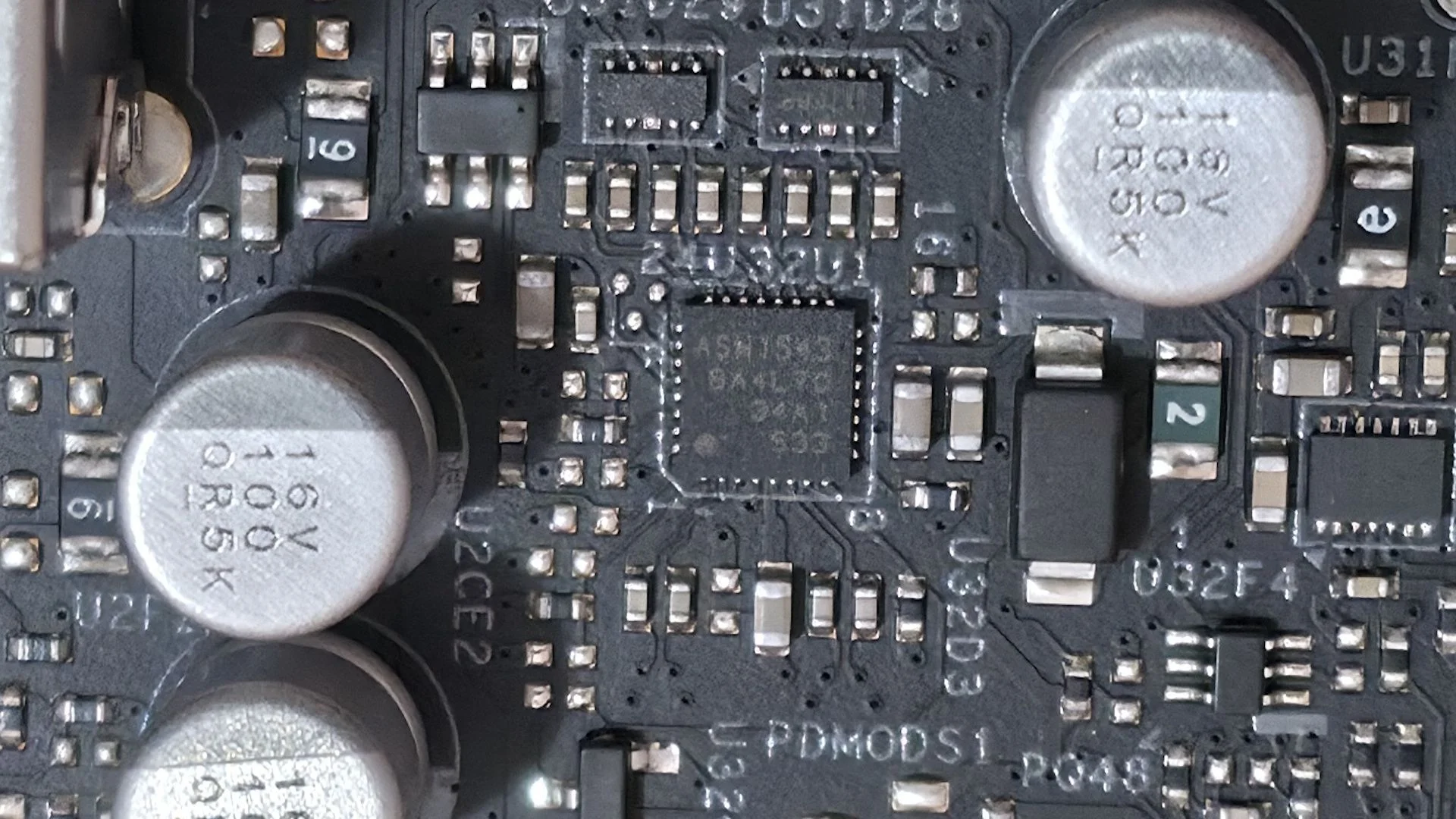
The onboard ICs come from Richtek for PWM control, ASMedia for USB, Realtek for audio and networking, and Vishay for the MOSFETs.
Along the bottom edge, the headers include these connections, listed from left to right:
- Front-panel audio
- 4-pin RGB
- 3-pin ARGB
- Two USB 2.0 headers
- Three 4-pin fan headers
- Two-pin Clear CMOS jumper
- SPI TPM header
- Power LED and speaker
- Front panel
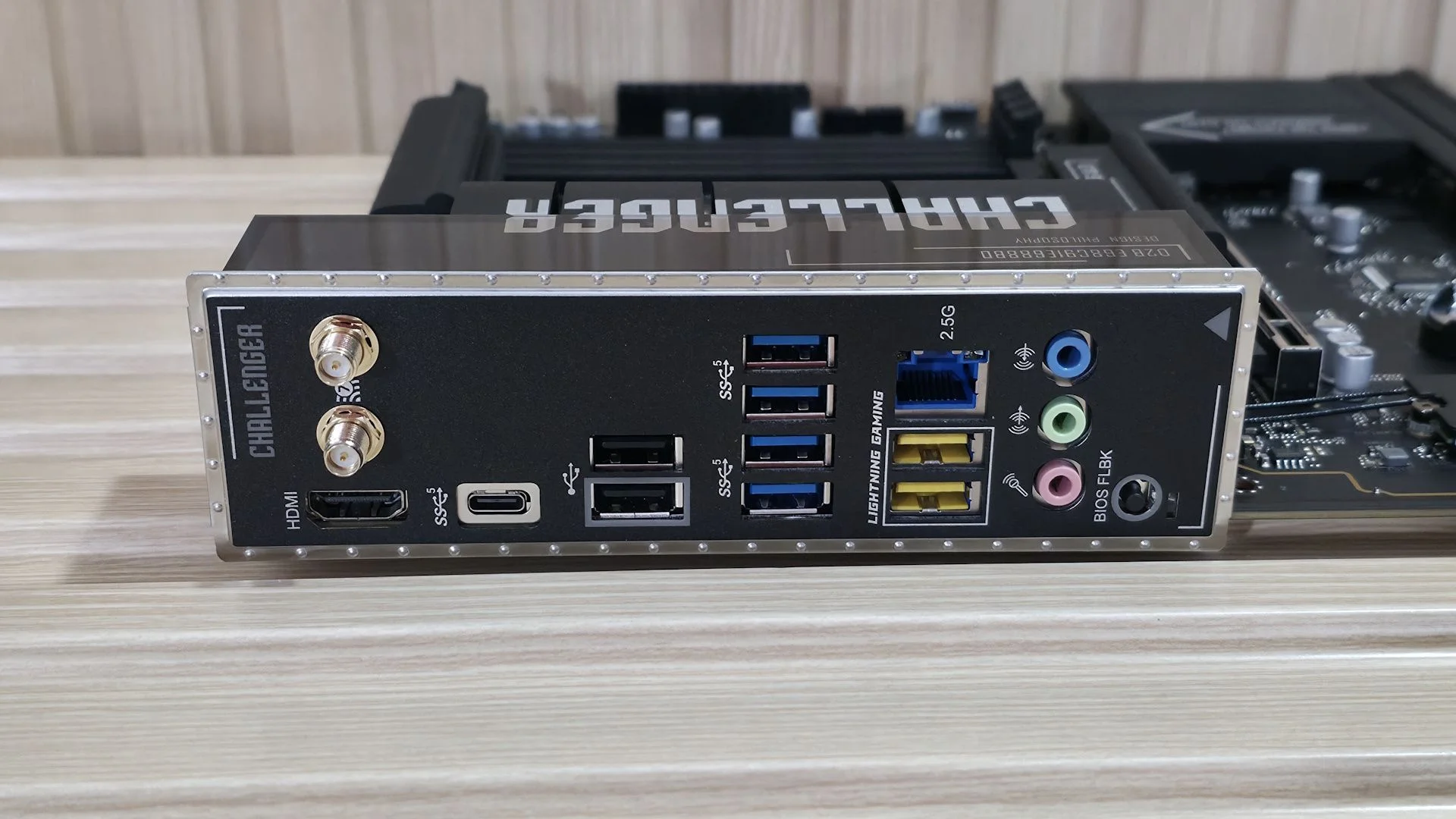
The rear I/O has a useful spread of connections, though speed is the recurring compromise. HDMI 2.1 handles integrated graphics, and the Wi-Fi 7 antenna connectors sit above it. The wireless spec is listed at 160 MHz. The lone rear USB Type-C port is 5 Gbps, as are the six Type-A USB 3.2 Gen 1 ports; two additional ports use USB 2.0.
Two of the faster ports are yellow Lightning Gaming connections, intended to reduce latency. The Realtek 2.5 GbE jack sits above them. Audio connections include three 3.5mm jacks for input, output, and microphone. The rear panel lacks optical SPDIF output, which may matter if you route audio to an AV receiver or other external device. For esports players chasing every millisecond, the Lightning ports may be useful. Most people won’t get much from them.
MORE: Best Motherboards
MORE: How To Choose A Motherboard
MORE: Best Motherboard Deals
MORE: Best Motherboard Combo Deals
MORE: All Motherboard Content
Firmware
The BIOS opens to Easy Mode, which presents system information and gives quick access to settings such as XMP, profiles, boot order, and Fan-Tastic Tuning. Its black background, white text, and light blue highlights are clear and easy to read. The standard interface organizes headings across the top, with controls and details below.
ASRock exposes a broad set of settings, and overclocking controls are easy to find. The menus are logical and mouse response is smooth. The firmware does its job; it just looks and feels behind recent BIOS updates from Asus, Gigabyte, and MSI.
Software
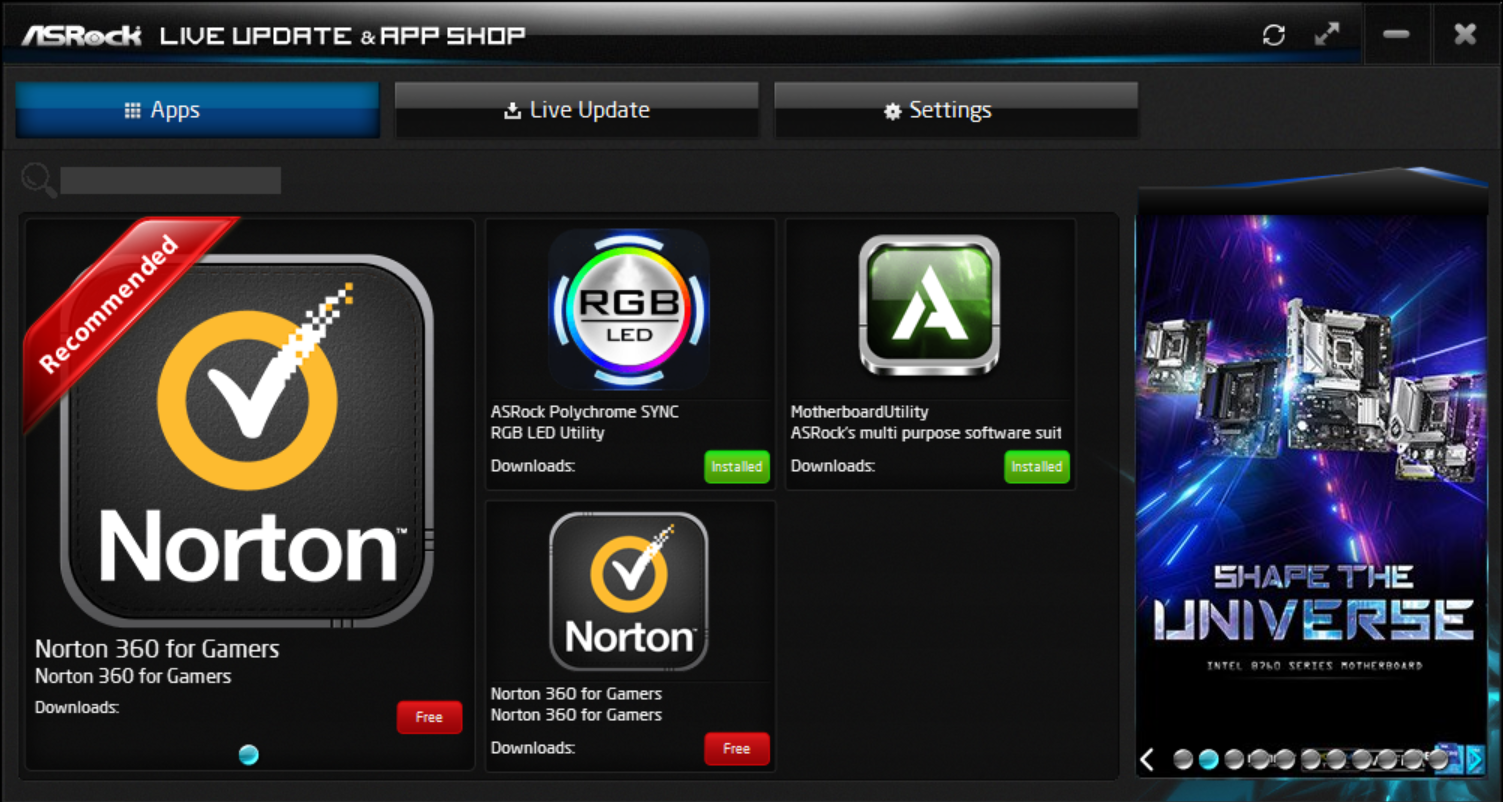
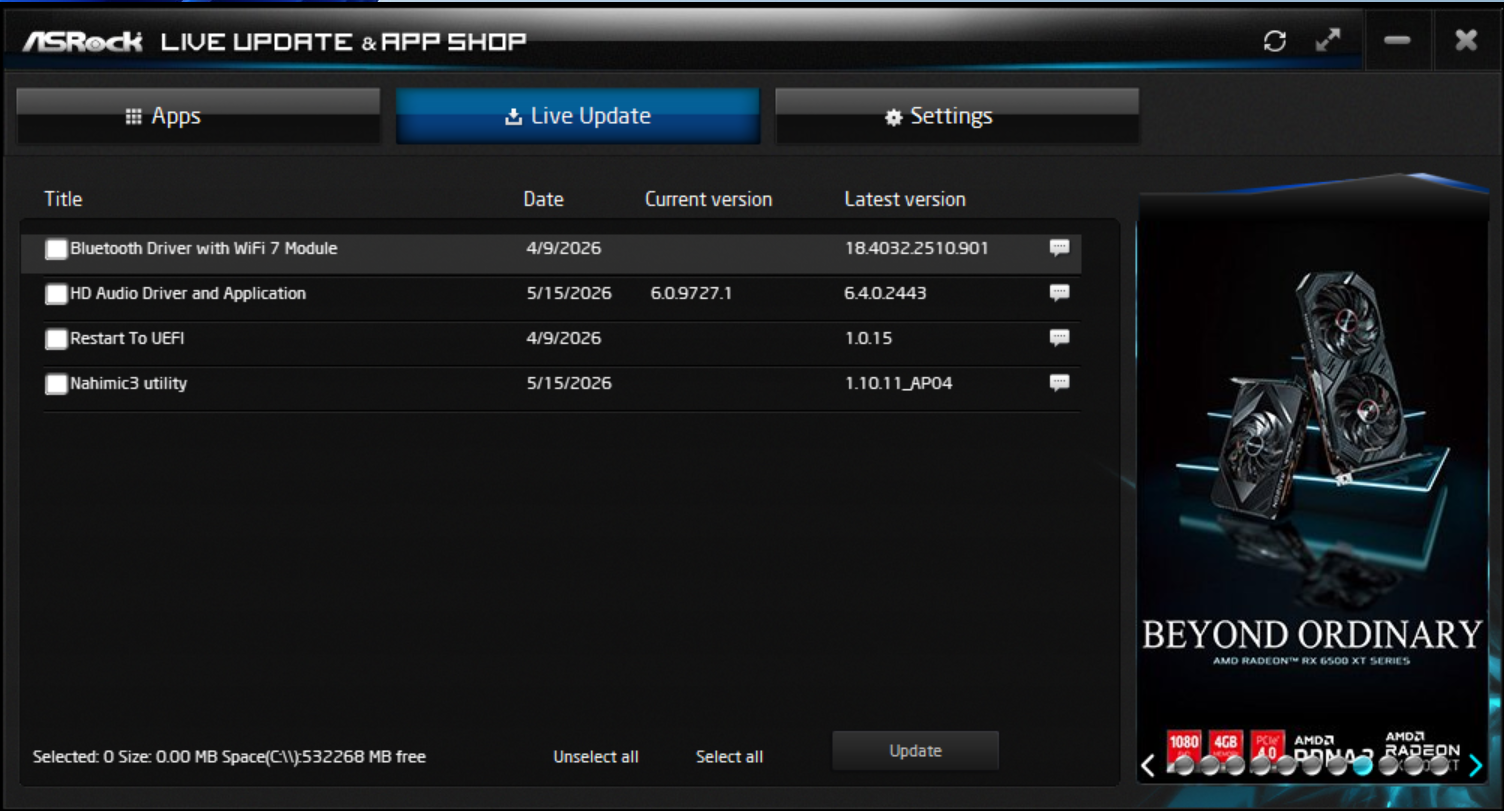
For a budget motherboard, the B860 Challenger WiFi arrives with a broad set of utilities. App Shop handles driver and software downloads; Nahimic 3 covers audio controls; A-Tuning manages fans and overclocking; and Polychrome handles RGB lighting. ASRock also supplies Blazing OC Tuner, Motherboard Utility, and a first boot driver installer. The range is useful, though you’ll be dealing with several separate apps rather than one central control panel.
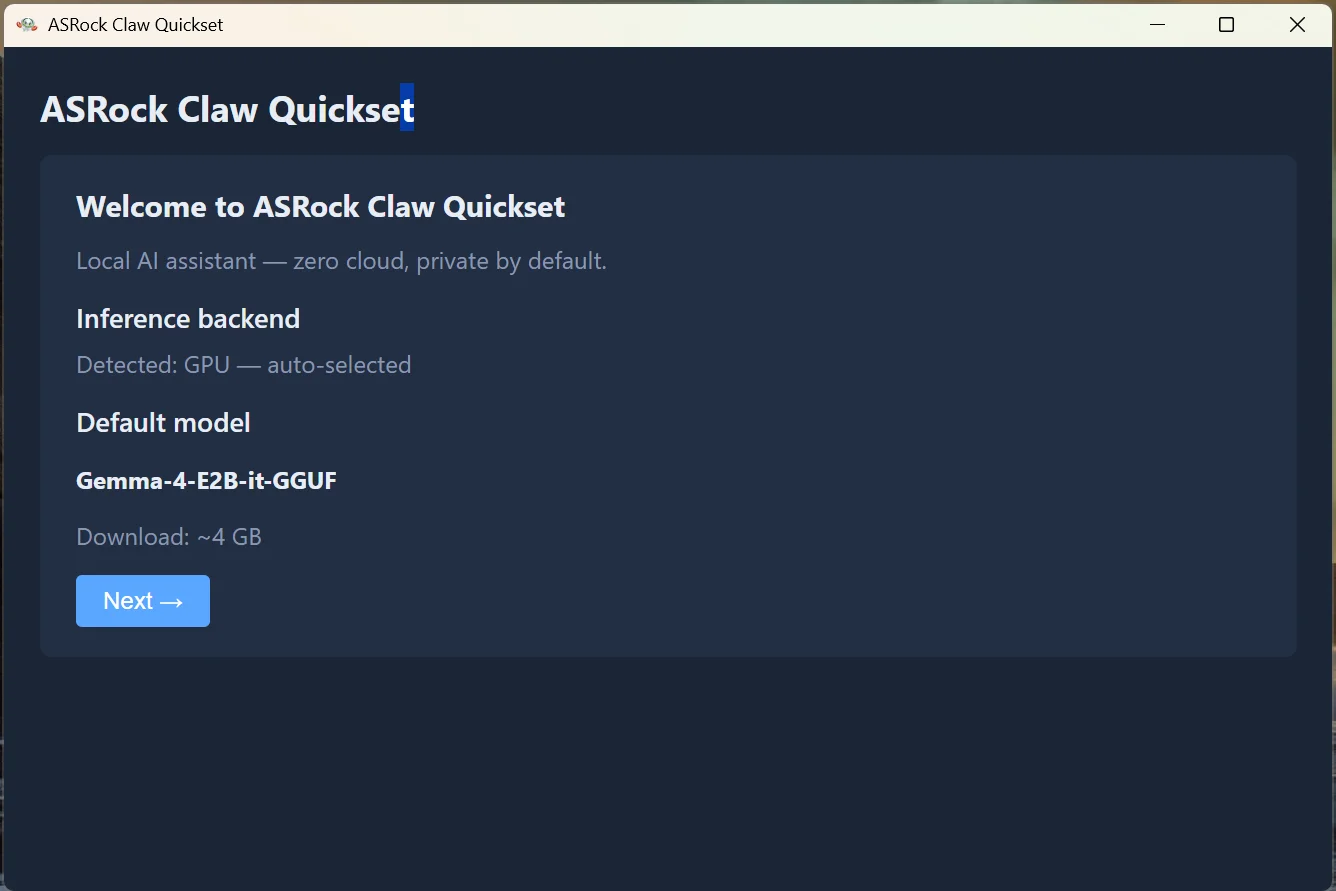
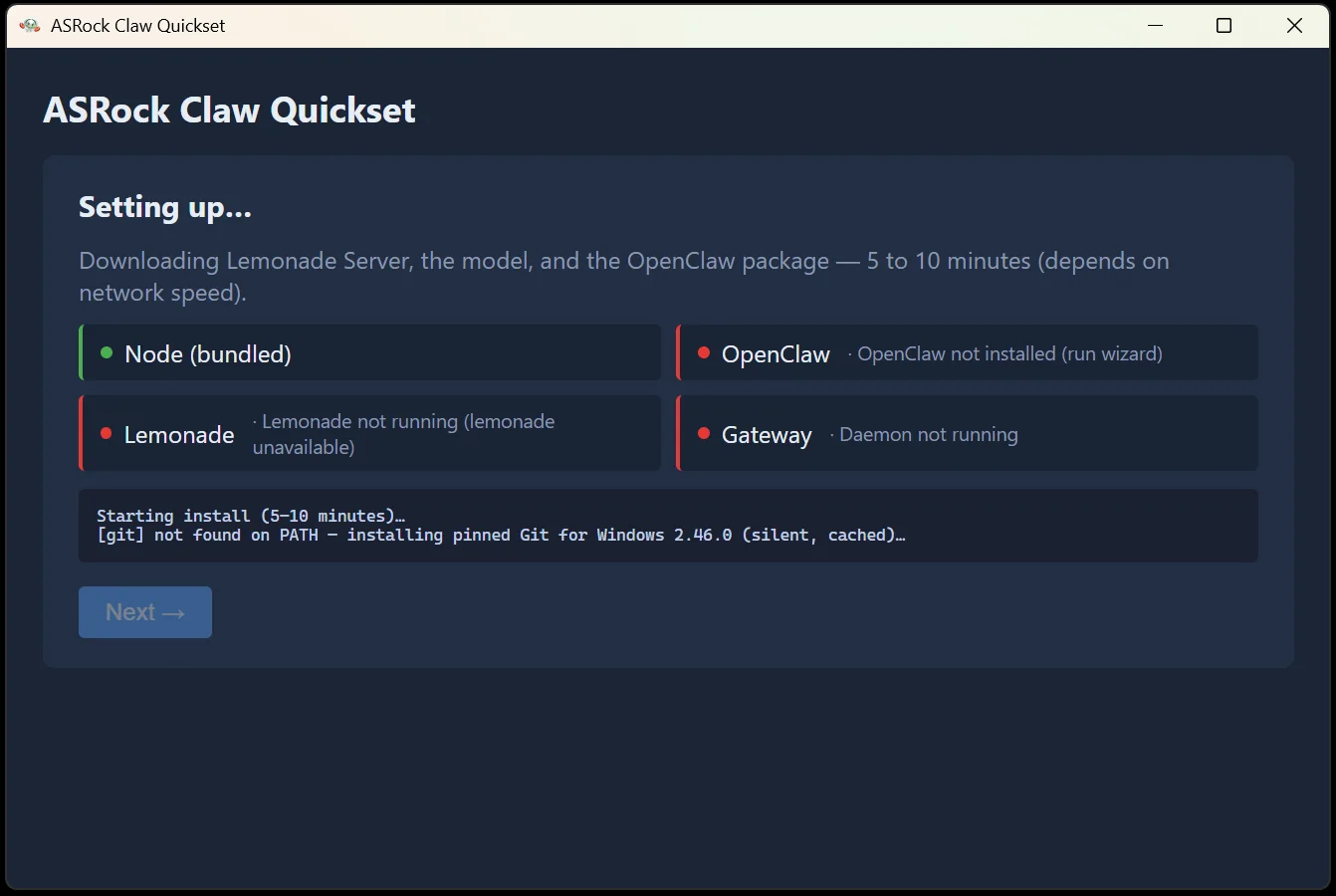
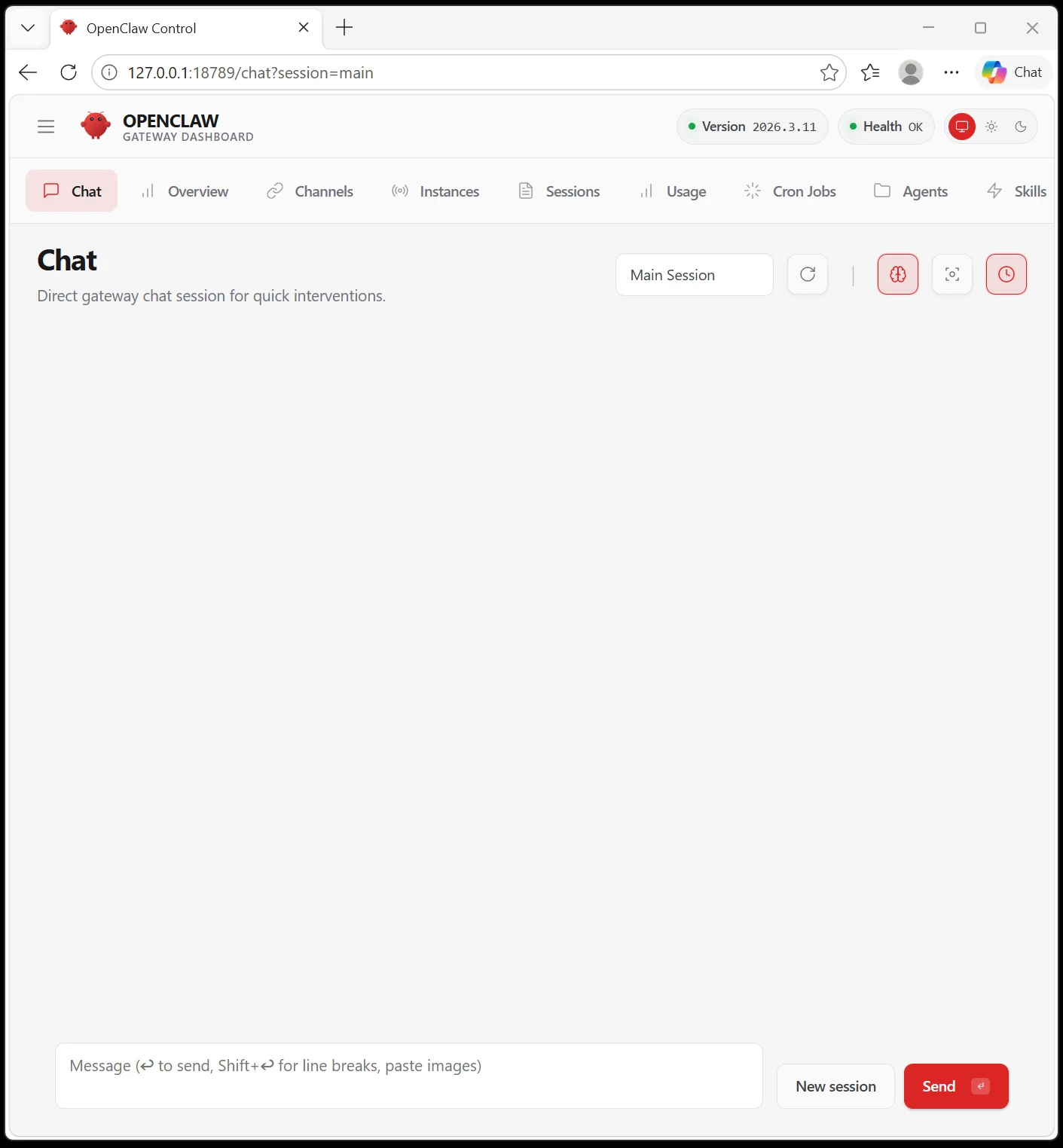
Claw Quickset is the more unusual addition. It automates the installation and setup needed to run local AI models, lowering the amount of configuration a newcomer has to do. On our system with an Intel Core Ultra 7 270K Plus, setup took about five to ten minutes, mostly while downloading data. Afterward, Claw opens to a browser-style interface for chatting and building agents. That’s a practical shortcut; the fragment doesn’t specify which models or hardware configurations it supports.
Test System / Comparison Products
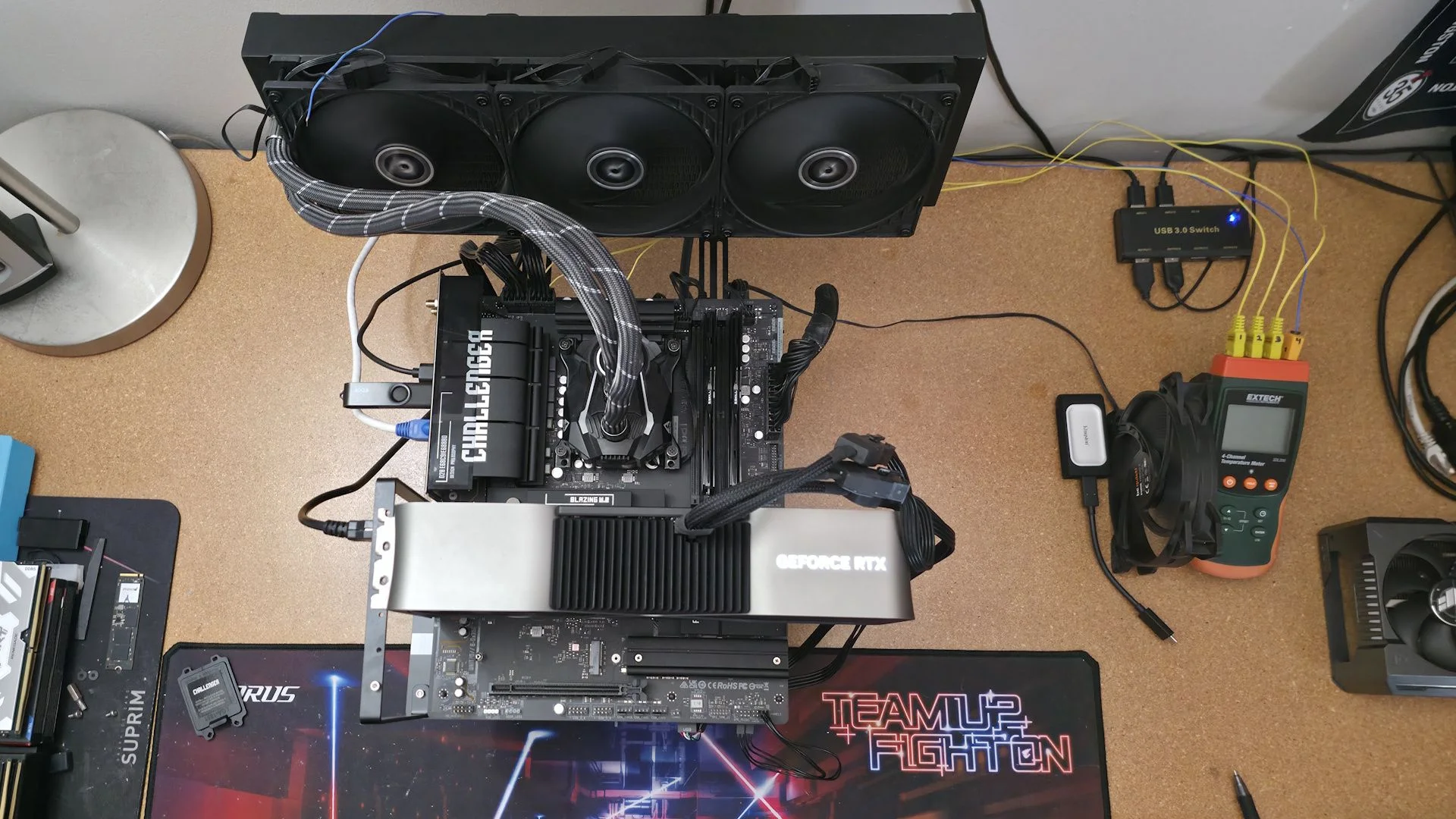
Our test bench ran Windows 11 25H2 64-bit, updated through late April 2026. We use the latest publicly available BIOS unless stated otherwise. Memory kits were refreshed to suit the platform; cooling, storage, power supply, and graphics card were carried over unchanged.
TEST SYSTEM COMPONENTS:
- CPU - Intel Core Ultra 7 270K Plus
- Cooling - Arctic Liquid Freezer II 420
- Storage - Crucial 2TB T705 M.2 PCIe 5.0 NVMe SSD
- RAM - Kingston Fury Renegade - 32GB DDR5-7600 CL38 (KF576C38RWAK2-32)
- RAM - G.Skill Trident Z5 CK - 32GB DDR5-8200 CL40 (F5-8200C4052G24GX2-TZZ5CK)
- RAM - V-Color 256GB (2x128GB) DDR5-8000 CL64 (TECQ5128G80Q864K)
- GPU - Asus TUF RTX 4080 16G
- PSU - EVGA Supernova 850W P6
- Windows 11 64-bit (25H2 - 26200.8037)
- NVIDIA Driver 595.97
Sound | Integrated HD audio |
Network | Integrated Networking (GbE to 10 GbE) |
Graphics Driver | GeForce 595.97 |
Benchmark Settings
The test suite spans office work, content creation, rendering, compression, video encoding, and games. The listed versions and settings provide the context needed to compare results; motherboard power behavior and memory tuning can still affect some workloads.
Synthetic Benchmarks and Settings | |
Procyon | Version 2.8.1352 64 Office 365 |
Pugetbench | v1.4.20 |
3DMark | Version 2.29.8294.0 64 Speed Way and Steel Nomad (Default) |
Cinebench R26 | Version 2026.1.0 |
Blender | Version 5.0.0 |
Application Tests and Settings | |
LAME MP3 | Version SSE2_2019 Mixed 271MB WAV to mp3: Command: -b 160 --nores (160Kb/s) |
HandBrake CLI | Version: 1.11.0 Sintel Open Movie Project: 4.19GB 4K mkv to x264 (light AVX) and x265 (heavy AVX) |
Corona 10 | Version 10 Default benchmark |
7-Zip | Version 26.00 Integrated benchmark (Command Line) |
Game Tests and Settings | |
Cyberpunk 2077 | Ultra RT: - 1920 x 1080, DLSS - Balanced. |
F1 2025 | Ultra High Preset - 1920 x 1080, 16xAF/TAA, Texas (Clear/Dry), FPS Counter ON |
MORE: Best Motherboards
MORE: How To Choose A Motherboard
MORE: Best Motherboard Deals
MORE: Best Motherboard Combo Deals
MORE: All Motherboard Content
Benchmark Results
For baseline runs, we loaded optimized BIOS defaults and enabled the memory’s XMP profile. CPU frequencies, including default boost behavior, and power saving settings stayed at their defaults; Windows used its Balanced power plan. That setup reflects an ordinary configured system while keeping the test conditions consistent.
Synthetic Benchmarks and Real World Applications
Synthetic tests help isolate performance because repeated runs at the same settings should land in a similar range. Still, motherboard choices around boost power and memory timings can shift particular results, especially when a vendor favors stability over speed or the reverse. We’ve grouped the former timed application tests here as well.
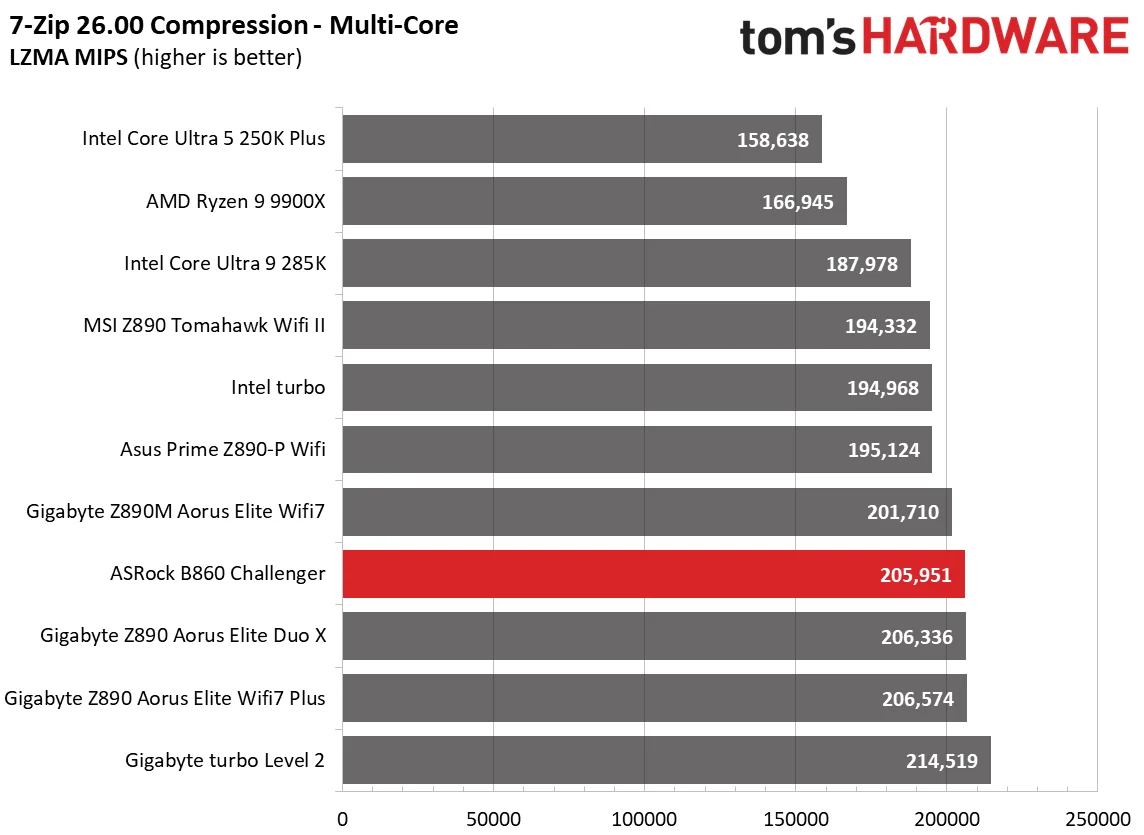
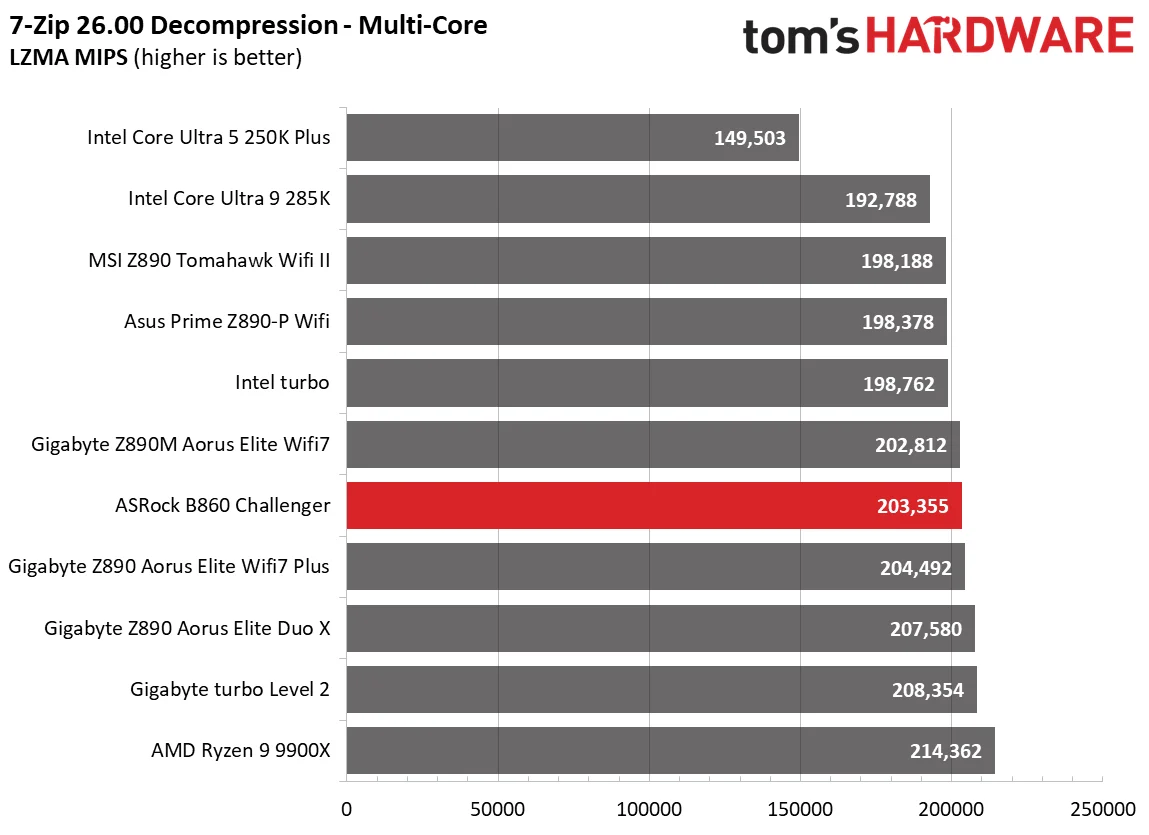
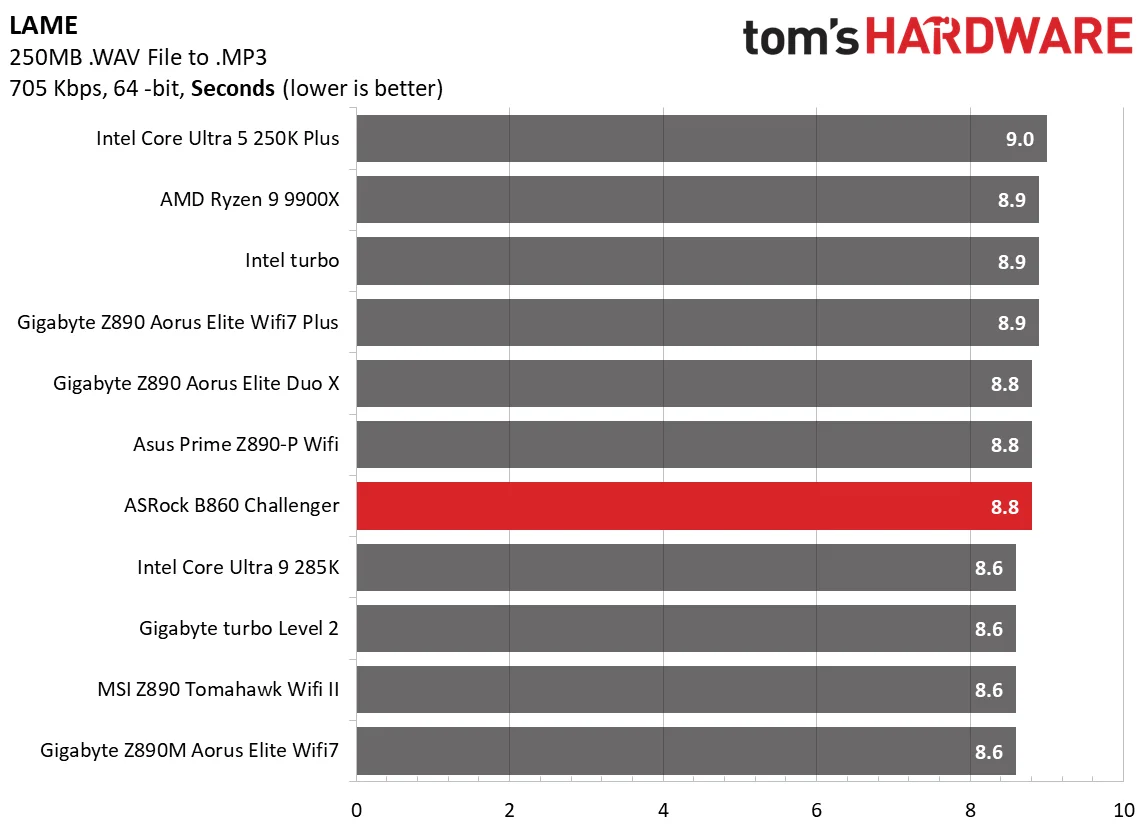
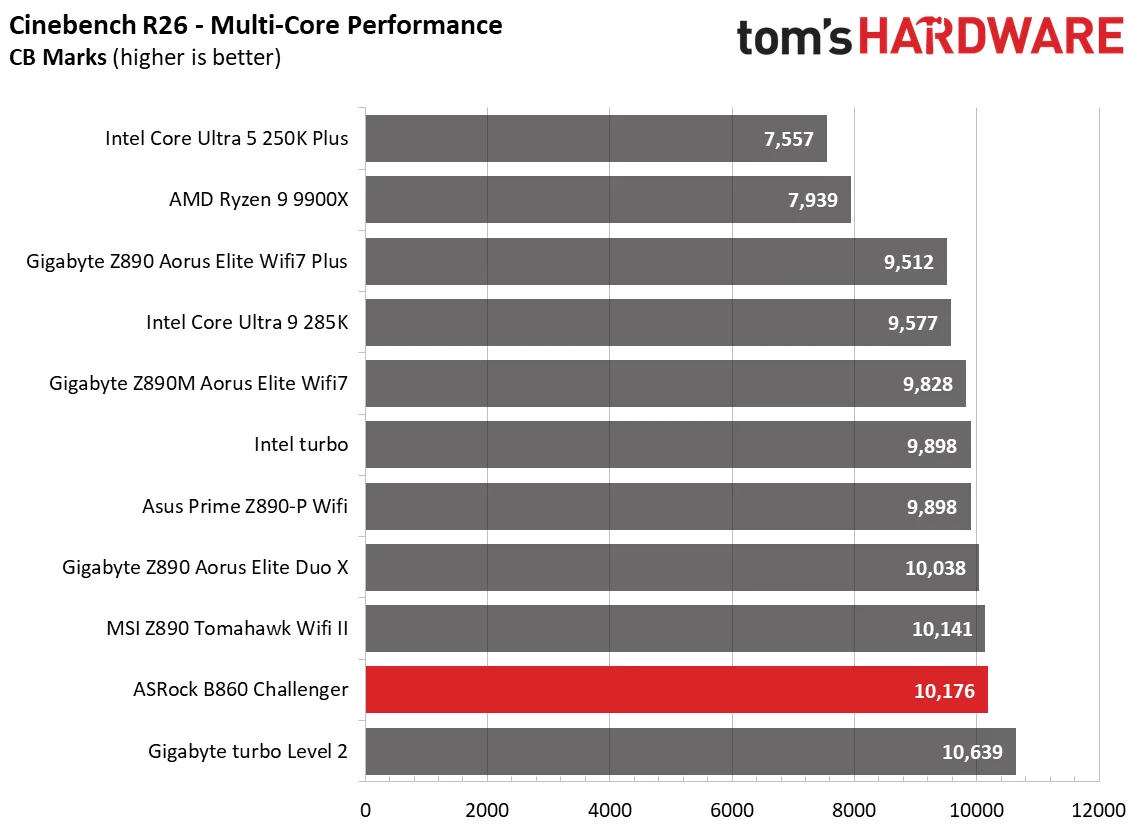
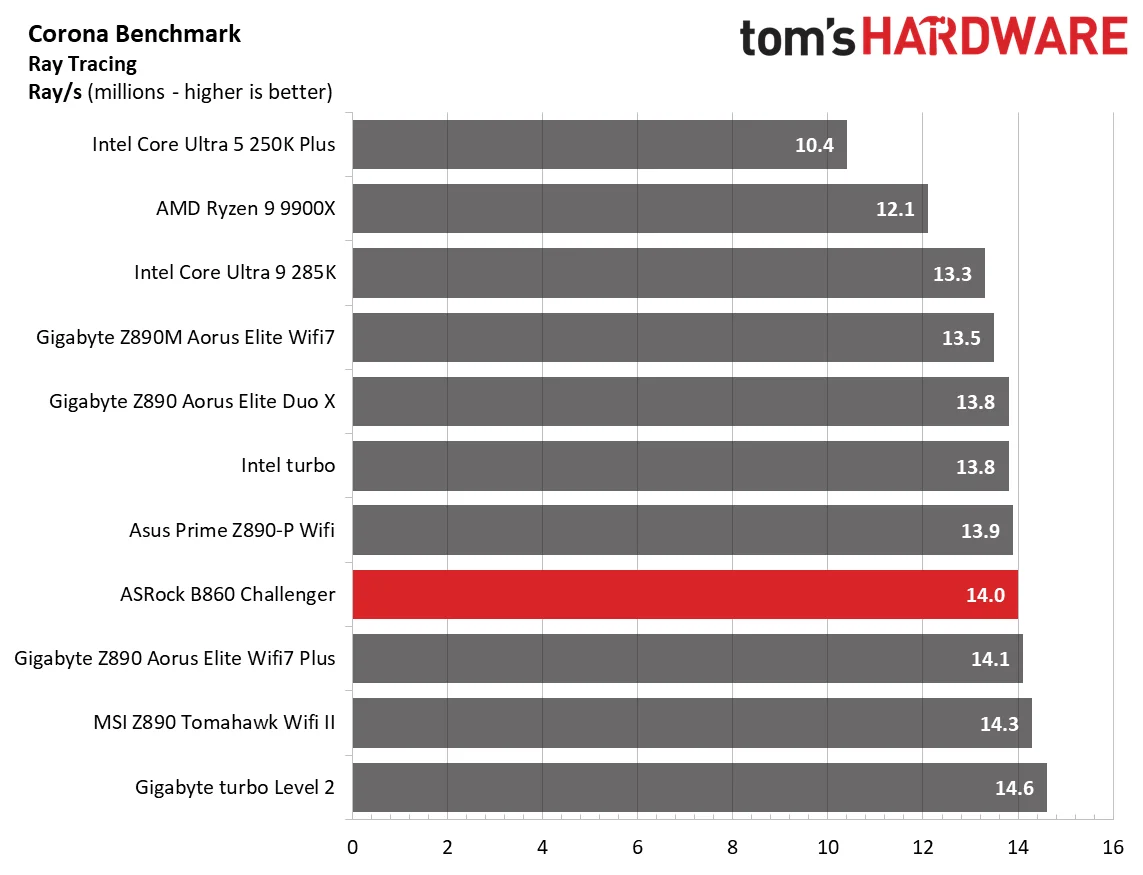
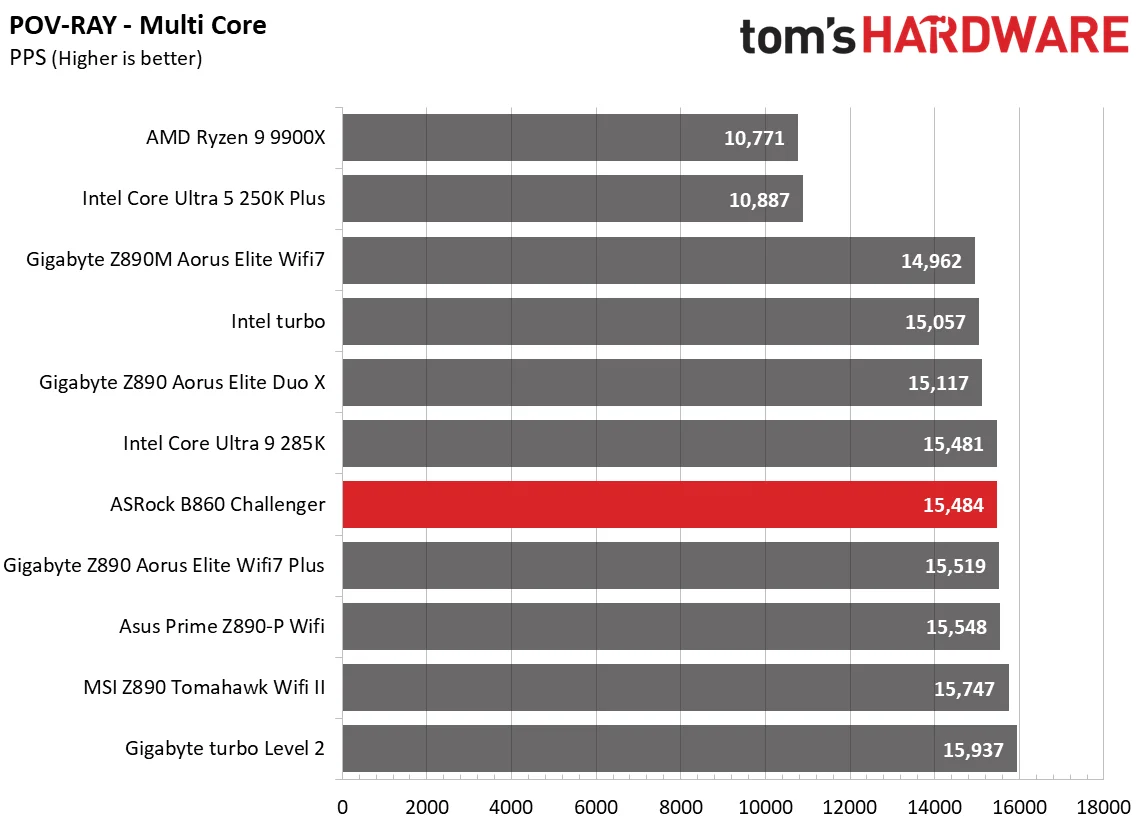
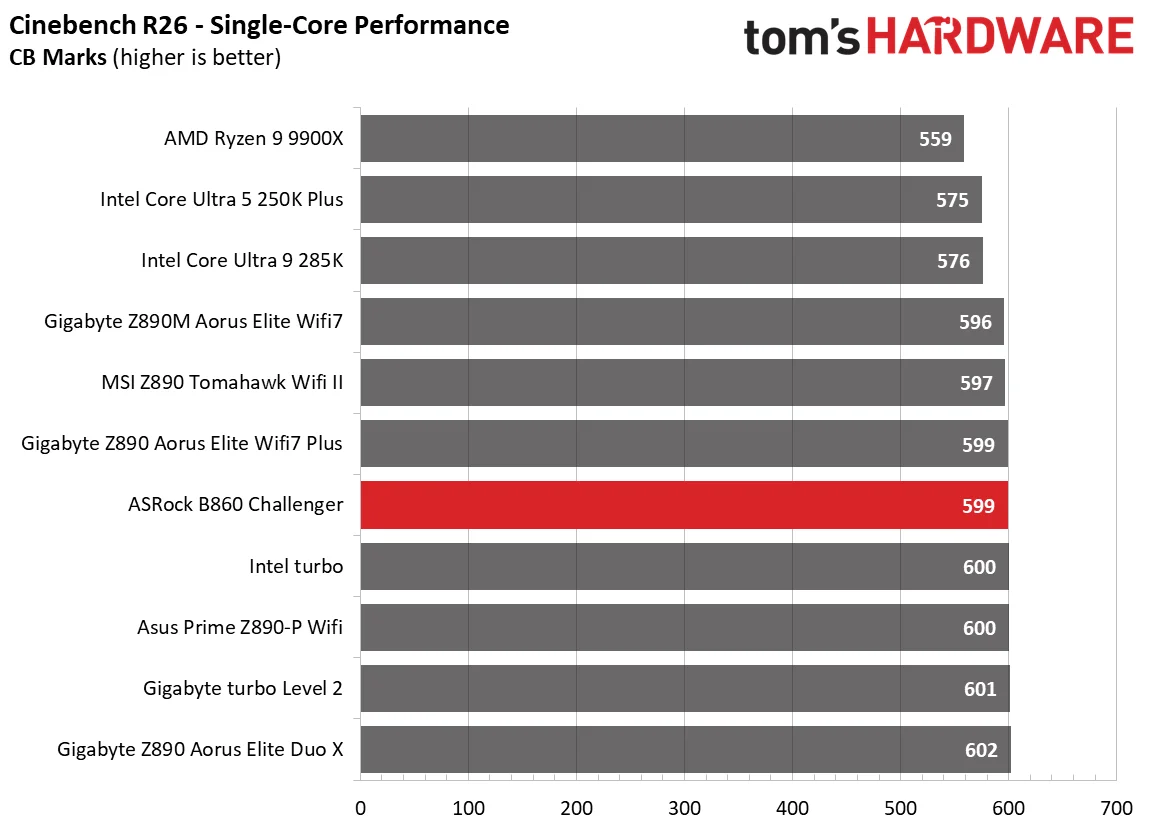
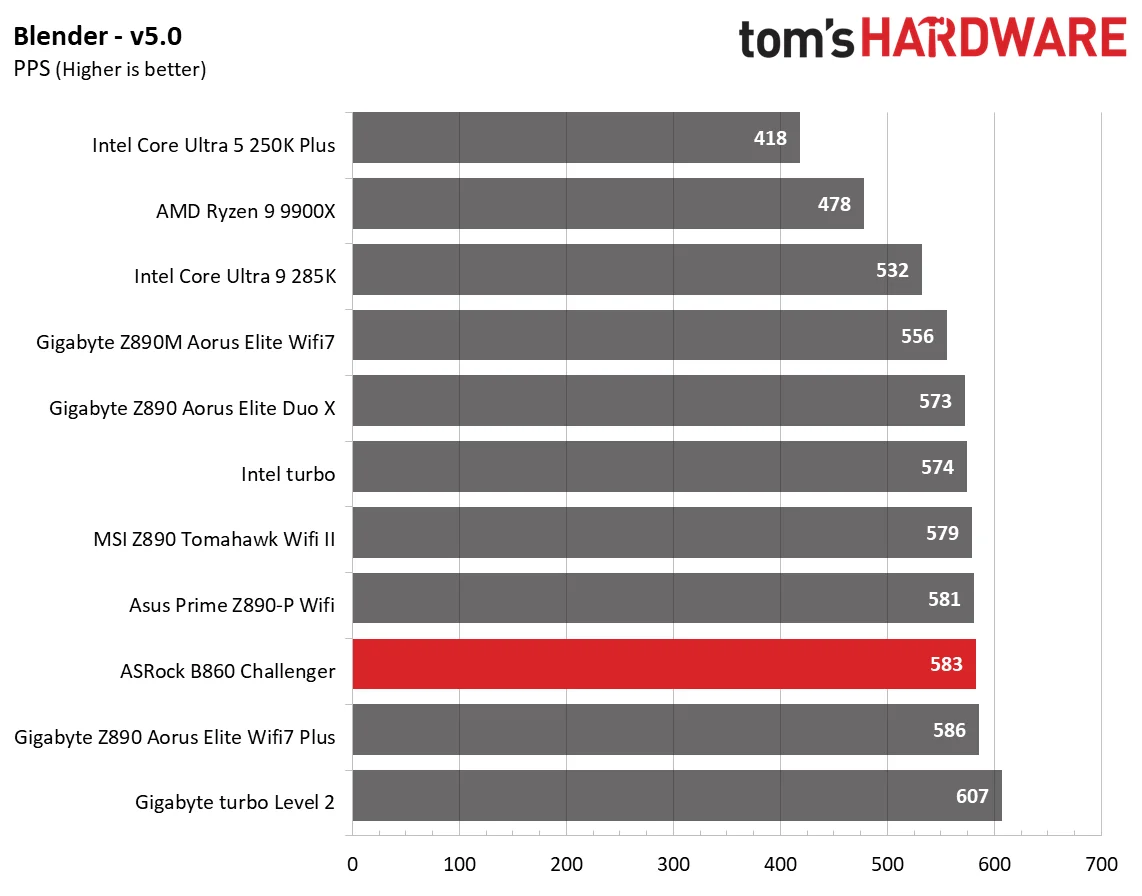
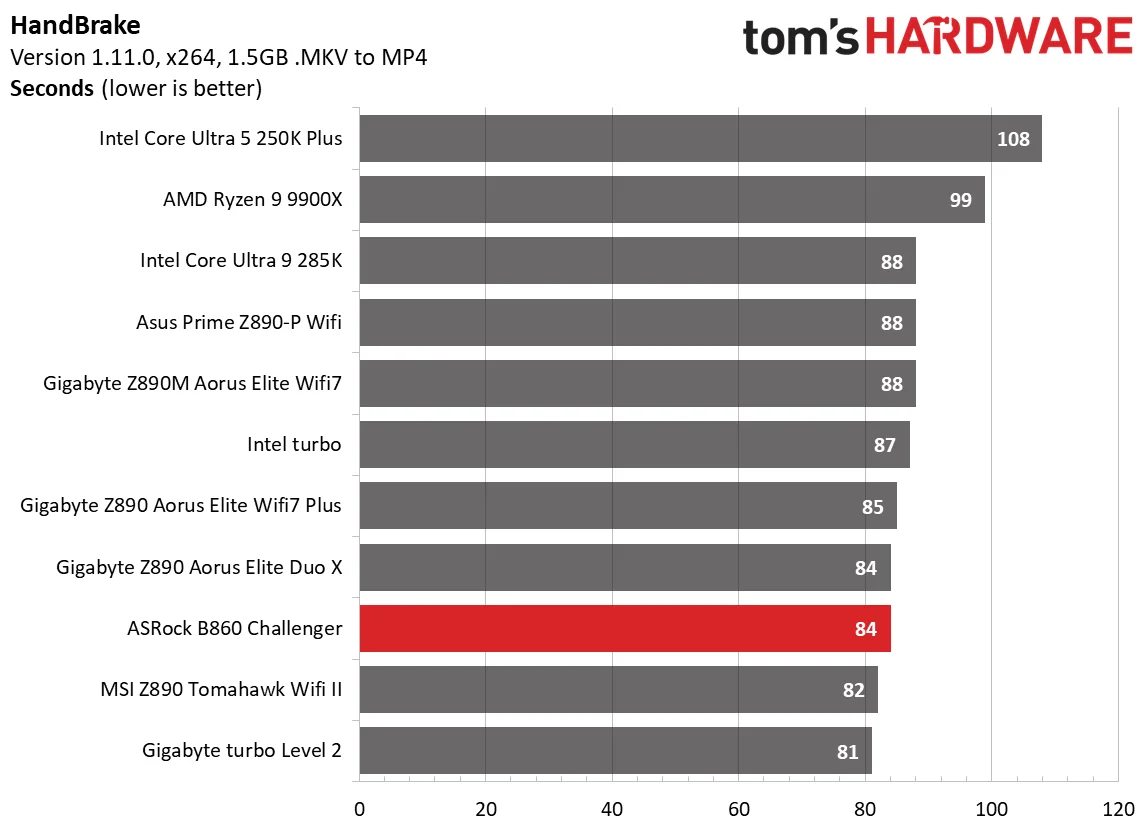
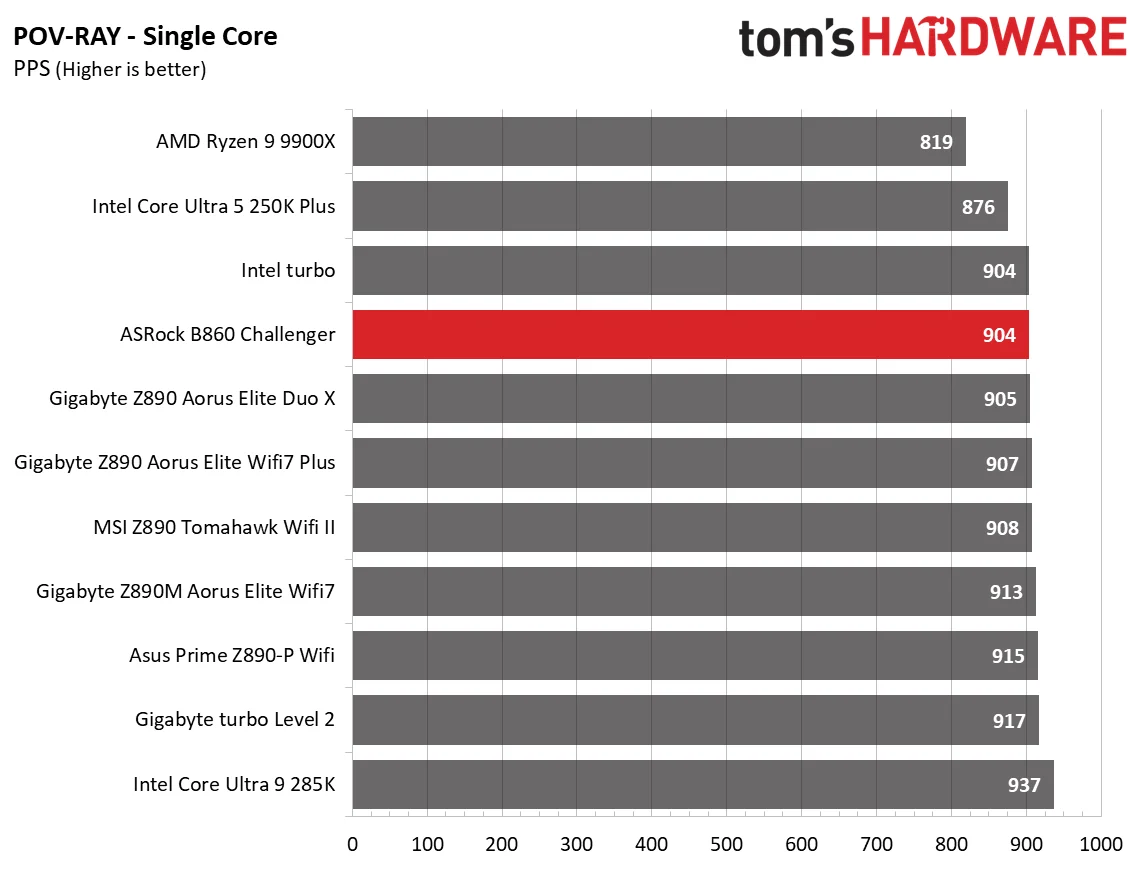
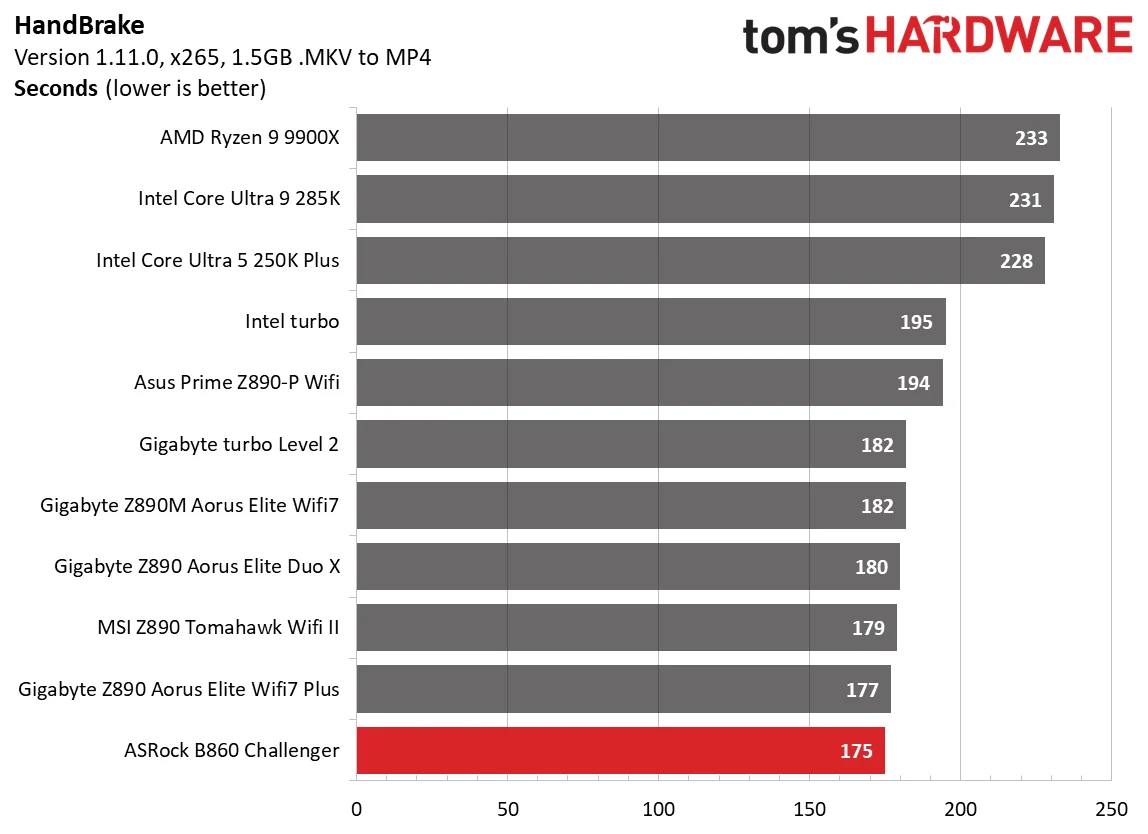
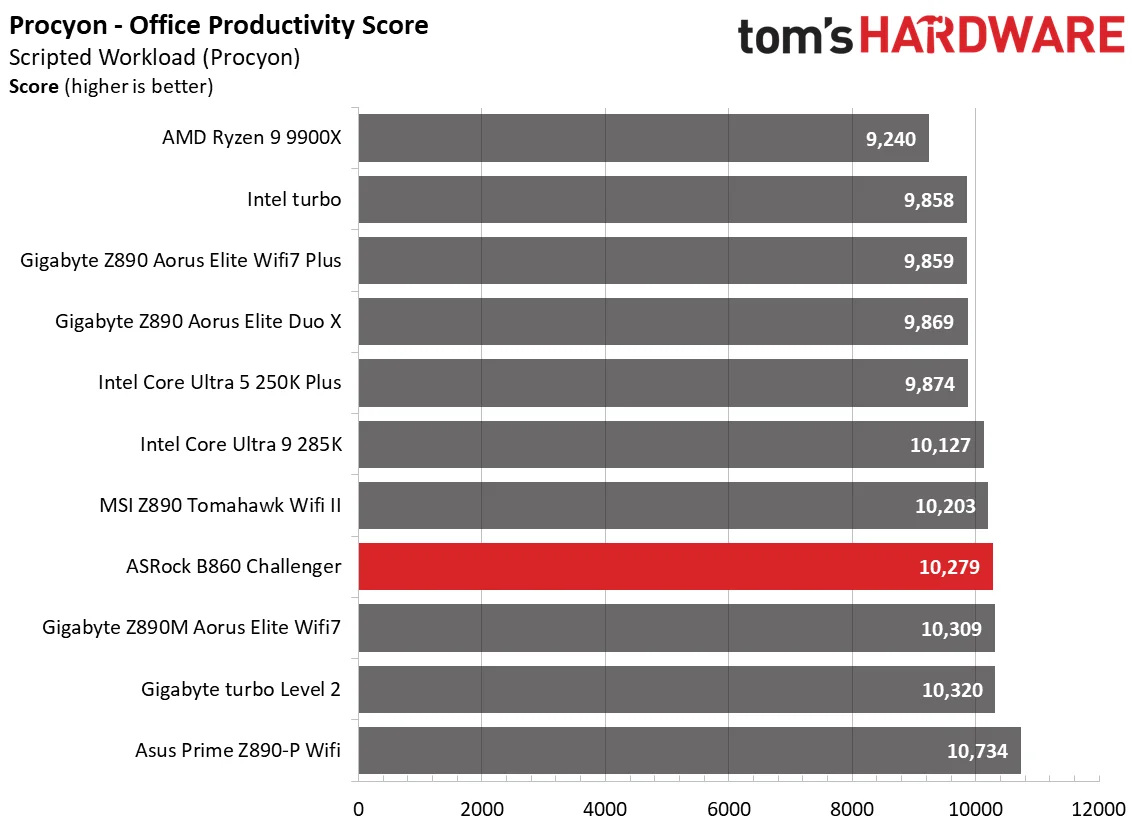
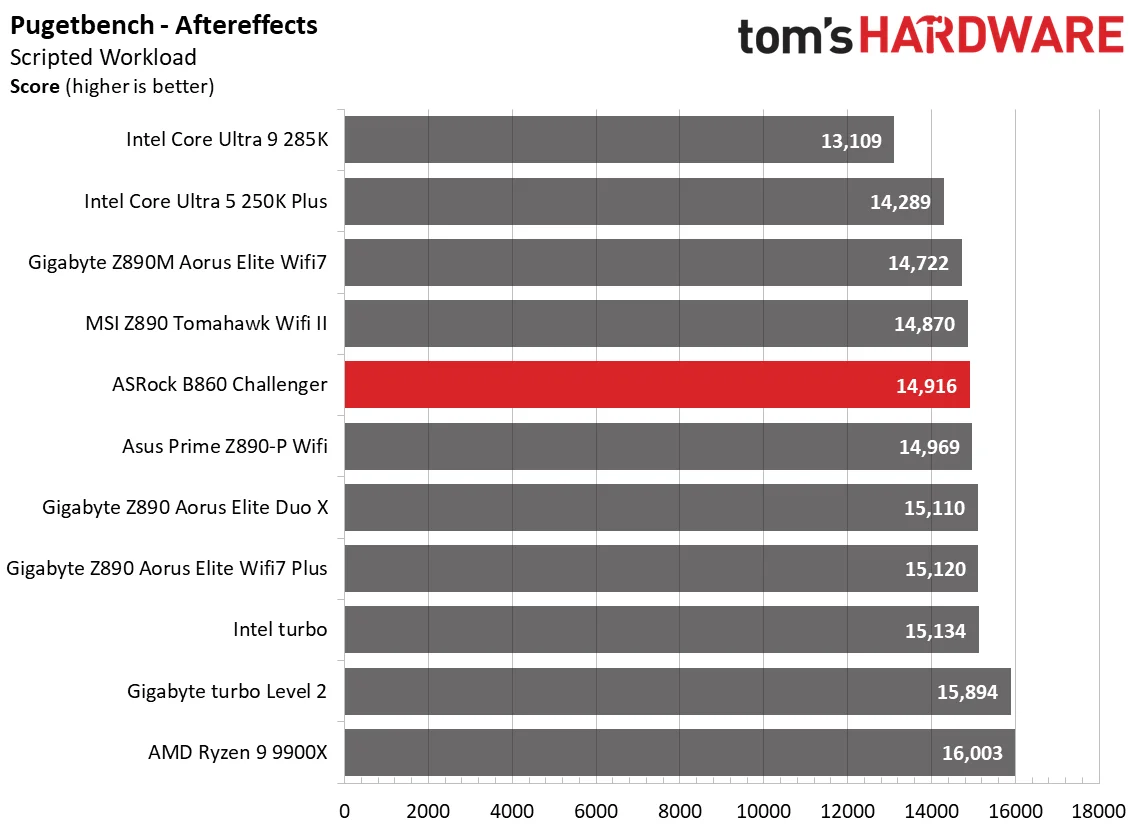
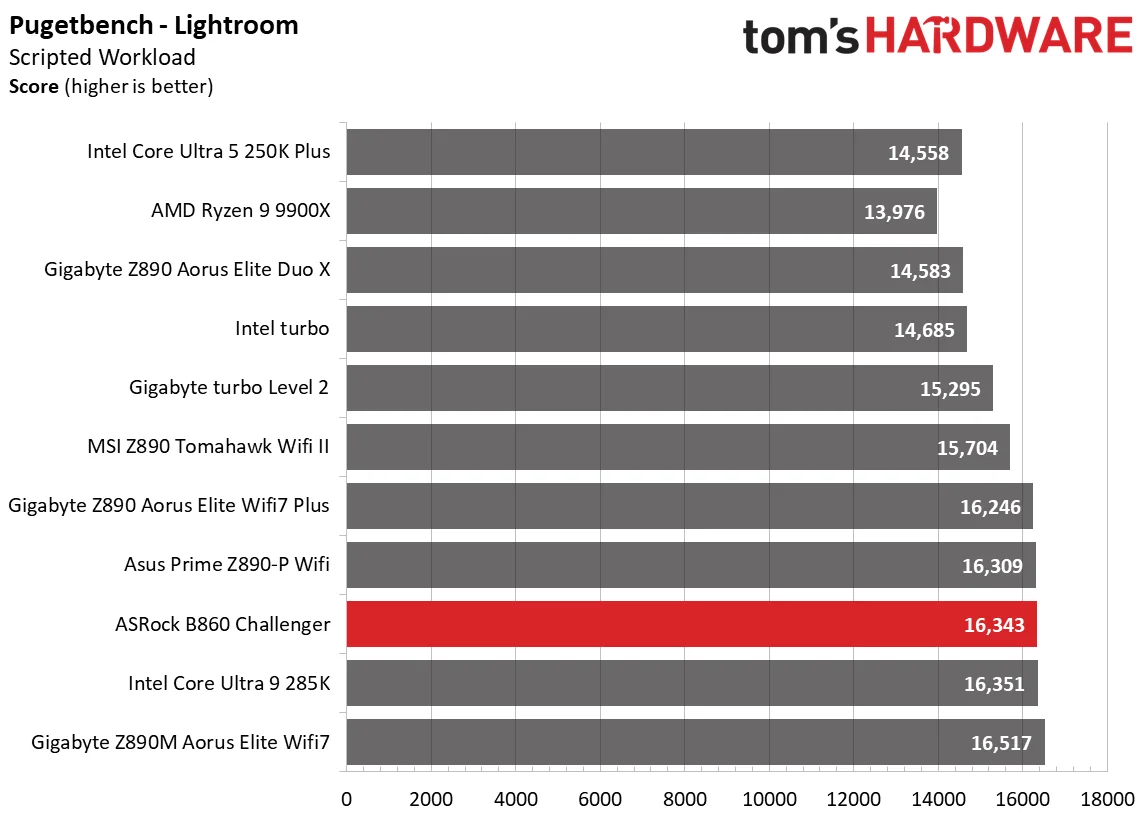
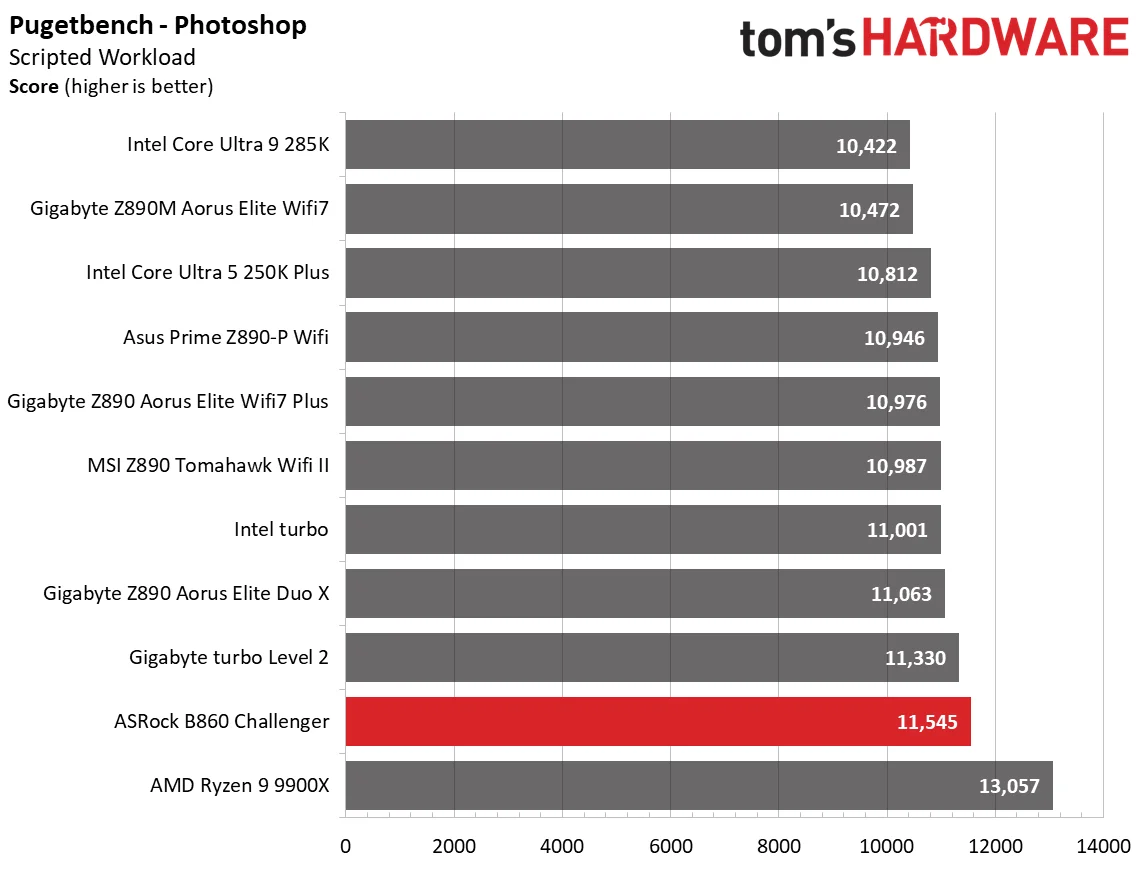
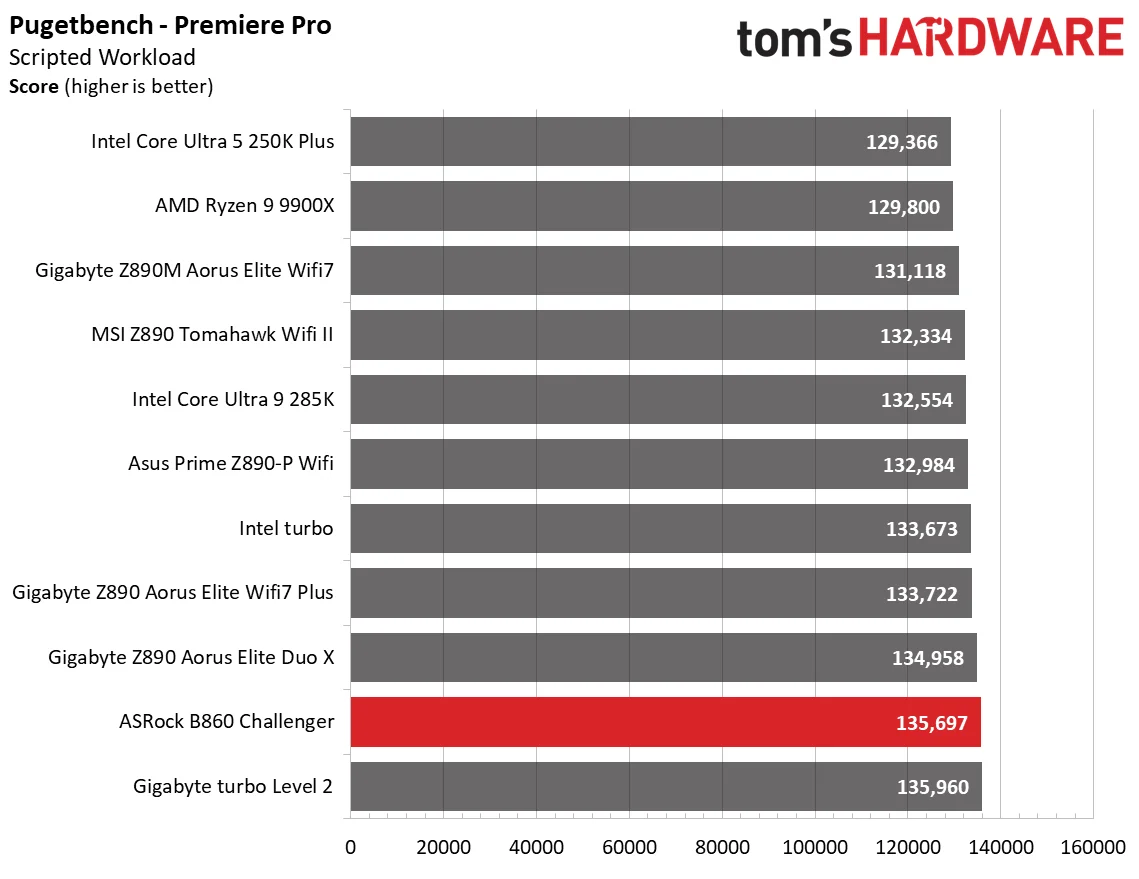
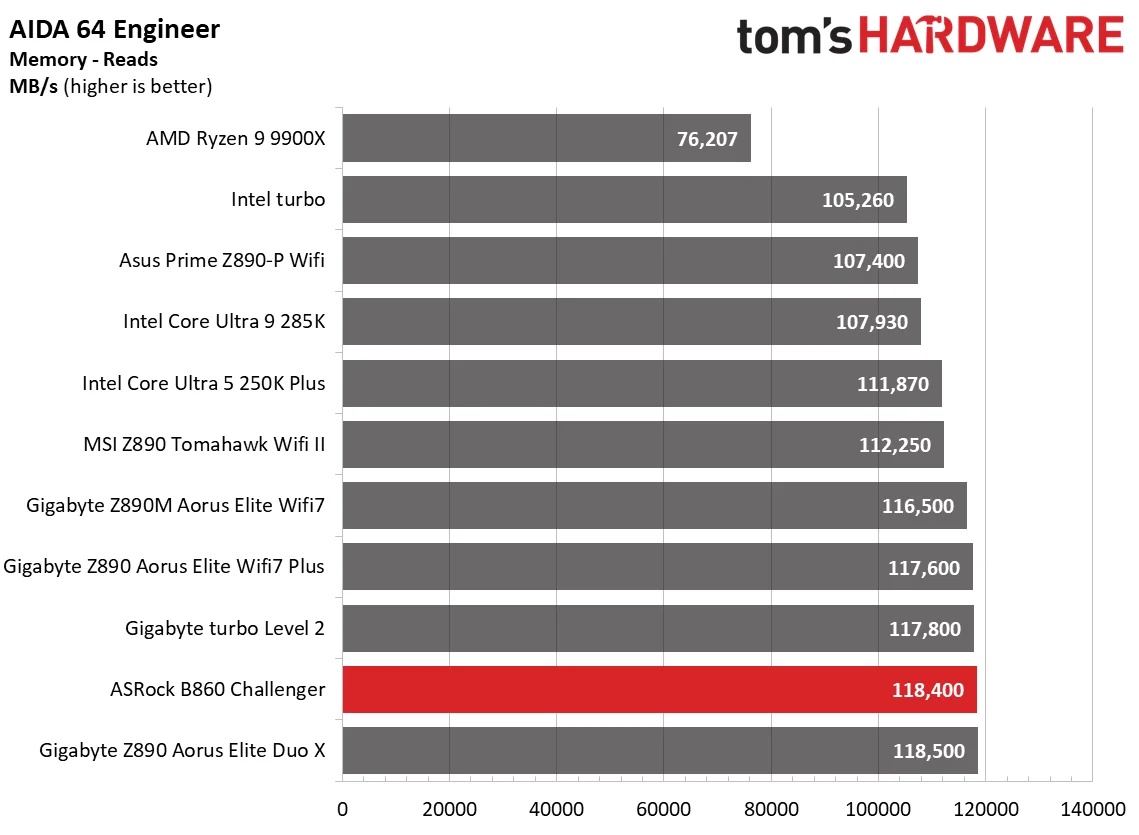
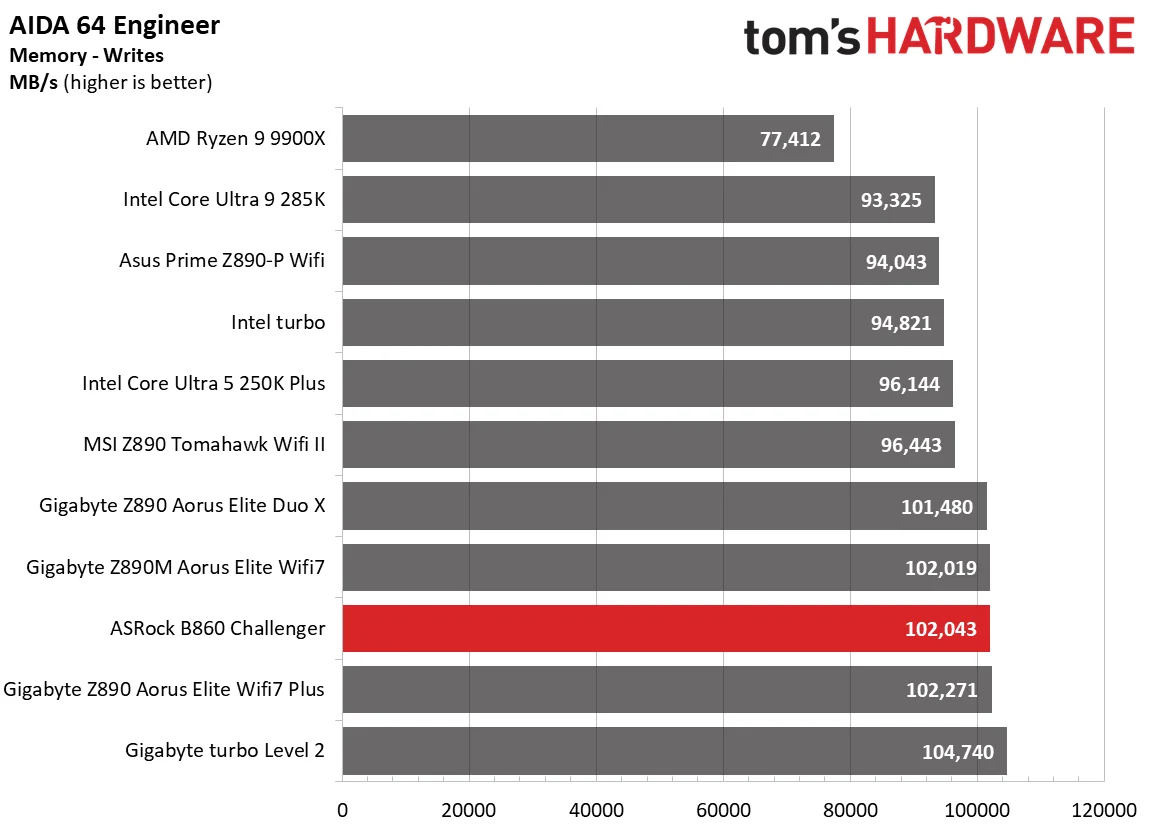
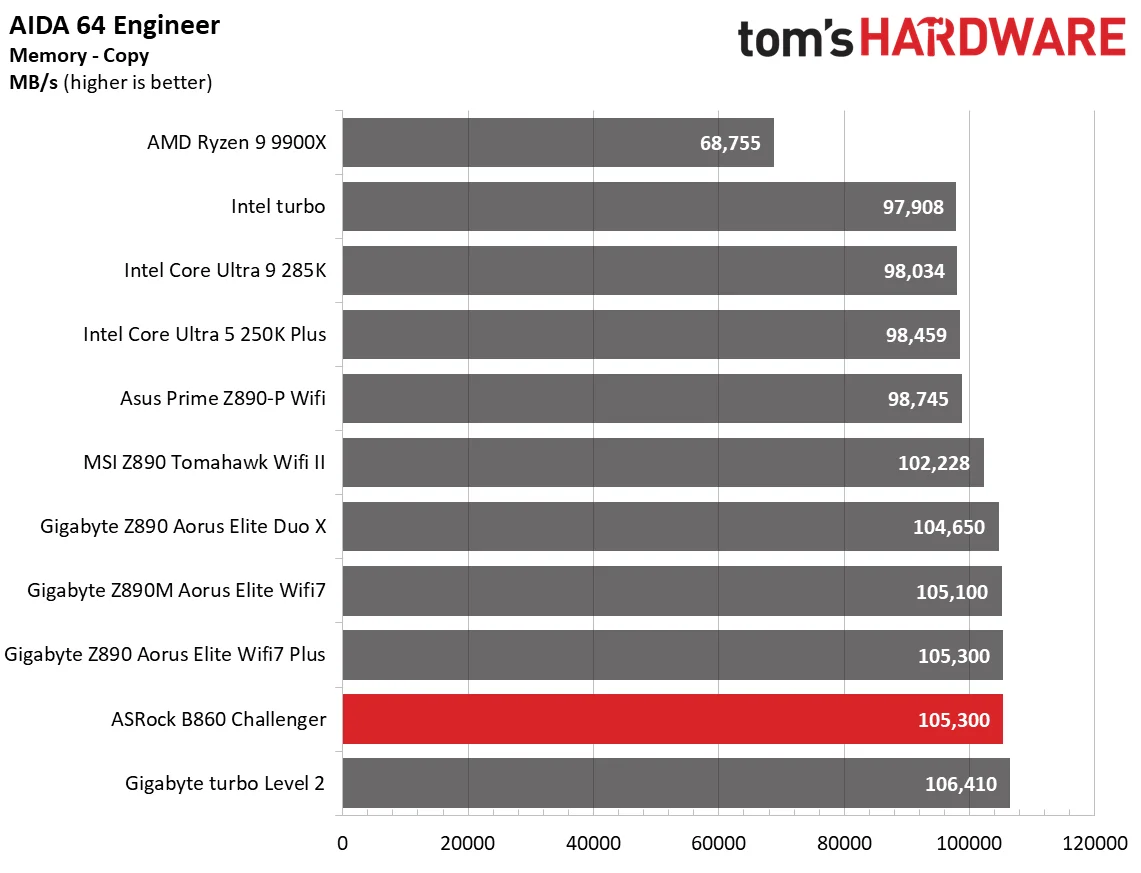
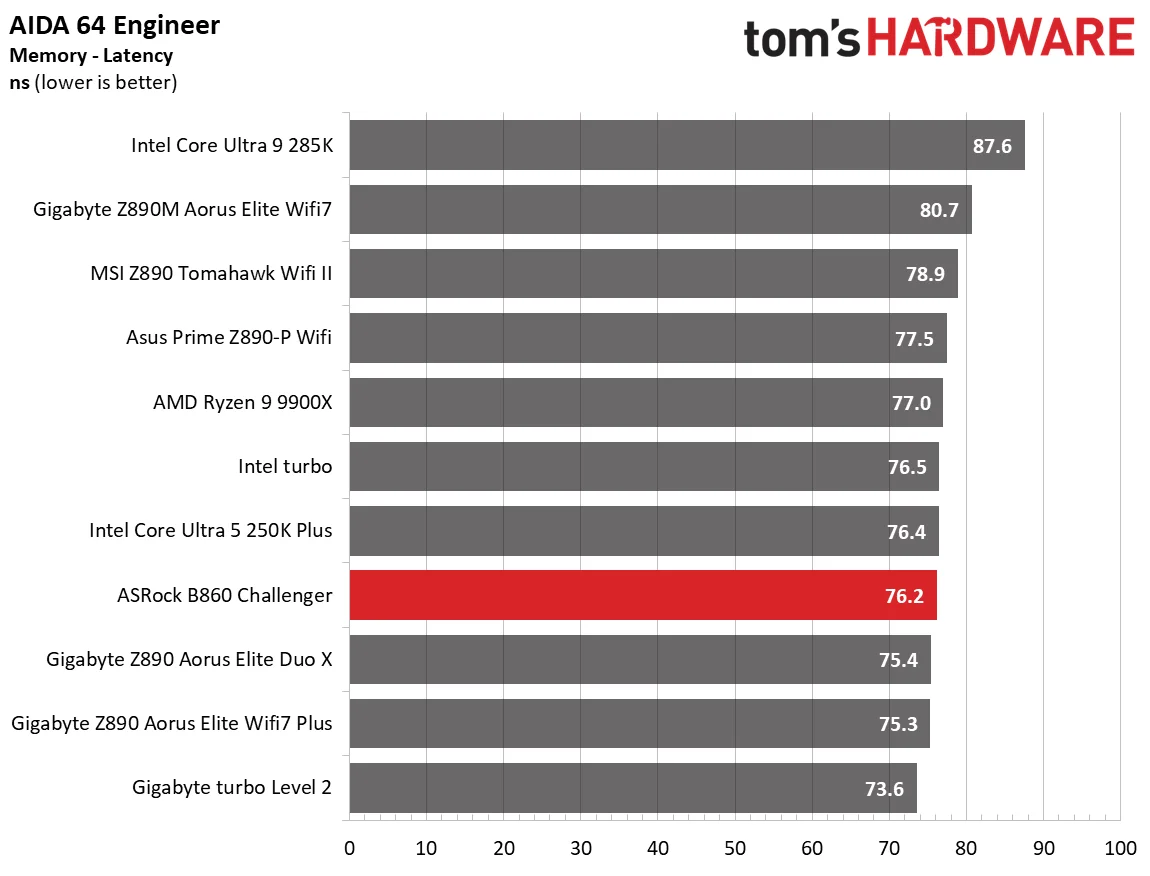
Across our tightly grouped synthetic results, the B860 Challenger WiFi landed around the middle of the pack and edged above average in several tests. That’s a respectable showing for a budget board, though the small gaps between results make this more a sign of competent tuning than a clear performance win.
3D Games and 3DMark
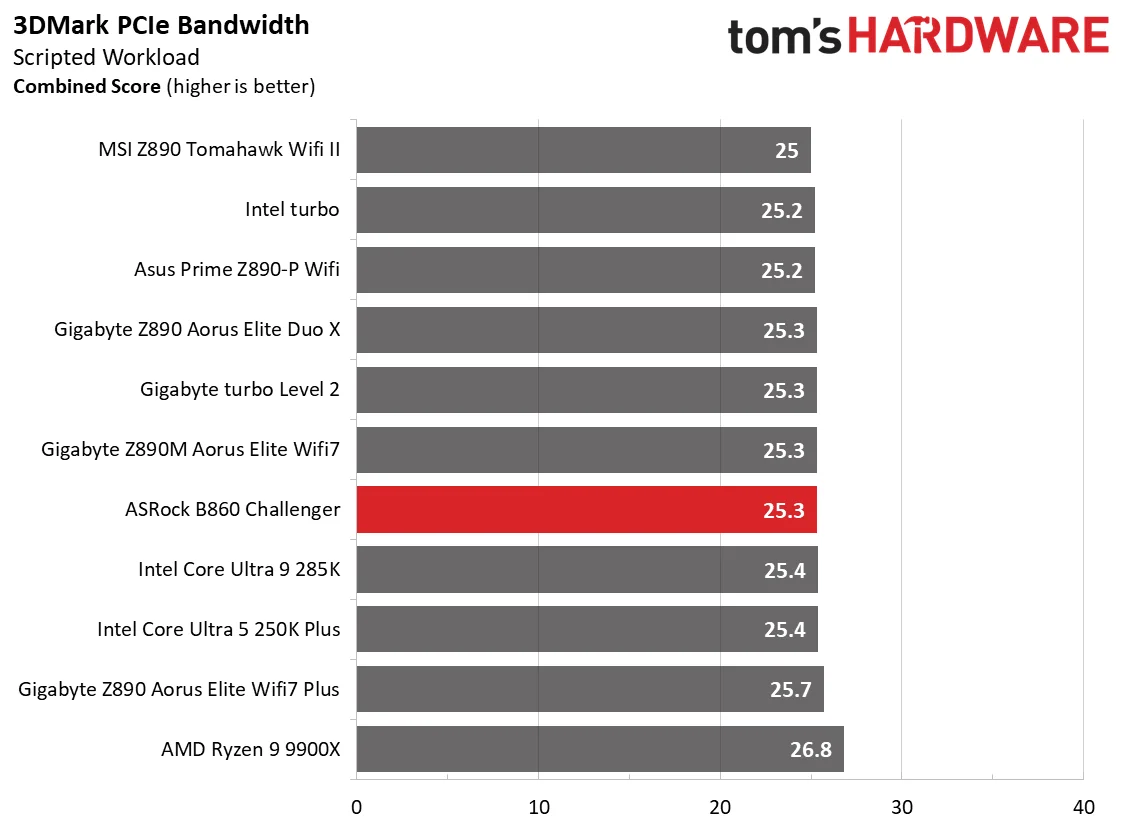
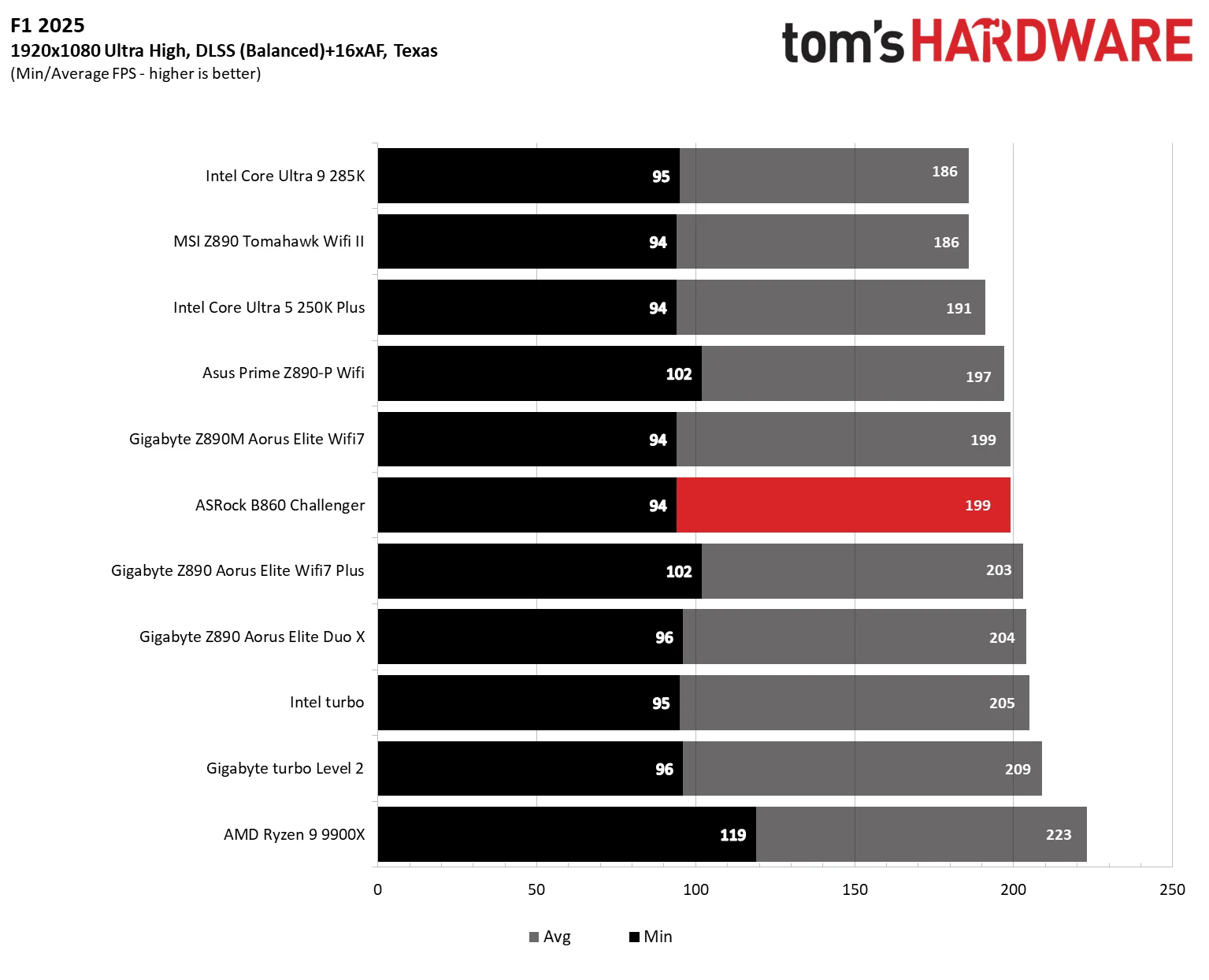
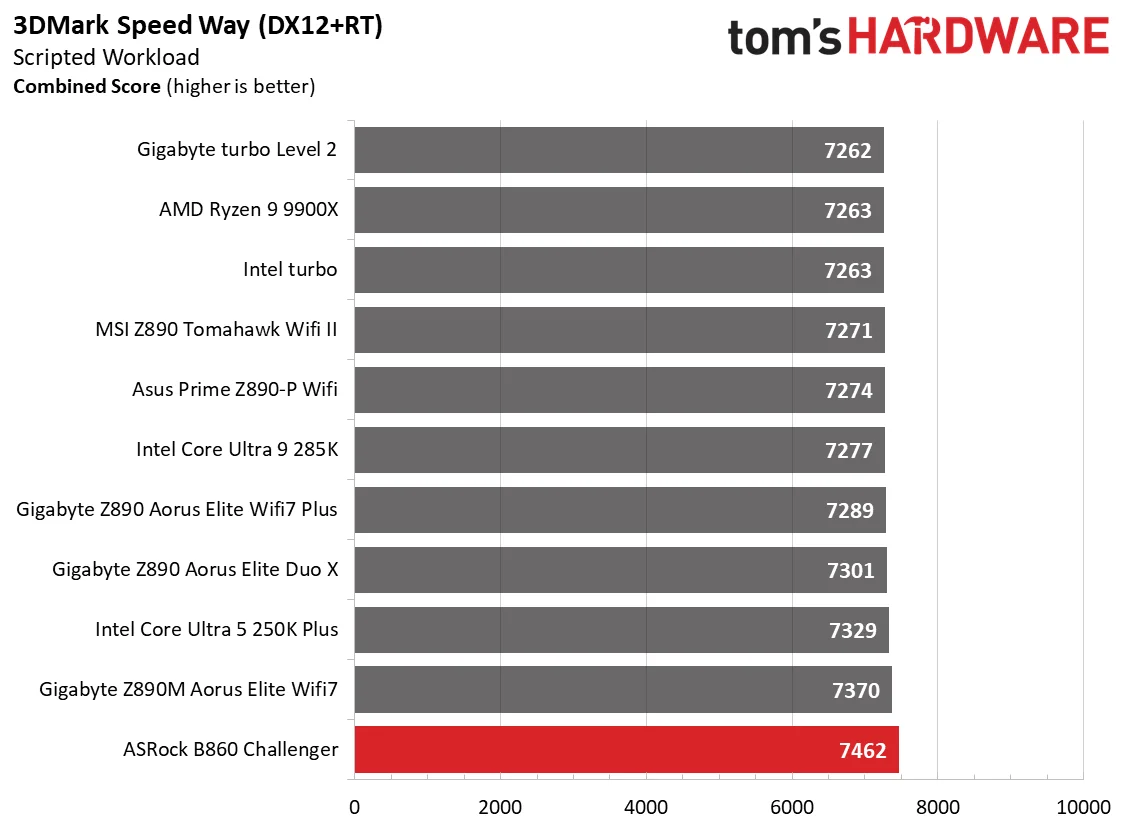
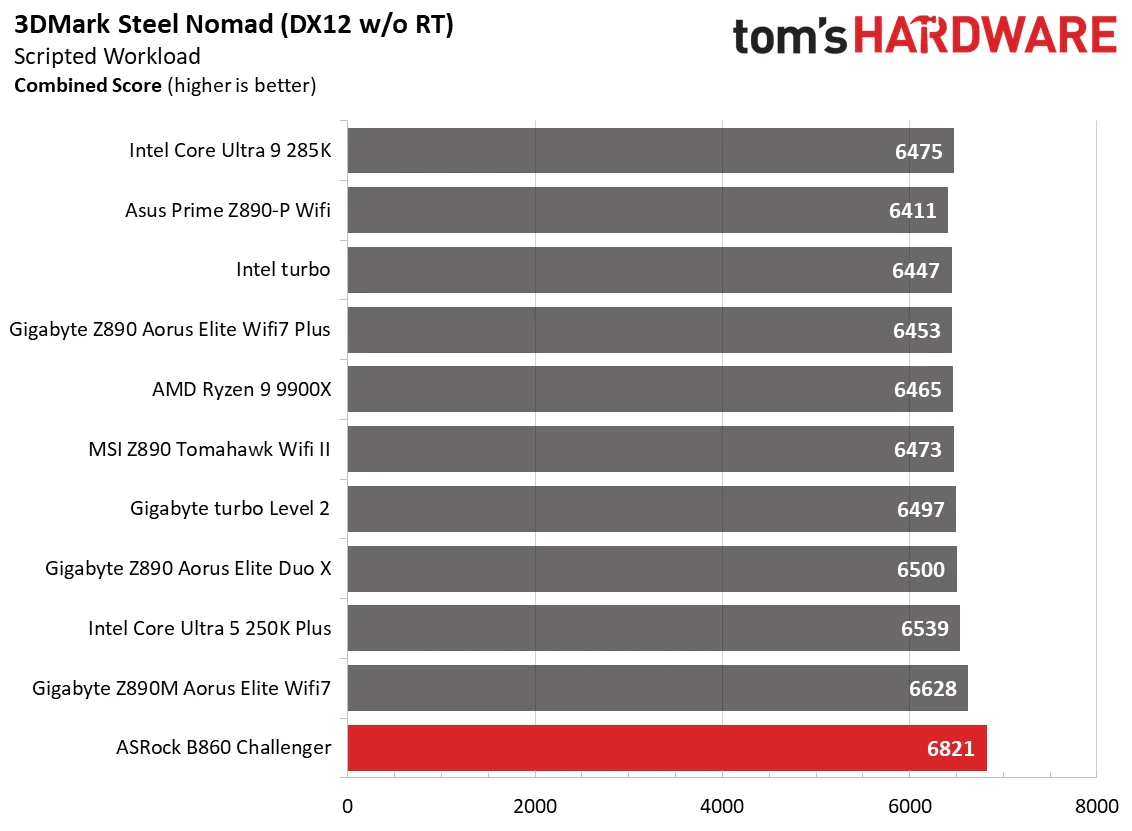
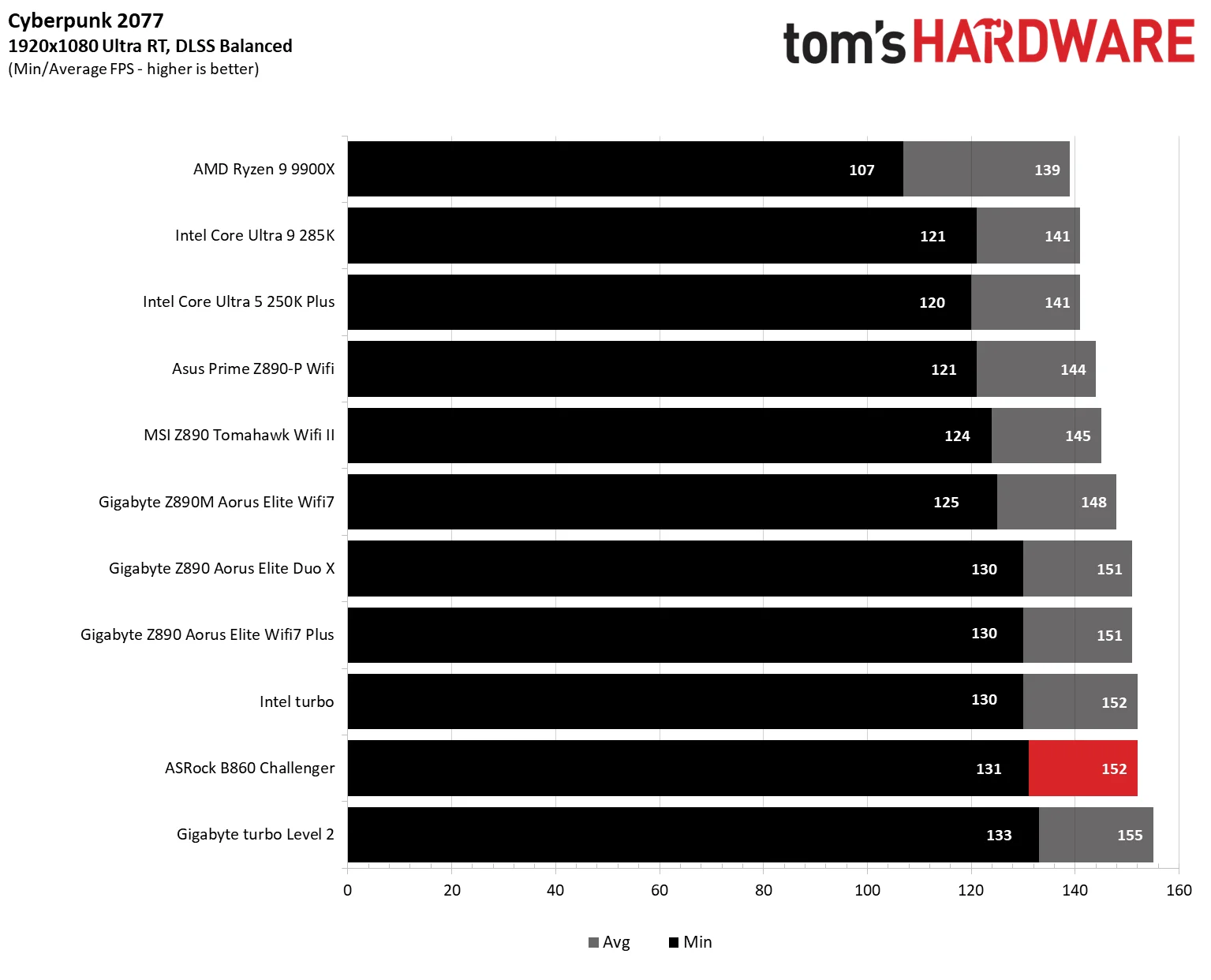
Gaming performance is the quiet part of this board’s story: there’s no reason to worry about it. The B860 Challenger topped our synthetic 3DMark results and landed around the middle of the pack in actual games, which is about what we expected from tests where motherboard differences tend to be small.
Our updated Arrow Lake refresh test suite uses F1 25 alongside Cyberpunk 2077. Both run at 1920x1080 on Ultra with DLSS enabled, a setup intended to expose CPU and system limits at a common resolution. We now track minimum FPS as well as average performance, since dips can be more noticeable in play than a small change in the average. Most boards should remain within the margin of error here.
Memory and overclocking
There’s less headroom for manual CPU overclocking than there was a few generations ago, while stock performance has improved. That’s a trade: enthusiasts get fewer knobs to turn, but most buyers get more of the processor’s performance without tuning. Board makers also promote AI assisted overclocking, though results still depend on the chip and its cooling. We don’t overclock CPUs for these reviews; we do check that memory kits meet their rated specifications.
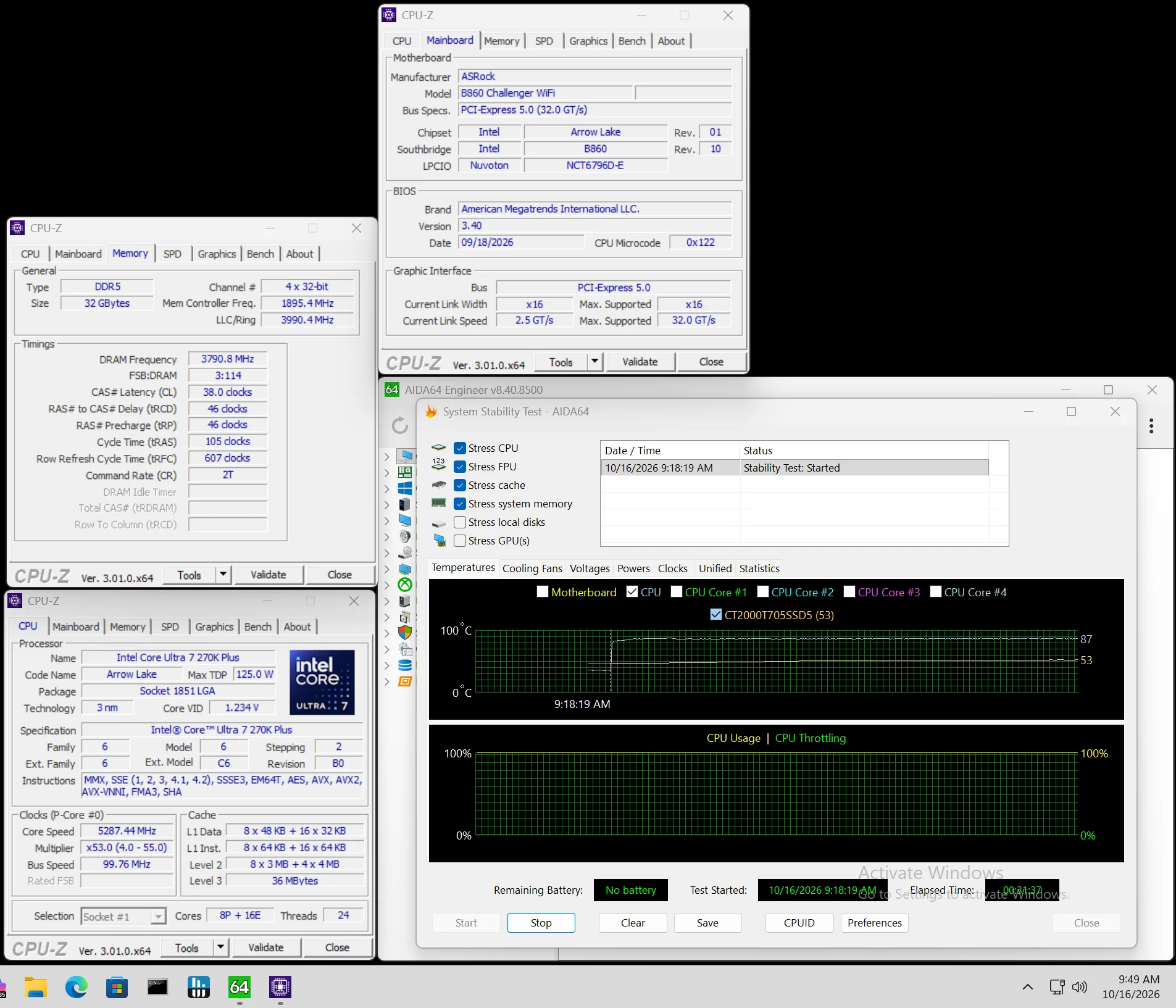
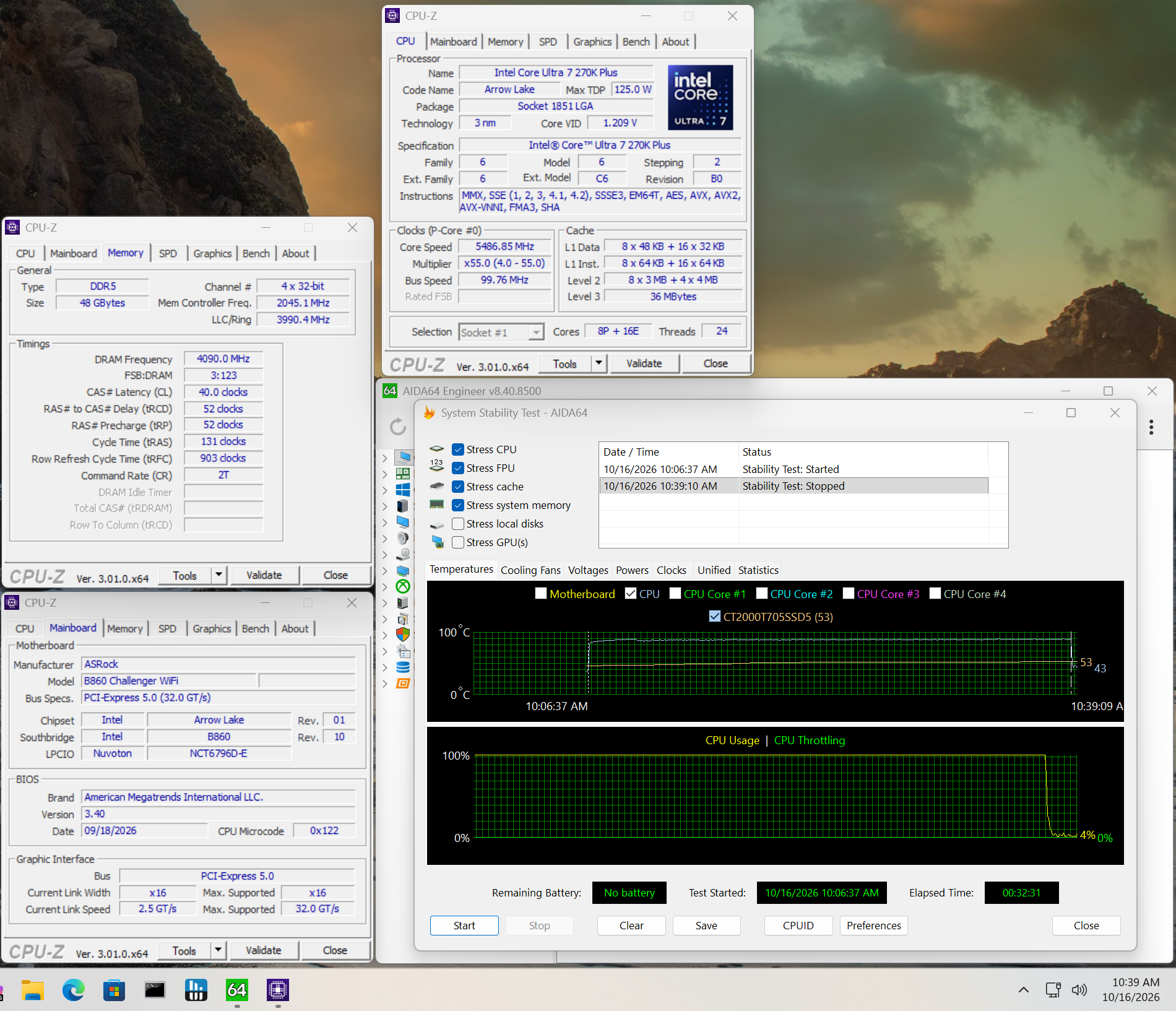
The board’s memory ceiling isn’t record setting, but it handled DDR5-8200 without trouble. We left out our DDR5-8800 kit because it exceeds the board’s rating; the G.Skill DDR5-8200 kit is on ASRock’s QVL list. If you’re building around this board, the practical takeaway is that it can reach the useful memory range and go beyond it, though chasing benchmark records isn’t the point of this budget model.
Power draw and VRM temperatures
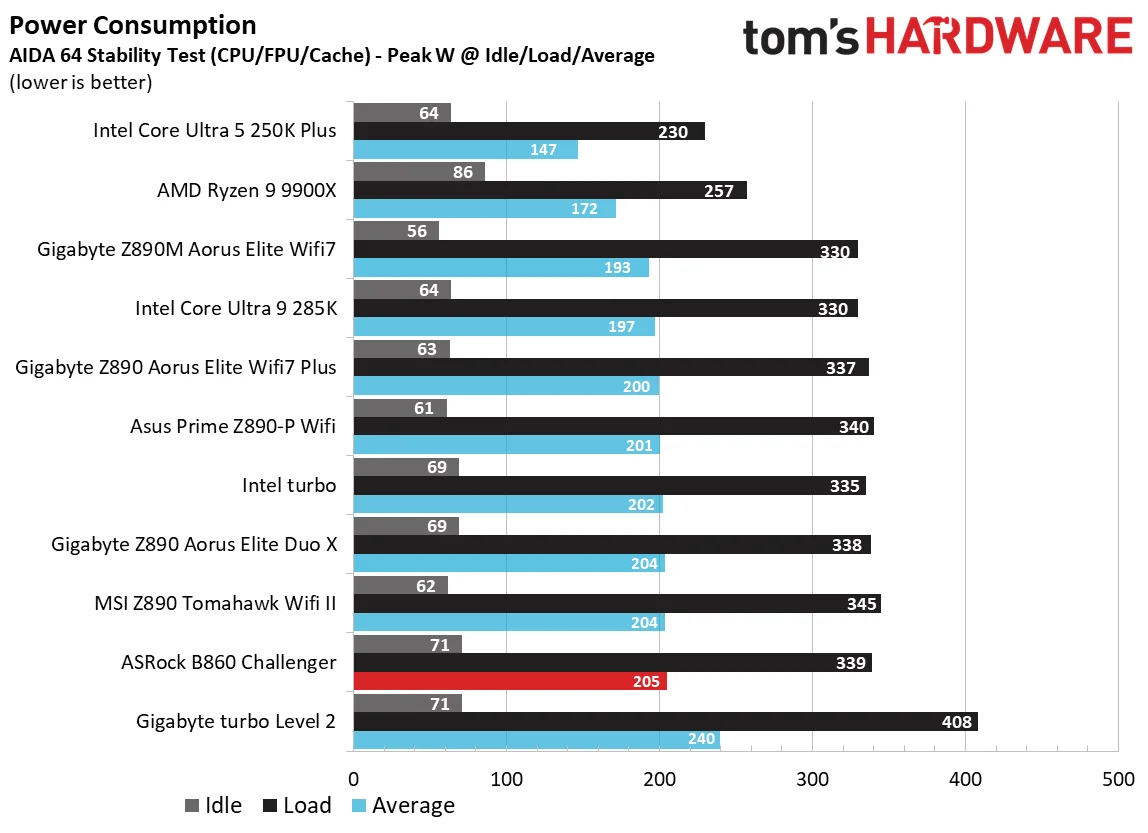
For power testing, we ran AIDA64’s System Stability Test with CPU, FPU, cache, and memory stress enabled, then recorded peak wall draw on a Kill-A-Watt meter. That figure covers the full PC except the monitor. The motherboard was the only component changed between tests, and we now report stock power use and VRM temperatures to check whether a board can support flagship class processors.
With an Intel 270K Plus and Kingston DDR5-7600 memory at stock settings, the Challenger peaked at 339W from the wall. That’s toward the high end of average. Idle draw was also elevated at about 71W, and the board used a little more power than the others tested so far. Still, the difference is small enough that most owners are unlikely to see a meaningful change in their electricity bill.
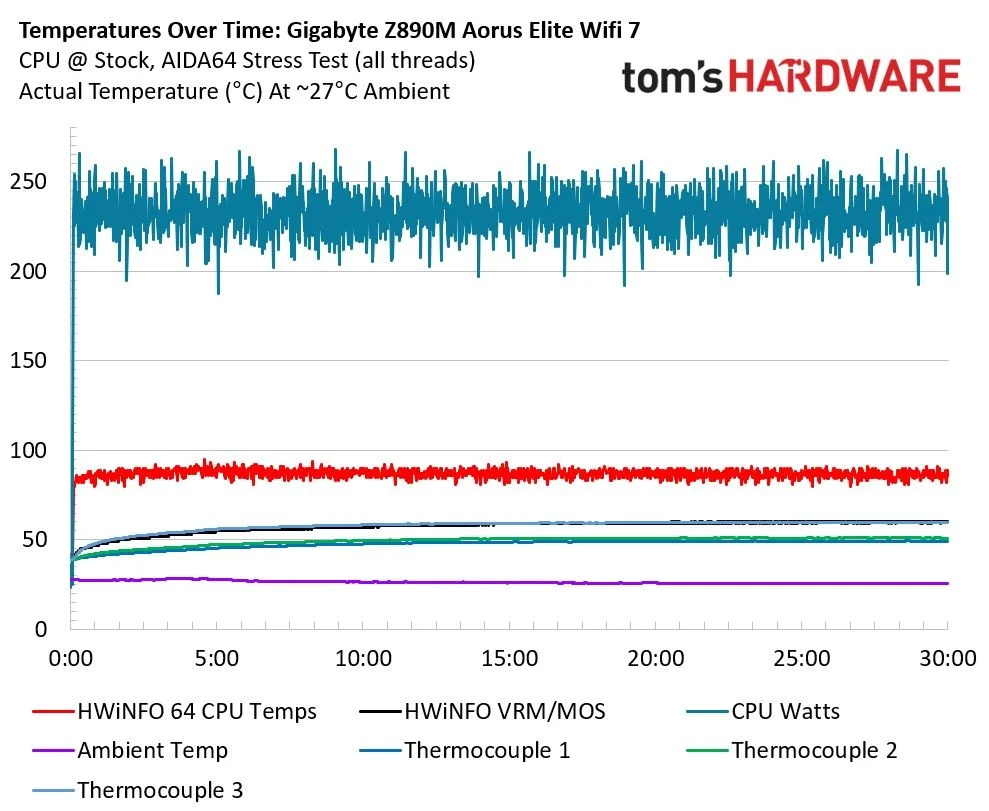
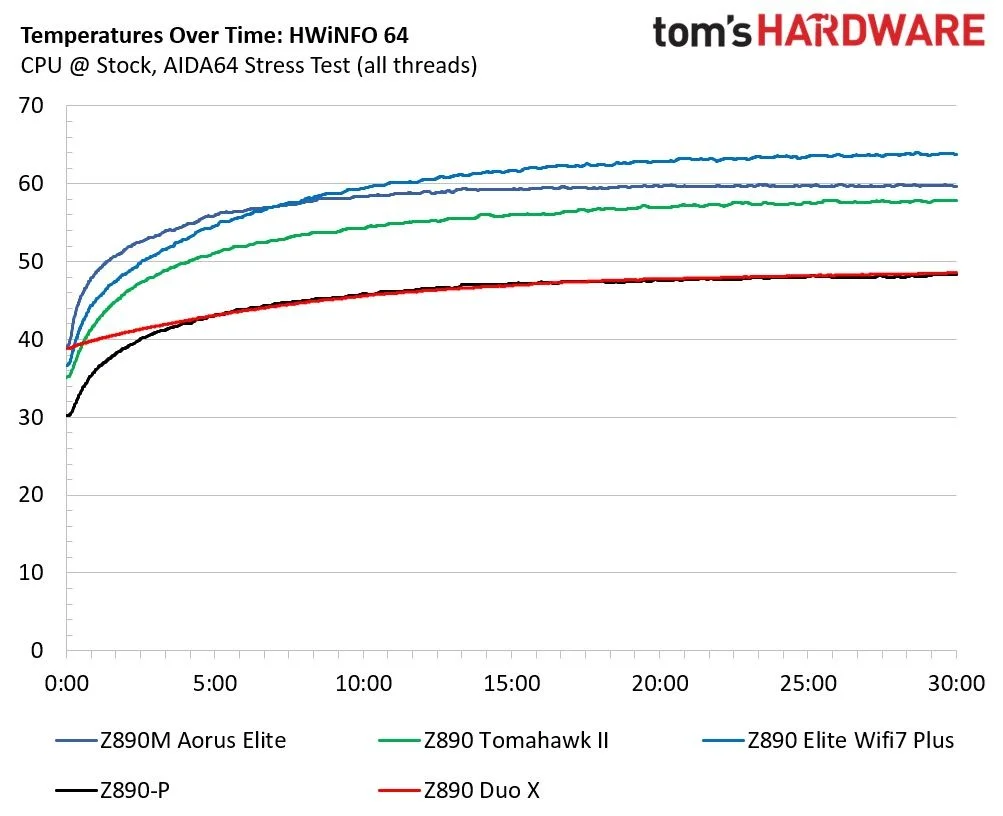
VRM temperatures topped out at nearly 57 degrees Celsius on our external sensor; the board has no onboard VRM or MOS temperature sensor. Under roughly 230W loads, the heatsink and 50A MOSFETs kept temperatures within spec. The 270K Plus ran without issue, though I wouldn’t treat this power delivery as an invitation to push sustained loads much harder.
The value comes with a clear tradeoff
At $149.99, ASRock’s B860 Challenger is a capable, unusually affordable ATX foundation for an Intel build. It handled our work and gaming tests, offers three M.2 sockets and a PCIe 5.0 slot, and keeps its black finish free of built in RGB. Its biggest omission is hard to overlook: a mainstream board at this price in 2026 should have at least one 10 Gbps USB port. You can add faster USB with an expansion card, but that uses a slot that could serve another purpose.
The alternatives show how much that omission matters to your build. Gigabyte’s B860 Gaming X Wifi 6E ($159.99) costs about $10 more, has similar features, Wi-Fi 6E that’s slower but still fast enough, and at least one 10 Gbps USB port. Its contrasting heatsinks on a black PCB are less appealing to me. Asus’ TUF Gaming B860-Plus Wifi ($199.99) costs 33% more, but adds faster USB, including 20 Gbps Type-C, stronger power delivery, and several AI and DIY features. At $209.99, MSI’s B860 Gaming Plus Wifi ($209.99) asks for a $60 premium over the ASRock and offers the strongest connectivity here: Thunderbolt 4 Type-C at 40 Gbps, four PCIe slots, 5 GbE, and 320Hz Wi-Fi. Whether that premium makes sense comes down to whether you’ll use those faster connections.
The Challenger’s appeal is straightforward: spend less, get a board that performs as it should, and accept fewer high speed ports and extras. It’s one of the cheapest readily available B860 ATX boards around $150, but the compromises keep it off our best motherboards list. Its bigger sibling, the X870E Challenger, made that list. If you need faster USB or board level AI features, you’ll have to pay more. If you don’t, the B860 Challenger is a sensible base for a dark themed Intel PC.
MORE: Best Motherboards
MORE: How To Choose A Motherboard
MORE: Best Motherboard Deals
MORE: Best Motherboard Combo Deals
MORE: All Motherboard Content


