The IQUNIX MQ80 makes a strong case for low profile keyboards as everyday desk gear. Its layered construction produces a refined, cushioned sound and feel, but its hefty aluminum body and narrow switch selection make it a harder recommendation than its polished design suggests. That tension is the story here: the MQ80 feels carefully built, yet it asks you to accept real compromises.
IQUNIX had already established itself with enthusiast mechanical keyboards before the pandemic brought the category to a wider audience. The company helped popularize durable PBT keycaps and premium materials that are now common across the market. Its mechanical keyboard range now includes the Hall Effect EZ series, while the MQ80 takes a different route: an 80-key, low profile wireless board shaped by the company’s experience with custom keyboard design.
IQUNIX MQ80: Key specifications
| Keys | 80 |
| Switches | IQUNIX Rose Gold linear switches |
| Backlighting | Per-key RGB |
| Onboard profiles | 4 layers |
| Media controls | Fn shortcuts |
| Extra ports | None |
| Connections | USB, 2.4GHz, Bluetooth 5.1 |
| Cable | 6-foot braided cable |
| Keycaps | High-purity PBT |
| Build | Aluminum case with multilayer sound damping |
| Software | VIA, through a web configurator |
| Dimensions | 12.64 x 4.90 x 0.41–1.08 inches |
| Weight | 2.6 pounds (1,180 grams) |
| MSRP | $159.99 |
| Release date | February 25, 2025 |
A compact layout with a desktop-sized weight
The MQ80 uses a 75-percent layout, often called a compact TKL. You get a function row, arrow keys and seven navigation and editing keys, packed closely together without the spacing found on a conventional tenkeyless board. The layout is familiar; the unusually low profile is what changes the experience.
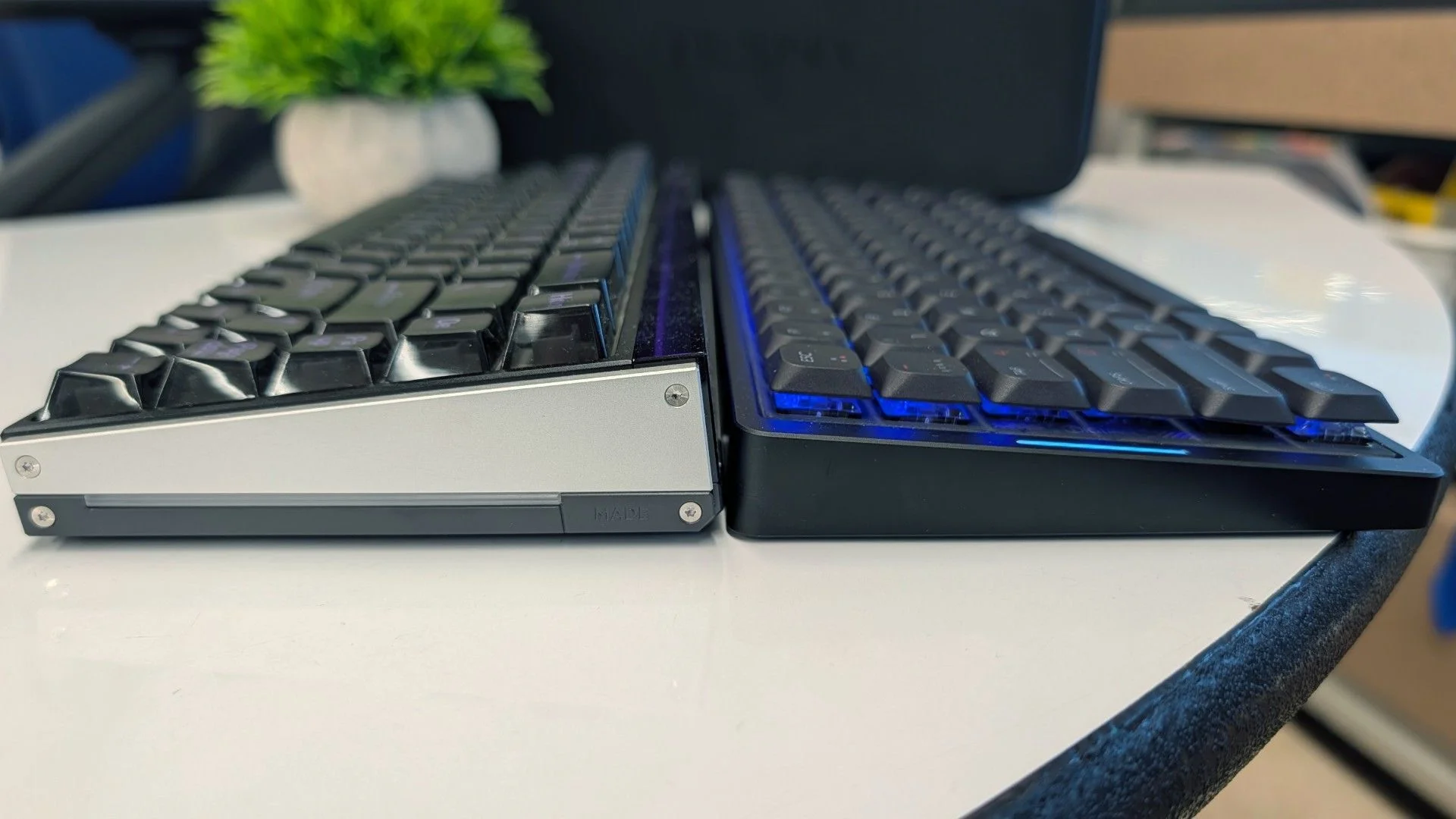
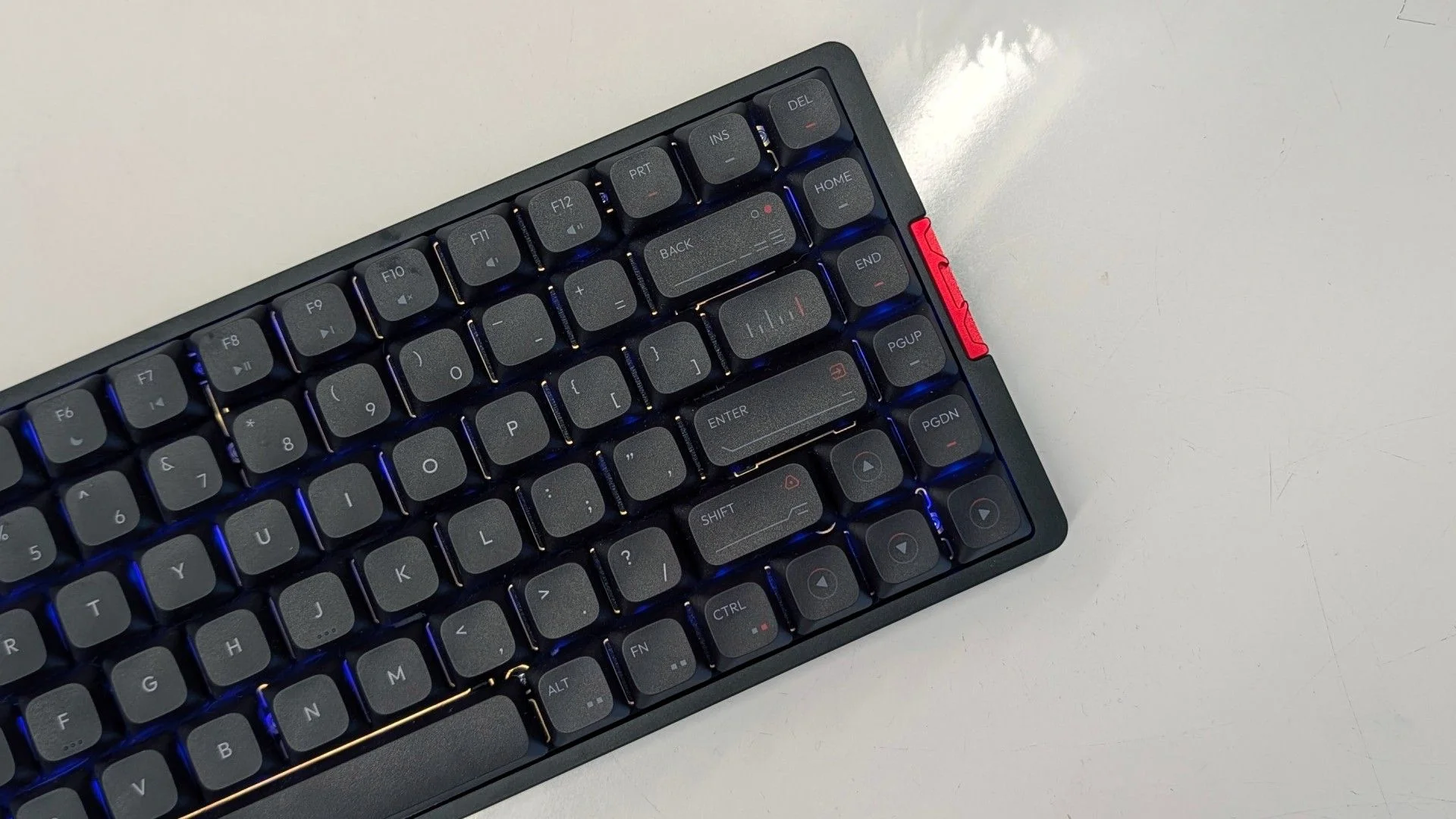
At the front, the case is just 0.41 inches (10.8mm) tall, rising to 1.08 inches (27.5mm) at the back. The keycaps sit at a consistent height across the rows, with scooped tops to help center your fingers. That makes the transition fairly intuitive for laptop or Apple Magic Keyboard users. If this is your first low profile board, expect a period of adjustment.
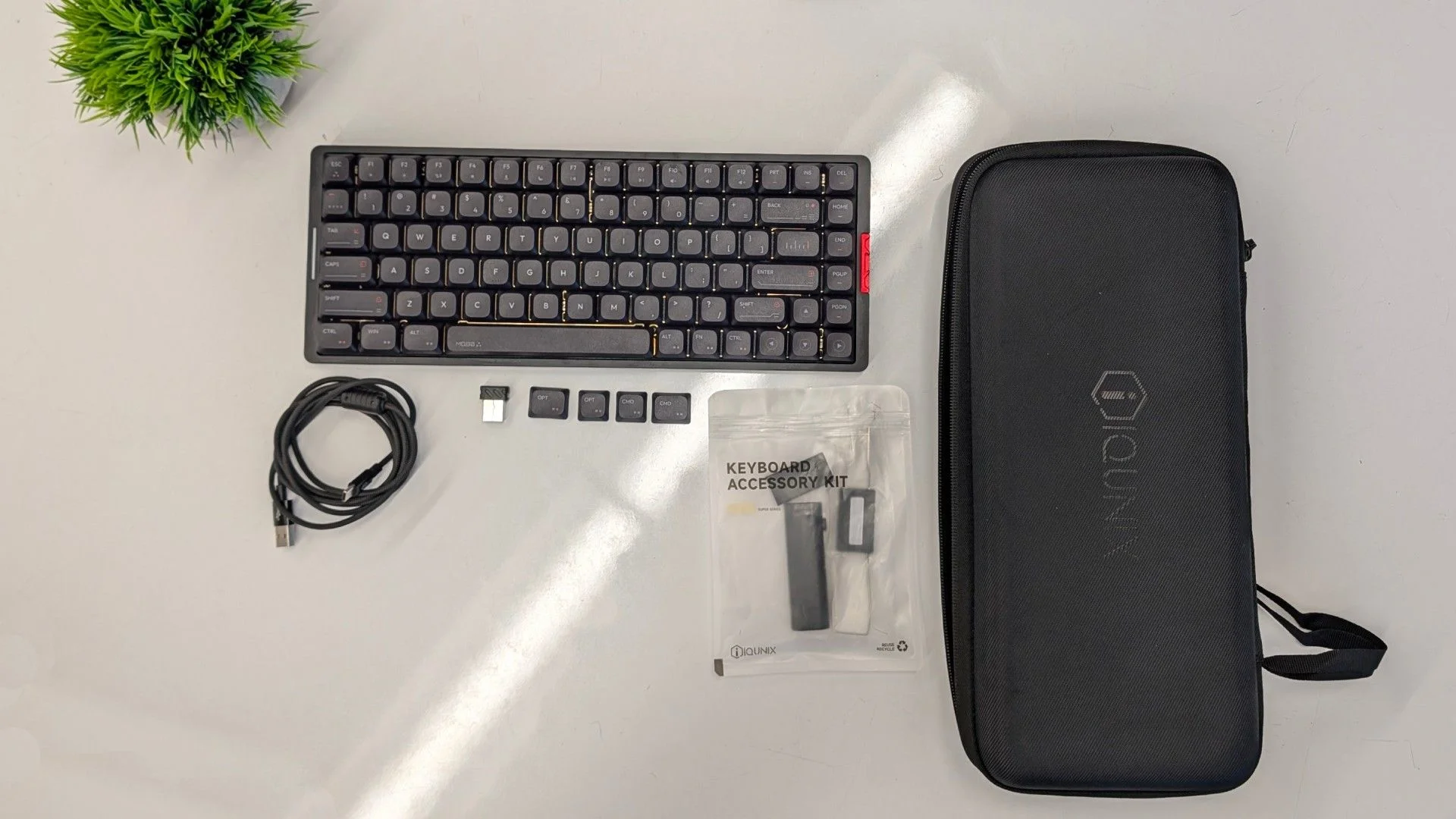
It connects over USB, 2.4GHz wireless or Bluetooth 5.1, and can stay wired while charging. IQUNIX rates the 4,000mAh battery for up to 350 hours over Bluetooth with the lighting off. Real use depends heavily on settings: with RGB enabled, the reviewer got close to two weeks between charges, while heavy lighting and 2.4GHz use brought the estimate down to roughly 45 hours.
Here’s the catch: slim doesn’t mean portable in any useful everyday sense. The CNC-milled aluminum case gives the MQ80 a premium feel, but the complete keyboard weighs 2.6 pounds, about as much as a full-size mechanical keyboard or a higher-end TKL. IQUNIX includes a hard-shell case, so you can carry it, but many people will likely leave it on a desk.
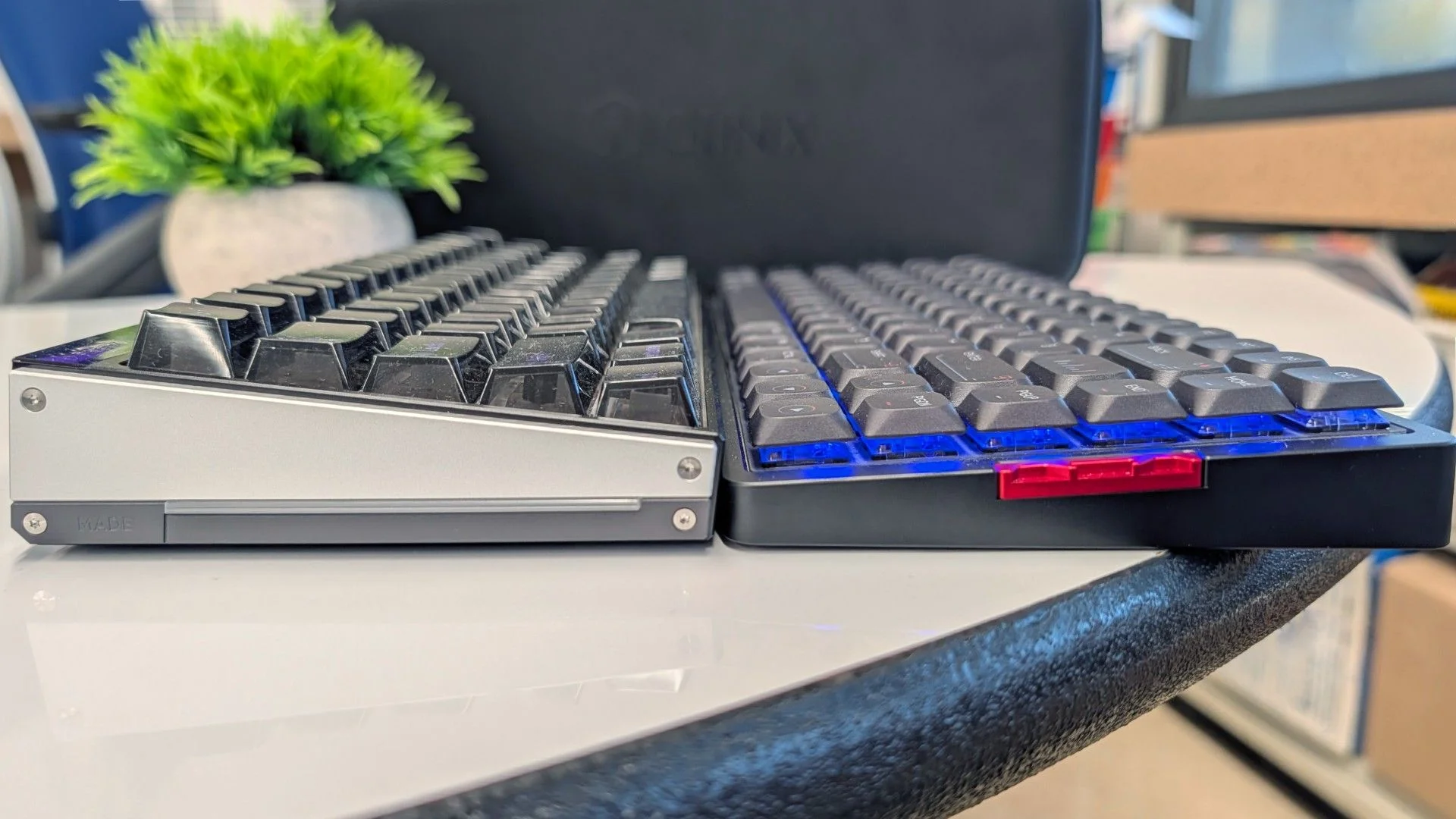
Its appearance is more distinctive than its layout. Fine milling details give the case a faint cyberpunk edge, while colored legends and accent keys carry that look across the board. It comes in black or white, with matching keycaps. Those caps are thick PBT with a lightly textured surface and dye-sublimated legends designed to resist fading and wear.
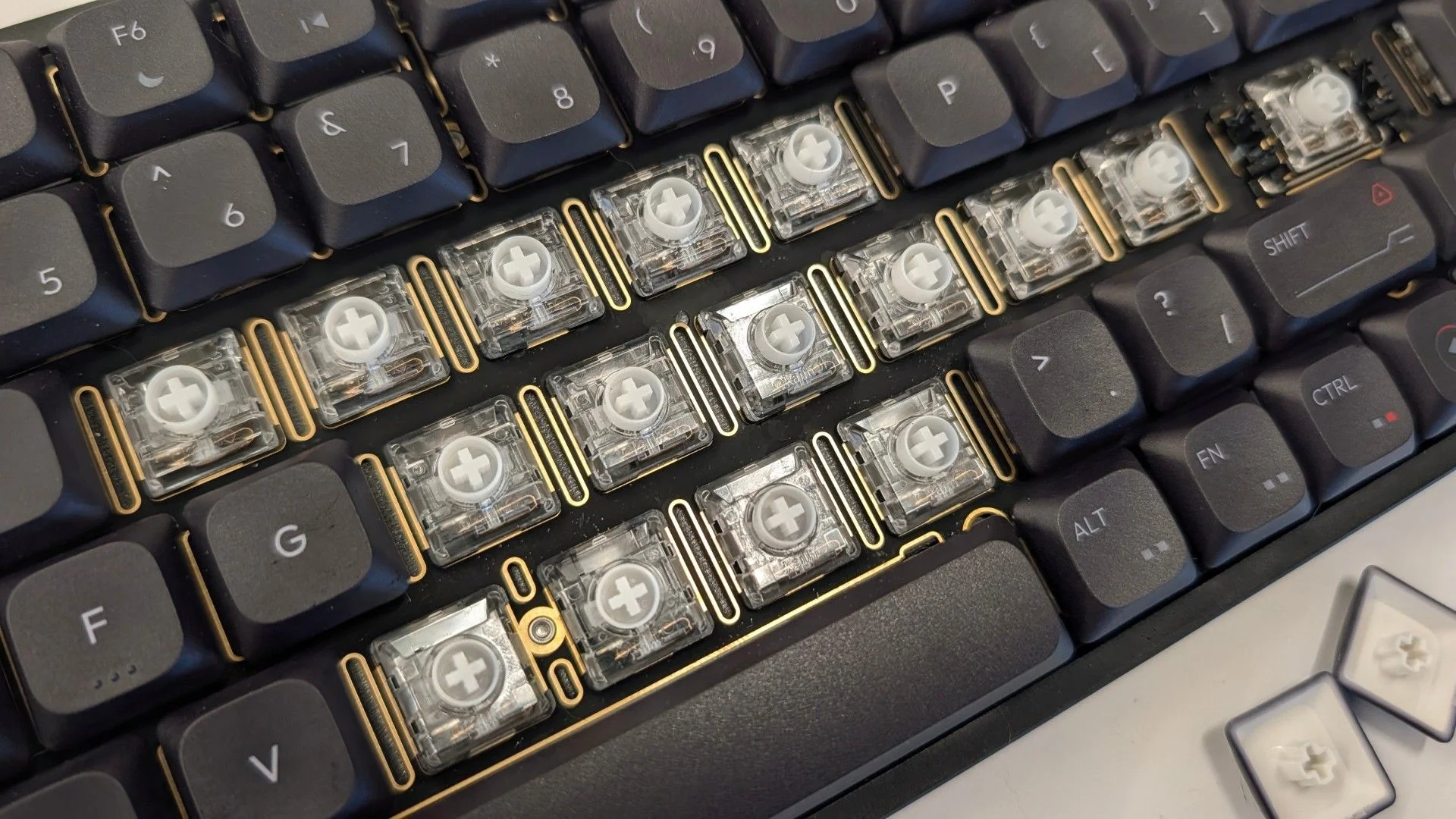
The switches are light linear Kailh Rose Reds, rated at 40g actuation force, 2.8mm of travel and a 1.2mm actuation point. They provide about 70 percent of the travel of a full-height switch, but their quick response rewards a light touch. Press too firmly or rest your fingers heavily and accidental repeats can become a nuisance.
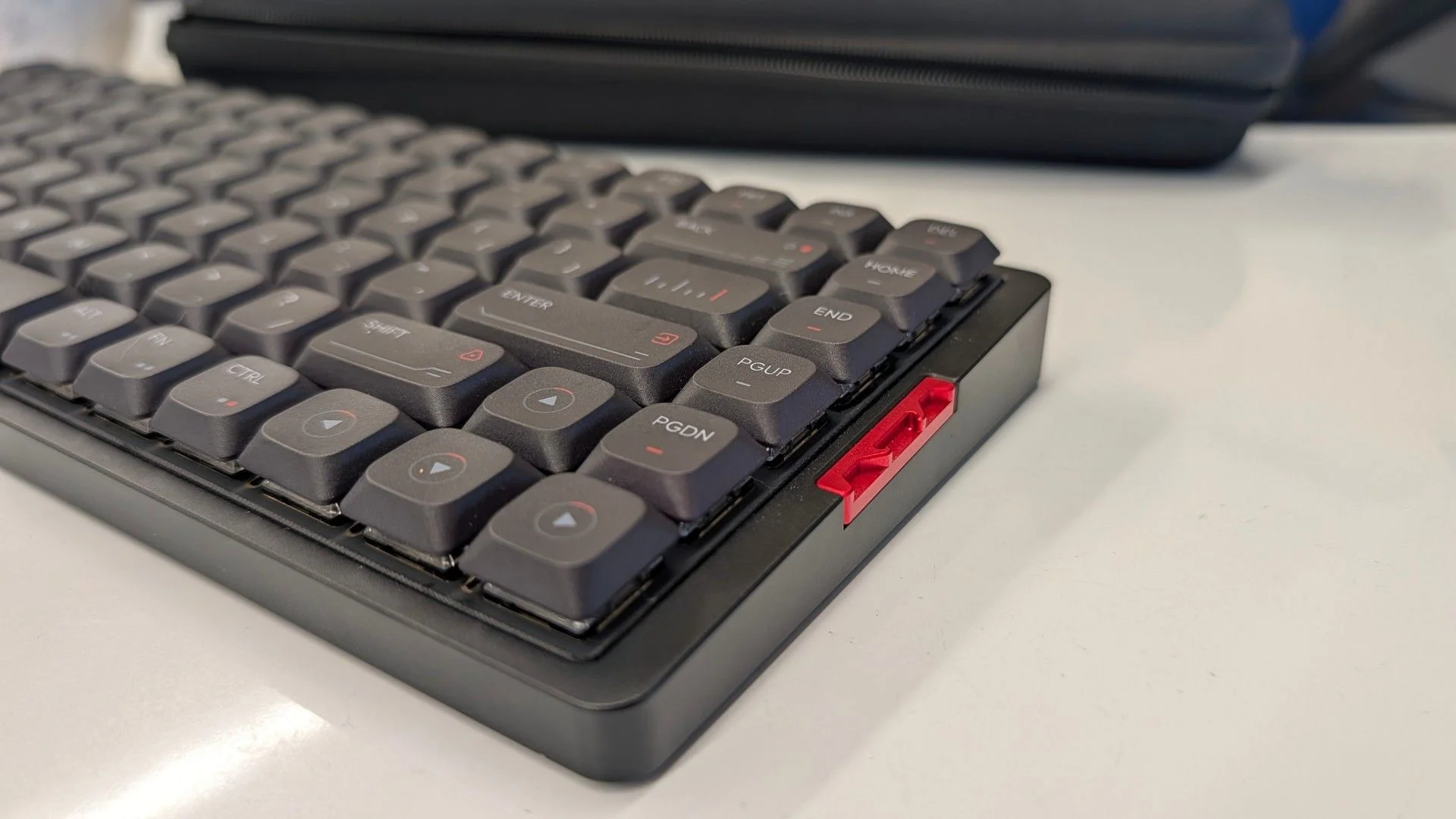
You can hot-swap the switches for other Kailh Choc V2 models, though the available selection is limited compared with Gateron’s low profile range. The per-key RGB can be adjusted with VIA or keyboard shortcuts, but the keycaps don’t let the light shine through. That limits their usefulness in a dark room if you don’t touch type.
The MQ80’s internal design reflects IQUNIX’s work on SUPER custom keyboards, which drew from boutique group-buy projects discussed on r/mechanicalkeyboards. Its multilayer build aims to shape the sound and feel out of the box, without asking buyers to tune the board themselves.
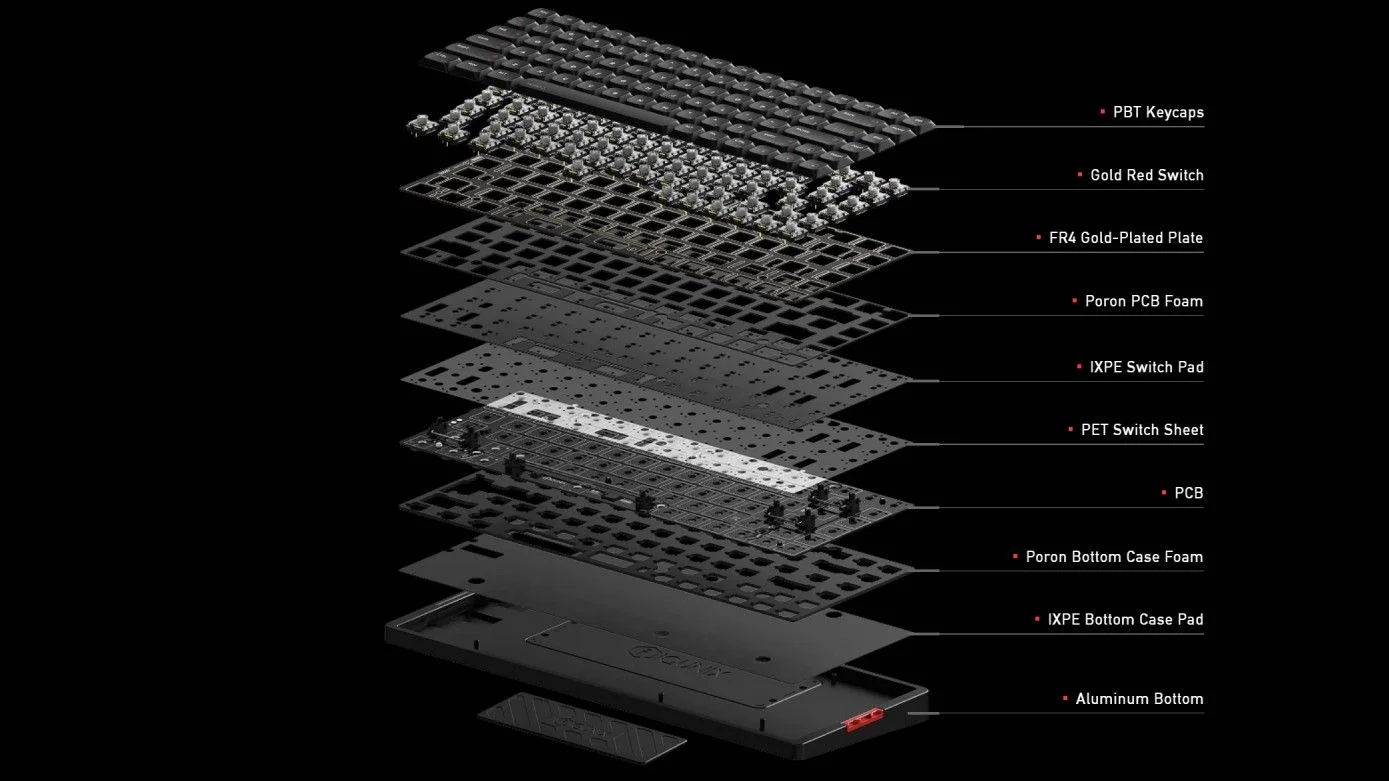
Under the switches, an FR4 fiberglass plate balances firmness with a crisp response. Thick PORON foam fills the space around the switches, plate and PCB to reduce echo and separate each keystroke. A thinner IXPE layer and PET sheet add some snap. Below the PCB, another PORON layer softens presses and filters sound; a final layer of IXPE foam sits at the base to reflect mid-range tones and buffer the aluminum case.
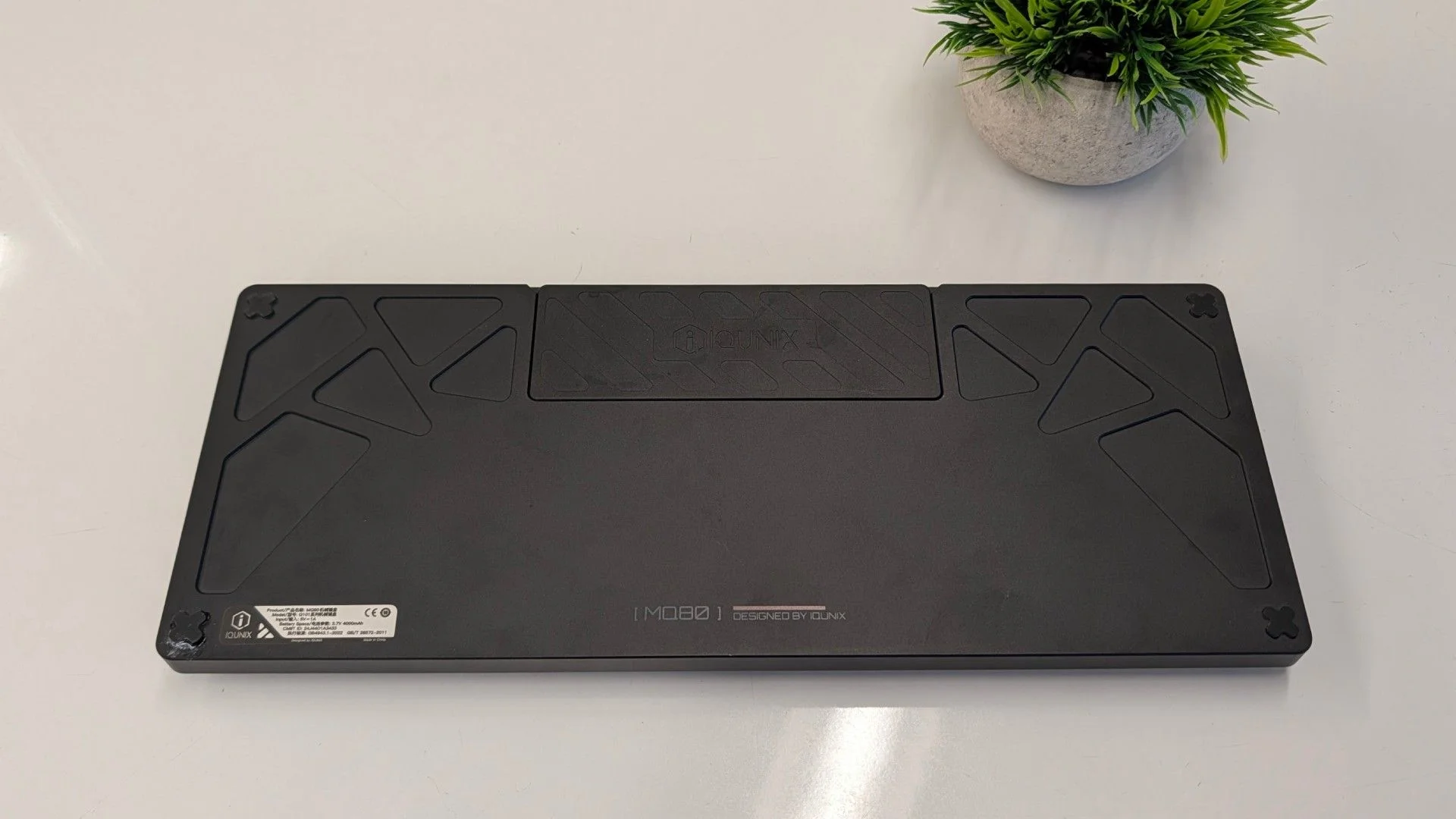
The PCB assembly attaches through IQUNIX’s modified “Le-Tray Gasket Mount.” Six arms connect to the case through silicone buffers, suspending the assembly enough to give bottoming out a cushioned feel. It’s an elaborate solution for a low profile keyboard, and the result is one of the MQ80’s clearest strengths.
Typing: excellent sound, demanding switches
The MQ80 suits people who already know they like low profile boards and light linear switches. Its flat rows and consistent keycap feel can take time to learn, even for experienced typists. The reviewer, despite years of testing hundreds of keyboards and typing thousands of pages, still found the transition awkward at first.
Adaptation came with practice. The reviewer learned to use the tactile bumps on F and J for orientation and eventually felt quicker and more nimble. The typing test numbers didn’t confirm that impression: a usual 110 words per minute on a full-height board became 105 WPM on MonkeyType, largely because correcting typos erased the small gain in raw speed.
Sound and feel are easier to praise. The foam layers give each press a deeper, quieter tone, and the gasket mount adds a soft landing, though it’s somewhat firmer than the feel of many full-height gasket-mounted gaming keyboards.
There’s also a competitive wrinkle. Since the MQ80’s early-2025 Kickstarter launch, Nuphy has released the Air75 V3, offering Gateron low profile switches and tactile or silent options at checkout. The reviewer considers its typing experience at least as good and its switch choices broader. For a heavier-handed typist who wants more tactility, the MQ80’s Kailh Black Cloud option was the only less-light tactile choice, and it cost about half the keyboard’s price to add.
That doesn’t make the MQ80 a poor typist. It makes the fit unusually specific. If light linear switches suit you, the combination of damped sound, aluminum construction and cushioned presses can be compelling. If they don’t, replacing them may quickly undermine the value.
Gaming: quick response, few extras
Gaming is where the light switches make more sense. Their low force and short actuation can feel like hair triggers, turning a possible typing drawback into a useful advantage during fast play.
Over USB or the 2.4GHz dongle, the MQ80 polls at 1,000Hz, so inputs register promptly. That figure trails the 8,000Hz rate now found on some keyboards, although the practical difference is debatable. The padding and sound treatment don’t change gaming performance directly, but they make long sessions more comfortable.
There are few gaming-specific extras. You can remap keys and build string macros, but IQUNIX doesn’t provide a dedicated gaming software suite. Instead, the MQ80 relies on VIA, a browser-based configurator that saves changes directly to the keyboard. It runs without a downloadable app or a background process.
VIA programming
VIA is simple at first glance, but it gives the MQ80 substantial flexibility. Each key can support as many as four actions or macros across separate layers. Hold or tap a chosen layer key to call up alternate mappings, much as Shift exposes a second set of characters.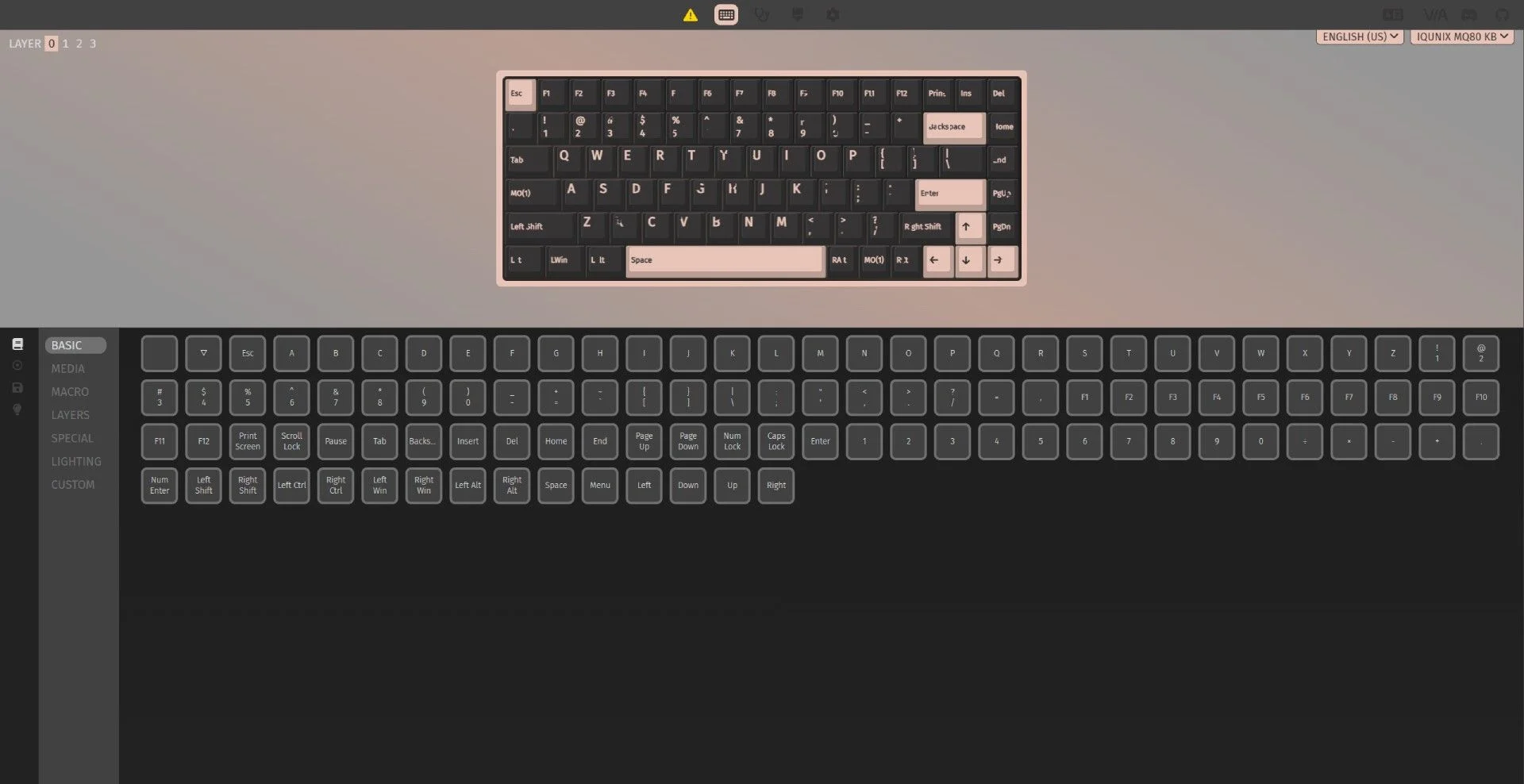
The MQ80’s VIA support has a practical advantage that’s easy to overlook: once you save a change, it lives on the keyboard. Your key assignments travel with it and work as programmed on other computers, without a background app running. That’s a meaningful difference from gaming keyboards whose layered controls can depend on the maker’s software.
The browser interface keeps setup straightforward. It shows the keyboard and its current assignments, then offers a broad menu of actions: media controls, keys up to F24, macros, and RGB settings, among others. The limits are mostly in lighting. You can adjust brightness, hue, and saturation across roughly a dozen built-in effects, but per-key colors and fully custom patterns aren’t available through the interface. Building your own lighting scheme means writing code and flashing it to the keyboard; game-synced effects from proprietary software are also out of reach.
A luxury keyboard with a weighty trade-off
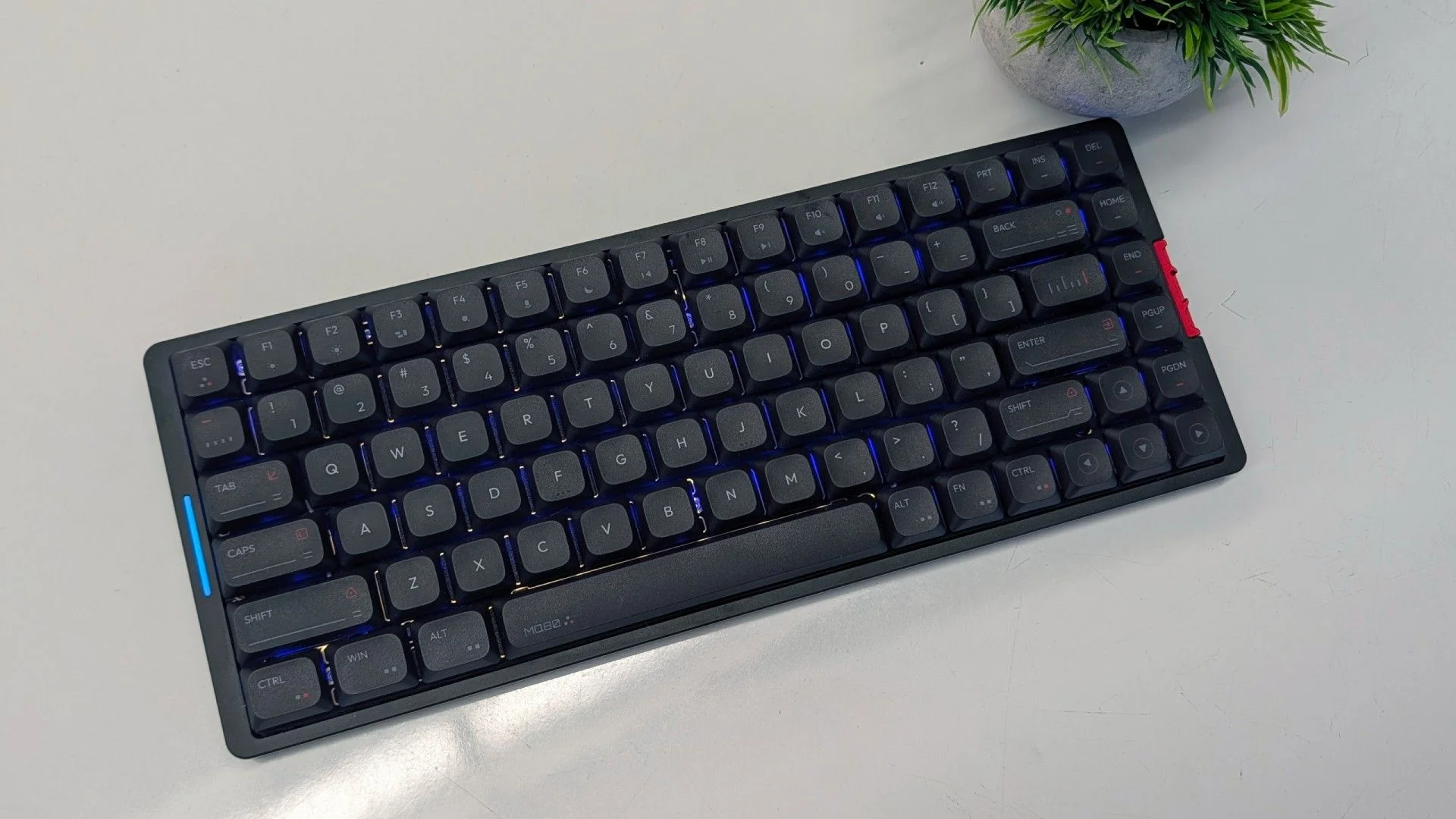
The MQ80 is an excellent low-profile keyboard, and calling it great—or even amazing—is easy to understand. Its heavy case gives it a premium feel that sets it apart in this category. The same heft, though, makes carrying it around a chore. If you commute with your keyboard, the Nuphy Air75 V3 is the more sensible pick. For a more office-friendly alternative to the Nuphy, consider the Lofree Flow 2, which also offers a tactile switch option.
All three offer good value, but the MQ80 is the one that feels like a luxury product. If it’ll stay on your desk and you prefer a fast switch, its weight becomes part of the appeal. If you need something to carry to work, that same quality is hard to ignore.


