A compact board with unusually strong looks
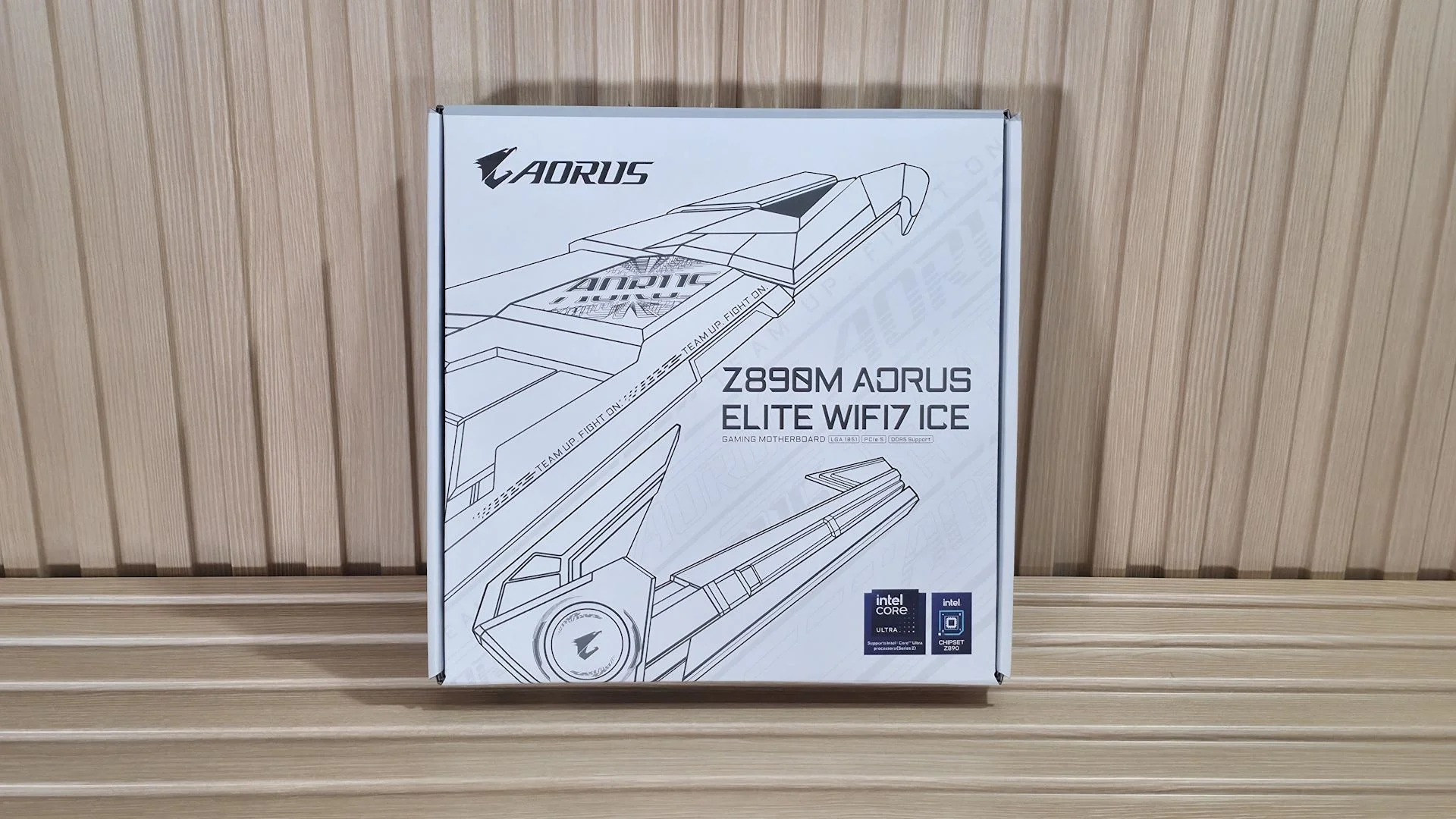
The Gigabyte Z890M Aorus Elite Wifi7 Ice makes its case first with appearance. At $209 on Amazon, this Micro ATX board brings much of the ATX model’s feature set to a smaller footprint, with a white finish that stands out in a category often short on visual flair. It’s built for Intel Core Ultra 200S Plus processors and suits a Micro ATX chassis. If you’re planning a white build, that design advantage may matter more than a spec sheet suggests. The essentials are here: three M.2 sockets, two of them PCIe 5.0, four SATA ports, 2.5 GbE, Wi-Fi 7 and a basic audio setup. Rear connectivity includes nine USB ports, among them a 40 Gbps USB-C port with DisplayPort support. Two full-length PCIe slots, heatsinks across all three M.2 sockets and two onboard RGB zones give the board a more finished look than many small-format rivals. Performance is a steadier story than the styling. Our results were average overall, varying from test to test, while gaming performance held up well in 3DMark and real games. There’s no performance red flag here. Gigabyte also includes AI Perfdrive, a set of BIOS presets intended to make CPU tuning a one-click job. The feature is convenient; how much it improves a given system will depend on the processor and settings. We’ll look at the hardware, firmware and test results to see whether the board belongs among the best motherboards. First, here are Gigabyte’s specifications.Gigabyte Z890M Aorus Elite Wifi7 Ice specifications
| Socket | LGA 1851 |
| Chipset | Z890 |
| Form factor | Micro ATX |
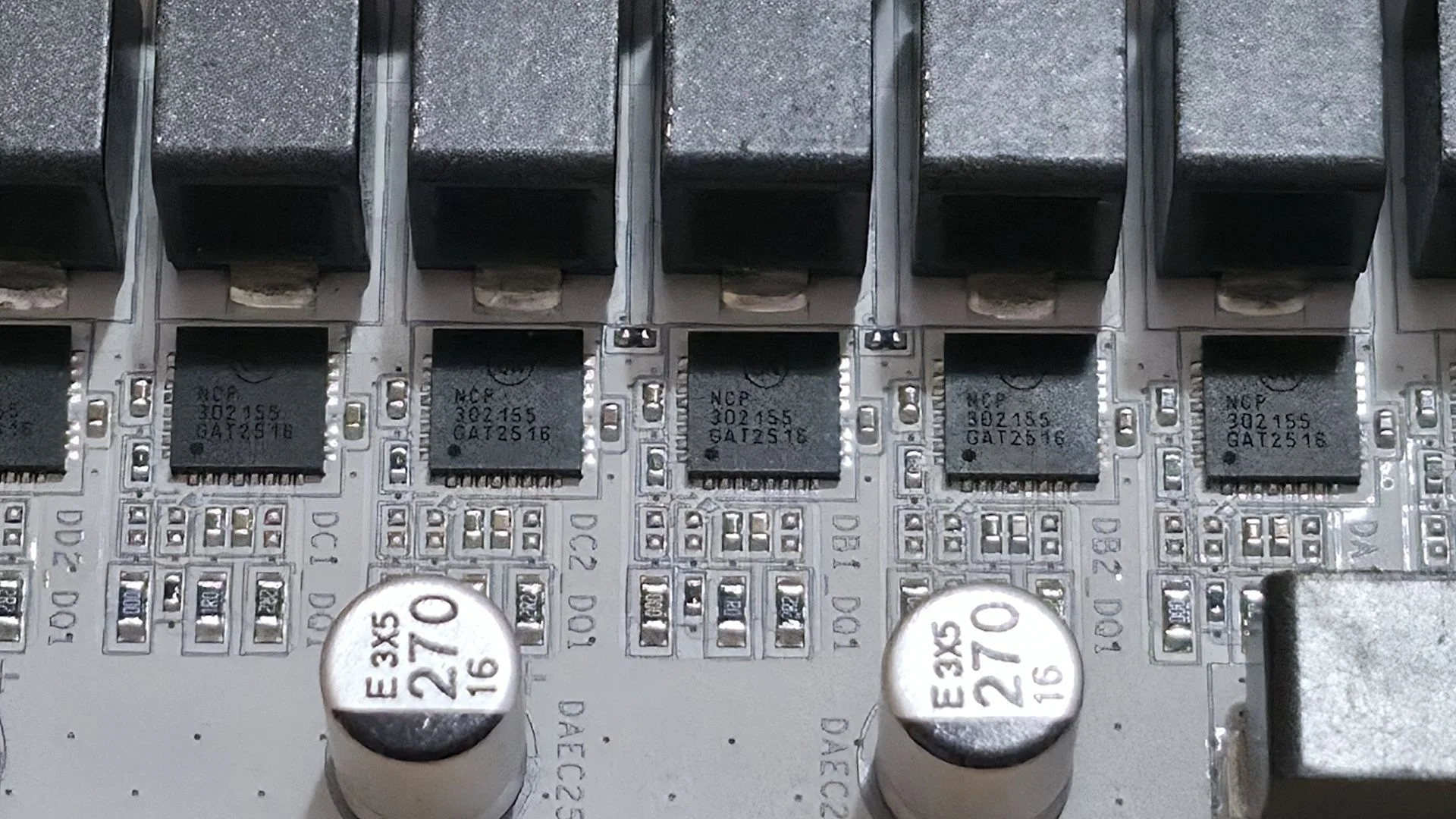
| Voltage regulator | 15 phases, including 12 x 60A DrMOS MOSFETs for Vcore |
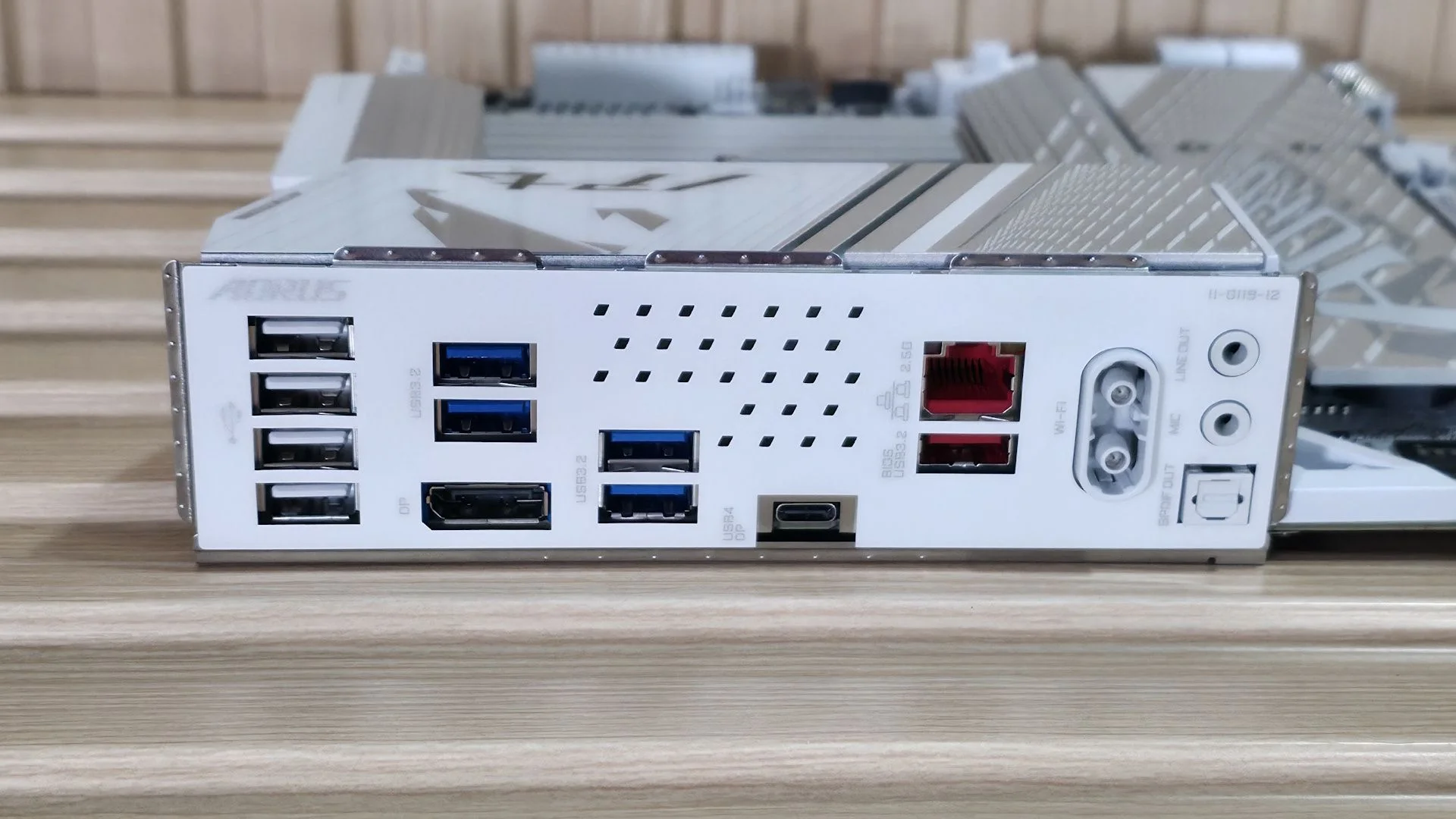
| Video ports | 1 DisplayPort 2.1; 1 USB4 Type-C with DP 2.1; 1 front HDMI 1.4 |
| USB ports | 1 USB4 Type-C (40 Gbps); 1 USB 3.2 Gen 2 (10 Gbps); 4 USB 3.2 Gen 1 (5 Gbps); 4 USB 2.0 |
| Network jack | 1 x 2.5 GbE |
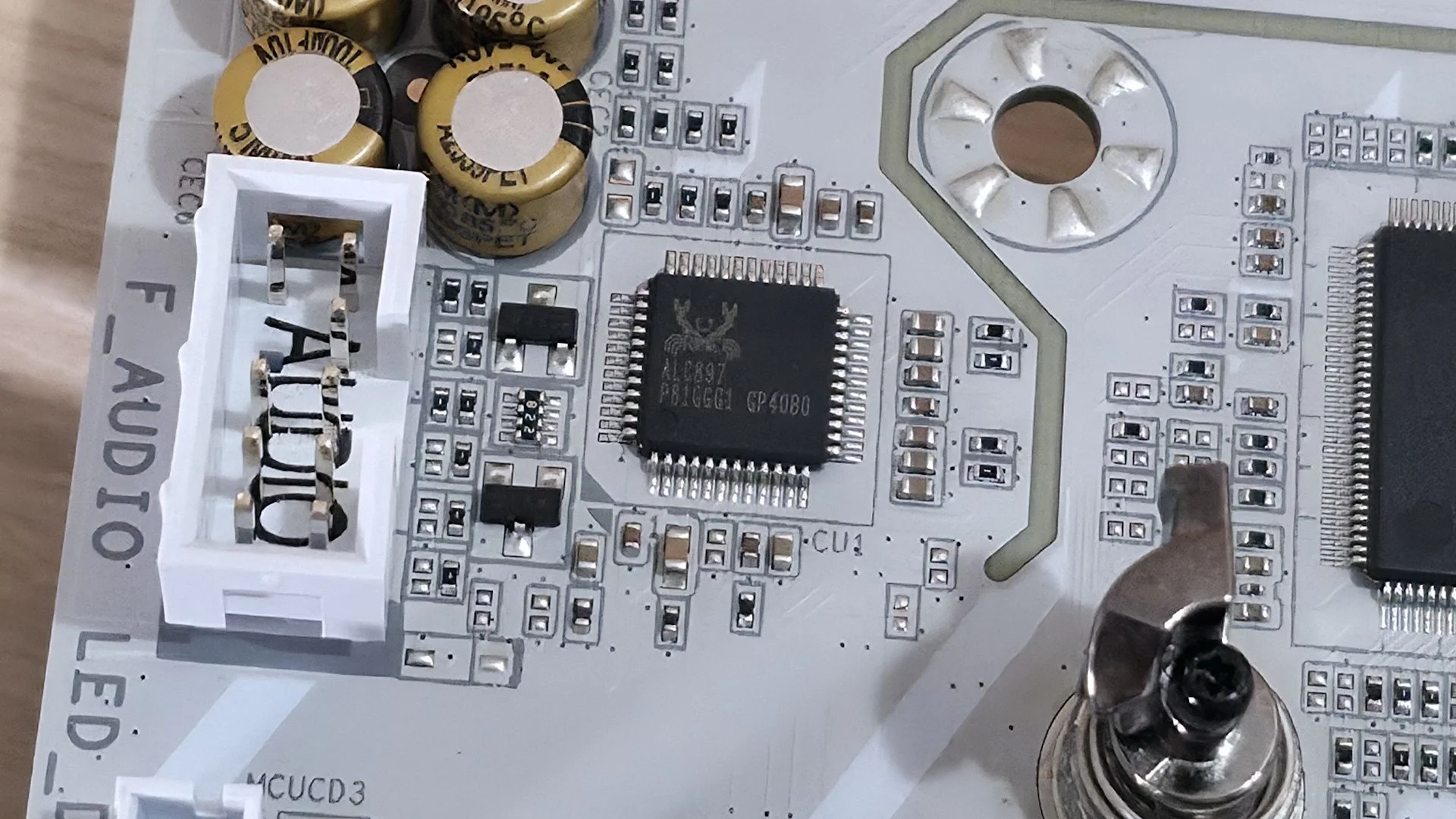
| Audio jacks | 2 analog jacks plus SPDIF |
| Legacy ports and jacks | None |
| Other ports and jacks | None |
| PCIe x16 | 1 PCIe 5.0 x16; 1 PCIe 4.0 x4 |
| PCIe x8 | None |
| PCIe x4 | None |
| PCIe x1 | None |
| DIMM slots | 4 DDR5 slots, up to 9200+ MT/s (overclocked), 256GB maximum |
| M.2 sockets | 1 PCIe 5.0 x4 (128 Gbps), up to 80mm; 1 PCIe 4.0 x4 (64 Gbps), up to 80mm; 1 PCIe 4.0 x4 (64 Gbps), up to 110mm. RAID 0/1/5/10 supported |
| SATA ports | 4 SATA3 6 Gbps; RAID 0/1/5/10 supported |
| USB headers | 1 USB 3.2 Gen 2 Type-C (10 Gbps); 1 USB 3.2 Gen 1 (5 Gbps); 2 USB 2.0 (480 Mbps) |
| Fan and pump headers | 6 four-pin headers for PWM or DC control |
| RGB headers | 3 three-pin ARGB; 1 four-pin RGB LED strip header |
| Diagnostics | Four Q-LEDs for CPU, VGA, RAM and boot |
| Onboard buttons and switches | Power, reset and Q-Flash Plus buttons |
| SATA controllers | None |
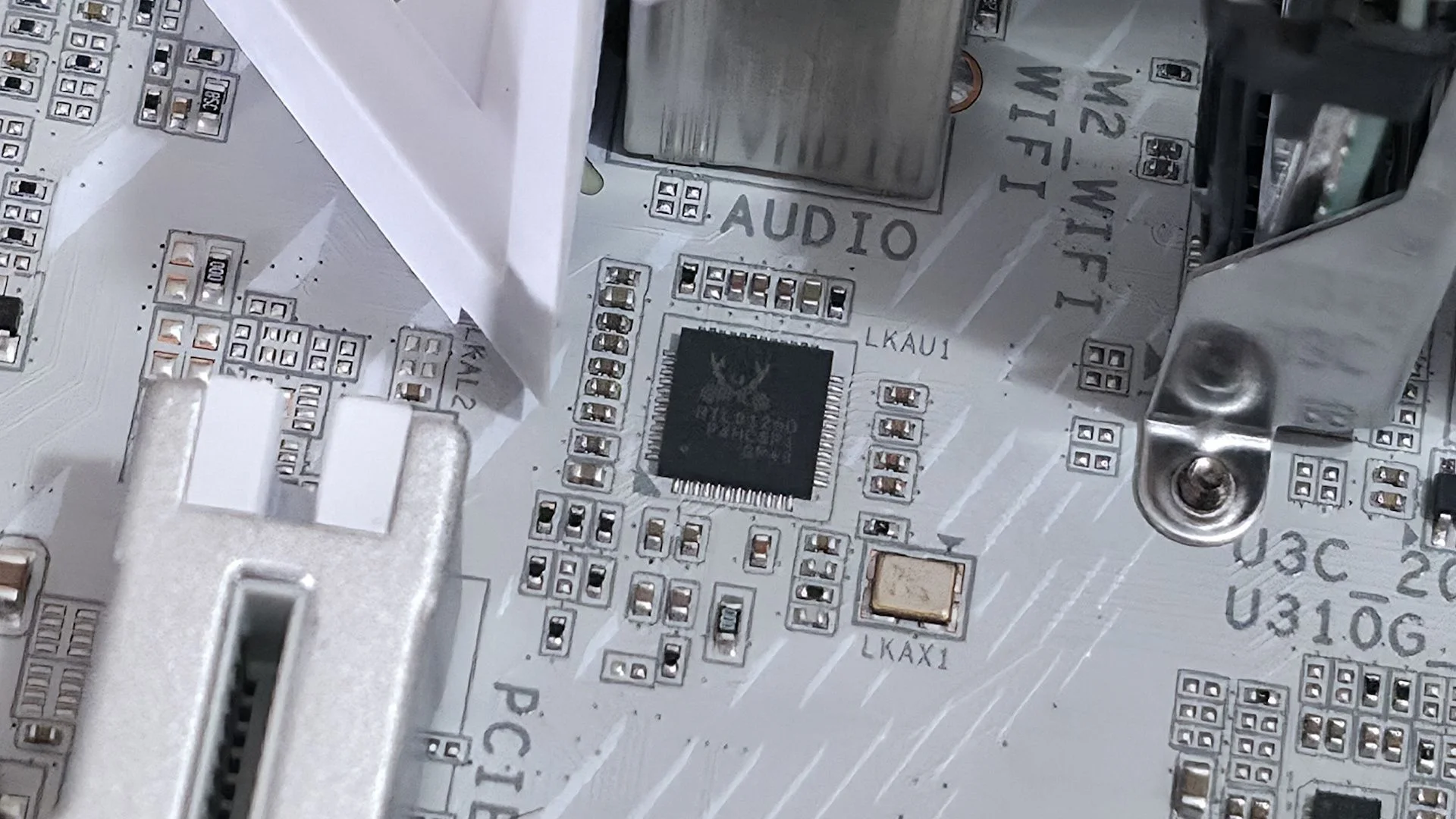
| Ethernet controller | Realtek RTL8125, 2.5 GbE |
| Wi-Fi and Bluetooth | Intel MediaTek MT7925 Wi-Fi 7, up to 2.9 Gbps, 160 MHz, 6 GHz and 5.8 GHz; Bluetooth 5.4 |
| USB controllers | None |
| HD audio codec | Realtek ALC897 |
| DDL/DTS | None / None |
| Warranty | 3 years |
What’s in the box
Gigabyte supplies two white SATA cables, a rubber pad, an extra M.2 thermal pad, an EZ front-panel connector and an installation guide. It’s a lean bundle, though typical for this price.Design and features
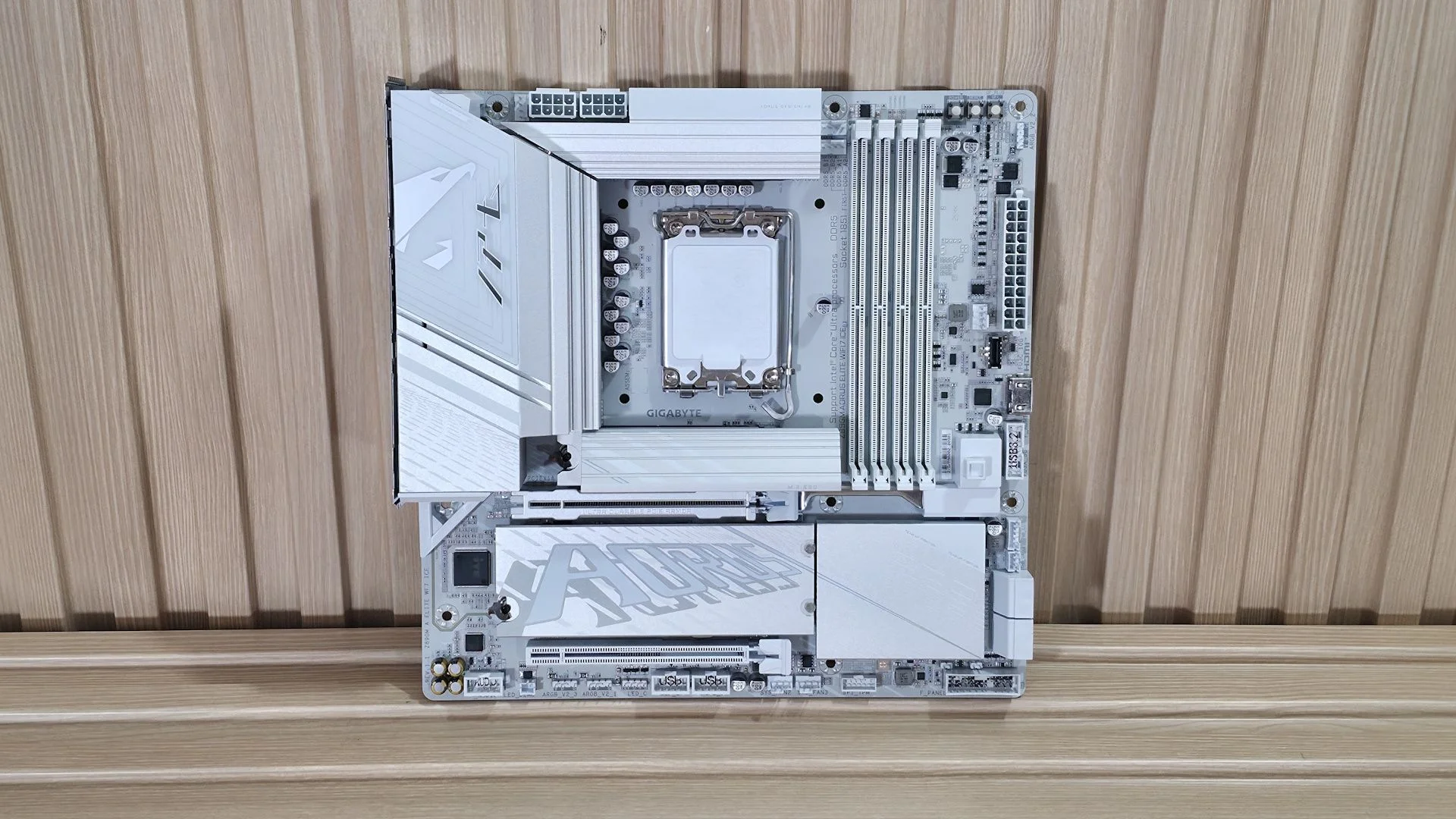
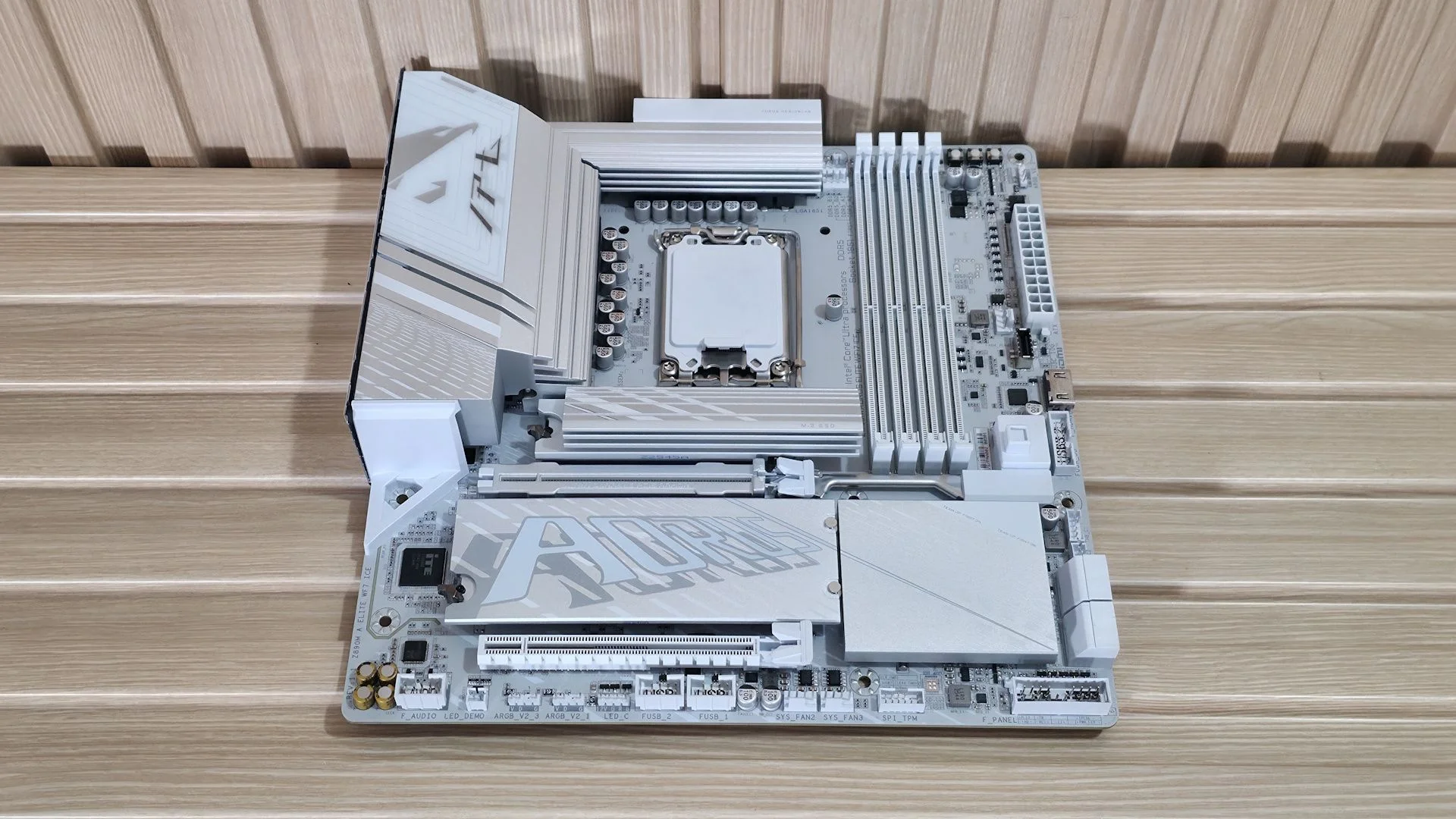
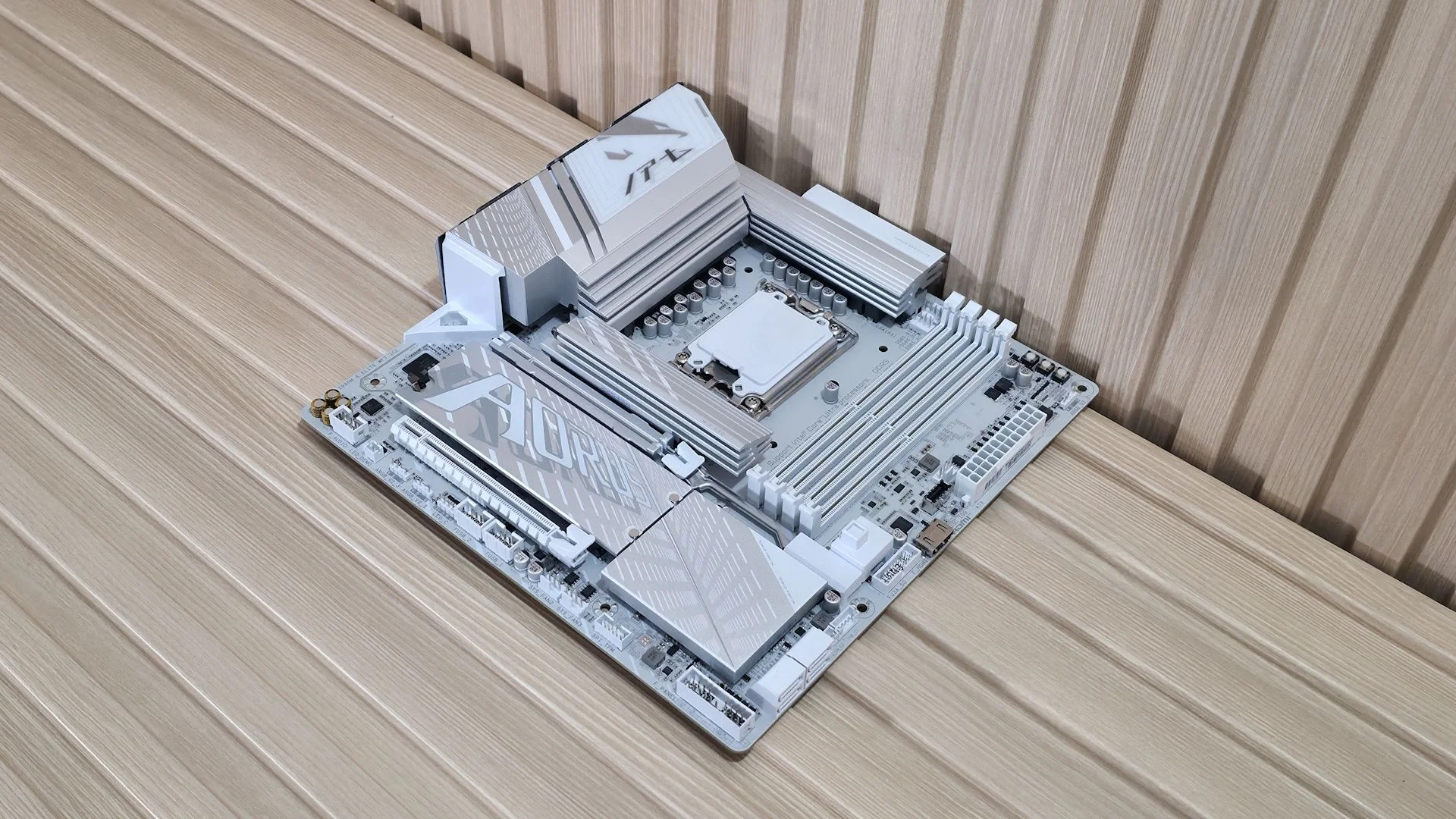
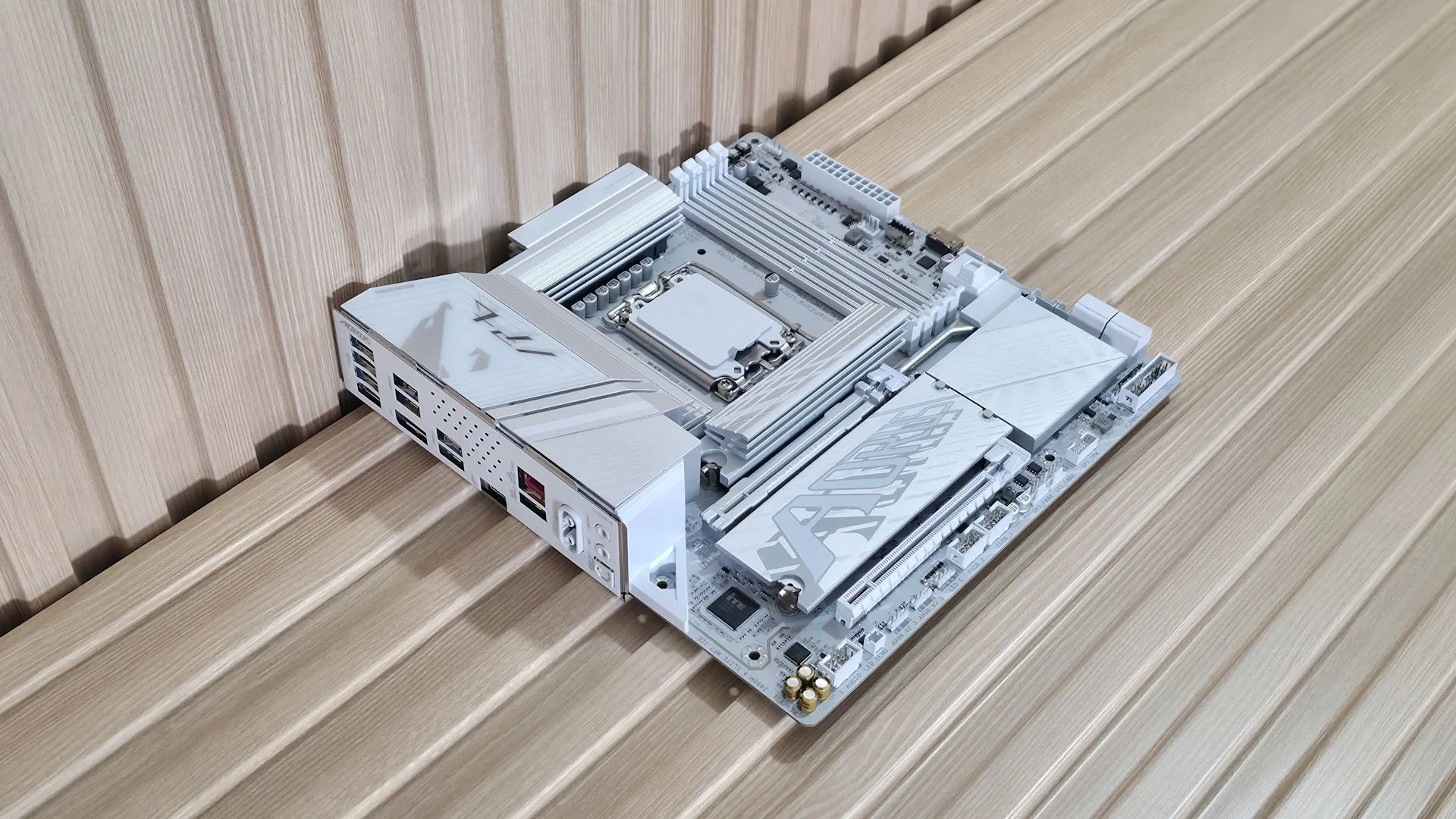
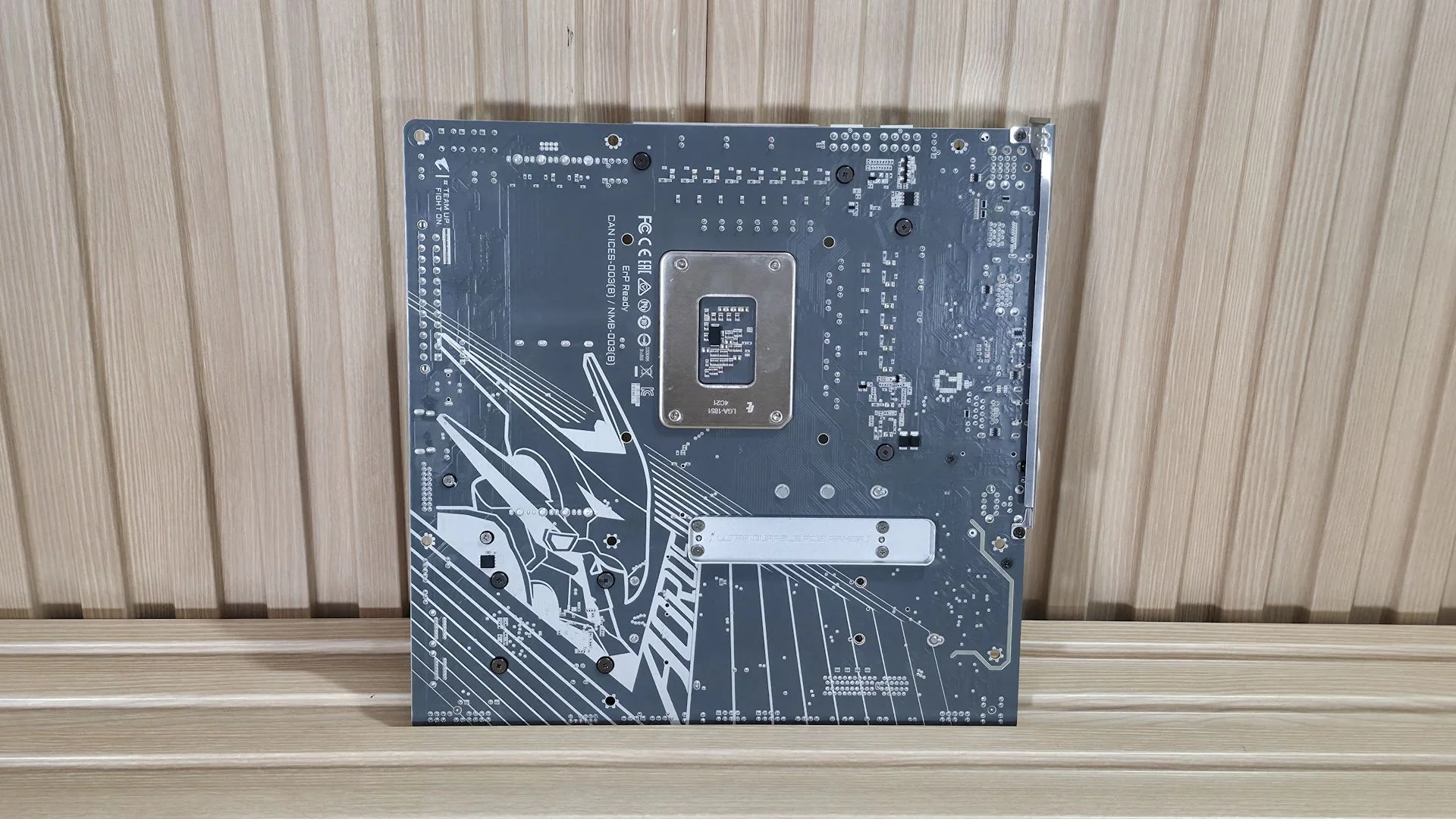
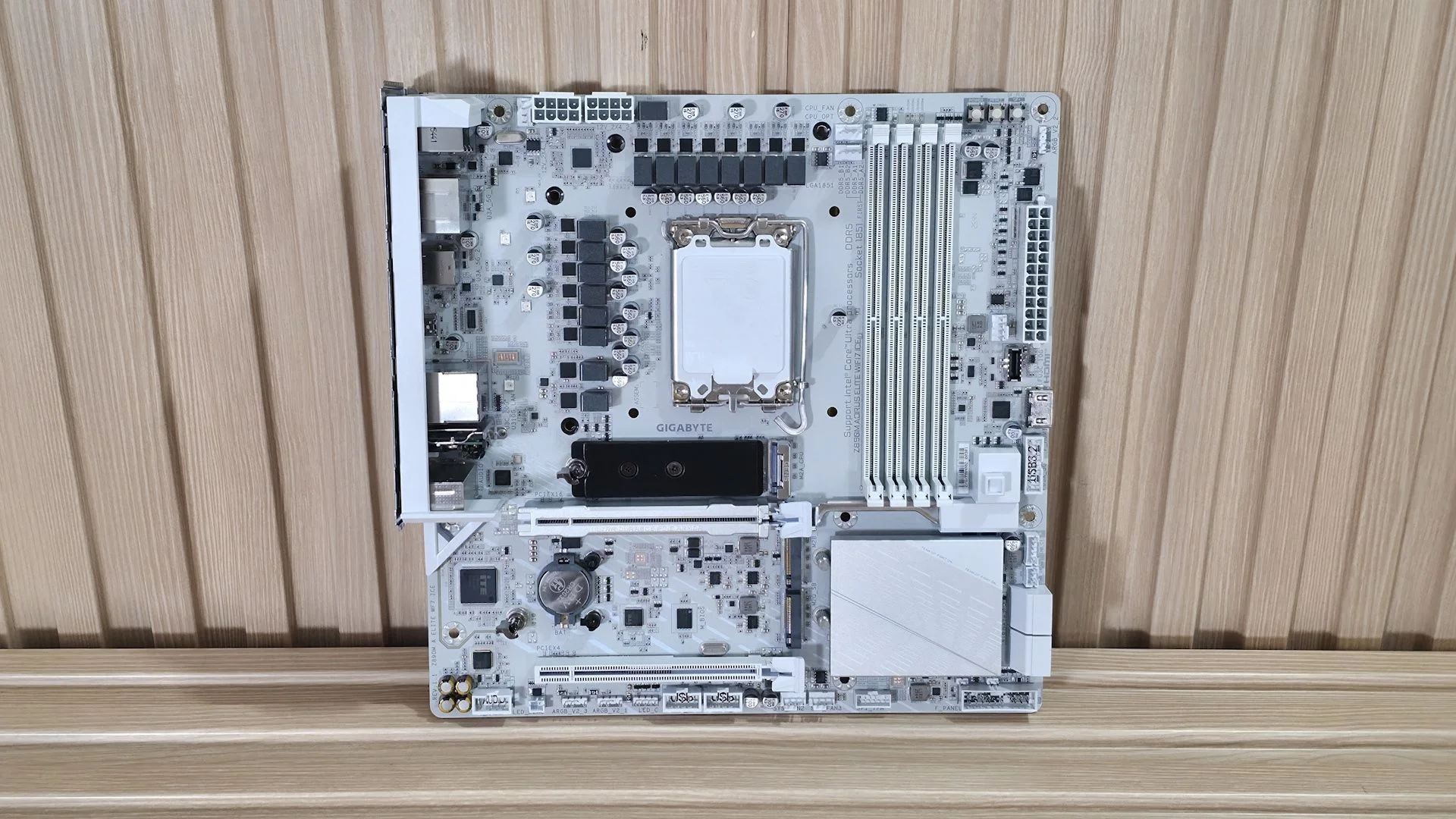
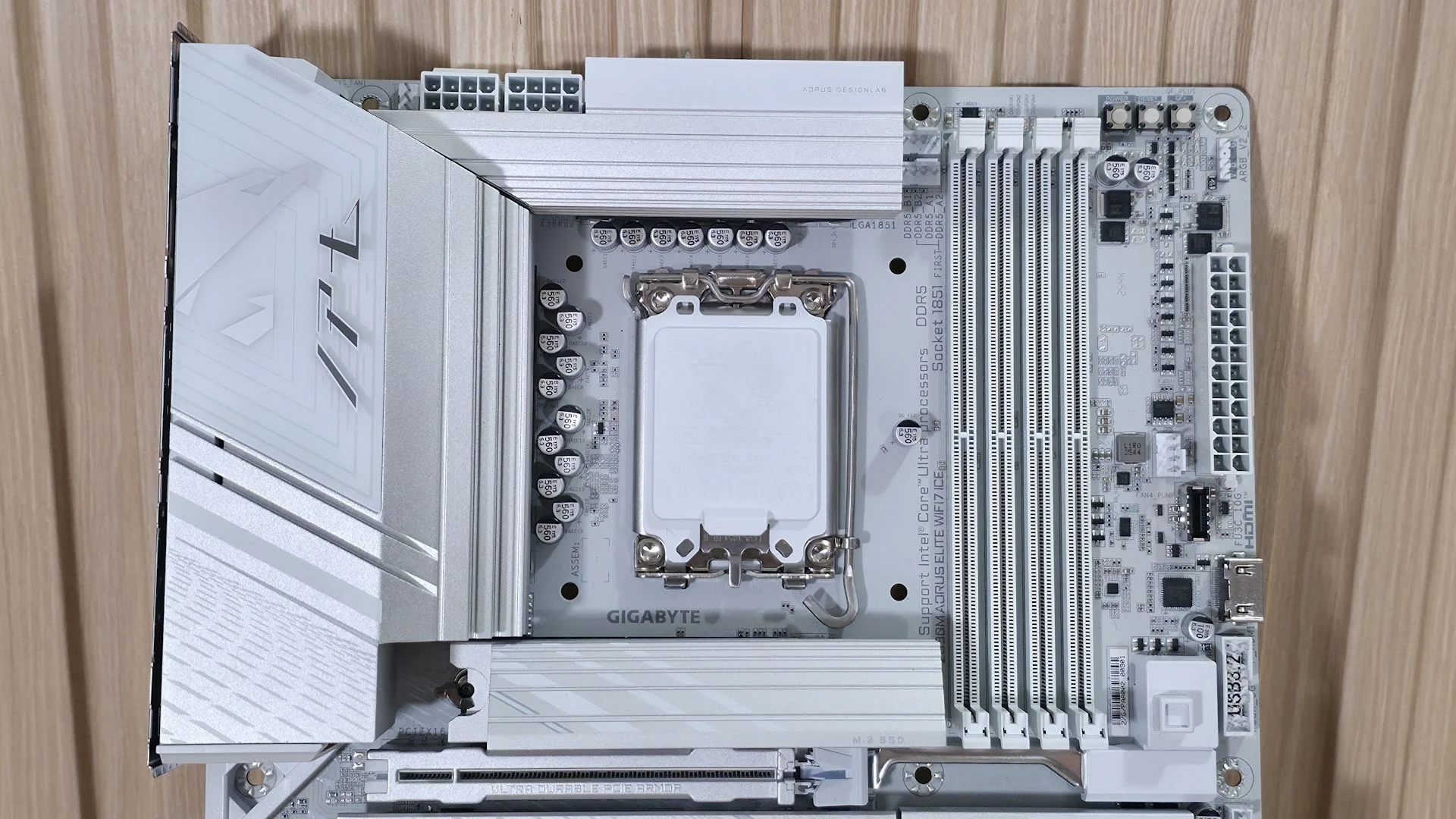
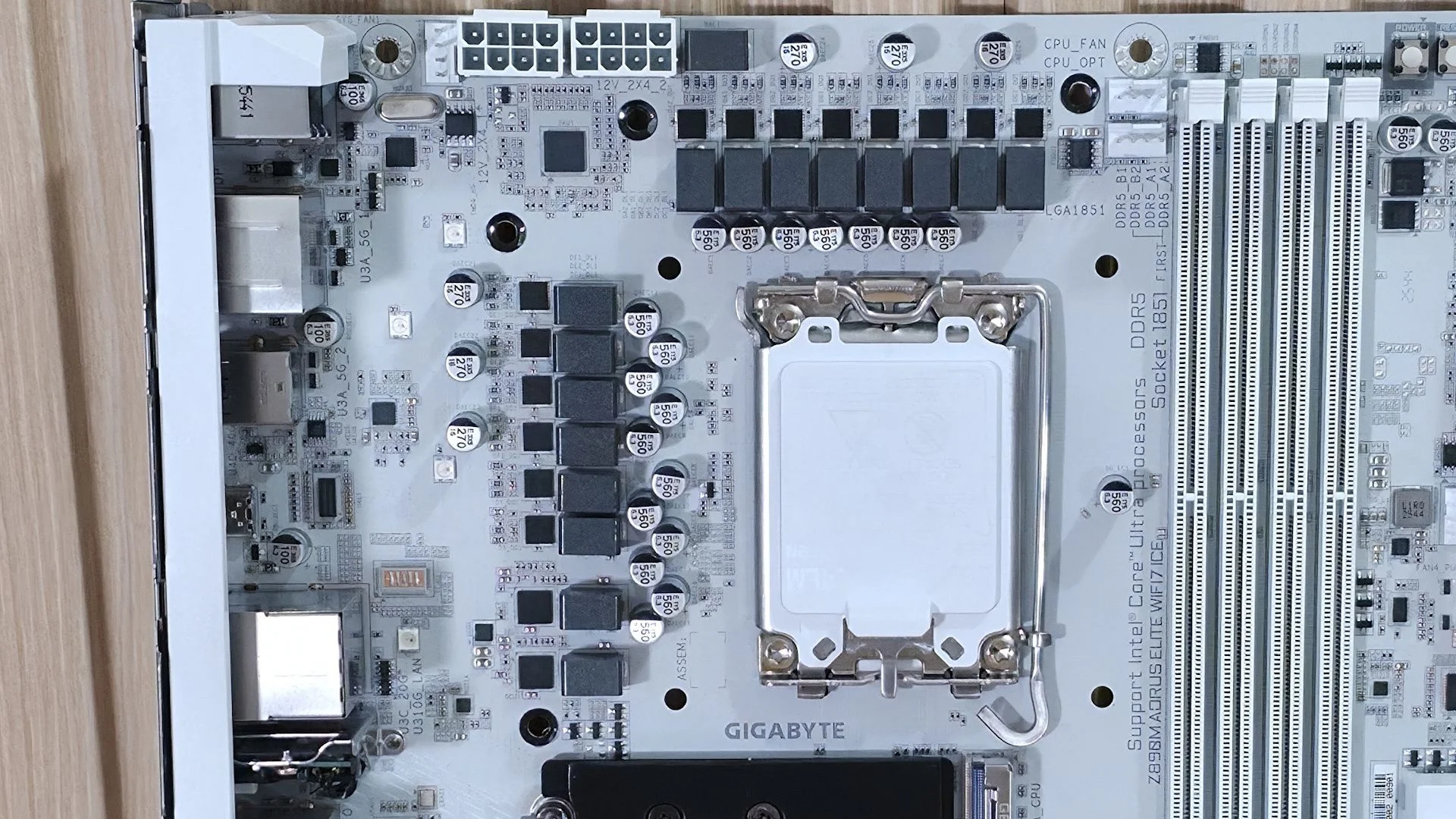
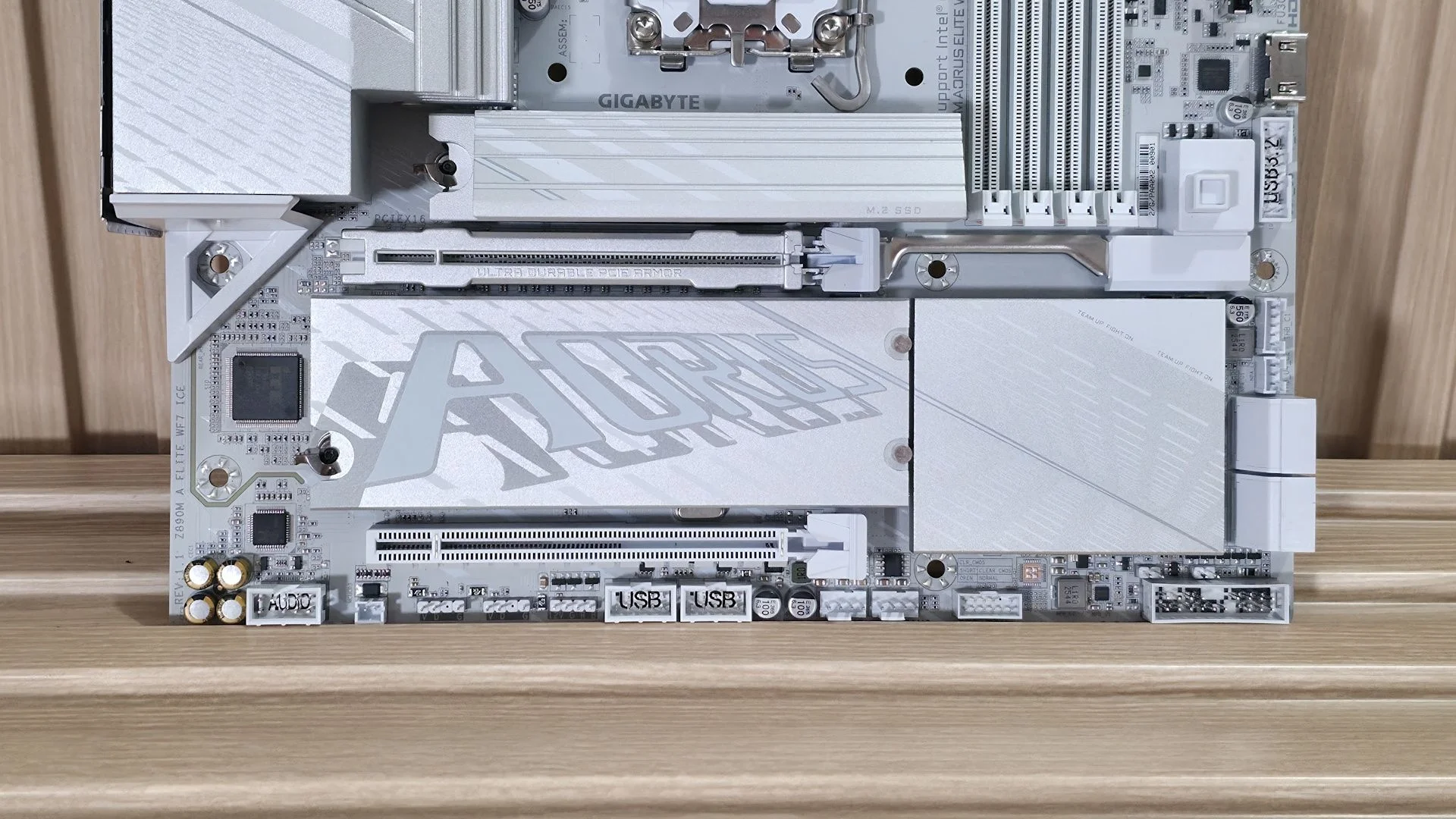
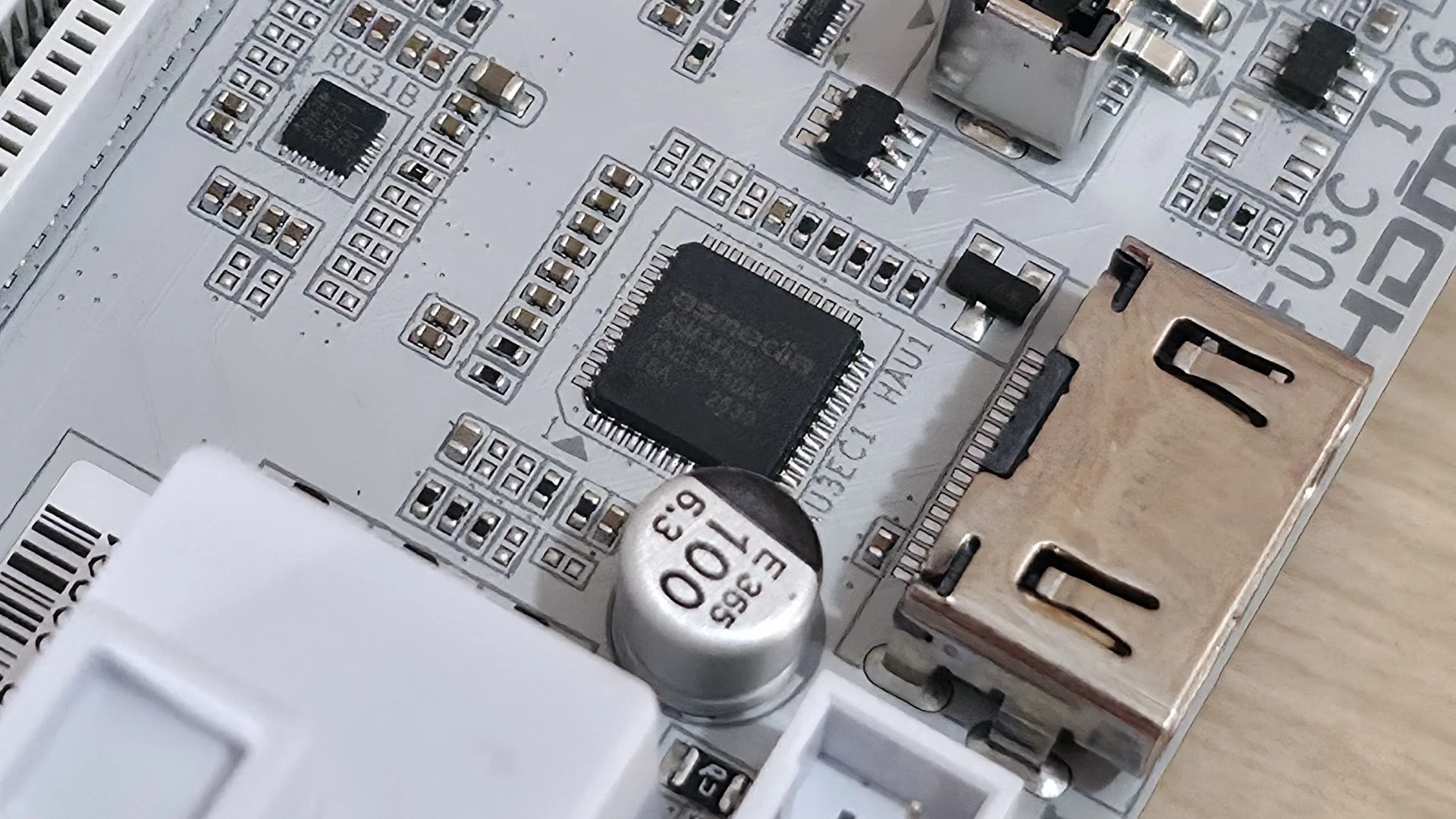
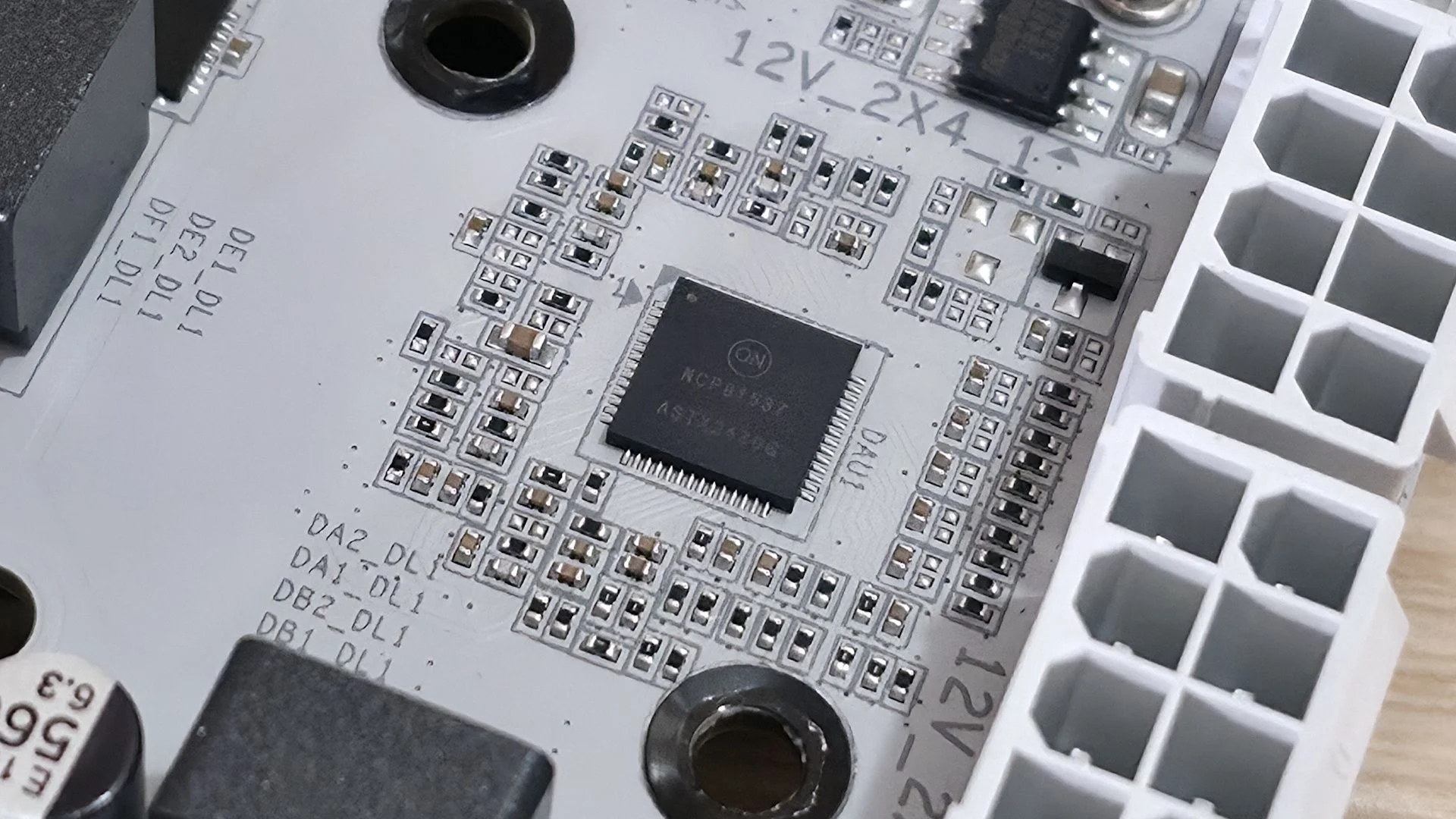
- Front-panel audio
- 2 x four-pin RGB headers
- 1 x three-pin ARGB header
- 2 x USB 2.0 headers (480 Mbps)
- 2 x four-pin system-fan headers
- SPI TPM header
- Two-pin reset jumper
- Two-pin Clear CMOS jumper
- Front-panel header
MORE: Best Motherboards
MORE: How To Choose A Motherboard
MORE: Best Motherboard Deals
MORE: Best Motherboard Combo Deals
MORE: All Motherboard Content
Firmware
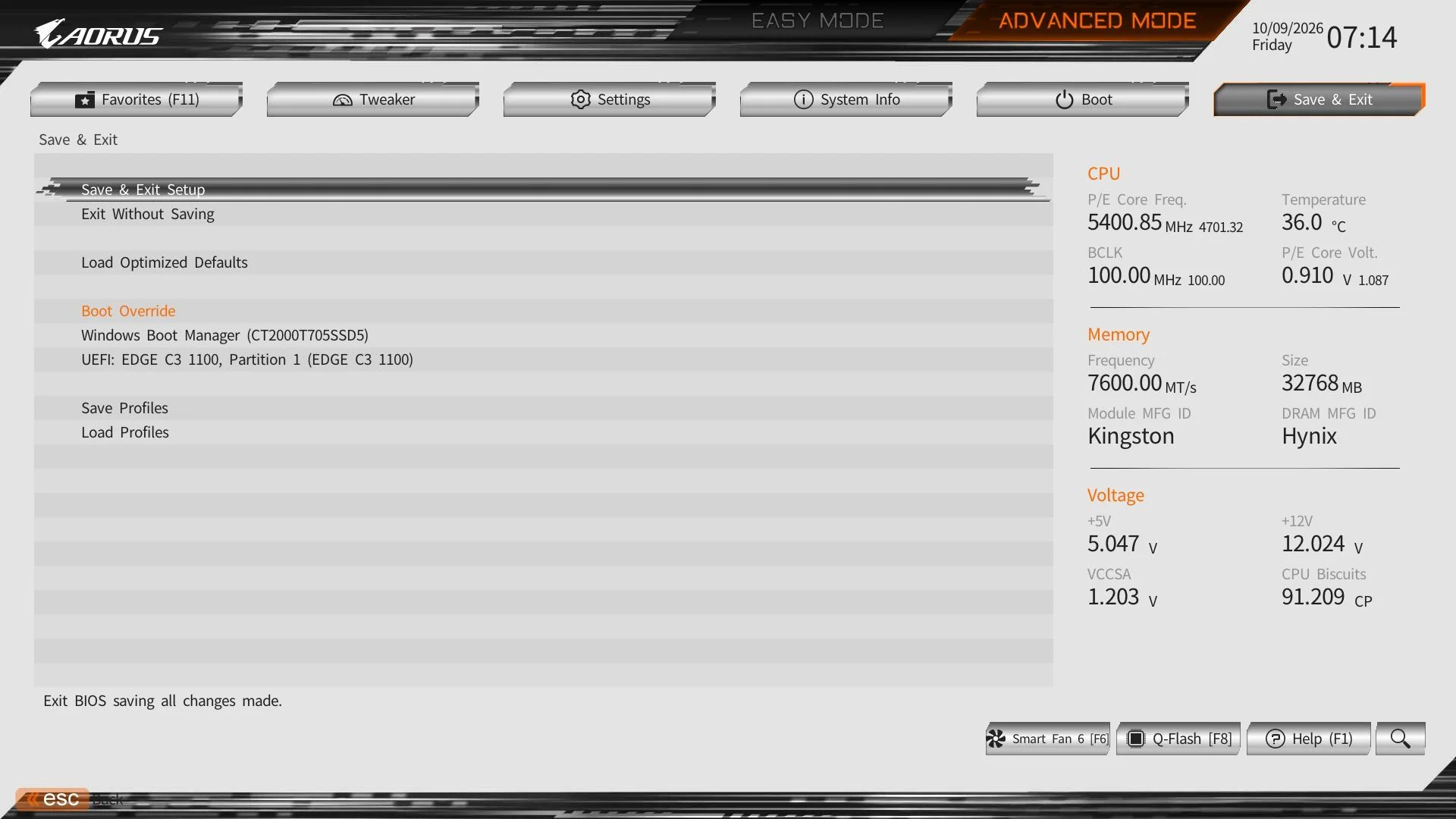
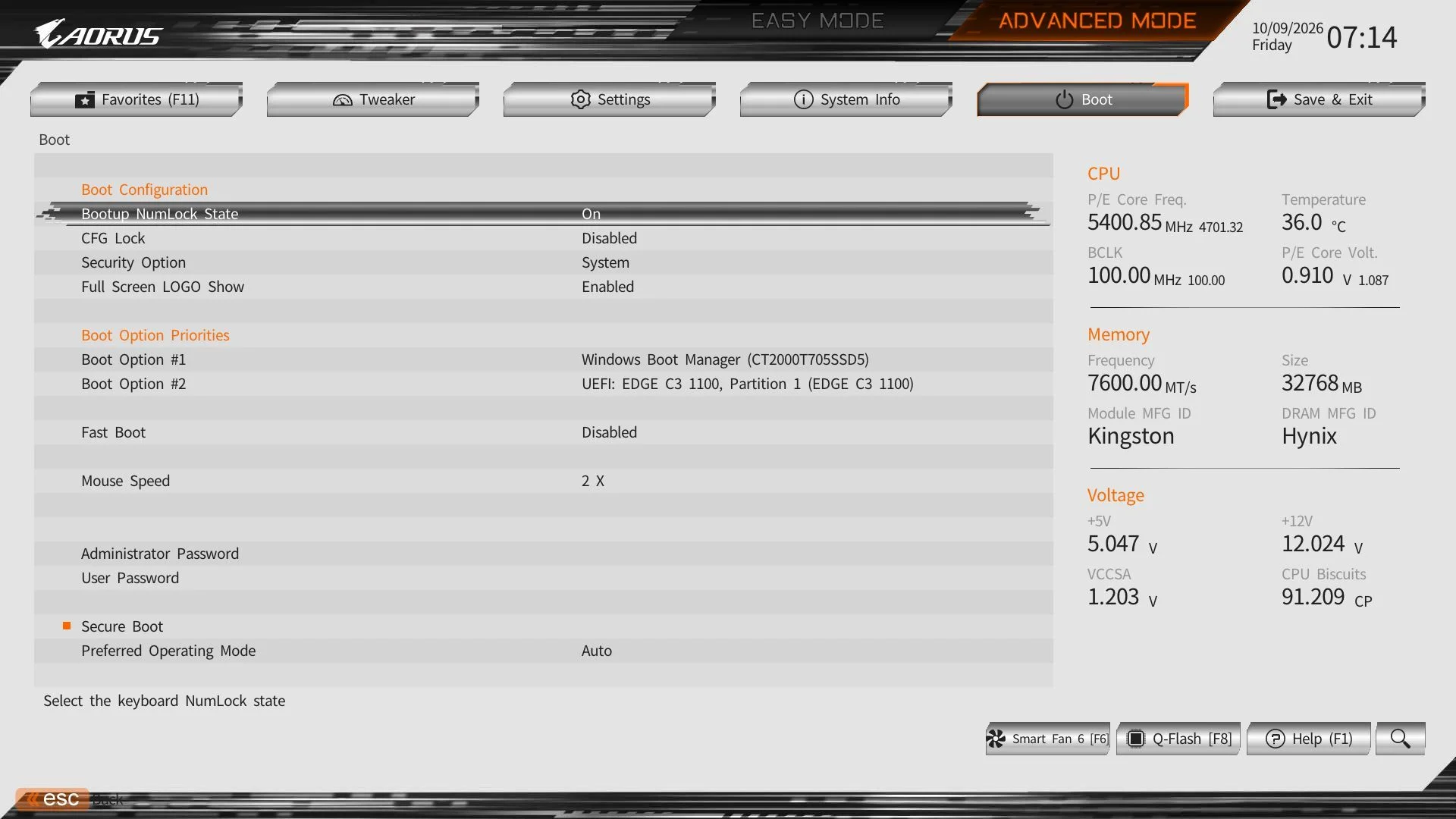
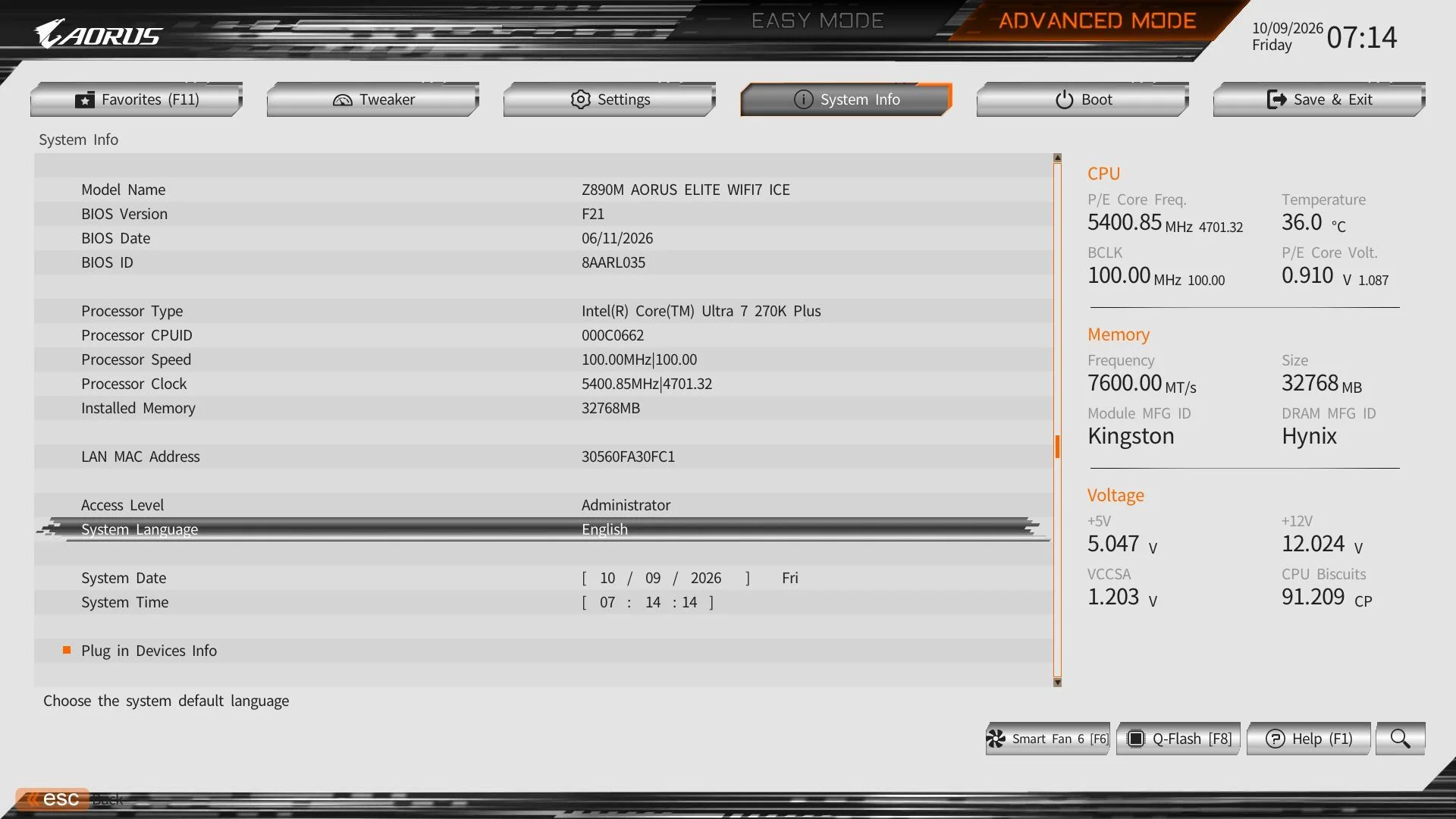
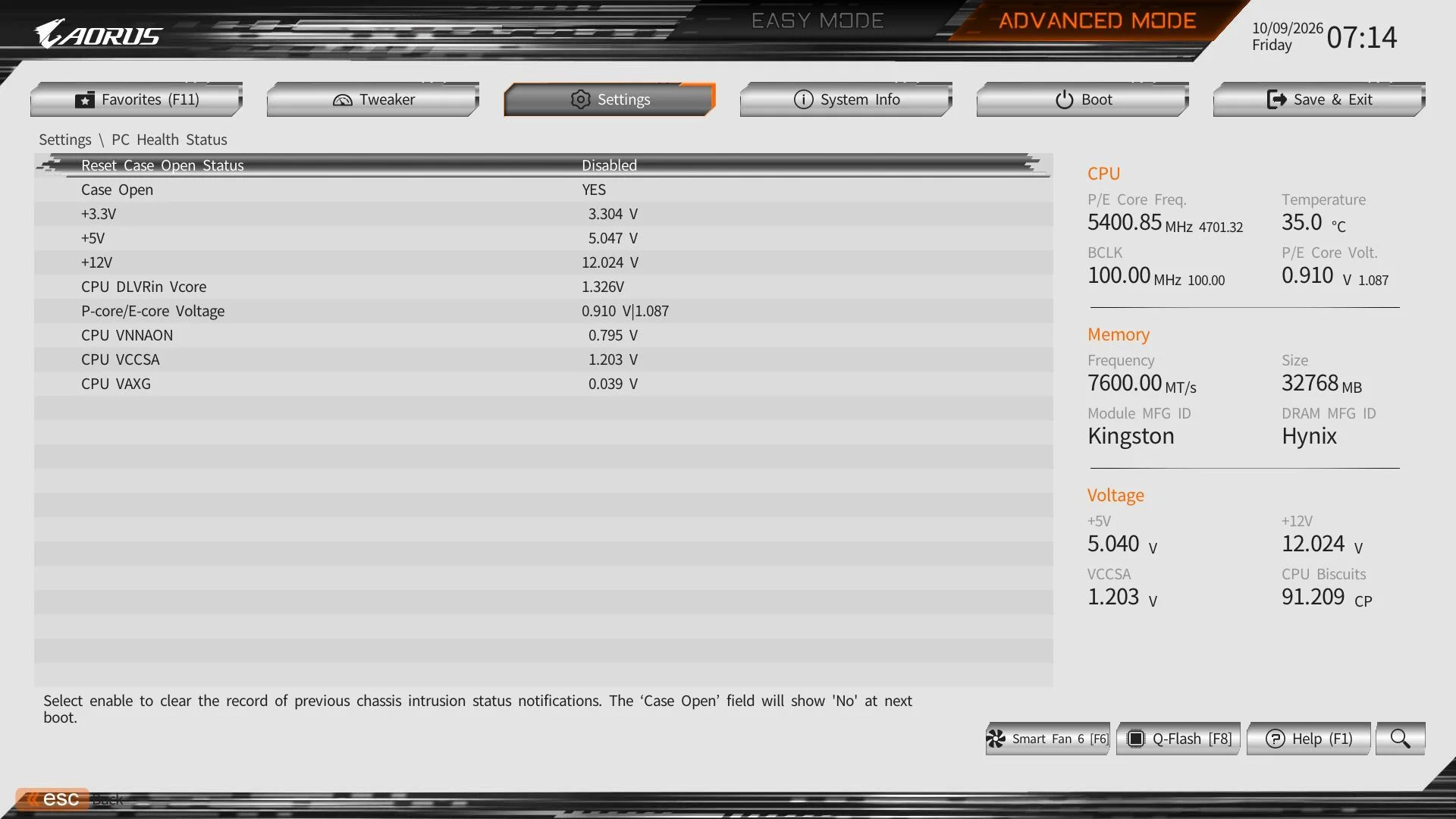
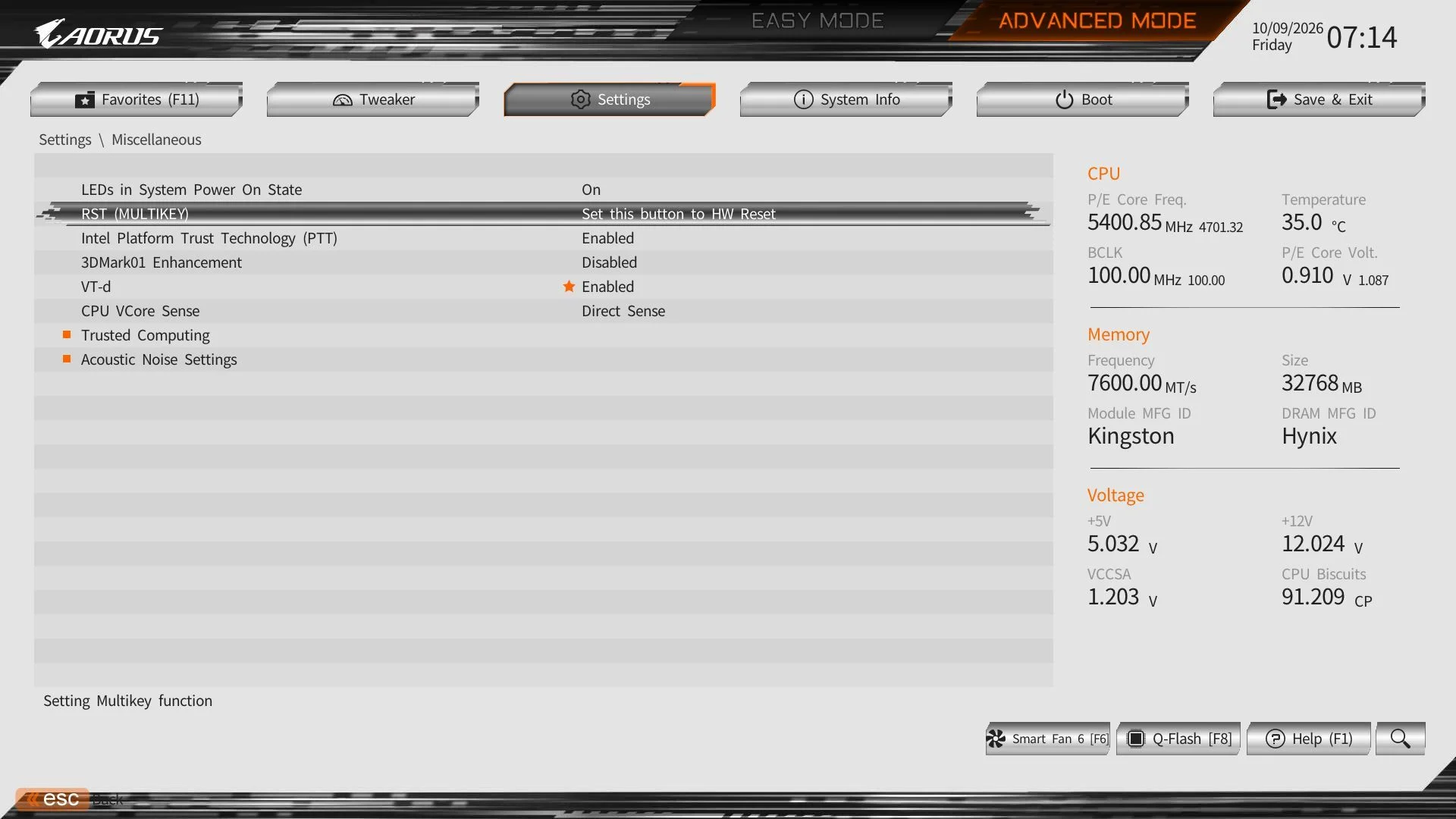
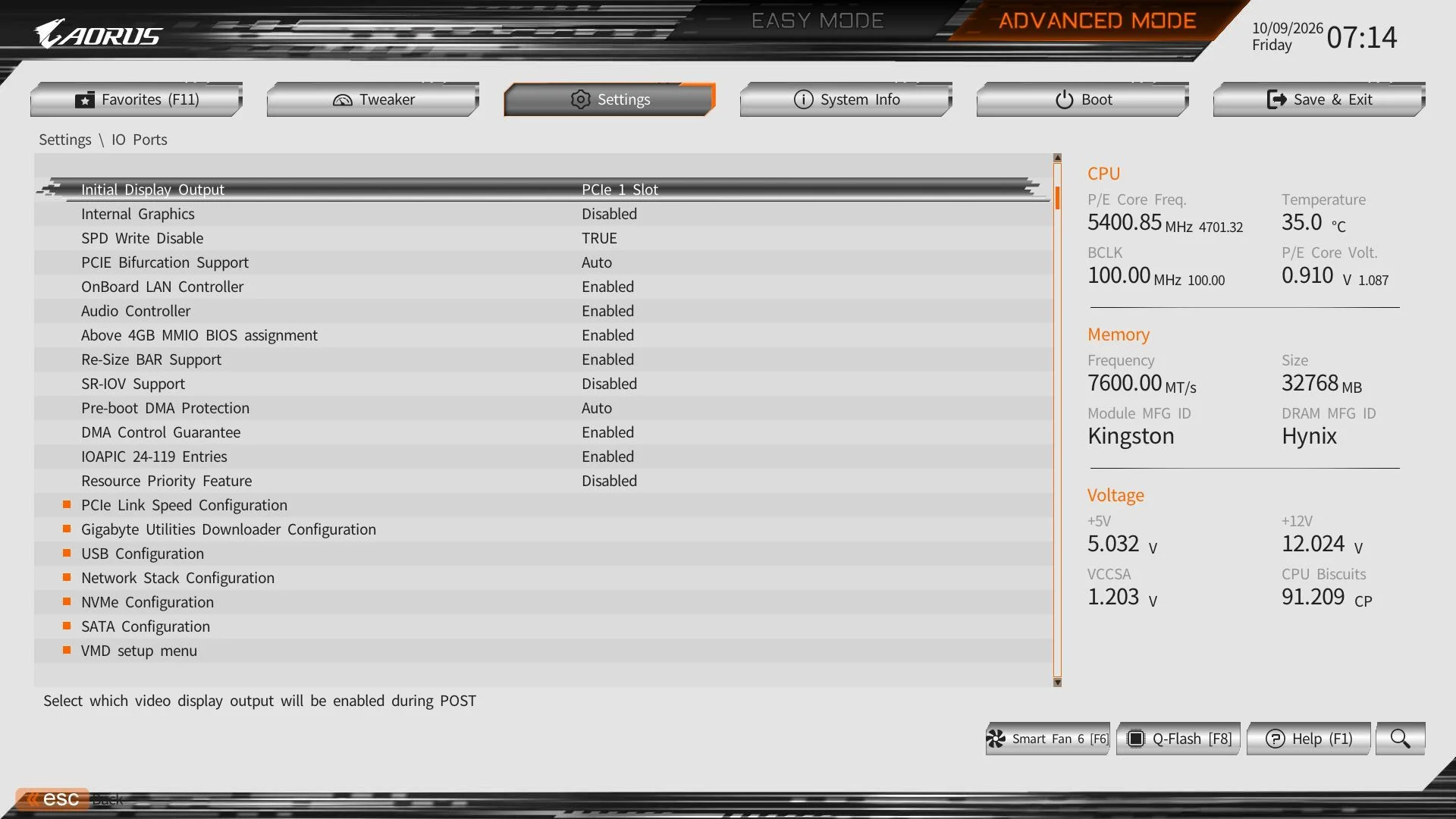
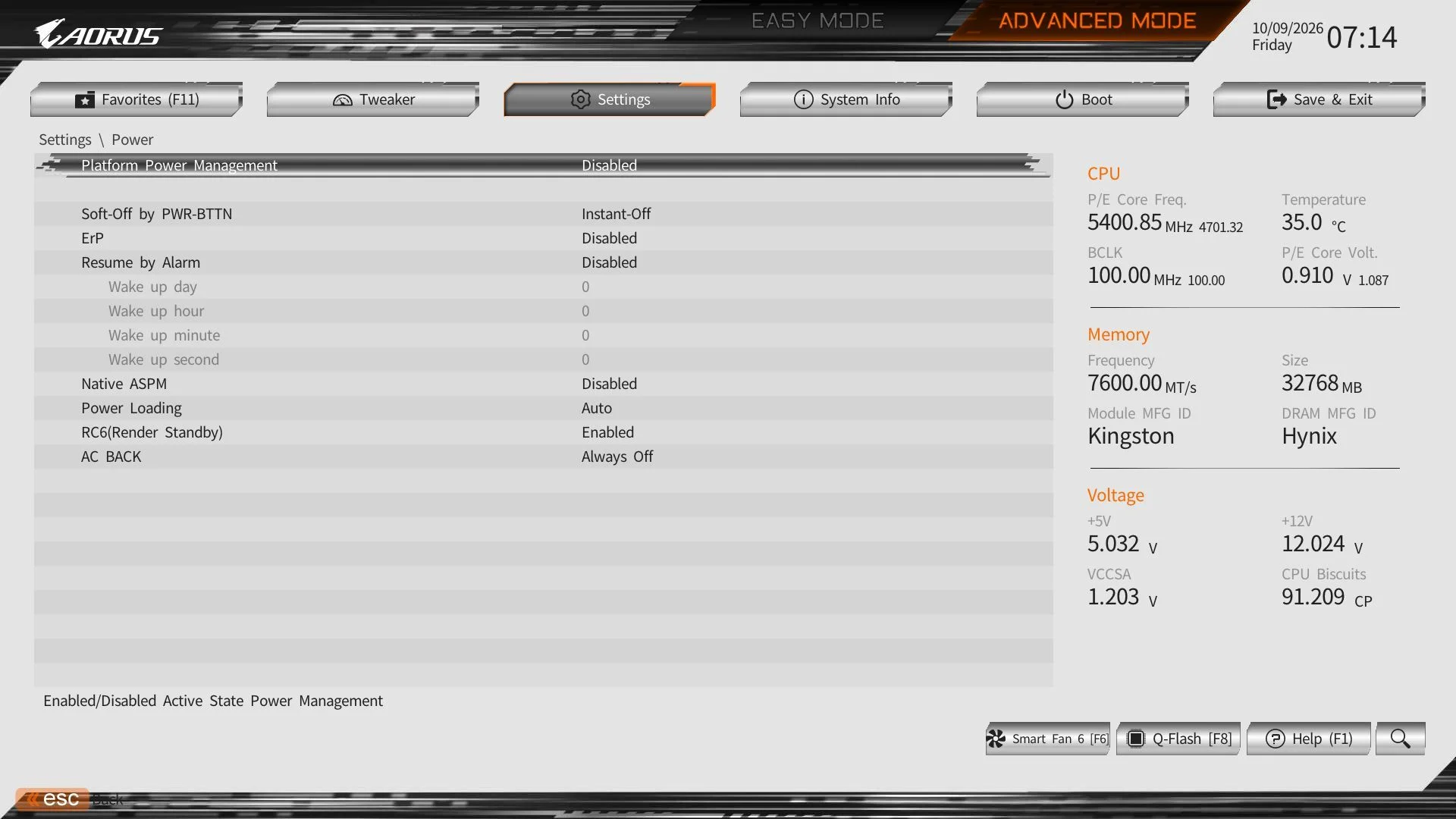
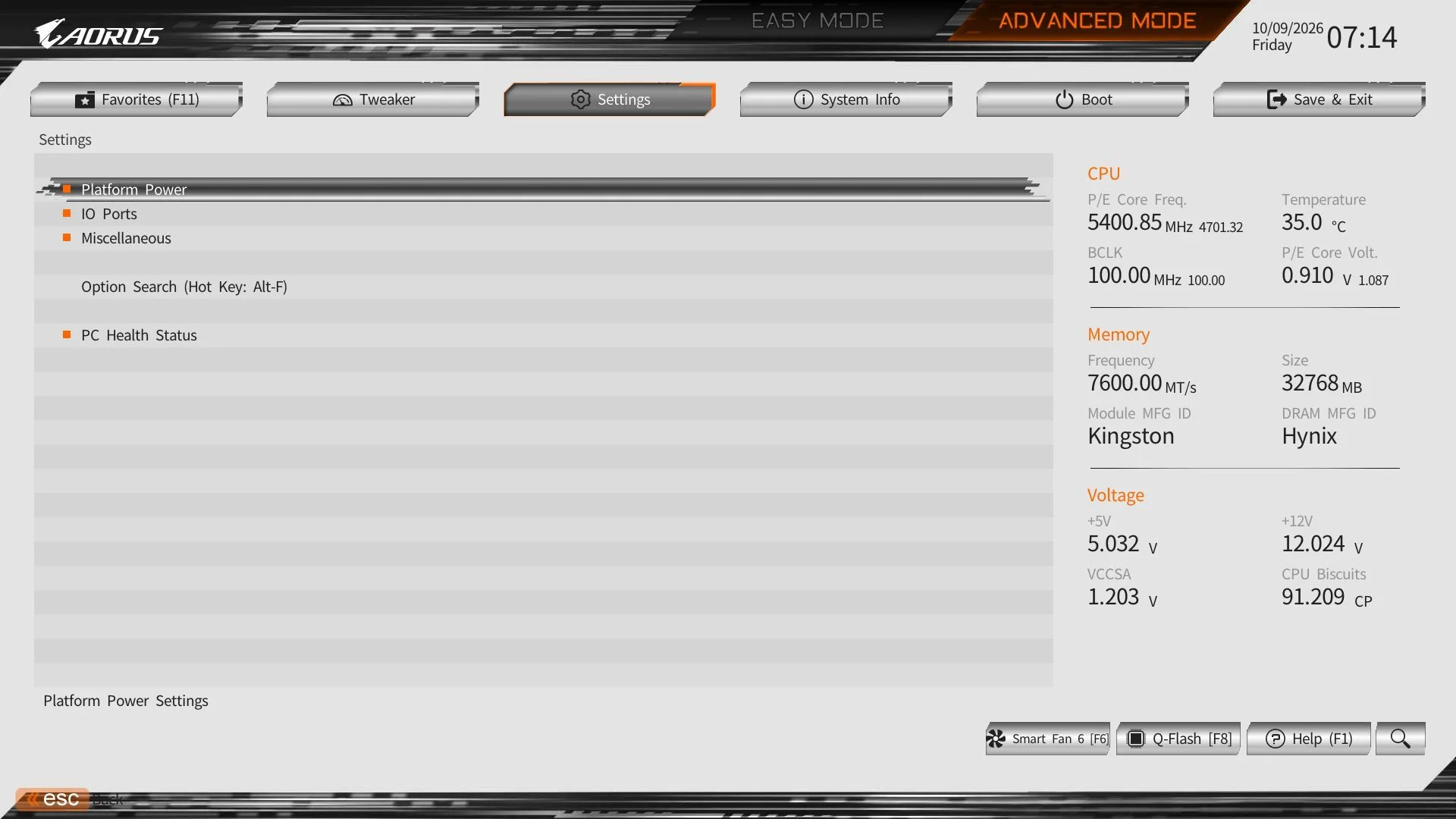
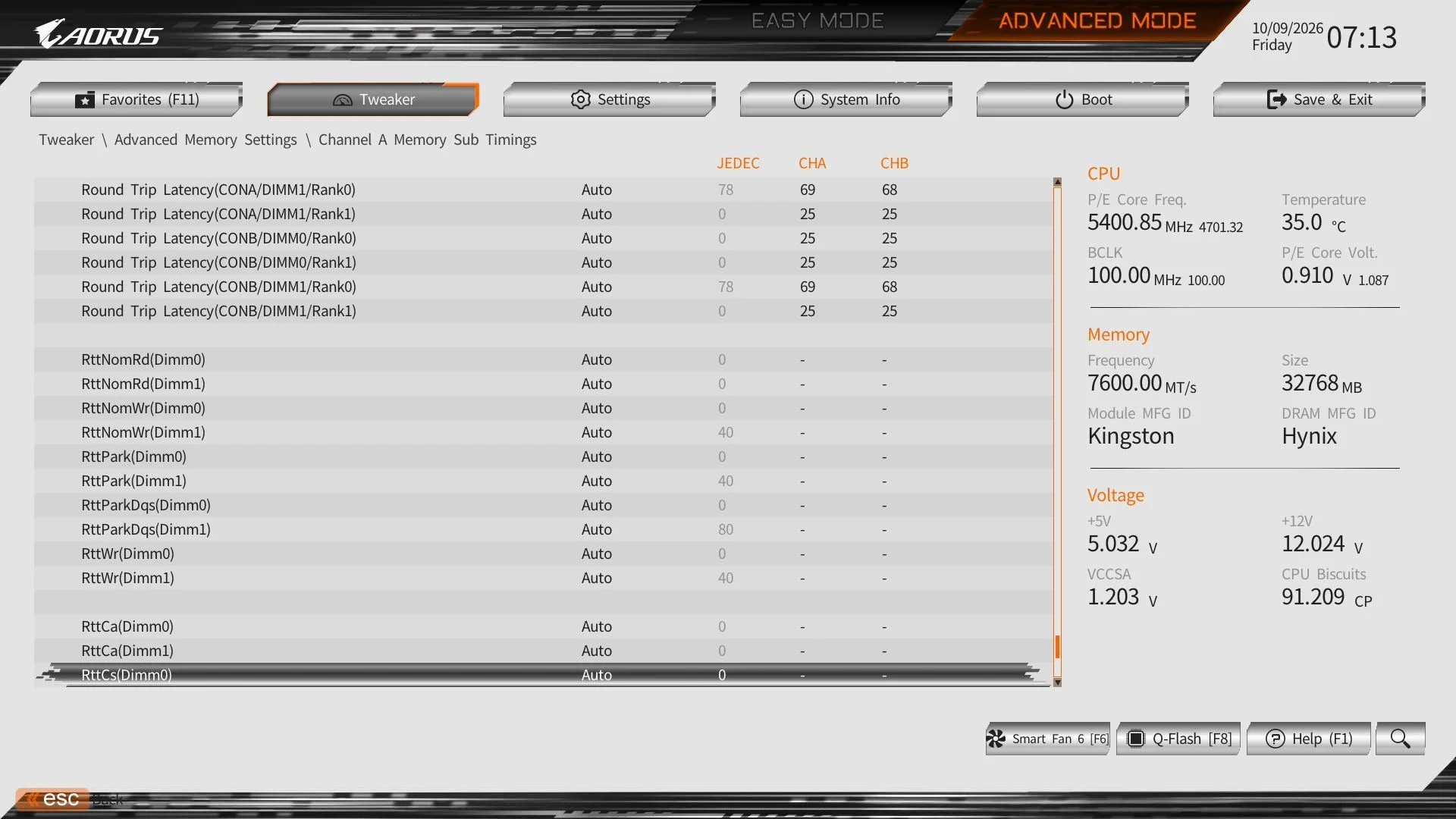
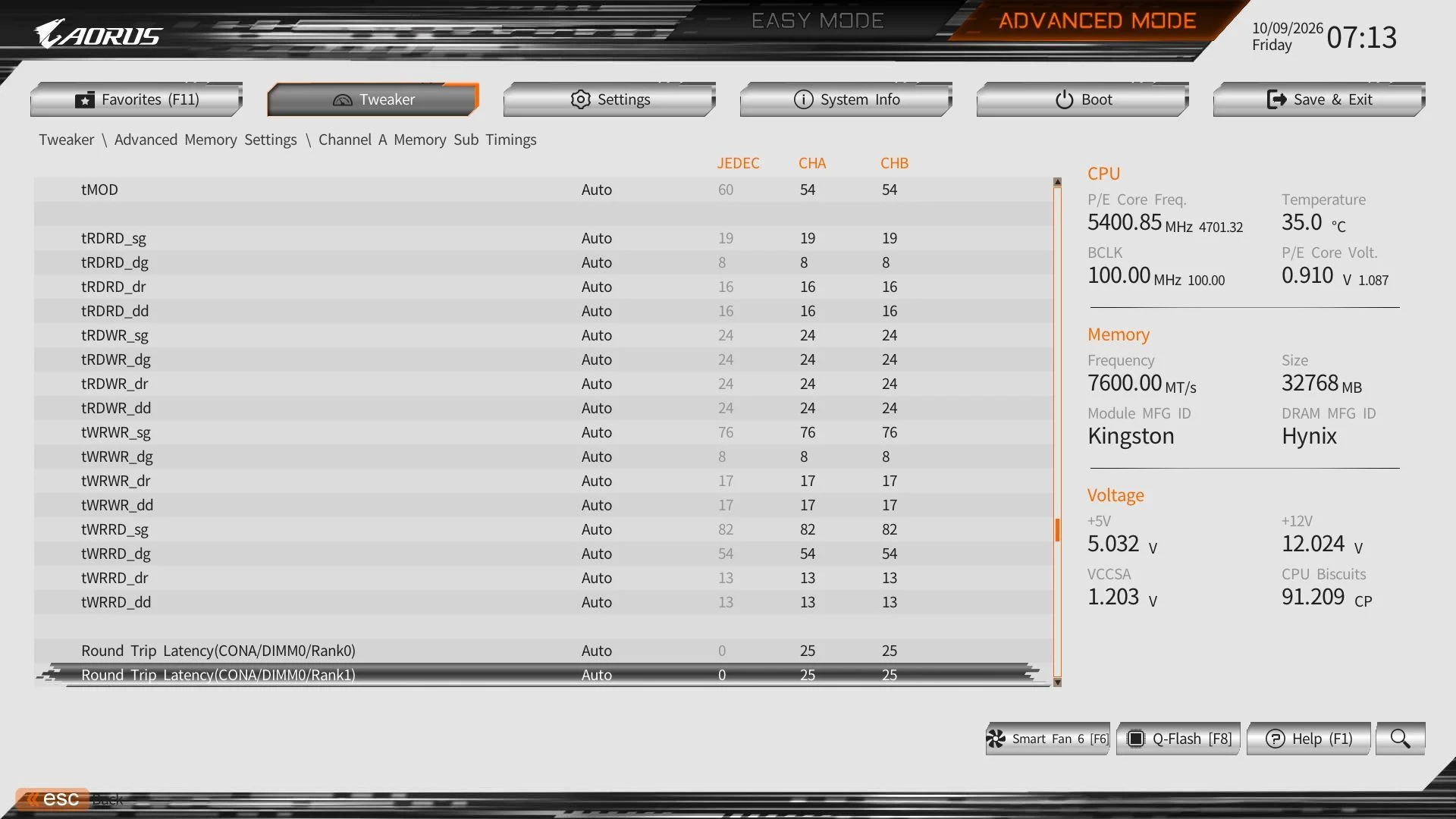
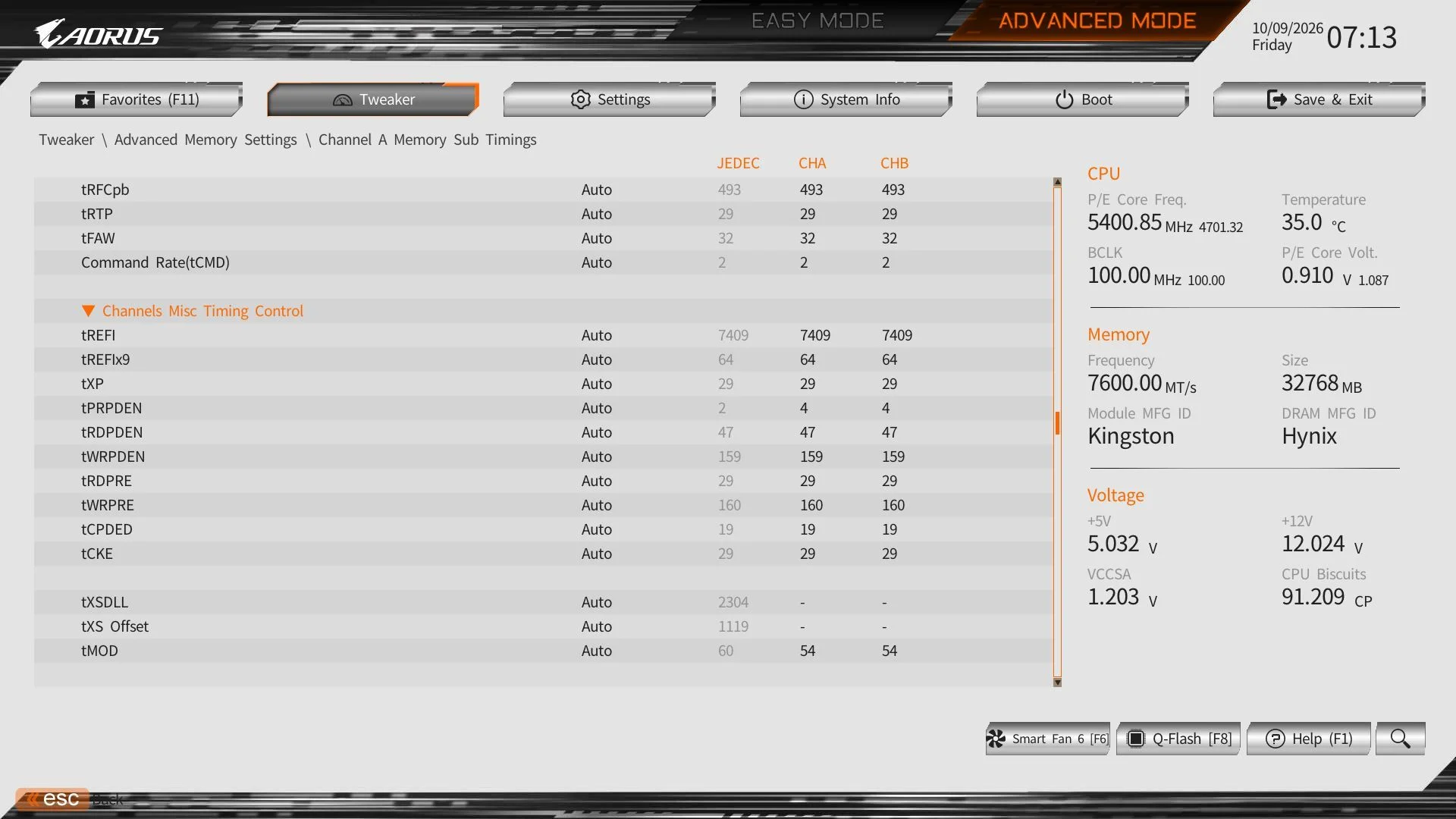
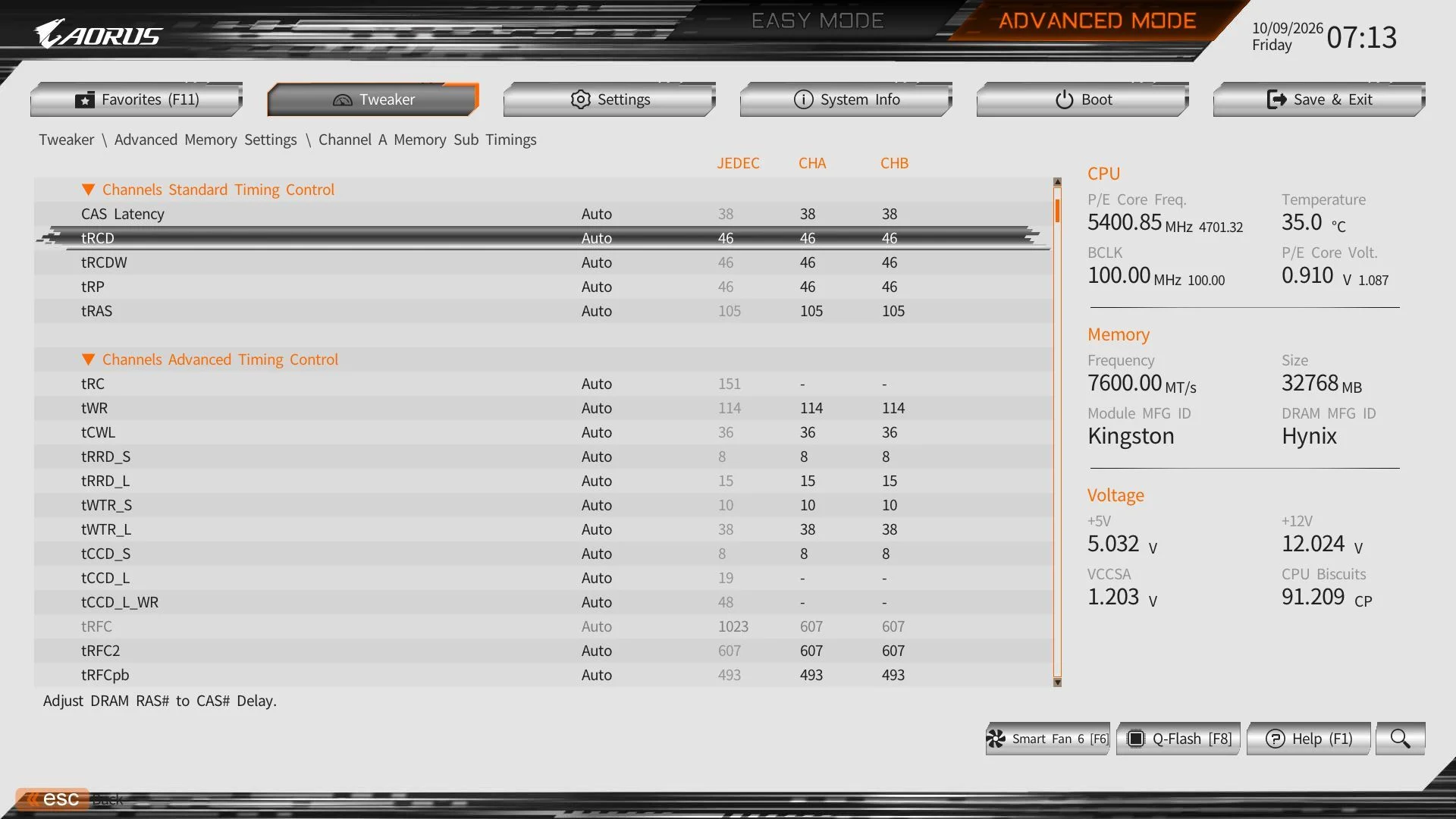
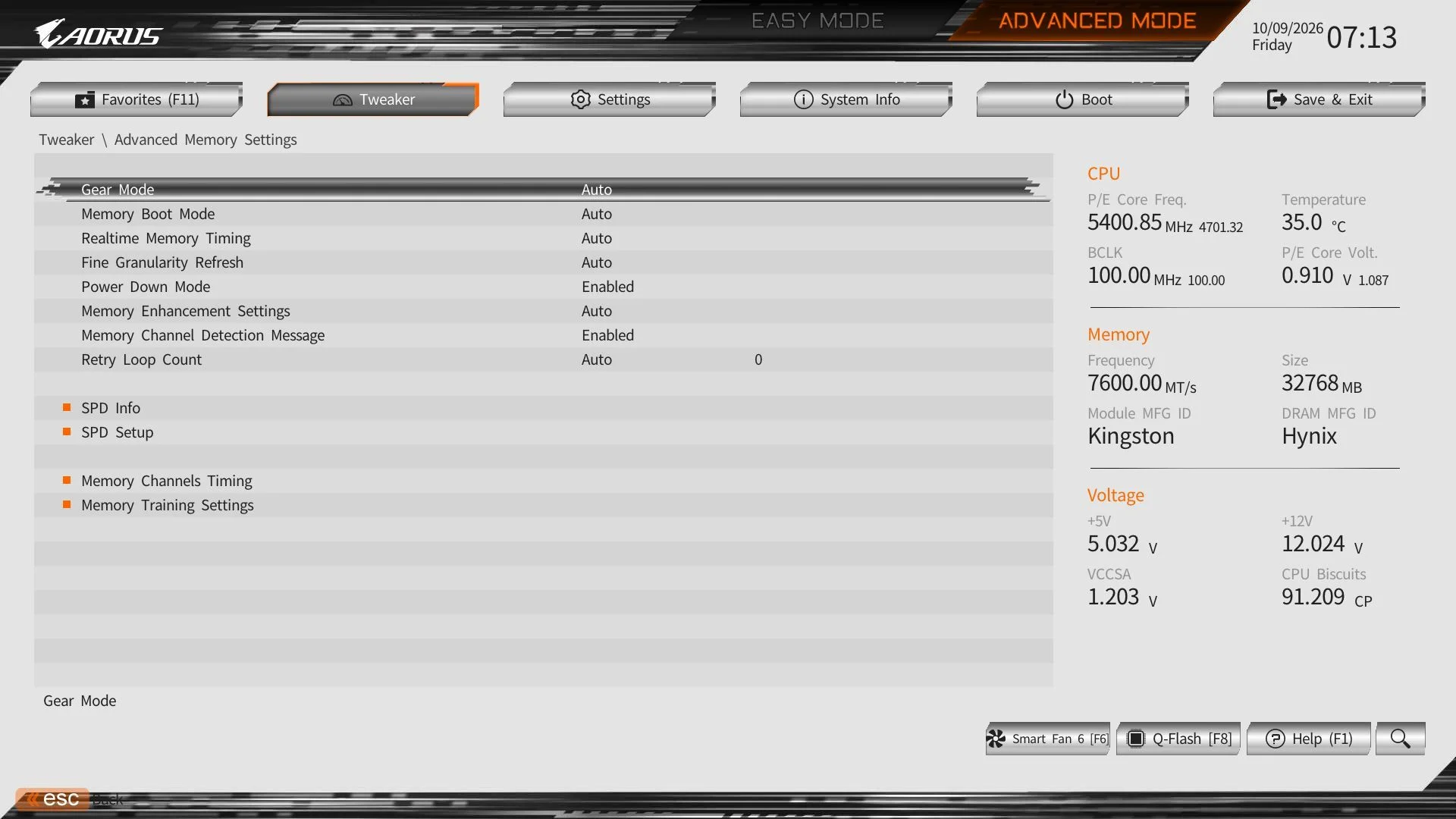
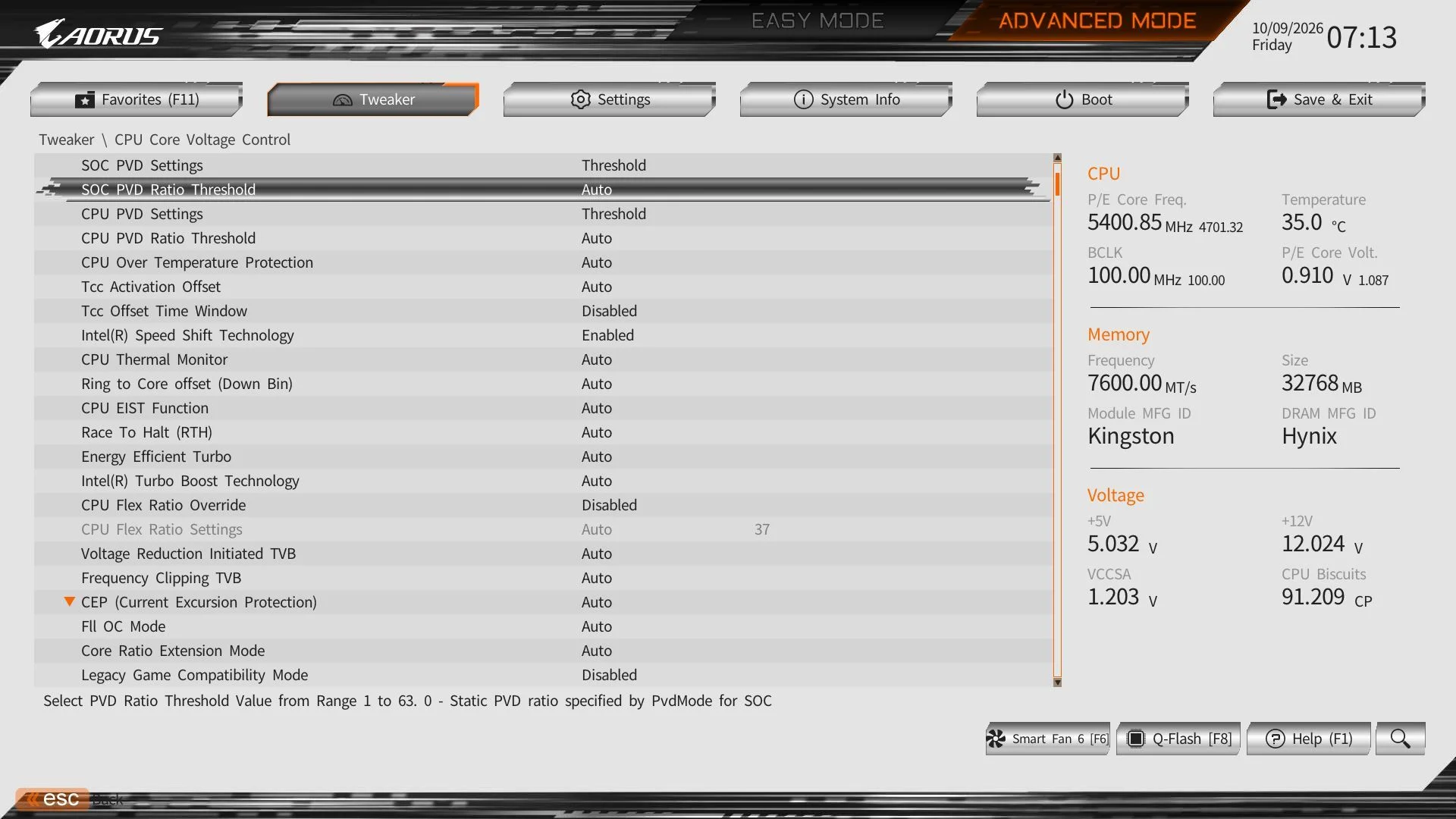
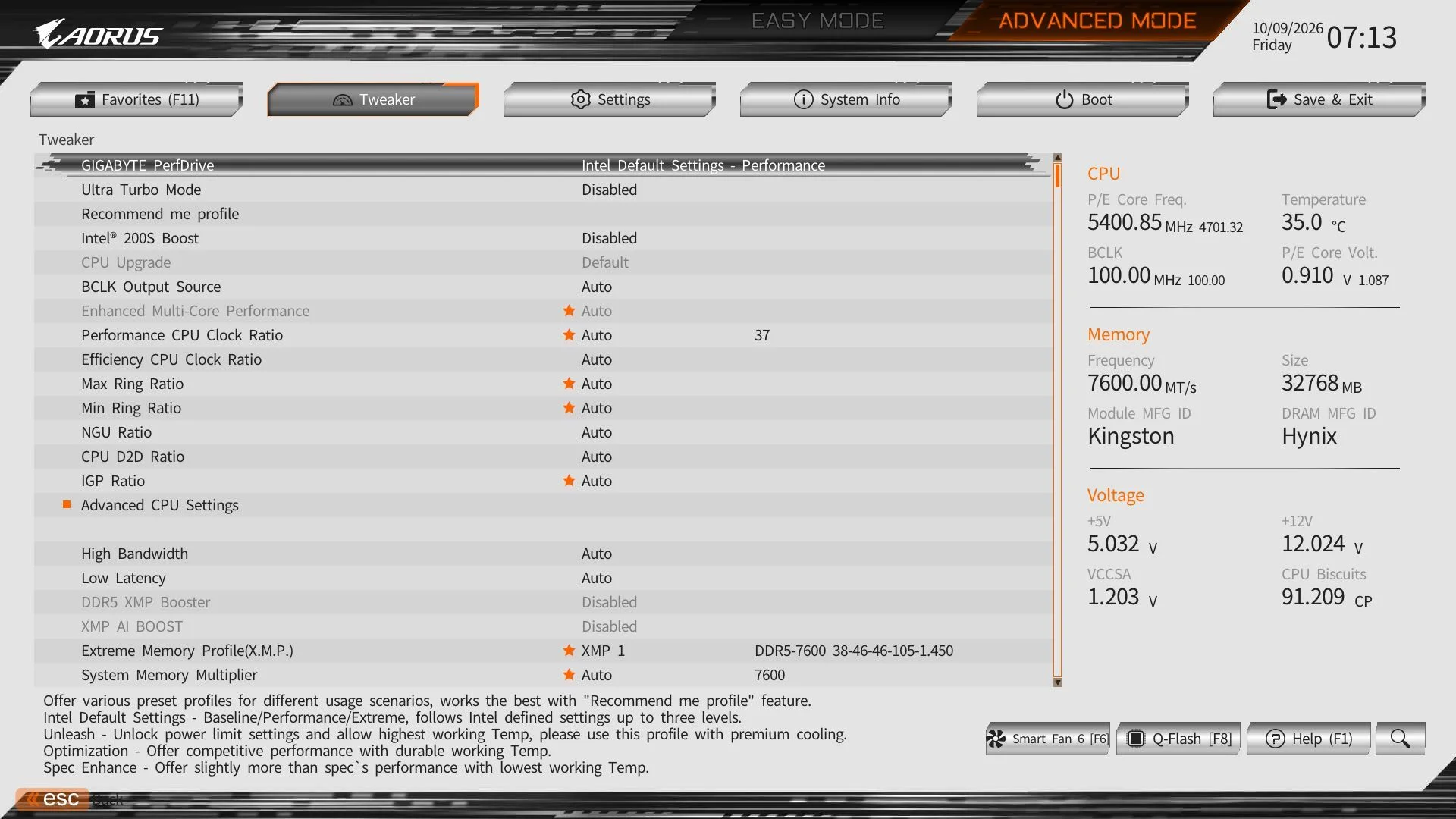
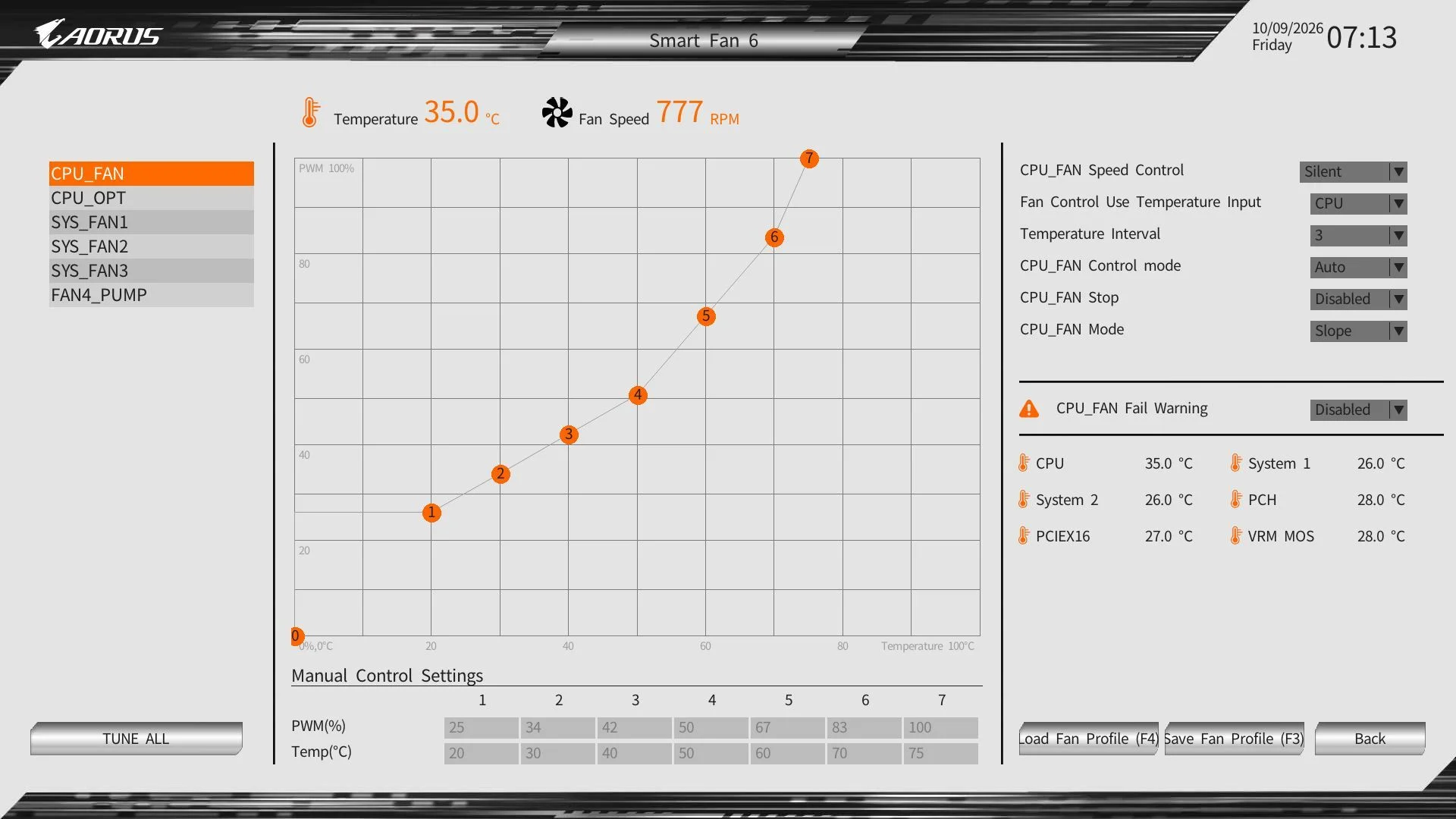
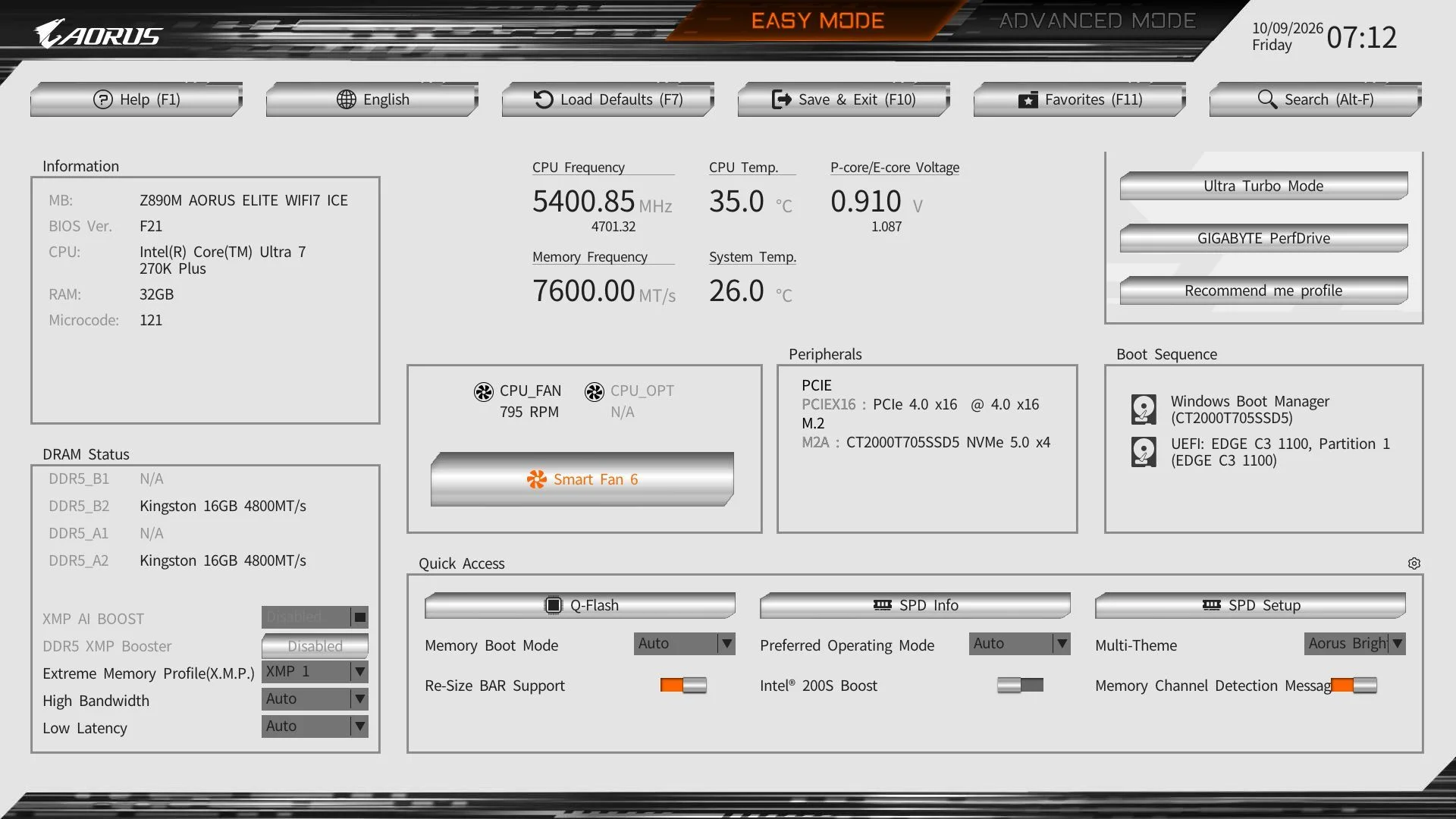
Gigabyte’s UC BIOS 2.0 opens in Easy Mode, where processor and memory details, fan speeds and common controls are visible together. You can select XMP profiles, adjust memory, toggle Re-Size BAR and open Smart Fan 6 without hunting through menus. The white background, black text and Aorus orange accents make the screen easy to read, and a dropdown offers alternate Easy Mode themes. Advanced Mode keeps its headings across the top, now presented as larger mouse-friendly buttons. A light-blue highlight makes the current selection easy to track. The settings are accessible without digging through several menu levels, and the Favorites page can bring frequently used controls closer still.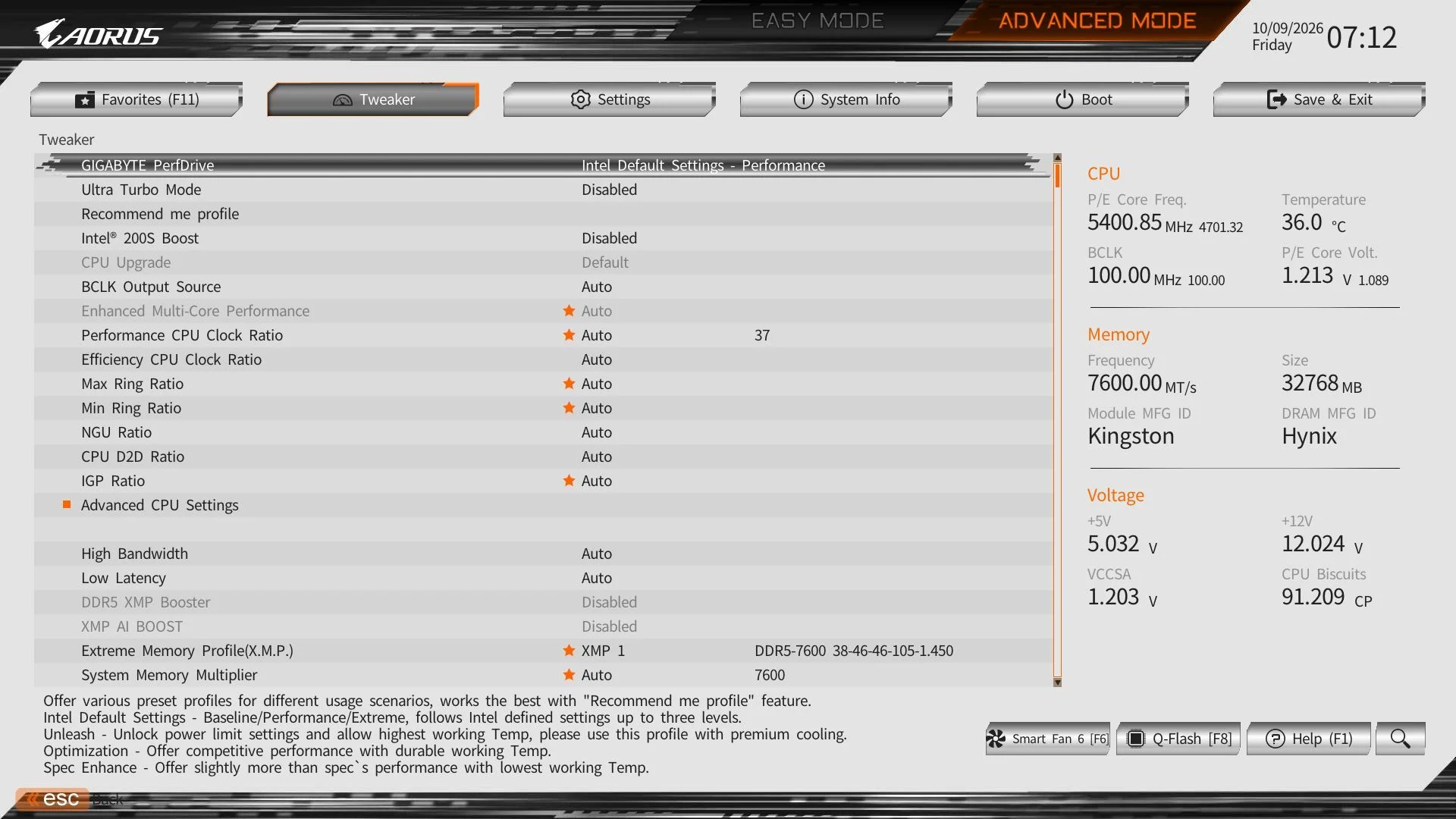
Software
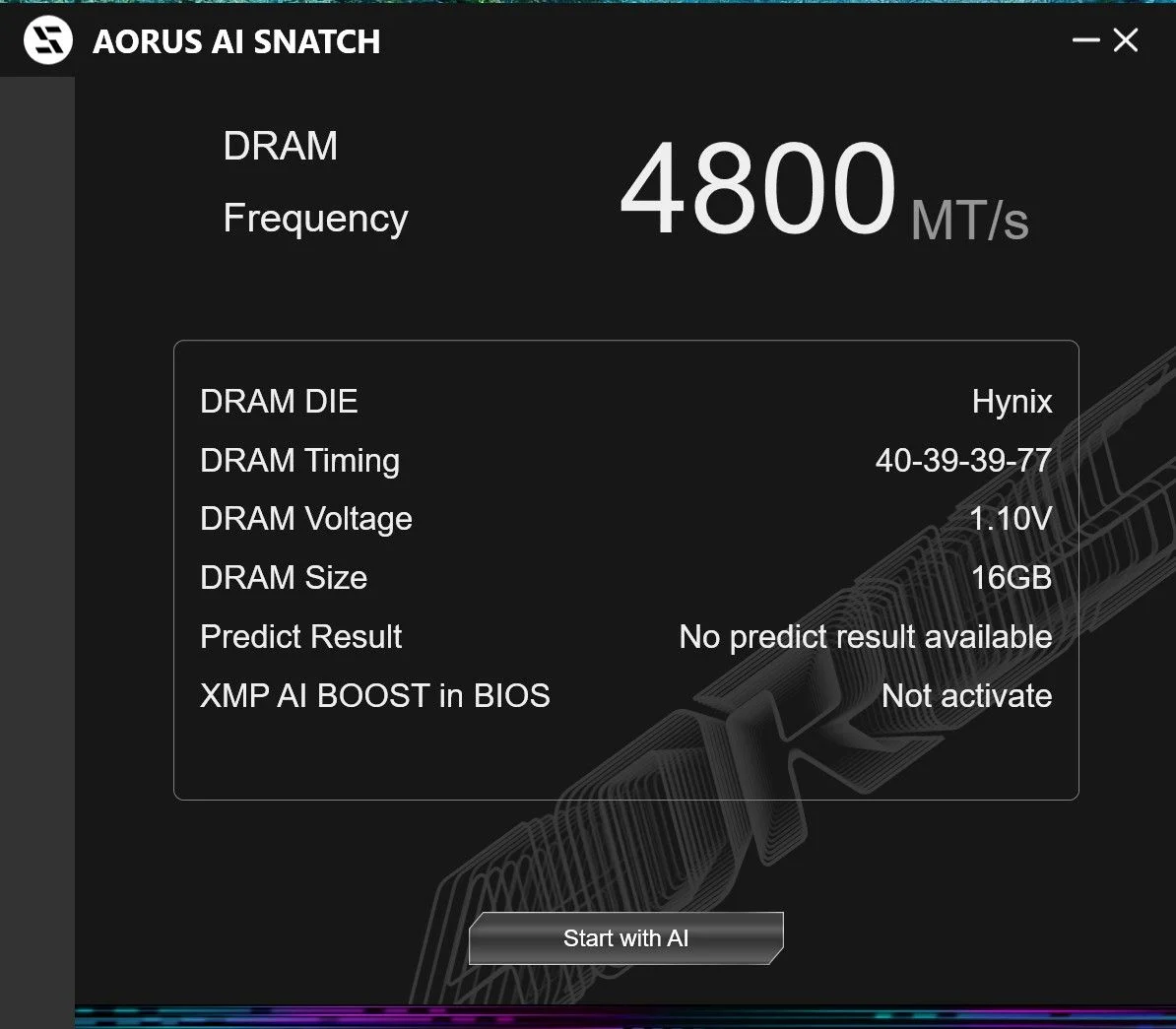
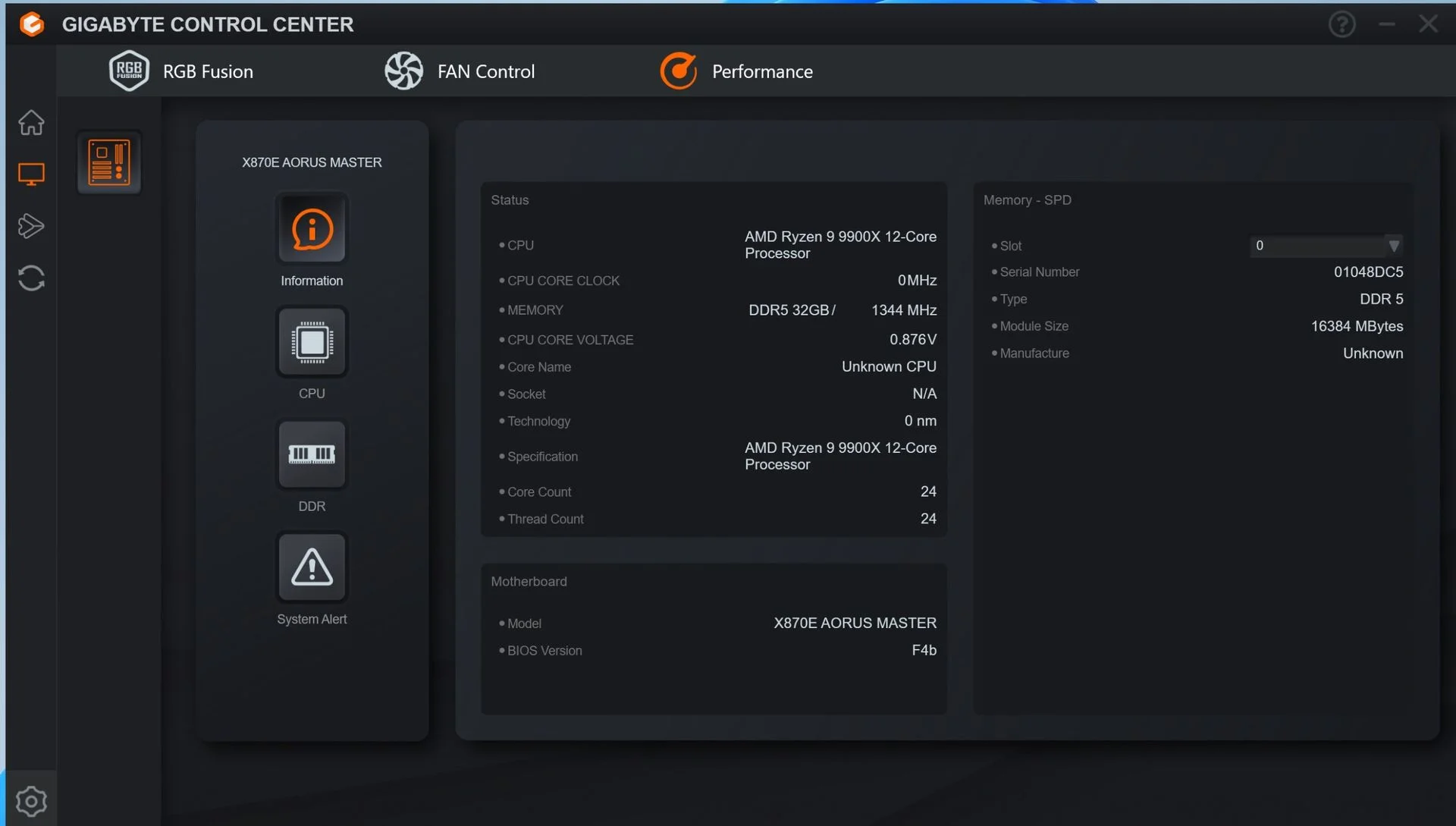
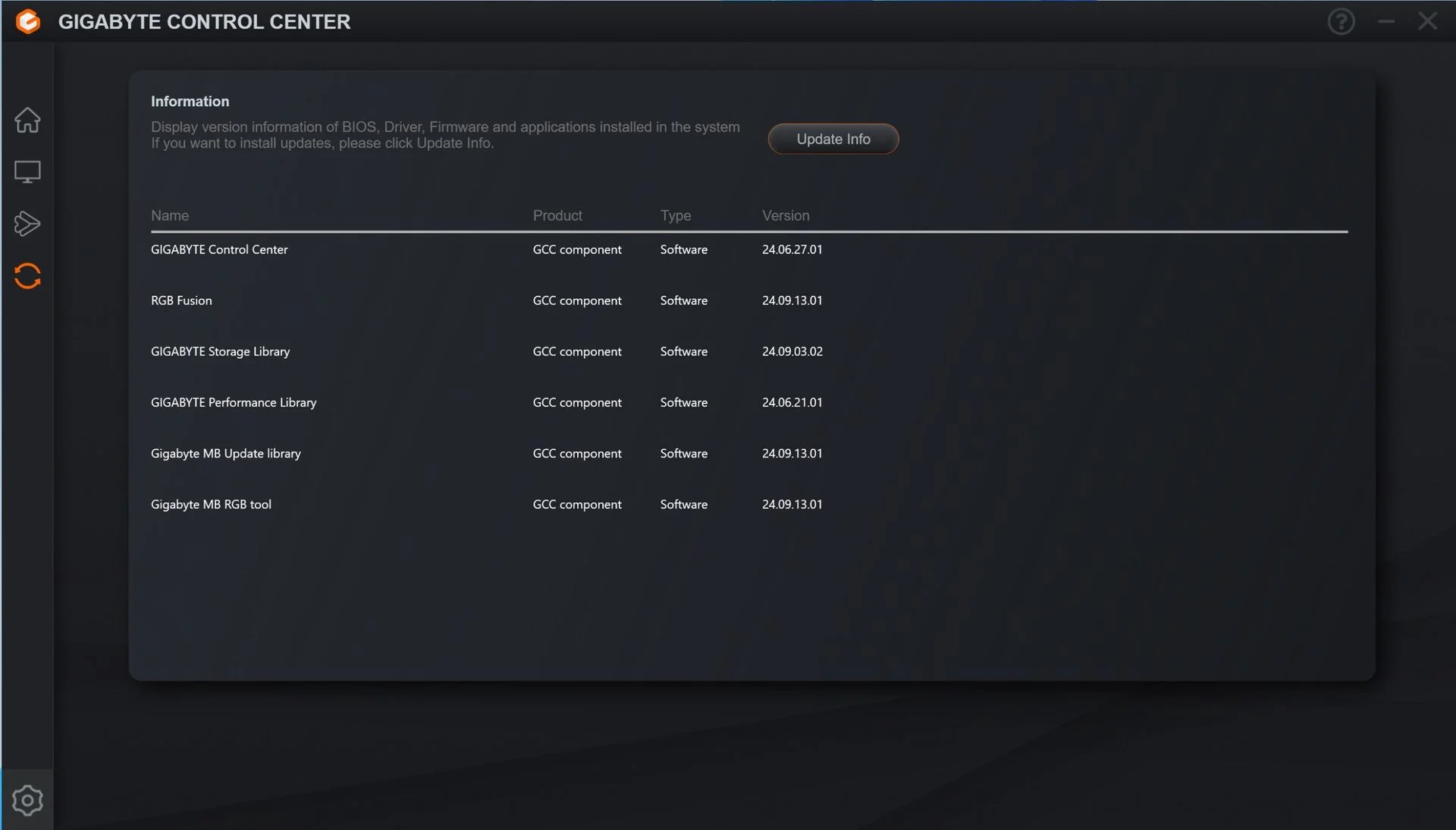
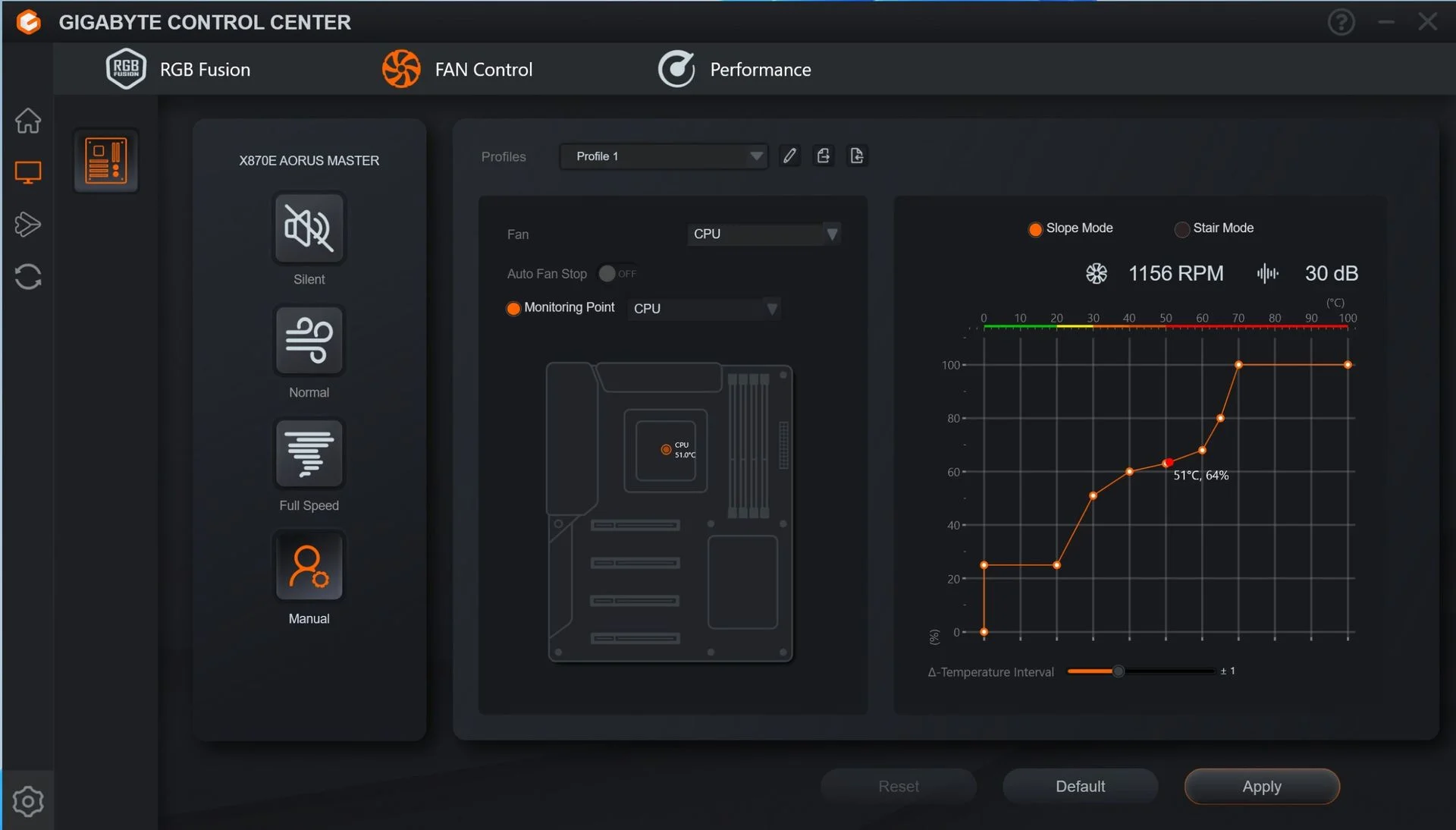
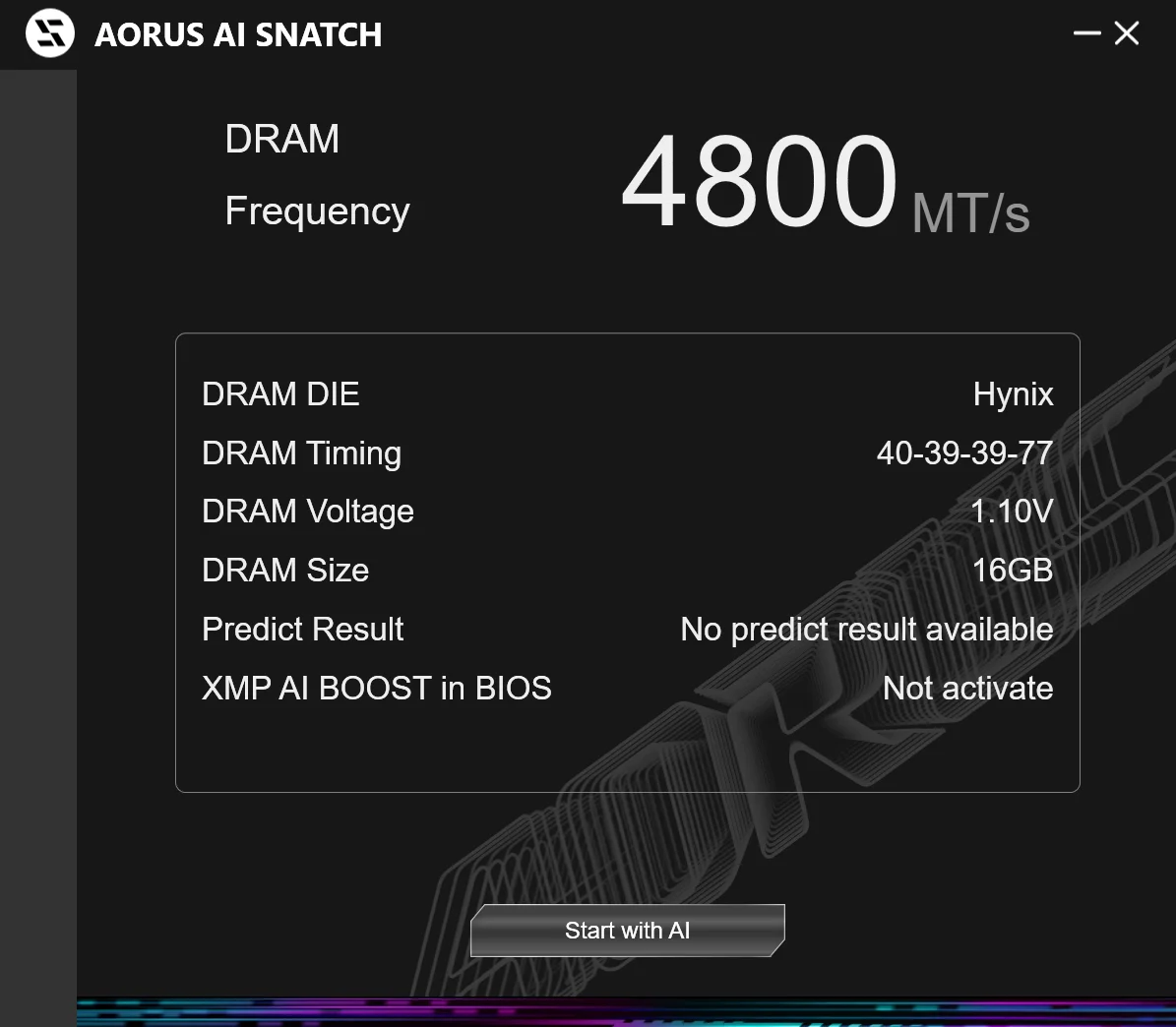
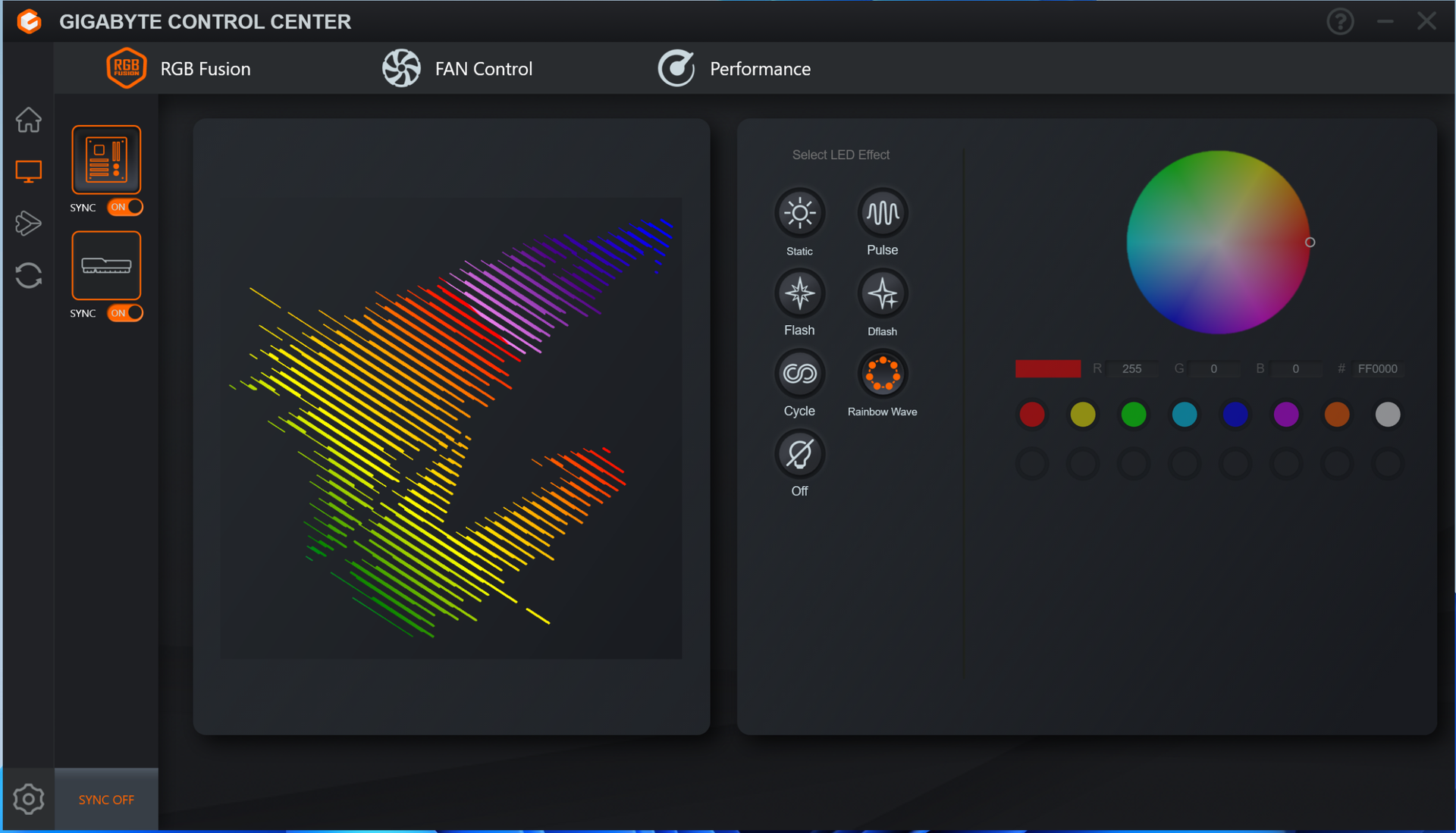
Gigabyte Control Center is the practical center of gravity for this board’s software. GCC brings RGB and fan controls, hardware monitoring, overclocking tools, and driver updates into one application. It’s cleaner than Gigabyte’s old App Center and covers a lot of ground without making a chore of basic tasks. That breadth earns it a favorable mark. AI Snatch is also included for automated overclocking, though the name raises more questions than the description answers.
Test System / Comparison Products
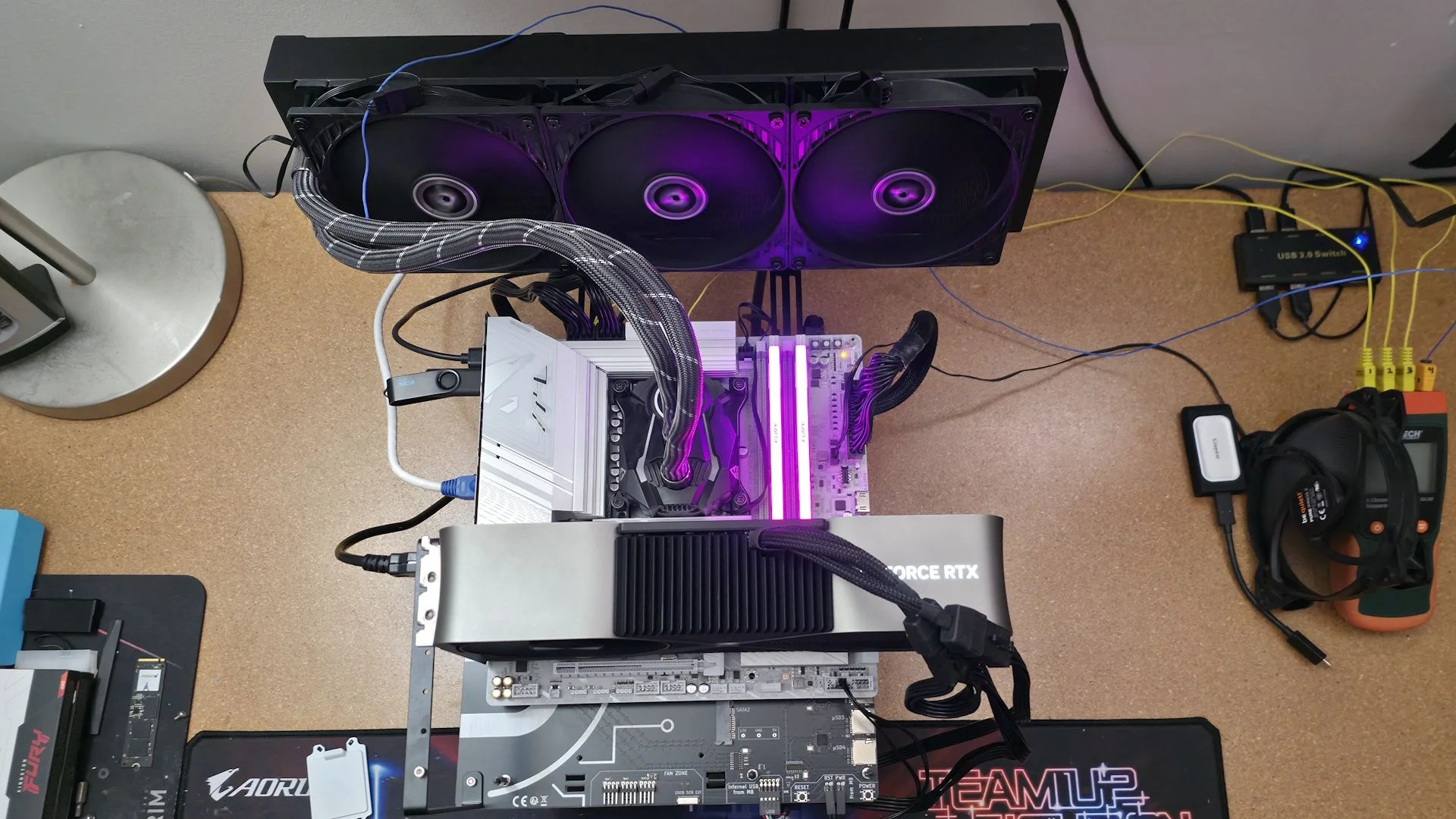
These results come from a refreshed test platform running Windows 11 25H2, 64-bit, with updates current to late April 2026. We changed the memory kits to suit the platform; cooling, storage, power supply, graphics card, and other peripherals stayed the same. Unless stated otherwise, testing uses the latest publicly available BIOS. That gives us a consistent baseline, though memory behavior can still vary by kit and settings.
TEST SYSTEM COMPONENTS:
- CPU - Intel Core Ultra 7 270K Plus
- Cooling - Arctic Liquid Freezer II 420
- Storage - Crucial 2TB T705 M.2 PCIe 5.0 NVMe SSD
- RAM - Kingston Fury Renegade - 32GB DDR5-7600 CL38 (KF576C38RWAK2-32)
- RAM - G.Skill Trident Z5 CK - 32GB DDR5-8200 CL40 (F5-8200C4052G24GX2-TZZ5CK)
- RAM - V-Color 256GB (2x128GB) DDR5-8000 CL64 (TECQ5128G80Q864K)
- GPU - Asus TUF RTX 4080 16G
- PSU - EVGA Supernova 850W P6
- Windows 11 64-bit (25H2 - 26200.8037)
- NVIDIA Driver 595.97
Sound | Integrated HD audio |
Network | Integrated Networking (GbE to 10 GbE) |
Graphics Driver | GeForce 595.97 |
Benchmark Settings
Synthetic Benchmarks and Settings | |
Procyon | Version 2.8.1352 64 Office 365 |
Pugetbench | v1.4.20 |
3DMark | Version 2.29.8294.0 64 Speed Way and Steel Nomad (Default) |
Cinebench R26 | Version 2026.1.0 |
Blender | Version 5.0.0 |
Application Tests and Settings | |
LAME MP3 | Version SSE2_2019 Mixed 271MB WAV to mp3: Command: -b 160 --nores (160Kb/s) |
HandBrake CLI | Version: 1.11.0 Sintel Open Movie Project: 4.19GB 4K mkv to x264 (light AVX) and x265 (heavy AVX) |
Corona 10 | Version 10 Default benchmark |
7-Zip | Version 26.00 Integrated benchmark (Command Line) |
Game Tests and Settings | |
Cyberpunk 2077 | Ultra RT: - 1920 x 1080, DLSS - Balanced. |
F1 2025 | Ultra High Preset - 1920 x 1080, 16xAF/TAA, Texas (Clear/Dry), FPS Counter ON |
MORE: Best Motherboards
MORE: How To Choose A Motherboard
MORE: Best Motherboard Deals
MORE: Best Motherboard Combo Deals
MORE: All Motherboard Content
Benchmark Results
For baseline runs, the CPU stays at stock settings, including its default boost behavior, and power saving remains at default. We load optimized BIOS defaults, then turn on XMP for memory. If the board enables boosts automatically, we leave them enabled. Windows uses its Balanced power plan, allowing the system to idle normally.
Synthetic Benchmarks and Real World Applications
Benchmarks help show whether a motherboard delivers consistent performance under controlled settings. Still, board makers can tune boost power limits and memory timings, so results may shift in tests sensitive to those choices. This section now groups the timed application workloads with the synthetic results.
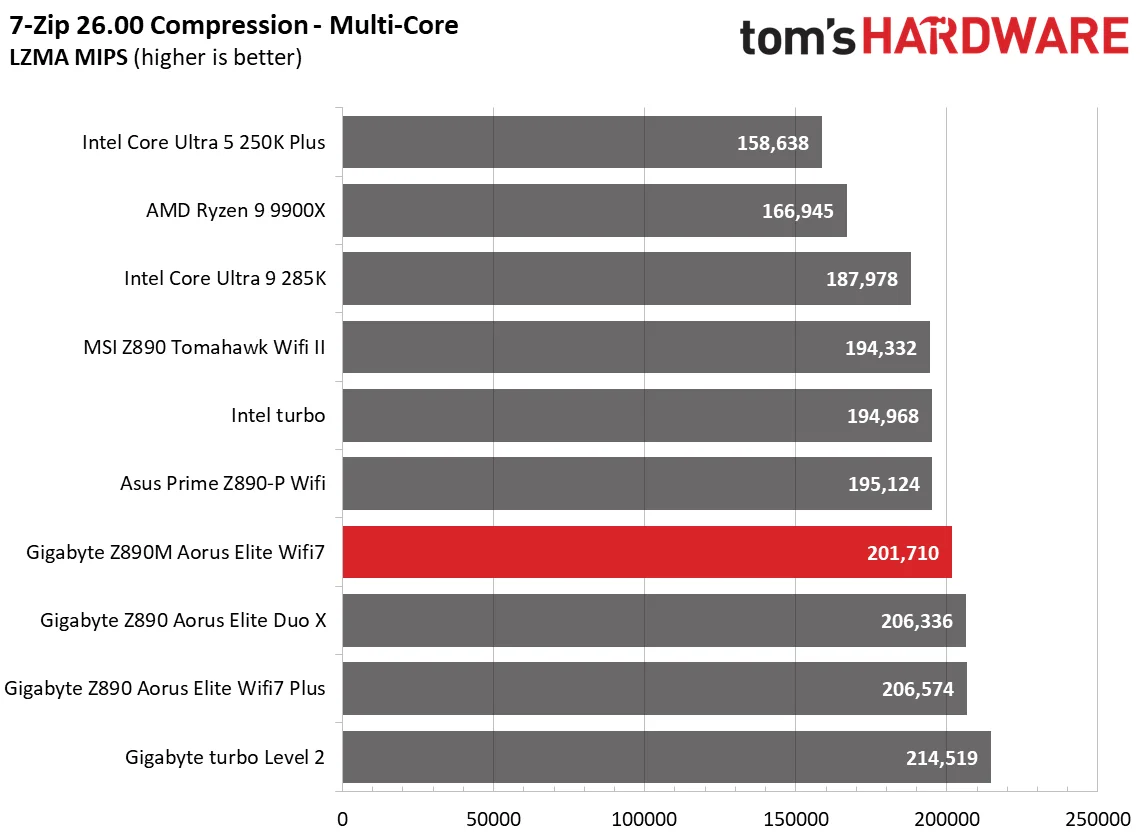
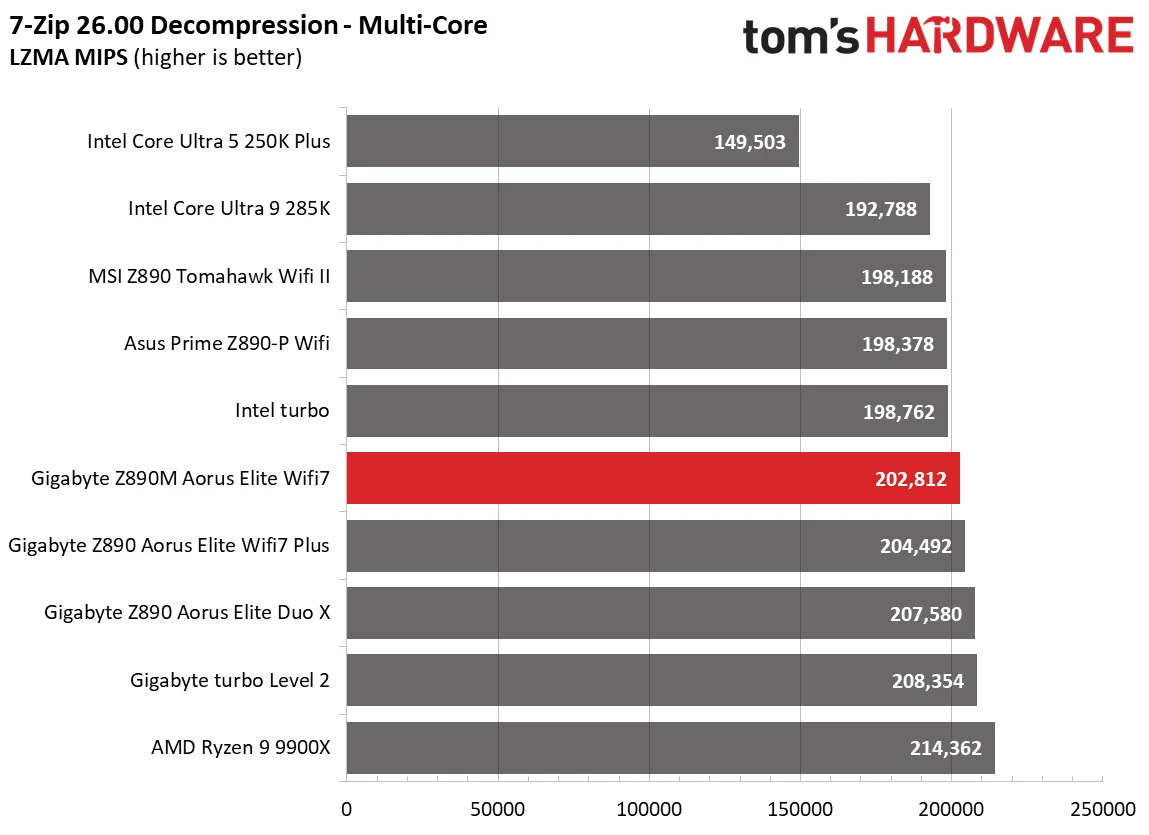
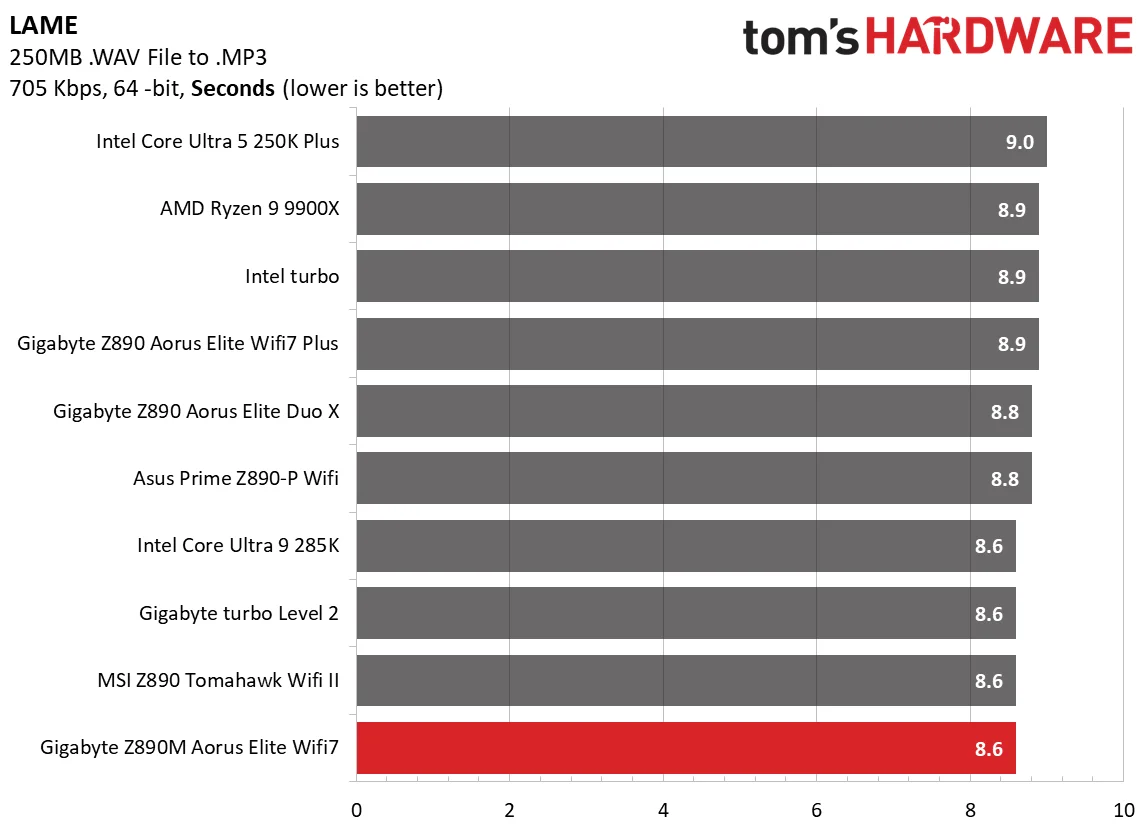
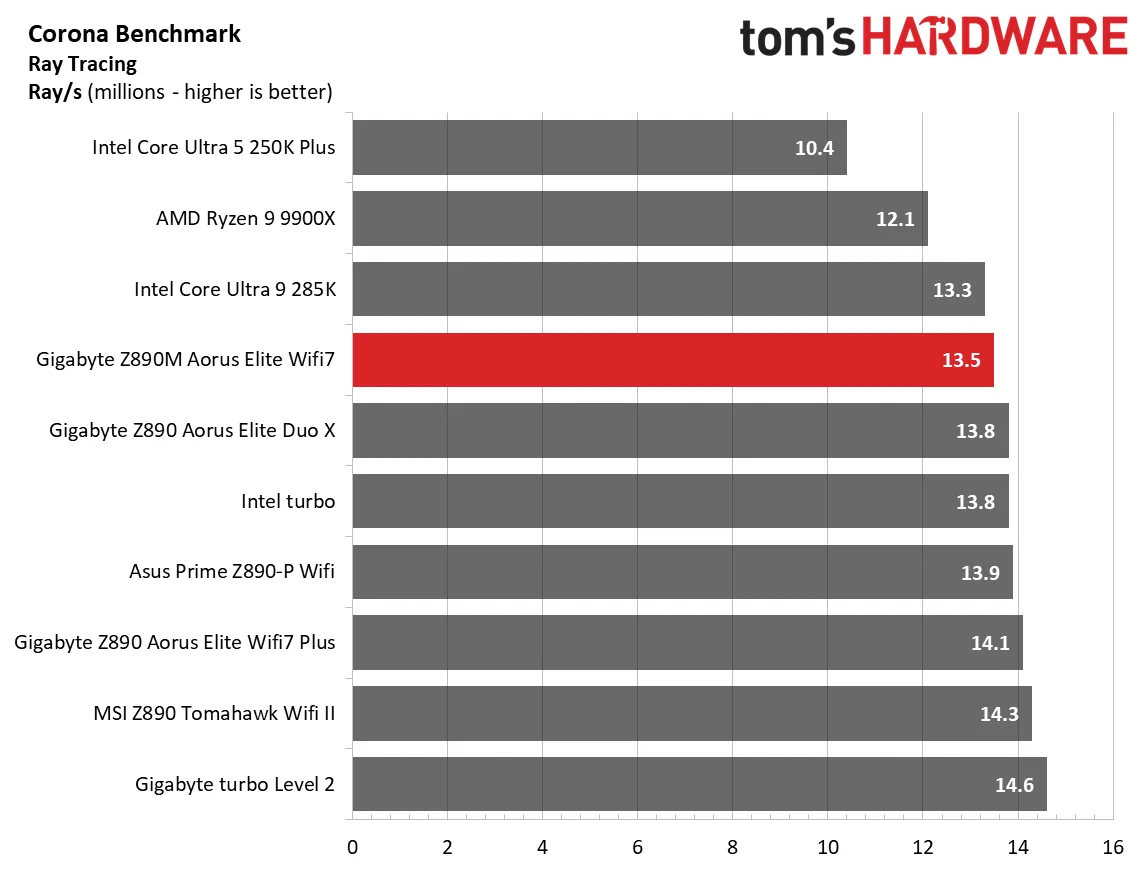
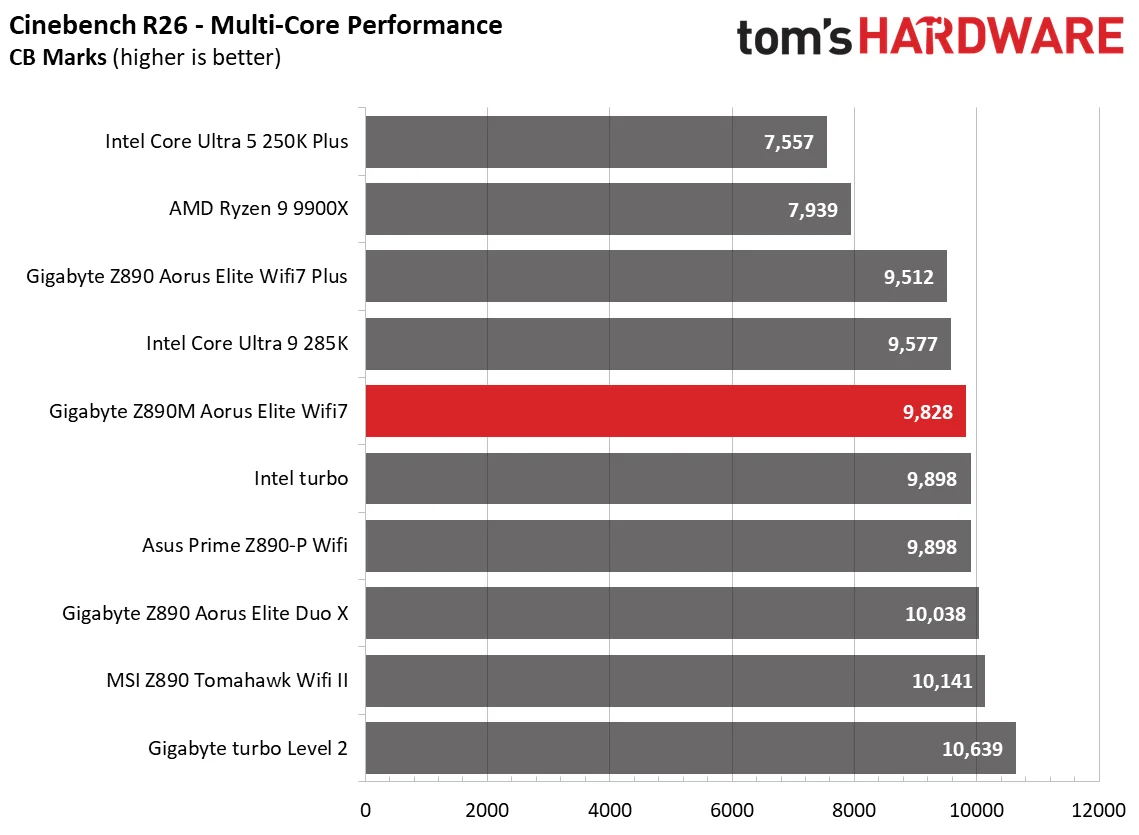
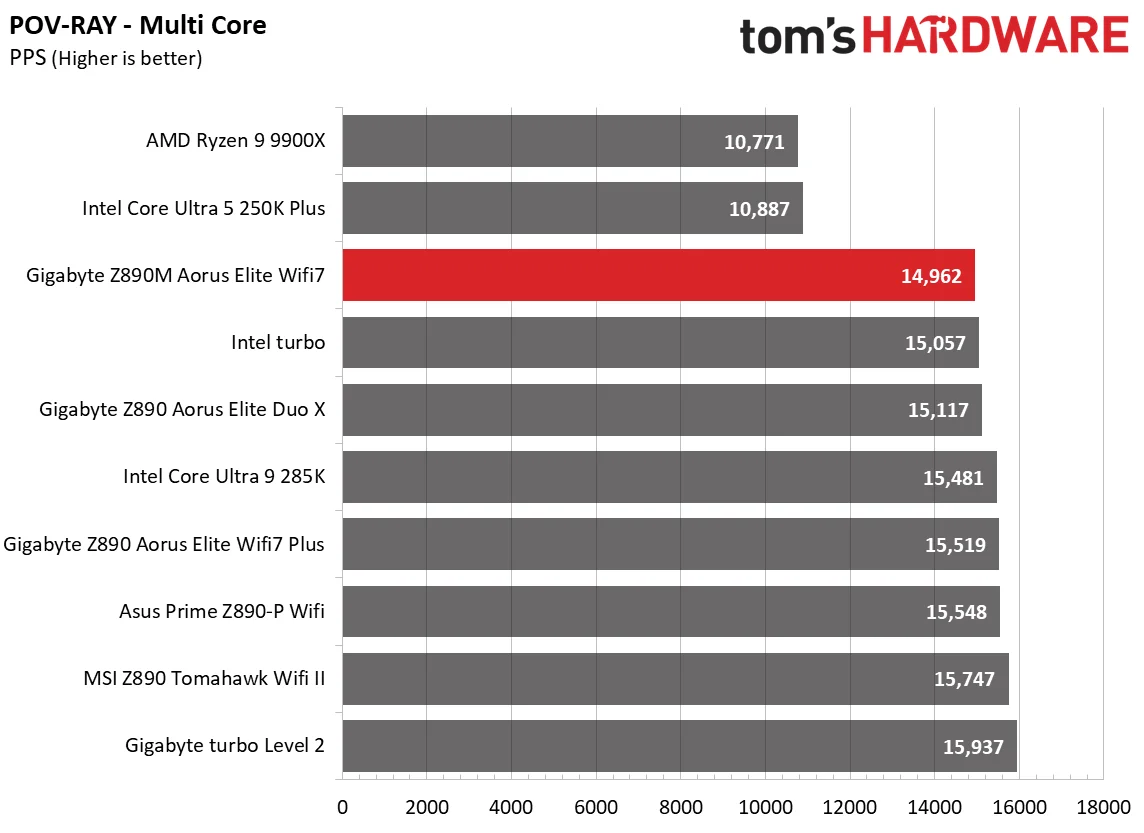
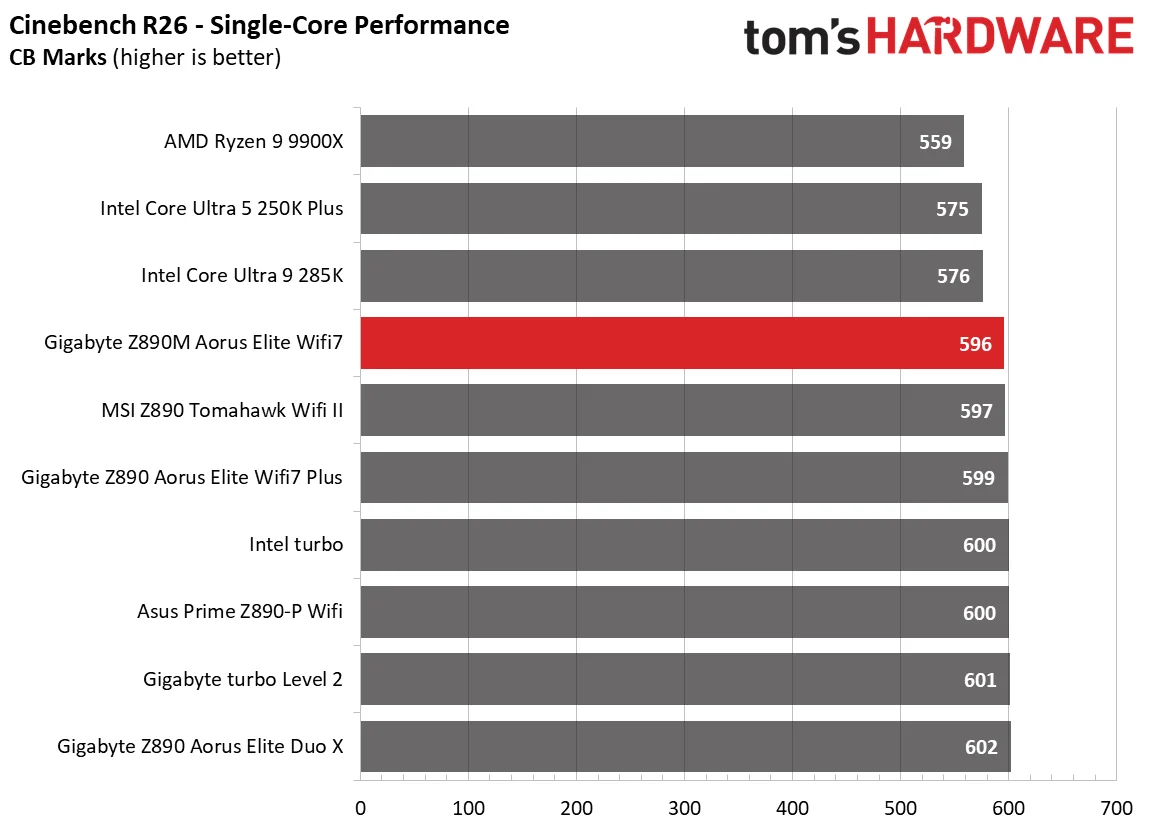
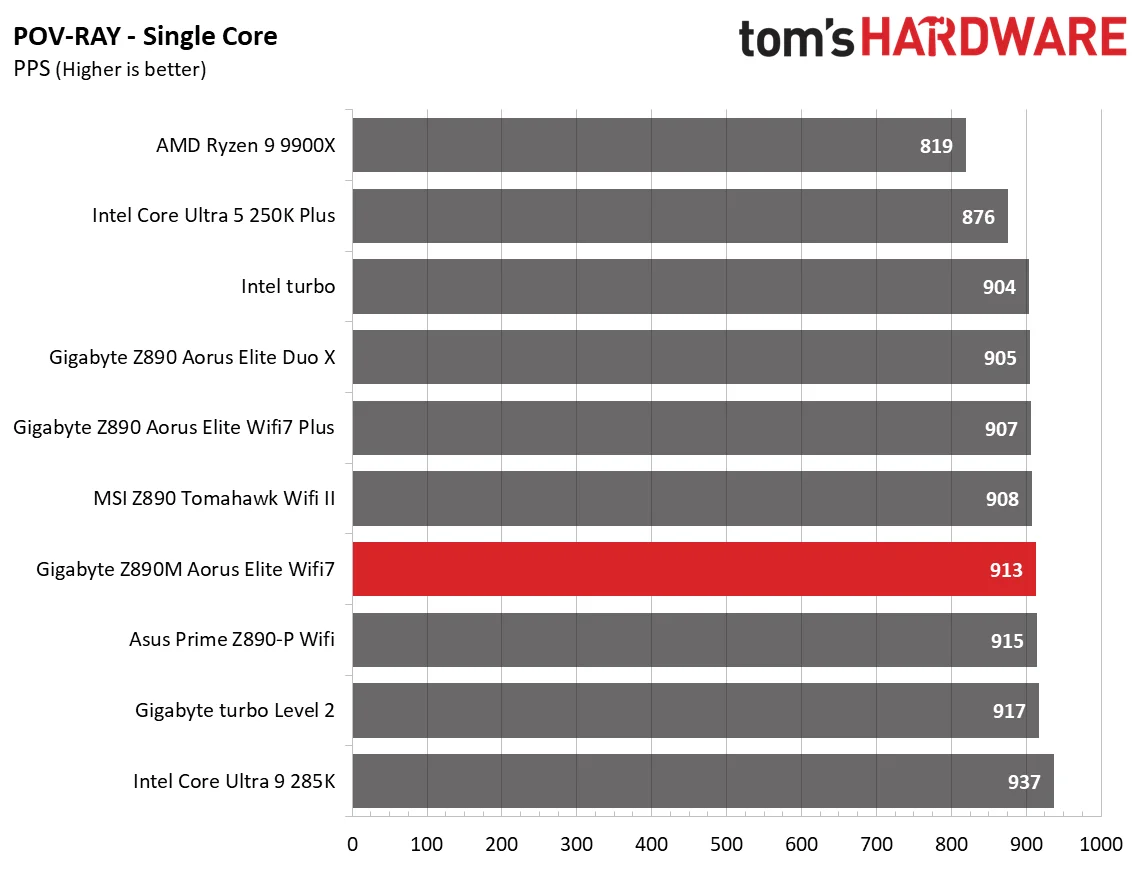
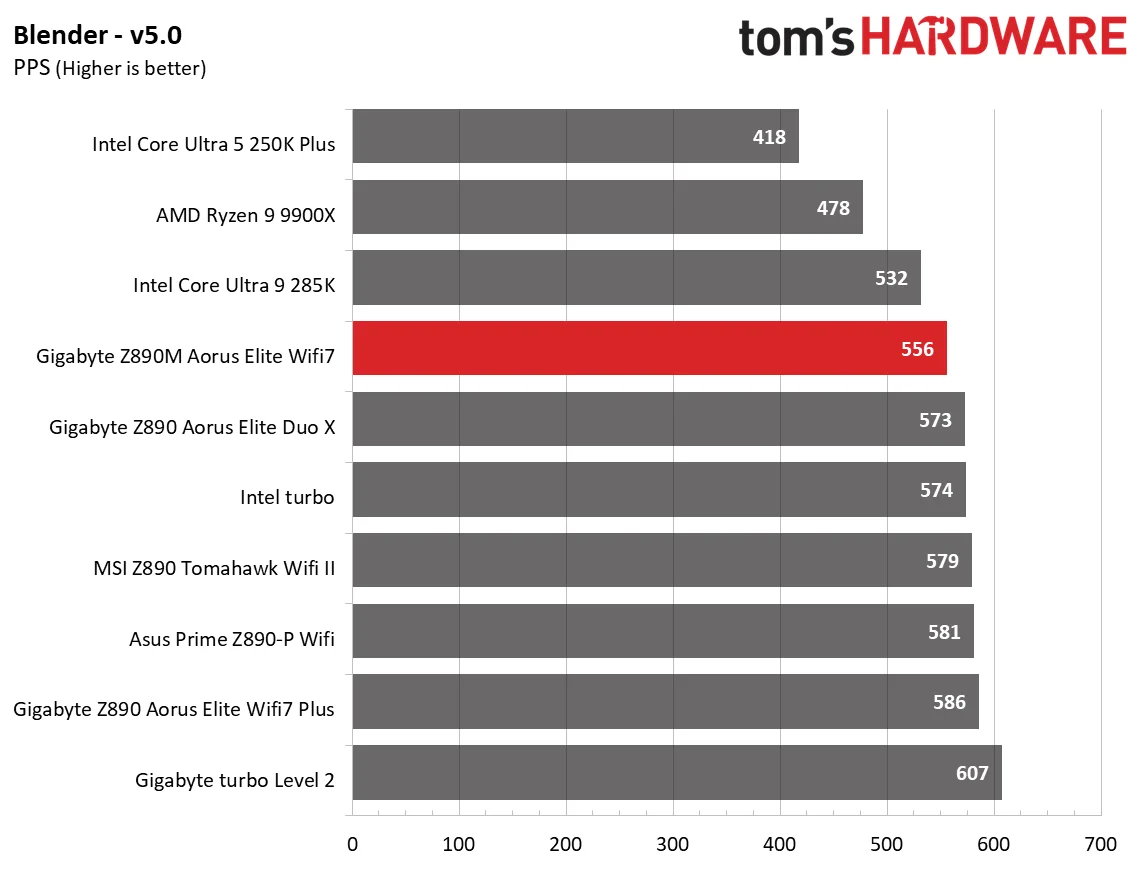
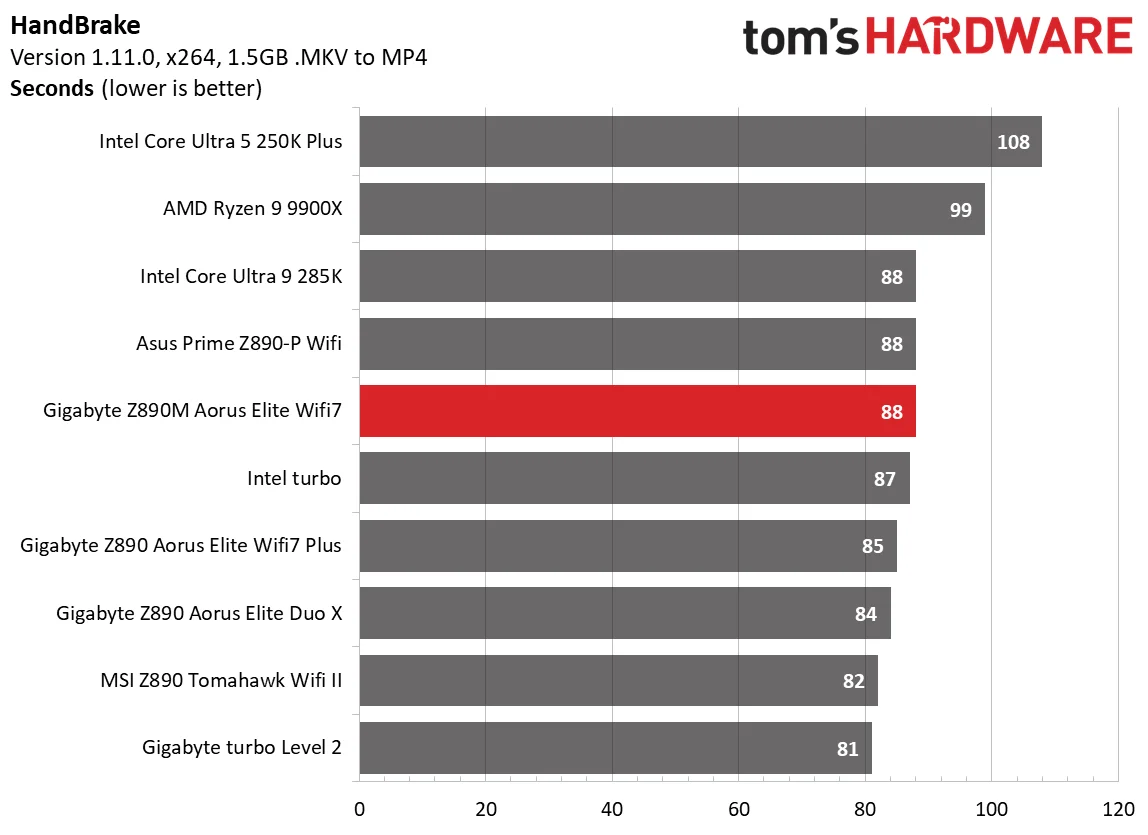
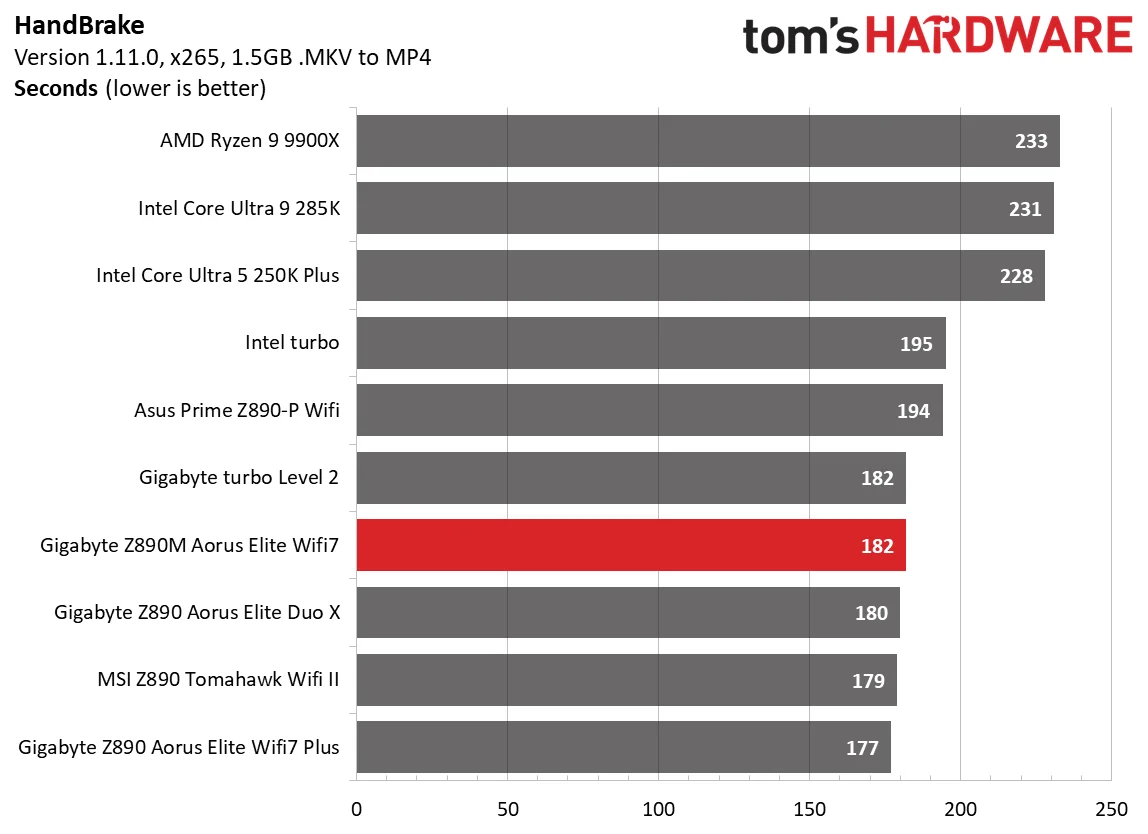
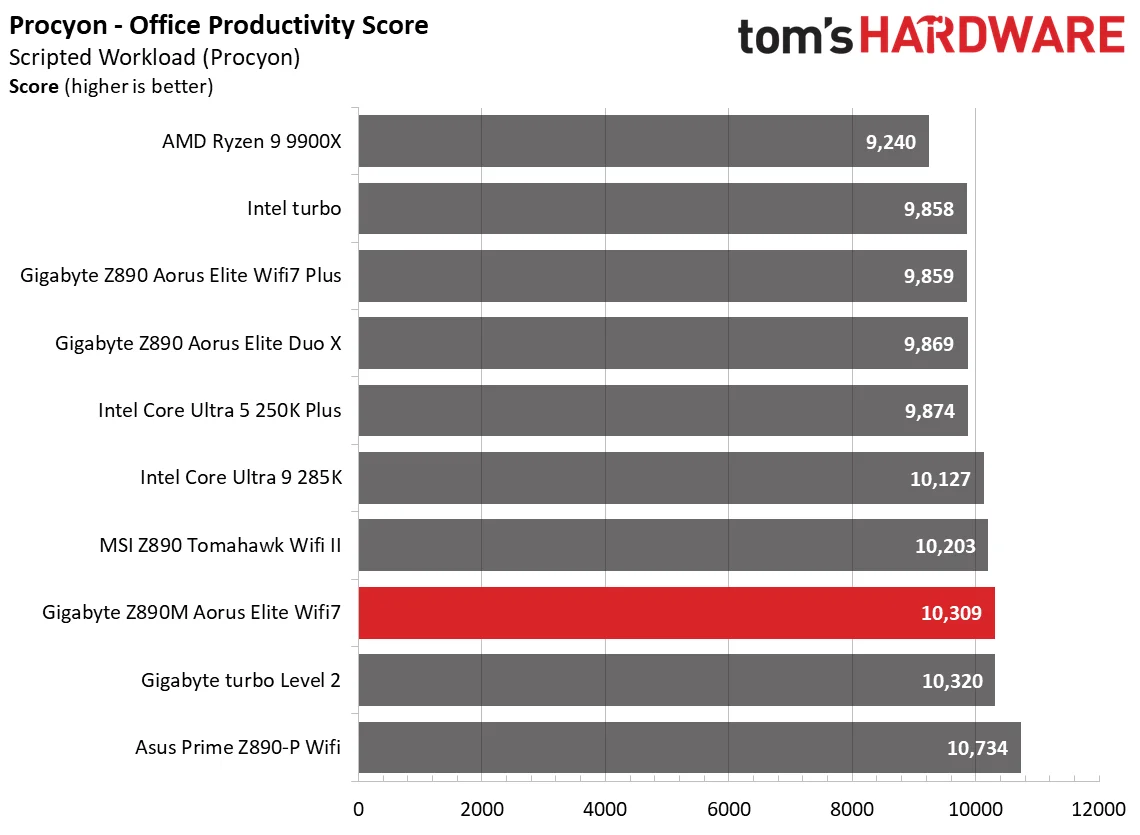
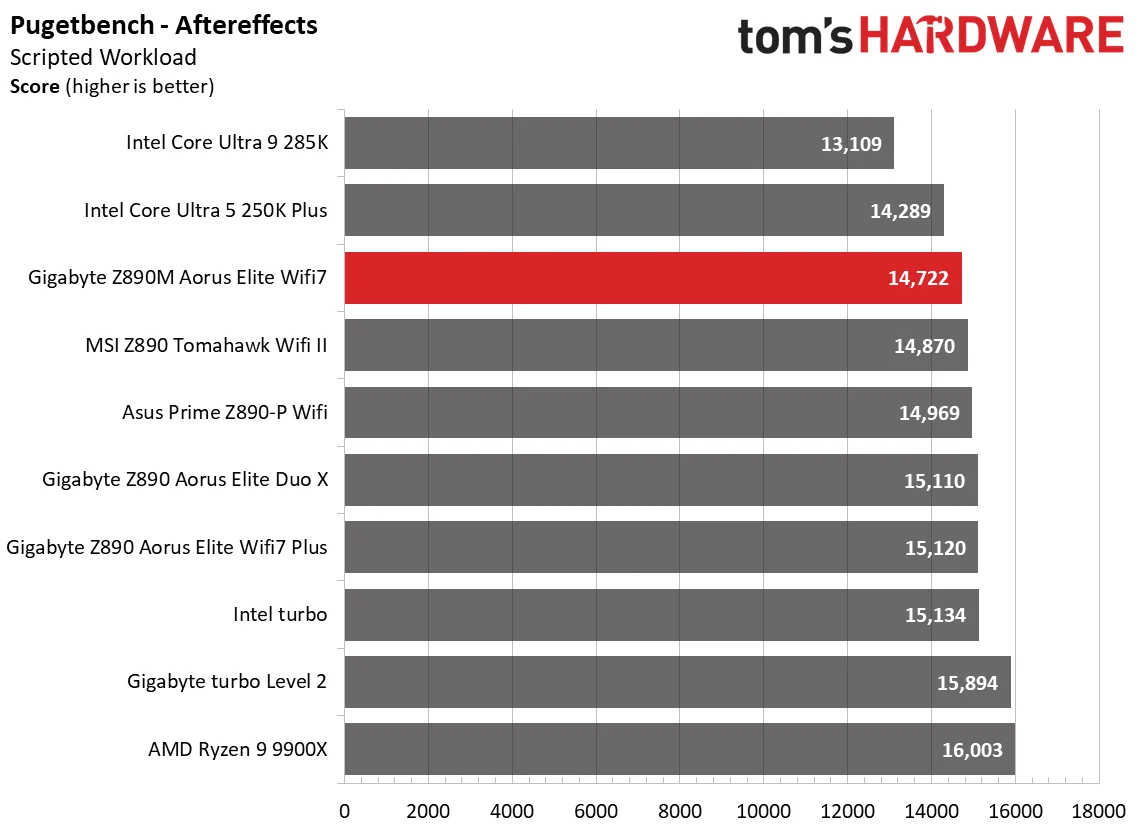
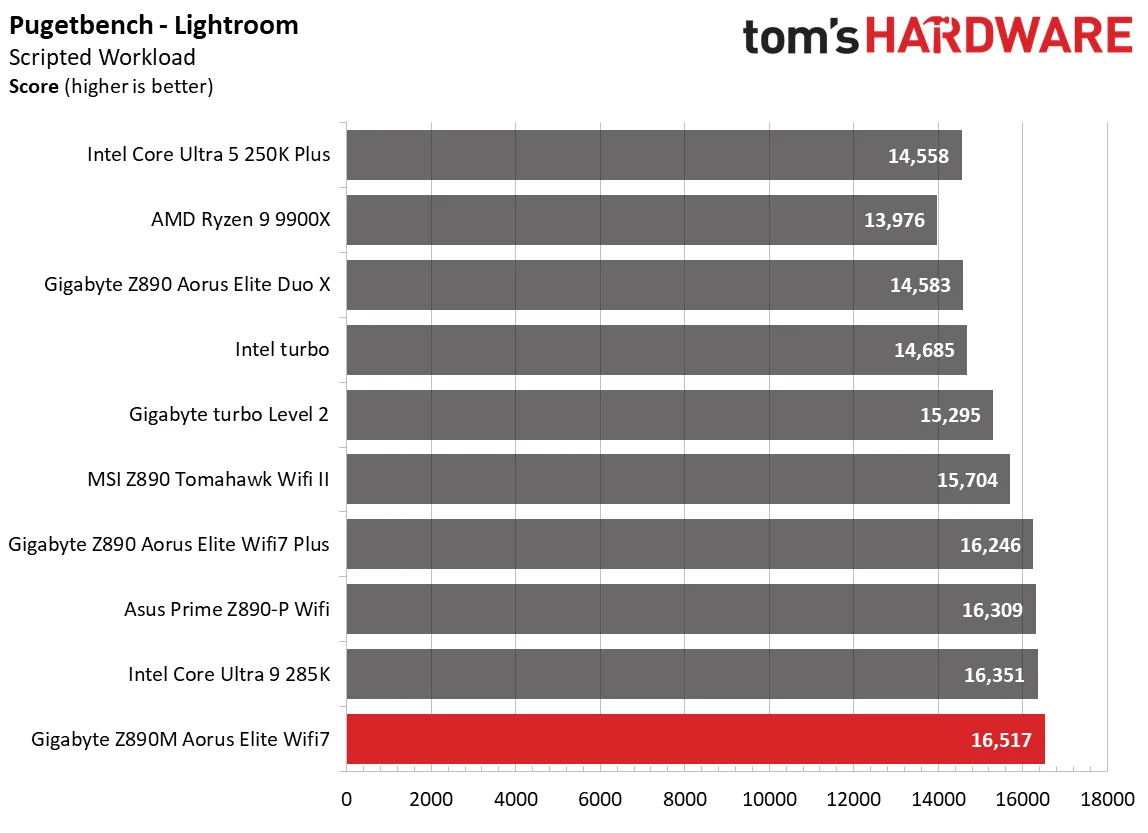
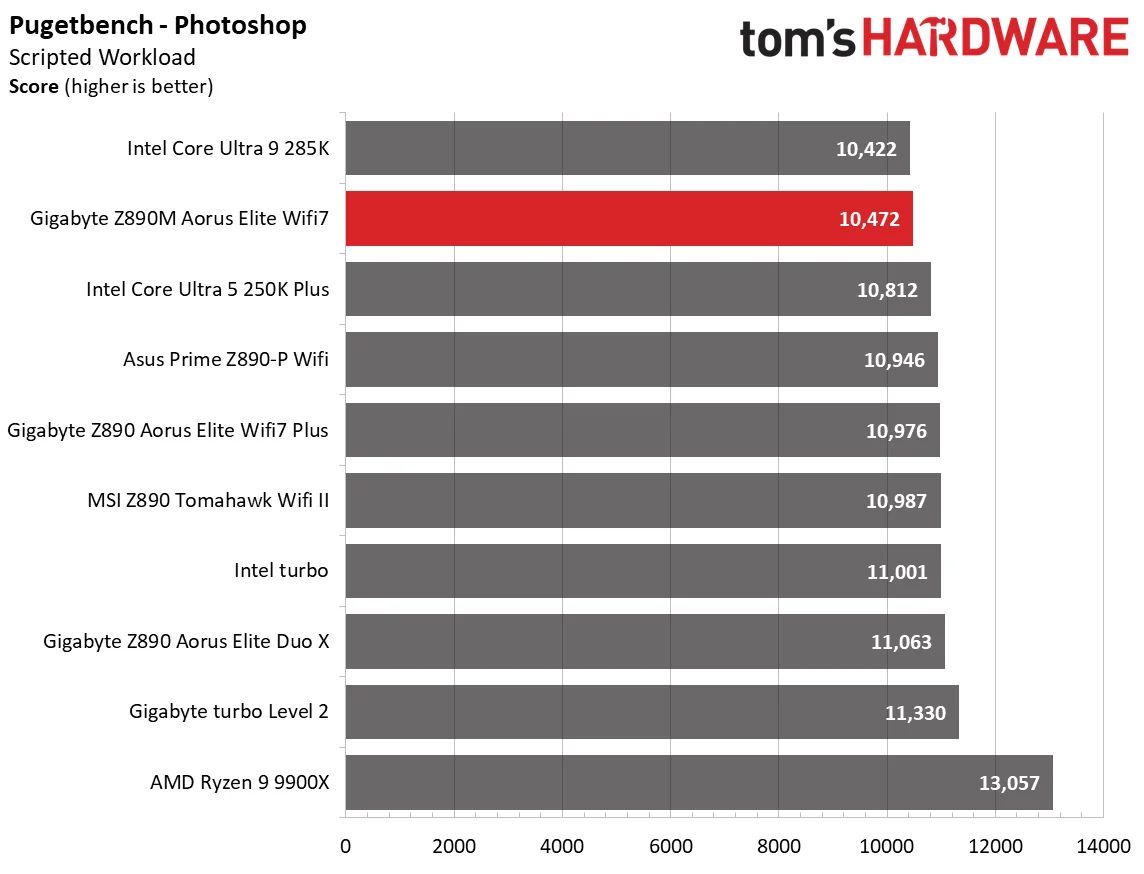
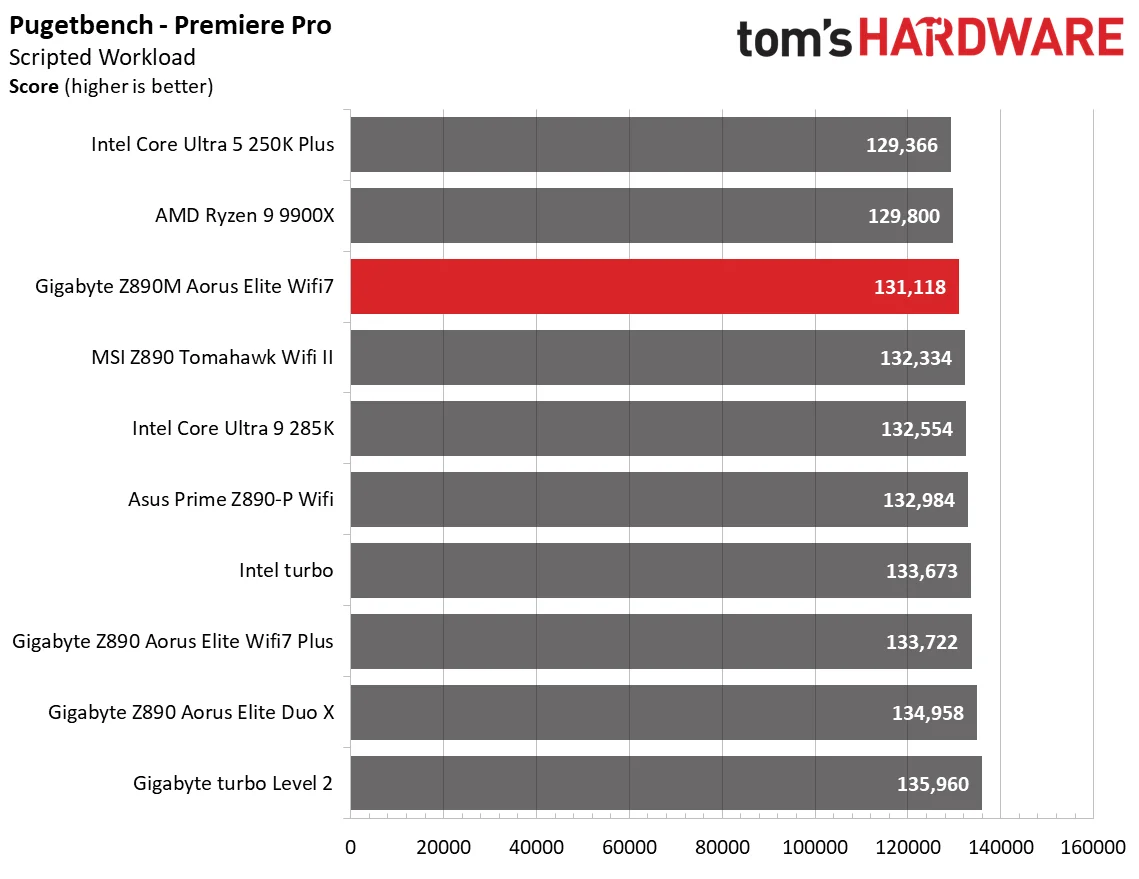
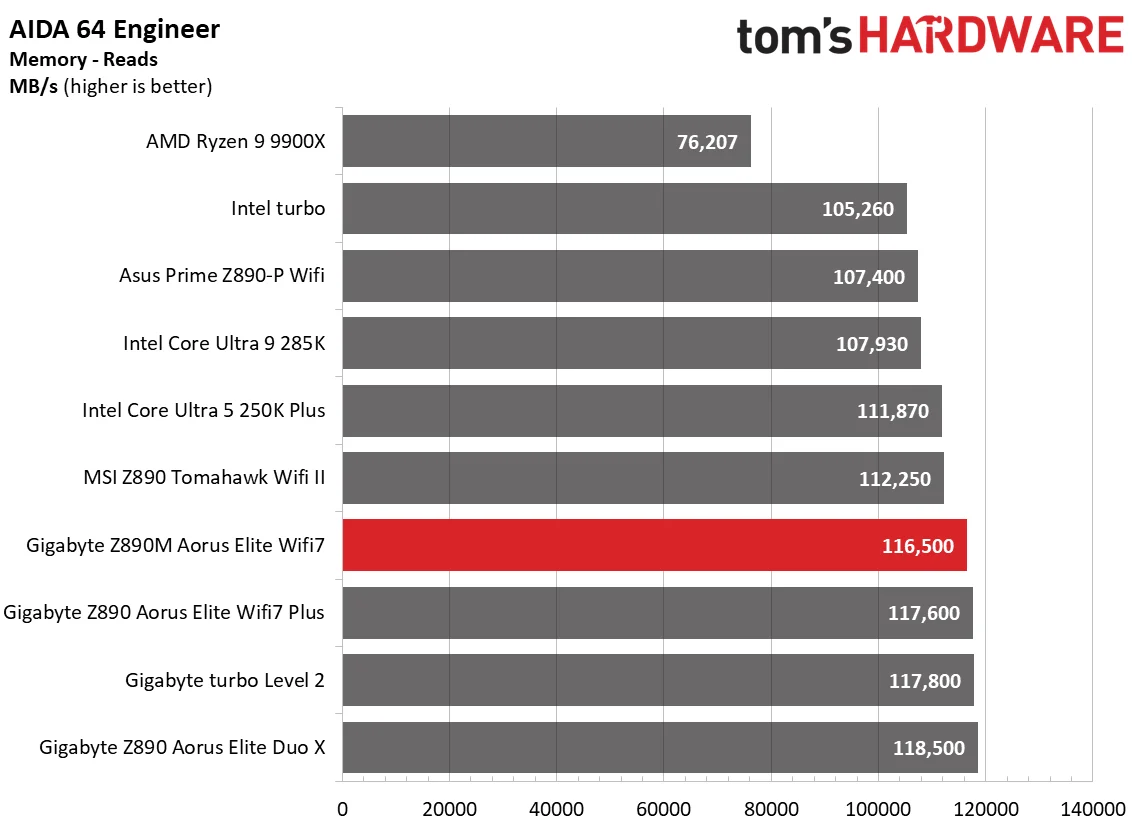
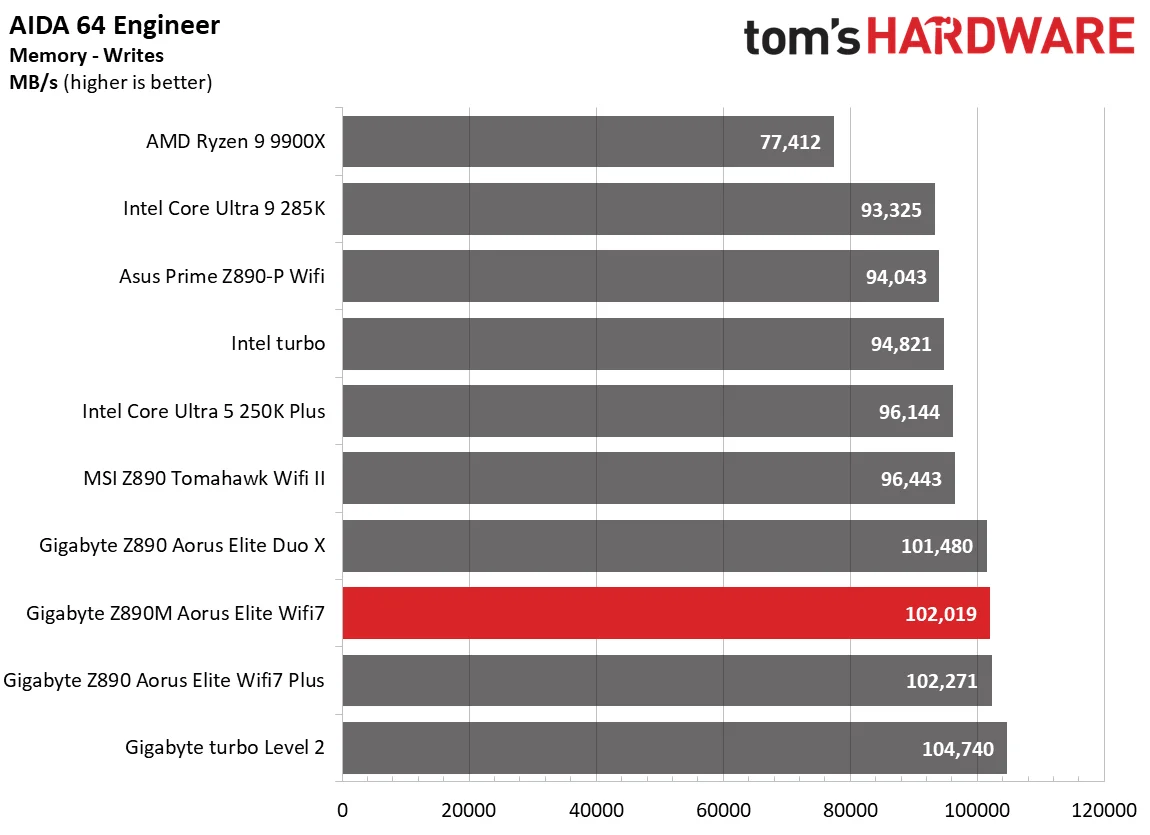
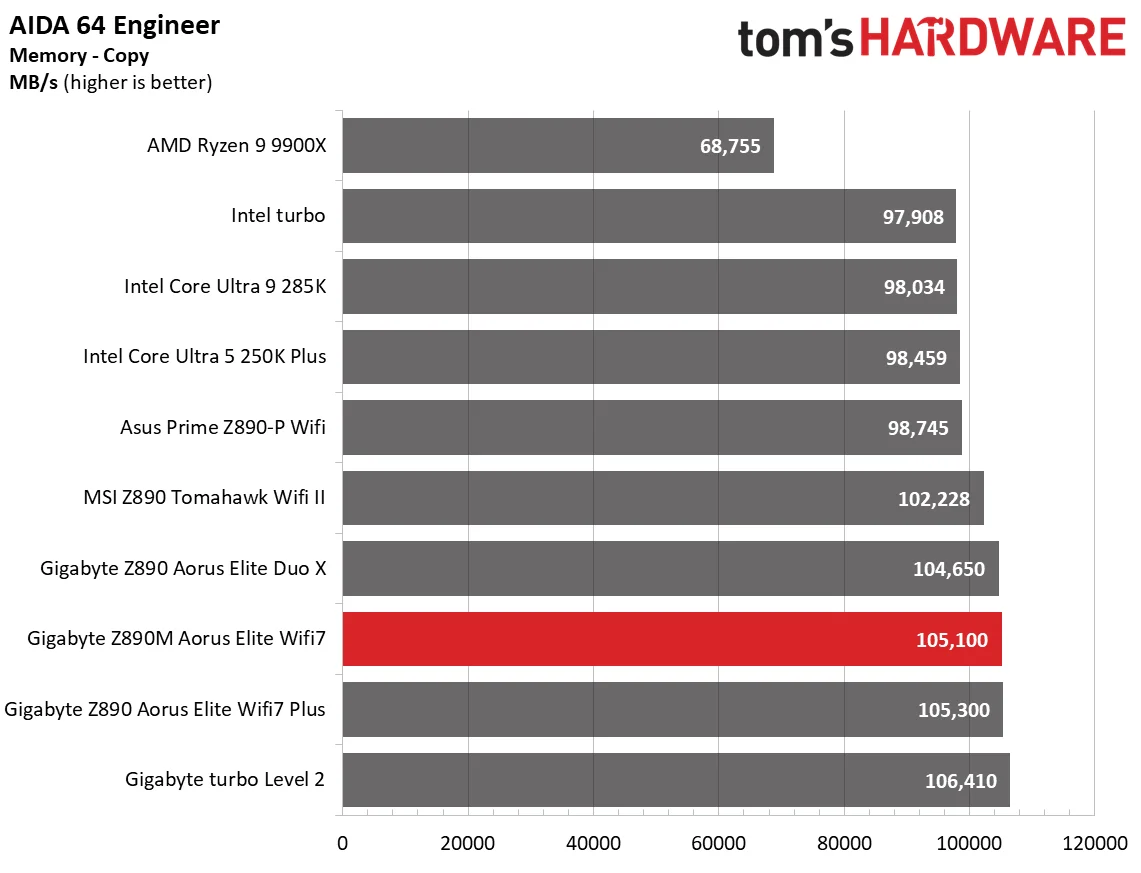
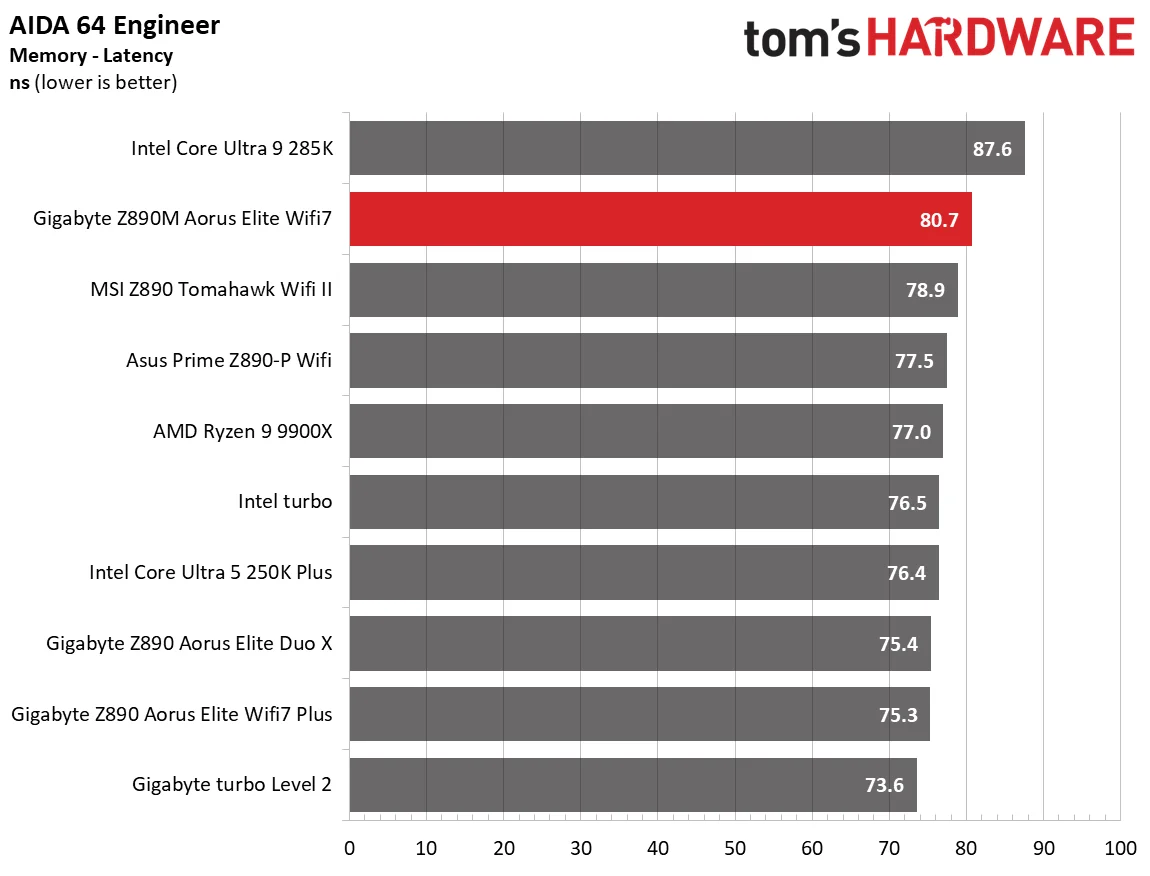
The board lands near the pack average across our application and synthetic tests. It takes a few above average results and a few modestly weaker ones; nothing here points to a meaningful performance concern.
3D Games and 3DMark
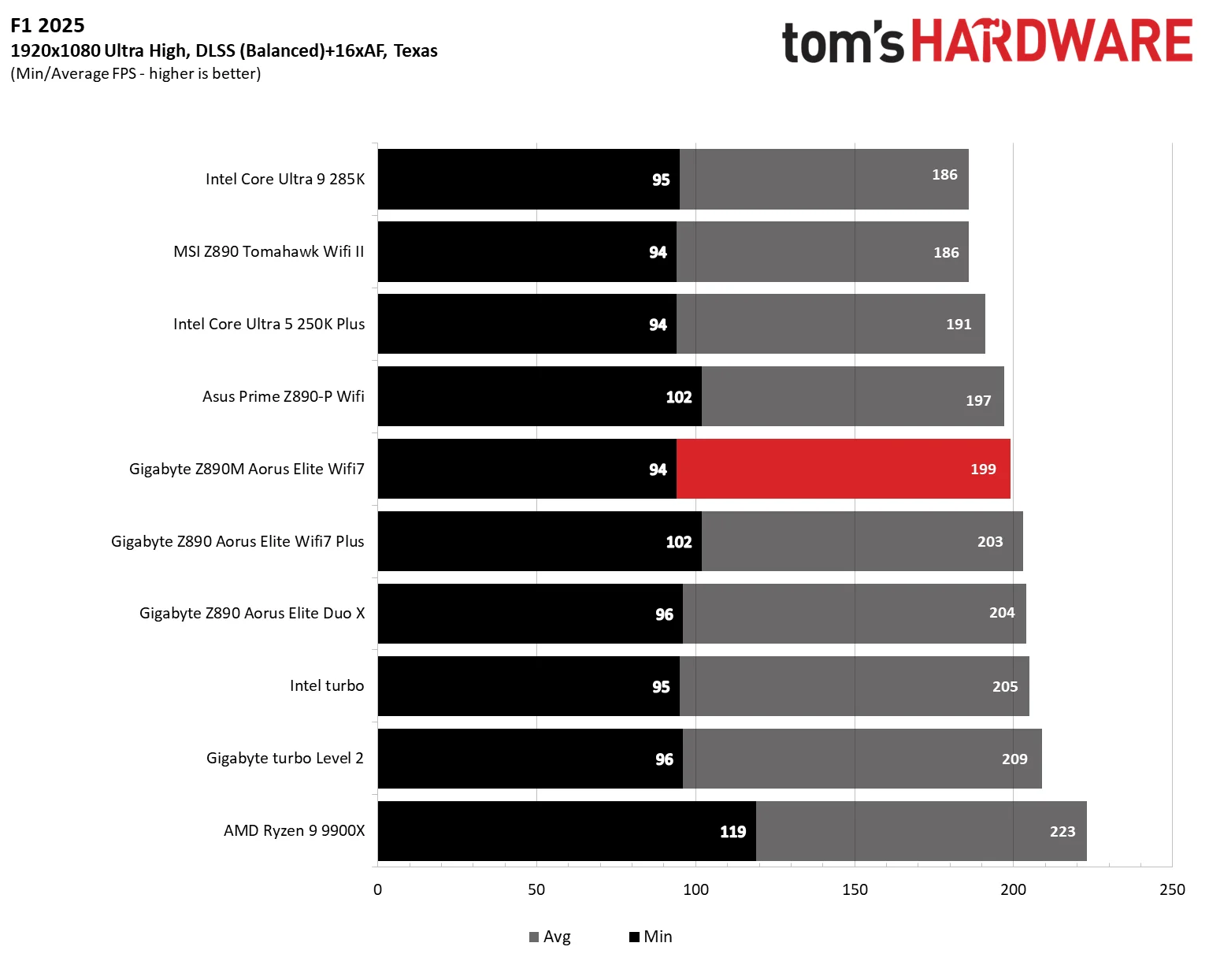
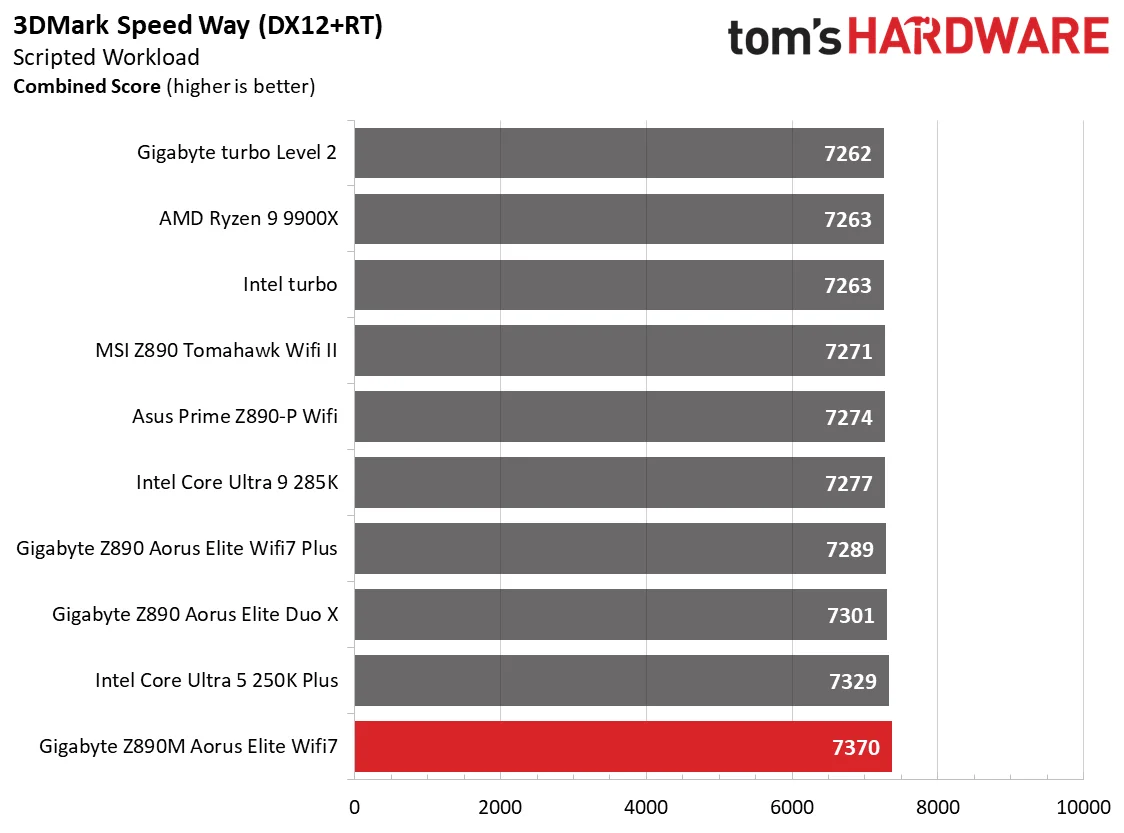
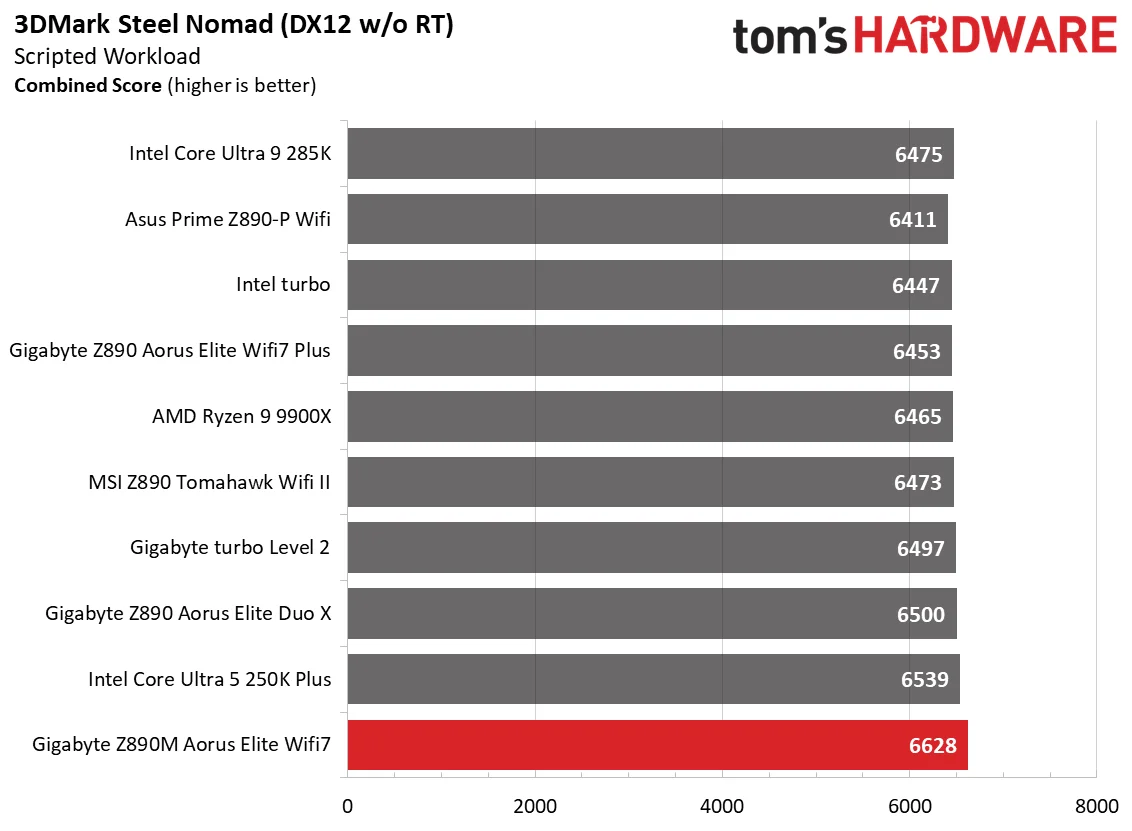
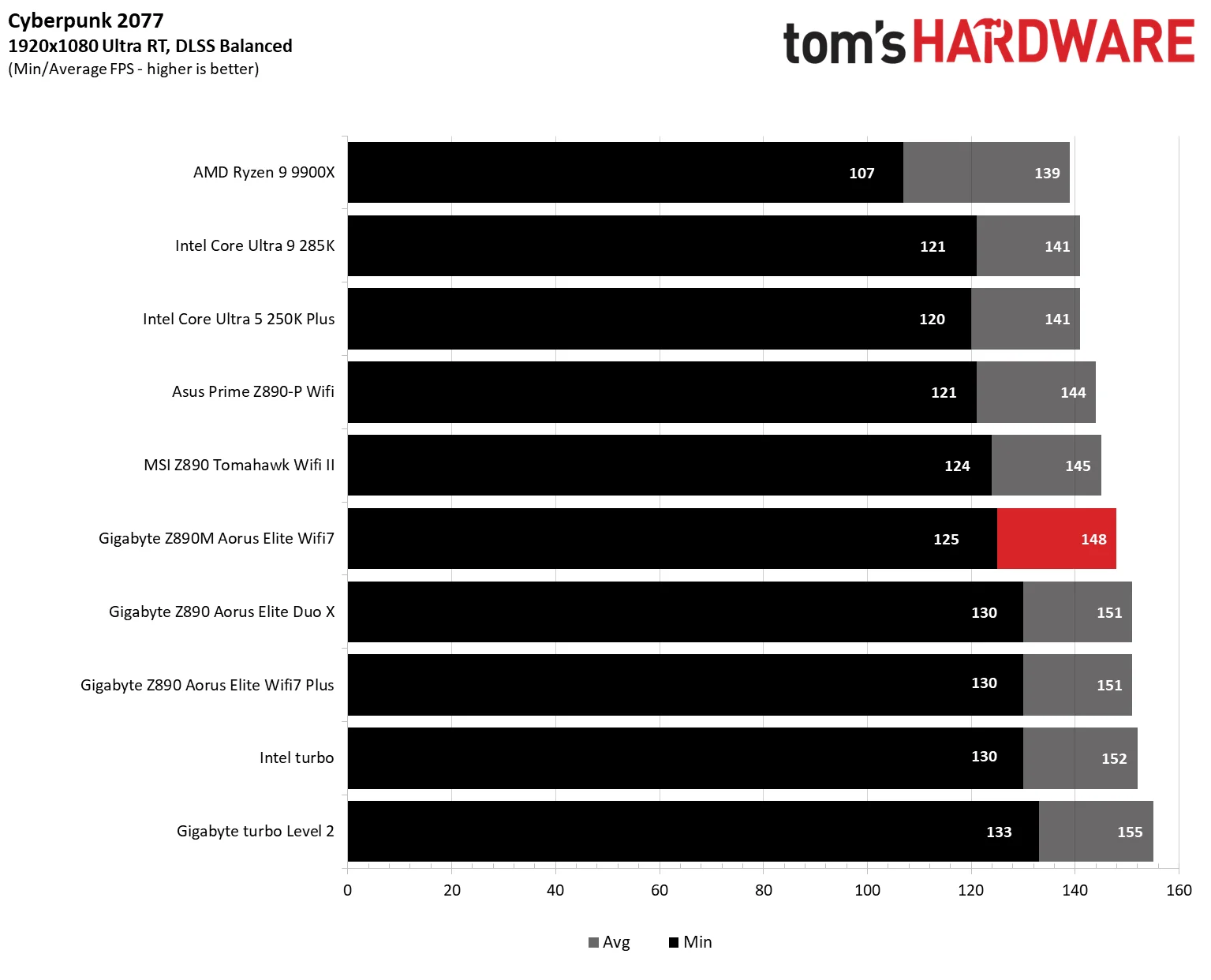
Our game suite changed with the Arrow Lake refresh launch: F1 25 replaces the older entry, while Cyberpunk 2077 remains. Both run at 1920 × 1080 with Ultra-class settings and DLSS; F1 25 uses the Ultra High preset, 16xAF/TAA, and the Texas track in clear, dry conditions. Cyberpunk uses Ultra RT with DLSS Balanced. We record minimum frame rates as well as average performance, since dips can shape how smooth a game feels.
These tests are meant to expose small CPU and system differences at a resolution where the processor can matter. Even so, motherboard results are expected to cluster closely, often within measurement error. The Aorus Elite follows that pattern: its 3DMark scores lead the boards tested so far, but only narrowly, while gaming performance sits around average. It handles games as expected; there’s no standout advantage here.
Overclocking
There’s less room for manual CPU overclocking than there was a few generations ago. Processors now arrive closer to their limits, which is good news if you want strong performance without tuning, but leaves enthusiasts with less headroom to chase.
Gigabyte offers AI Snatch alongside the usual manual controls, though any gain depends on the processor, cooling, and chip quality. Results will vary from system to system. For consistency, these reviews leave the CPU at stock settings and test memory kits against their rated specifications instead.
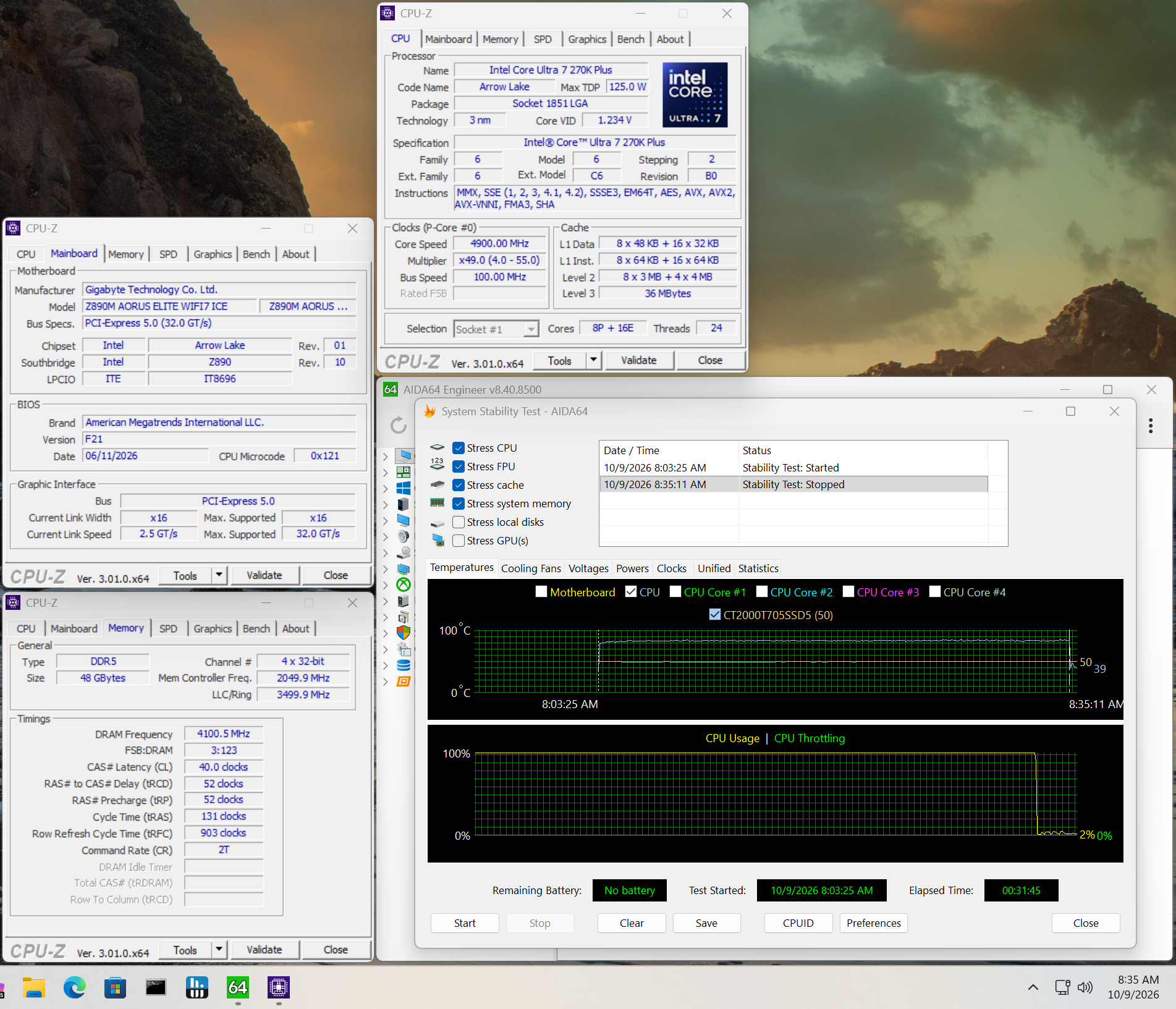
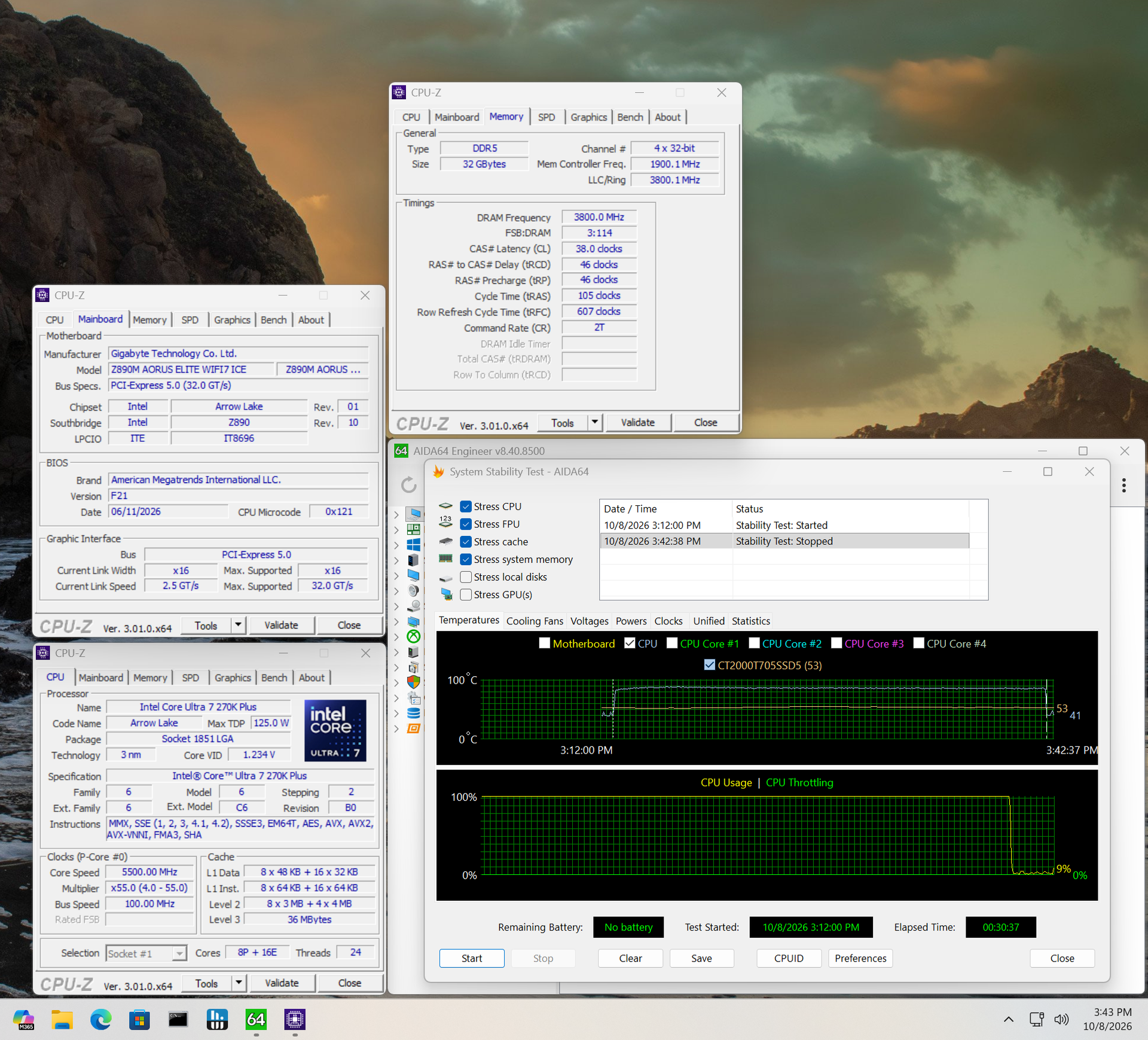
The board handled DDR5-7600 and DDR5-8200 through a 30-minute stress test, but a DDR5-8800 kit failed after roughly five minutes. That sets a practical ceiling for memory overclocking: if you’re chasing the highest speeds, check Gigabyte’s QVL list first. Compatibility at the top end isn’t guaranteed.
Power Consumption and VRM Temperatures
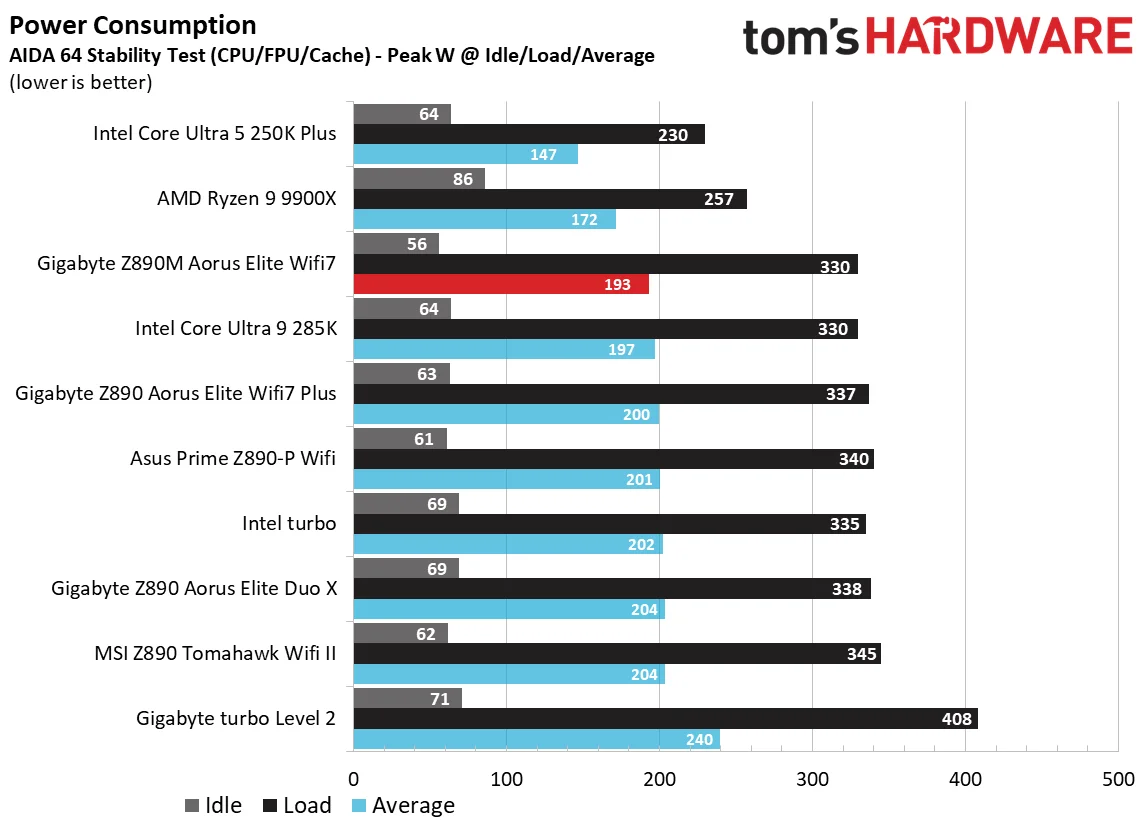
We ran AIDA64’s System Stability Test with CPU, FPU, cache, and memory stress enabled, then recorded peak processor power. A Kill-A-Watt meter measured total system draw at the wall, excluding the monitor. The motherboard was the only component changed between runs. We’re using stock power and VRM figures here to judge whether the board can support flagship-class processors.
With the 270K Plus and Team Group DDR5-7600 kit at stock settings, the system peaked at 330W from the wall, matching our lowest result to date. At idle, it drew about 56W, also a platform low. That’s an unusually restrained showing for a board in this class.
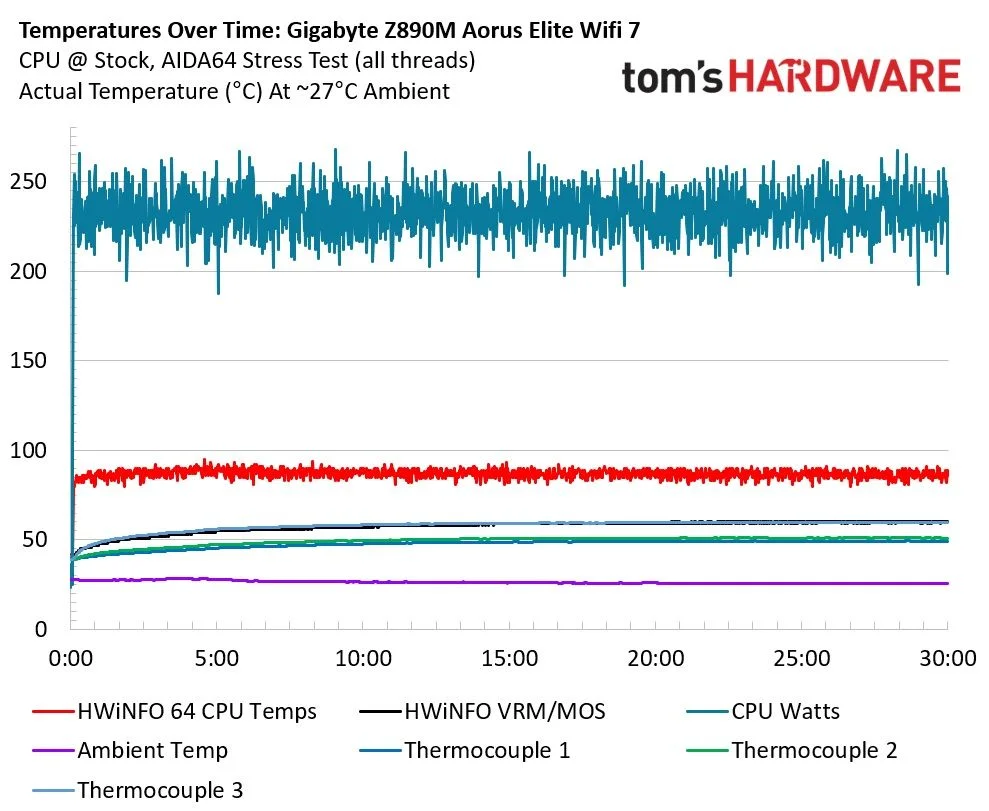
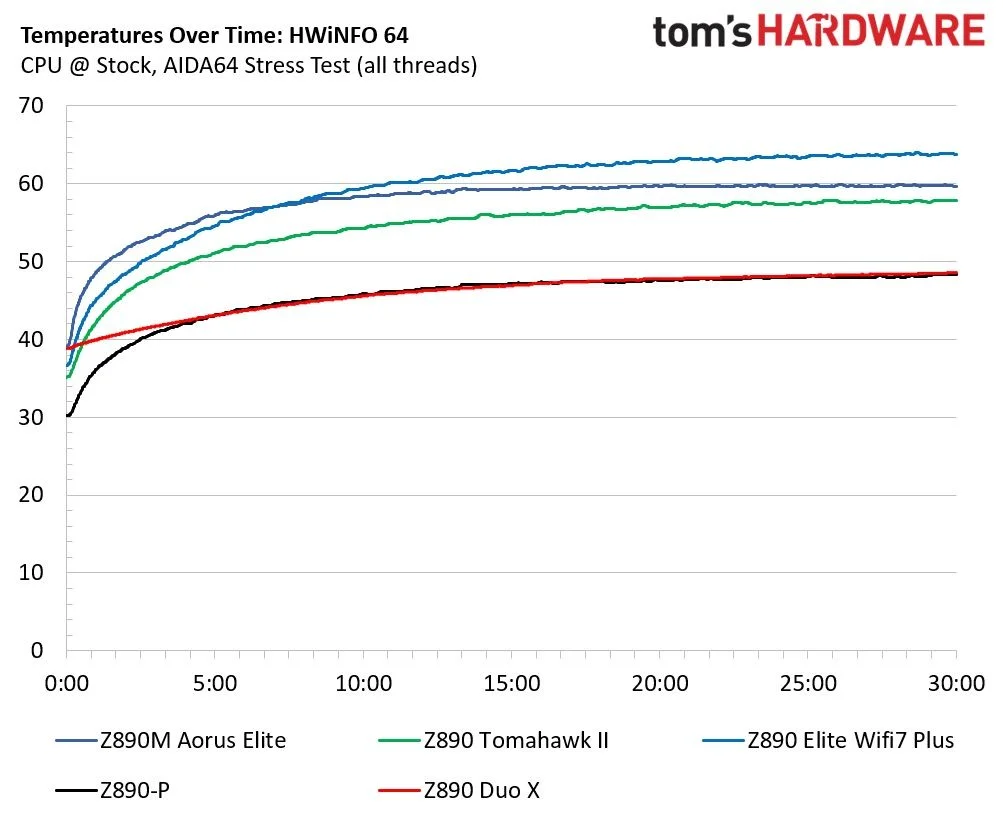
VRM temperatures reached about 60°C, warm enough to track but comfortably within the MOSFETs’ operating limits. Over the 30-minute run, average system draw was 232W; sensors behind the board, beneath the MOSFETs, stayed just under 60°C, in line with the readings from HWInfo and the board’s own sensor. The power delivery should cope with the processors most buyers are likely to install. In practice, CPU temperatures are more likely to be the limit. Keep airflow moving across the board and the VRMs should stay in check.
Bottom line
The Z890M Aorus Elite WiFi7 Ice makes its strongest case through a combination of looks, sensible power use, and a well-rounded feature set. Its white finish and extensive heatsink coverage give this Micro ATX board a more premium appearance than most rivals. It covers the expected Z890 basics, though a second rear USB4 port and a stronger audio codec would make the package more complete.
The alternatives each trade something away. The Asus Prime Z890M-Plus ($216.99) provides four expansion slots, six SATA ports, and extra “AI” features, but has fewer rear USB ports and doesn’t look as polished. ASRock’s Z890M Riptide Wifi ($252) costs more and brings stronger power delivery, with otherwise similar specifications. Its appearance is less compelling, and its single PCIe slot leaves little room to add cards. MSI’s Pro B860M-A WiFi ($158) saves money with a mainstream B860 chipset and adds 5 GbE, but drops to Wi-Fi 6E. It offers expansion comparable to the Asus, though its styling is another compromise.
For a compact Intel build, the Gigabyte is one of the most appealing Z890M choices, and its restrained power draw strengthens the case. It has earned a place on our best motherboards list for Intel Micro ATX systems. If you’re building around white components, the low-visibility PCB and icy finish make it an easy board to put on the shortlist.
MORE: Best Motherboards
MORE: How To Choose A Motherboard
MORE: Best Motherboard Deals
MORE: Best Motherboard Combo Deals
MORE: All Motherboard Content


